| MC542836 | Enhanced Capabilities for Managing Deleted and Expiring Teams from the Teams admin center |
|---|
| Classification | stayInformed |
|---|---|
| Last Updated | 04/17/2023 22:42:16 |
| Start Time | 04/17/2023 22:41:58 |
| End Time | 06/21/2023 07:00:00 |
| Message Content |
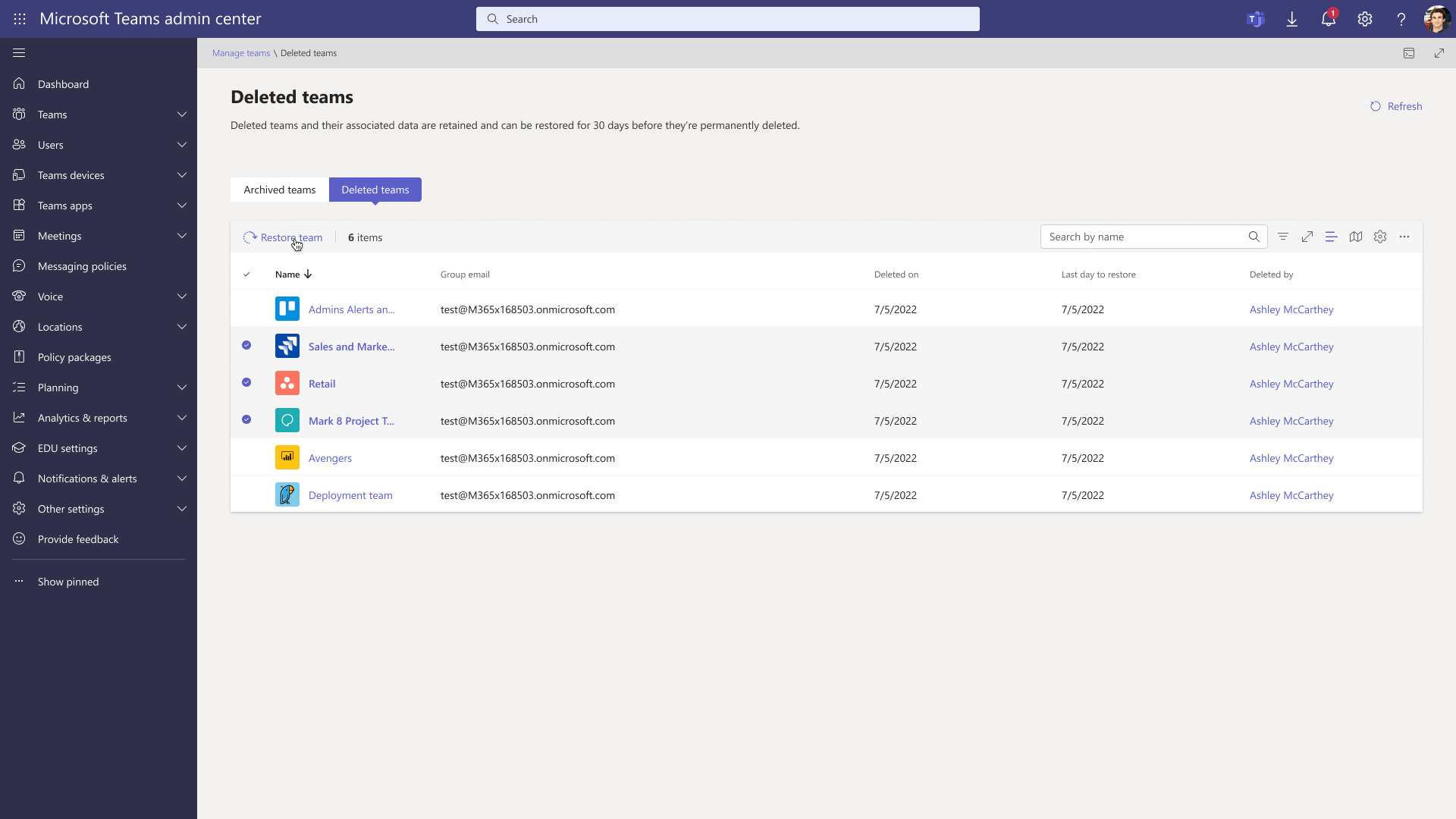
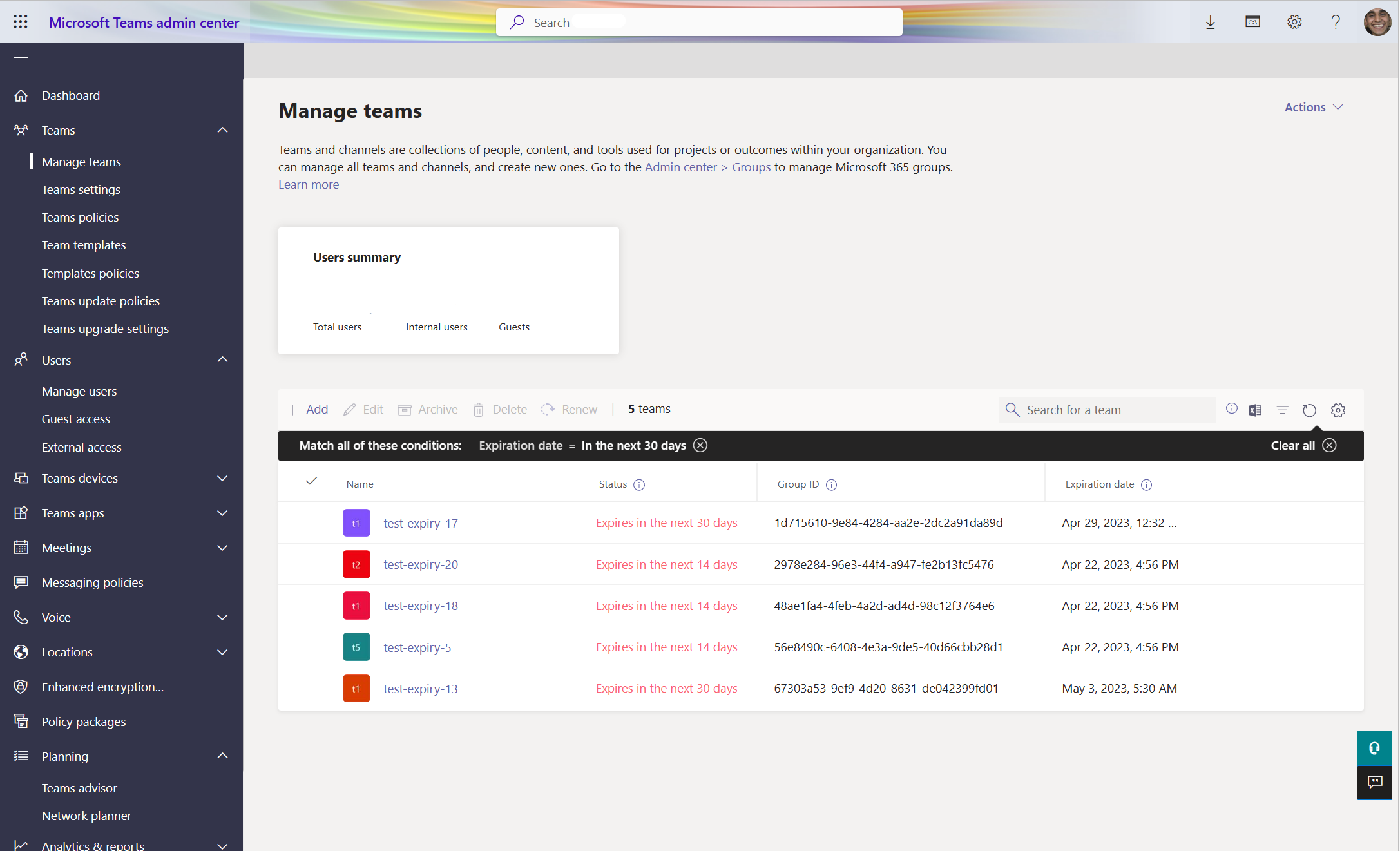
Microsoft Teams Admin Center will be updated with new capabilities to manage deleted & expiring teams. [When this will happen:] Rollout will begin in late April and is expected to be complete by mid-May. [How this will affect your organization:] We are updating Teams admin center with new capabilities to manage deleted & expiring teams. Teams’ administrators can now view deleted and expiring teams, restore deleted teams and renew expiring teams from Teams Admin Center. Deleted teams: Administrators can view the deleted teams page via the Actions dropdown button on the top right corner in Manage Teams page in Teams admin center. The deleted teams page will display the teams which have been deleted in the past 30 days and also restore teams via “Restore” button for single/ multiple teams.
Expiring teams:
[What you need to do to prepare:] You may want to notify your Teams administrators of this new capability and update your training and documentation as appropriate. |
| Machine Translation |
Microsoft Teams管理センターは、削除済みチームと期限切れのチームを管理するための新しい機能で更新されます。 [これが起こるとき:] ロールアウトは4月下旬に開始され、5月中旬までに完了する予定です。 [これが組織に与える影響:] Teams 管理センターを更新し、削除済みチームと期限切れのチームを管理するための新しい機能を追加しました。Teams の管理者は、Teams 管理センターから、削除されたチームと期限切れのチームを表示したり、削除されたチームを復元したり、期限切れになるチームを更新したりできるようになりました。 削除されたチーム: 管理者は、Teams 管理センターの [チームの管理] ページの右上隅にある [アクション] ドロップダウン ボタンを使用して、削除されたチーム ページを表示できます。削除されたチームページには、過去30日間に削除されたチームが表示され、単一/複数のチームの[復元]ボタンを使用してチームを復元します。
期限切れのチーム:
[準備するために必要なこと:] この新しい機能を Teams 管理者に通知し、必要に応じてトレーニングとドキュメントを更新することをお勧めします。 |