| MC559255 | Content Edits look different in the Catch Up Flyout on Word online. |
|---|
| Classification | stayInformed |
|---|---|
| Last Updated | 05/22/2023 22:56:22 |
| Start Time | 05/22/2023 22:54:59 |
| End Time | 06/30/2023 07:00:00 |
| Message Content |
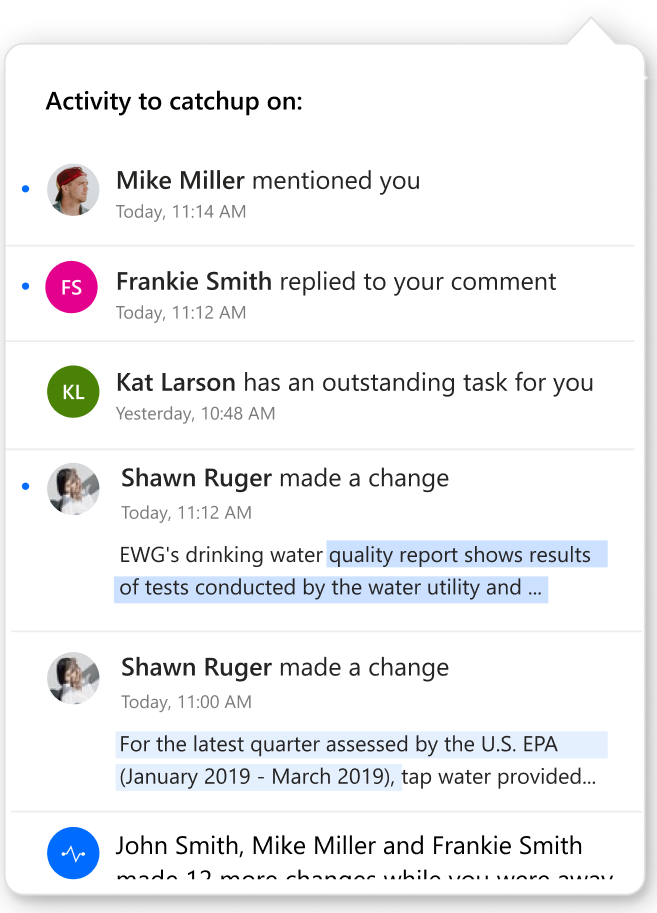
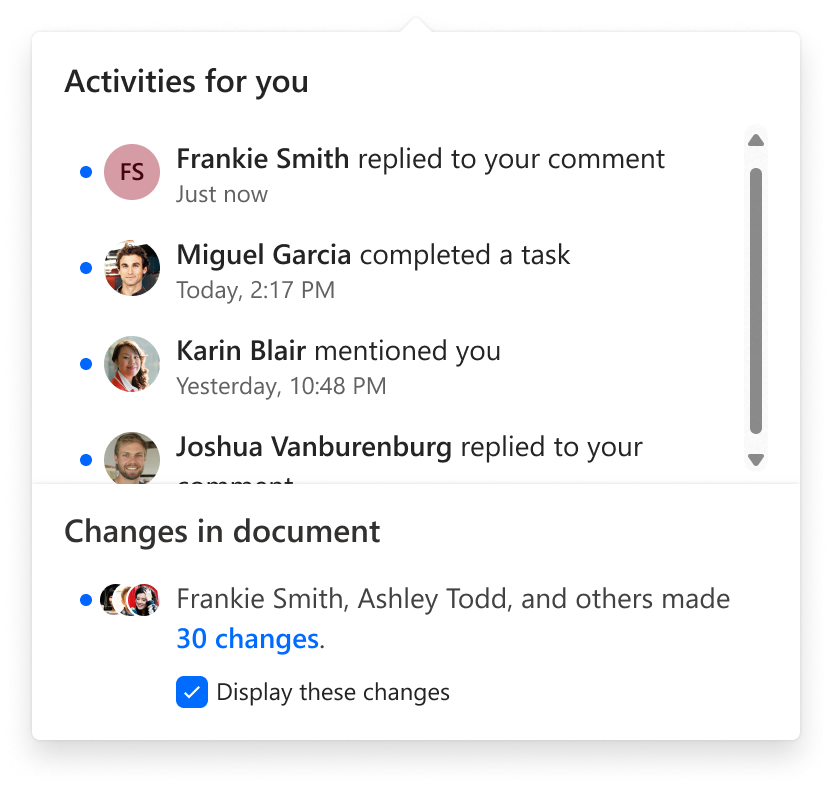
To empower collaboration in Office documents, a “Catch up” information flyout informs users about collaborative activity that has taken place in the file. Entry to the Catch up flyout is located at the top right of the document page, in an area also known as the collaboration corner. [When this will happen:] We will begin rolling out in mid-May and complete by late June. [How this will affect your organization:] With our most recent updates, the flyout will be composed of two sections. The first section, called “Activities for you”, lists the mentions, tasks, and comment replies that are directed at the user by their collaborators in the shared file. Items will persist in the flyout for a maximum of 28 days, or until they are dismissed. The second section is called “Changes in Document” and is located at the bottom of the flyout. It contains a summary of the edits made to the contents of the document since the last time the user opened the document. This section refreshes every time the user closes the document or refreshes the page. We expect this update to increase clarity about the collaborative activity that is directed at a user in a document, and the content edits that are undirected and that they have not yet seen. Previous experience: Updated experience:
[What you need to do to prepare:] There is no action required, this change will take place automatically. |
| Machine Translation |
Office ドキュメントでのグループ作業を強化するために、”キャッチアップ” 情報ポップアップは、ファイルで行われた共同作業アクティビティについてユーザーに通知します。キャッチアップ ポップアップへのエントリは、ドキュメント ページの右上のコラボレーション コーナーとも呼ばれる領域にあります。 [これが起こるとき:] 5 月中旬にロールアウトを開始し、6 月下旬までに完了する予定です。 [これが組織に与える影響:] 最新の更新では、ポップアップは 2 つのセクションで構成されます。 最初のセクションは「アクティビティ」と呼ばれ、共有ファイル内の共同作業者によってユーザーに向けられたメンション、タスク、およびコメントの返信を一覧表示します。項目は、最大 28 日間、または閉じられるまでポップアップに保持されます。 2 番目のセクションは “ドキュメントの変更” と呼ばれ、ポップアップの下部にあります。これには、ユーザーが最後にドキュメントを開いたときにドキュメントの内容に加えられた編集の概要が含まれています。このセクションは、ユーザーがドキュメントを閉じるか、ページを更新するたびに更新されます。 この更新により、ドキュメント内のユーザーに向けられた共同作業アクティビティと、指示されていない、まだ表示されていないコンテンツ編集について、より明確になることを期待しています。 以前の経験: 更新されたエクスペリエンス:
[準備するために必要なこと:] アクションは必要なく、この変更は自動的に行われます。 |