SHD / MC Checker

MC1440701 | MDO Encrypted email attachment protection


MC1440701 | MDO Encrypted email attachment protection

Classification planForChange
Last Updated 07/27/2026 16:31:28
Start Time 07/27/2026 16:31:12
End Time 12/28/2026 08:00:00
Message Content

What and Why:

Organizations commonly use encrypted or password-protected attachments to securely share sensitive information through email. However, when Microsoft Defender for Office 365 cannot obtain the attachment password during scanning or detonation, the content cannot be fully analyzed for threats.

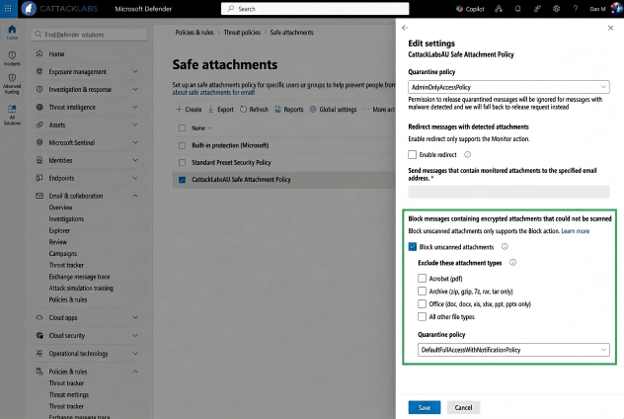
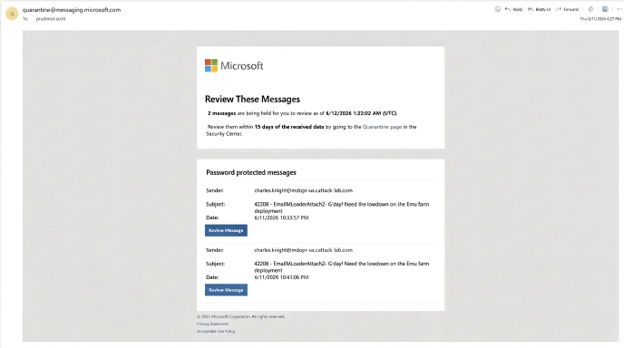
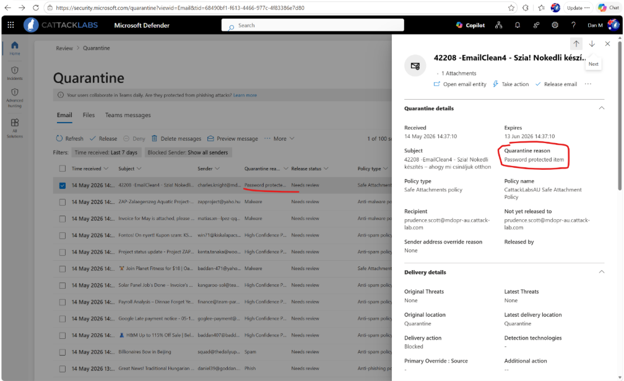
To help organizations reduce risk from unscanned content, Microsoft is introducing a new opt-in setting in Safe Attachments policies. This setting allows administrators to automatically quarantine email messages that contain password-protected attachments when Microsoft Defender for Office 365 cannot complete scanning or detonation. This enhancement provides administrators with greater control over potentially risky content while preserving business workflows through controlled release options.

Rollout Schedule:

  • Worldwide: Early August 2026 through Late August 2026
  • GCC: Late August 2026 through Late September 2026
  • GCC High: Late August 2026 through Late October 2026
  • DoD: Late August 2026 through Late October 2026

Impact on Your Organization:

Who is affected:

  • Administrators managing Safe Attachments policies.
  • Security operations teams responsible for quarantine management.
  • Users who receive password-protected email attachments.

Platforms/Services:

  • Microsoft Defender for Office 365
  • Safe Attachments
  • Quarantine
  • Advanced Hunting
  • Exchange Online

What will happen:

  • This feature is off by default and requires administrator opt-in.
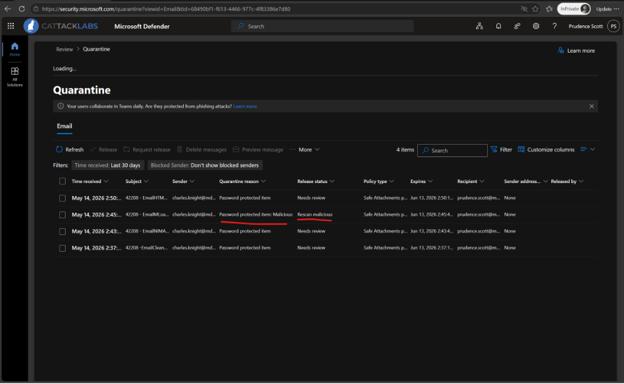
  • Administrators can configure Safe Attachments policies to quarantine messages when password-protected content cannot be scanned or detonated.
  • Organizations can pilot the feature using a separate scoped Safe Attachments policy.
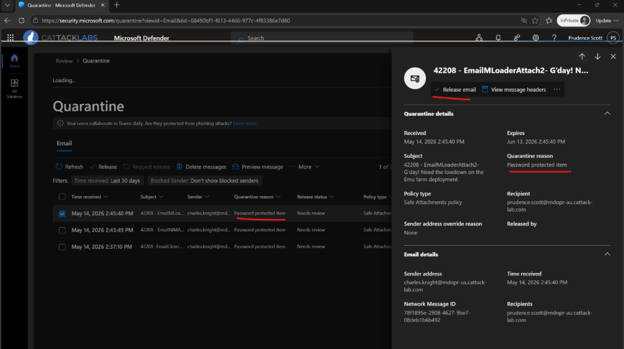
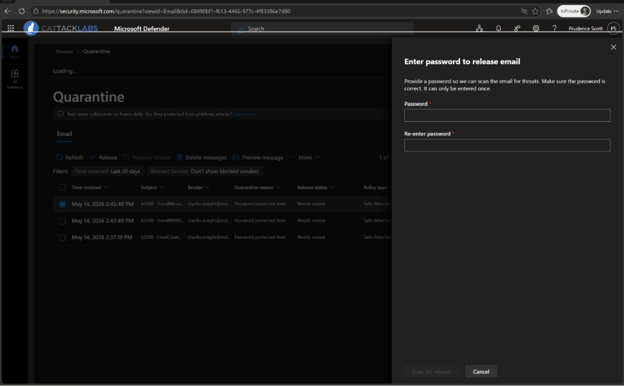
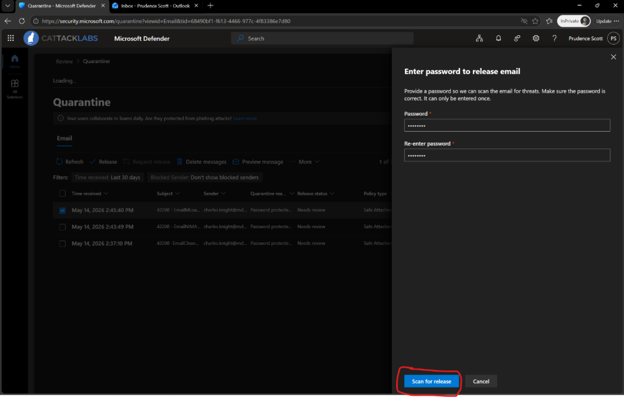
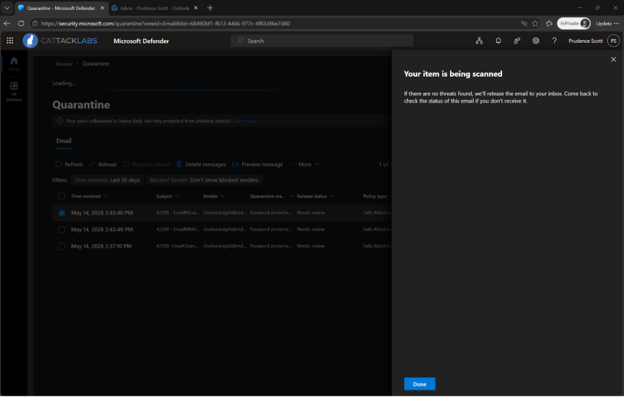
  • Users can self-release eligible messages by providing the attachment password. A just-in-time detonation is performed before release.
  • Security administrators can release quarantined messages without requiring the attachment password.
  • Supported file categories include ZIP, GZIP, 7z, RAR, PDF, and Microsoft Office file formats.
  • Selected file categories can be excluded from protection.

Important:

  • Users should only enter the attachment password.
  • Users should never enter account credentials, banking passwords, or unrelated passwords.
  • Users should only release expected messages from validated senders.
  • Unexpected protected email messages should be escalated to SecOps.


SecOps teams:

EmailAttachmentInfo
| where AdditionalFields contains "IsPasswordProtectedItem"

Action Required/Recommendations:

No action is required unless you want to use this capability.

Compliance considerations:

The change modifies how password-protected email attachments may be processed and accessed when organizations enable the feature. Administrators gain new controls through Safe Attachments policies and can identify affected content using Advanced Hunting. No other compliance considerations were identified.

Machine Translation

何となぜ:

組織は一般的に暗号化またはパスワード保護された添付ファイルを使用して、機密情報をメールで安全に共有します。しかし、Microsoft Defender for Office 365がスキャンや爆発時に添付パスワードを入手できない場合、内容を脅威の有無に十分に分析できません。

組織がスキャンされていないコンテンツのリスクを減らすために、MicrosoftはSafe Attachmentsポリシーに新しいオプトイン設定を導入します。この設定により、Microsoft Defender for Office 365がスキャンや削除を完了できない場合、パスワード保護された添付ファイルを含むメールメッセージを自動的に隔離できます。この機能により、管理者は潜在的にリスクのあるコンテンツをよりコントロールしつつ、管理されたリリースオプションを通じてビジネスのワークフローを維持します。

展開スケジュール:

  • 世界:2026年8月初旬から8月下旬まで
  • GCC:2026年8月下旬から9月下旬まで
  • GCCハイ:2026年8月下旬から10月下旬まで
  • DoD:2026年8月下旬から10月下旬まで

組織への影響:

影響を受ける人物:

  • 管理者がセーフアタッチメントポリシーを管理しています。
  • 隔離管理を担当するセキュリティオペレーションチーム。
  • パスワード保護されたメール添付ファイルを受け取るユーザー。

プラットフォーム/サービス:

  • Microsoft Defender for Office 365
  • セーフアタッチメント
  • 検疫
  • 高度な狩猟
  • エクスチェンジ・オンライン

今後の展開:

  • この機能はデフォルトでオフで、管理者のオプトインが必要です。
  • 管理者は、パスワード保護されたコンテンツがスキャンまたは爆発できない場合にメッセージを隔離するSafe Attachmentsポリシーを設定できます。
  • 組織は別途スコープ指定のセーフアタッチメントポリシーを使ってこの機能をパイロット的に導入できます。
  • ユーザーは添付パスワードを提供することで、適格メッセージを自己で解放できます。リリース前にジャストインタイム起爆が行われます。
  • セキュリティ管理者は添付パスワードを要求せずに隔離されたメッセージを公開できます。
  • 対応ファイルカテゴリにはZIP、GZIP、7z、RAR、PDF、Microsoft Officeのファイル形式が含まれます。
  • 選択されたファイルカテゴリは保護対象外にすることができます。

重要:

  • ユーザーは添付パスワードのみを入力してください。
  • ユーザーはアカウント認証情報、銀行パスワード、または無関係なパスワードを絶対に入力してはいけません。
  • ユーザーは検証済み送信者からの期待されるメッセージのみをリリースすべきです。
  • 予期しない保護されたメールメッセージはSecOpsにエスカレーションされるべきです。


SecOpsチーム:

EmailAttachmentInfo
| where AdditionalFields contains "IsPasswordProtectedItem"

必要な行動/推奨事項:

この機能を使う場合を除き、アクションは必要ありません。

コンプライアンスの考慮事項:

この変更により、組織がこの機能を有効にした場合のパスワード保護されたメール添付ファイルの処理およびアクセス方法が変更されます。管理者は安全な添付ファイルポリシーを通じて新たなコントロールを得られ、Advanced Huntingを使って影響を受けたコンテンツを特定できます。その他のコンプライアンス上の考慮事項は確認されていません。