| MC1434581 | (Updated) Use OneDrive-stored user-defined custom skills in PowerPoint Copilot (Mac) |
|---|
| Classification | stayInformed | ||||||||||||||
|---|---|---|---|---|---|---|---|---|---|---|---|---|---|---|---|
| Last Updated | 08/03/2026 21:46:07 | ||||||||||||||
| Start Time | 07/20/2026 22:23:02 | ||||||||||||||
| End Time | 09/14/2026 07:00:00 | ||||||||||||||
| Message Content |
Updated August 3, 2026: We have updated the timeline. Thank you for your patience. [What and Why:]
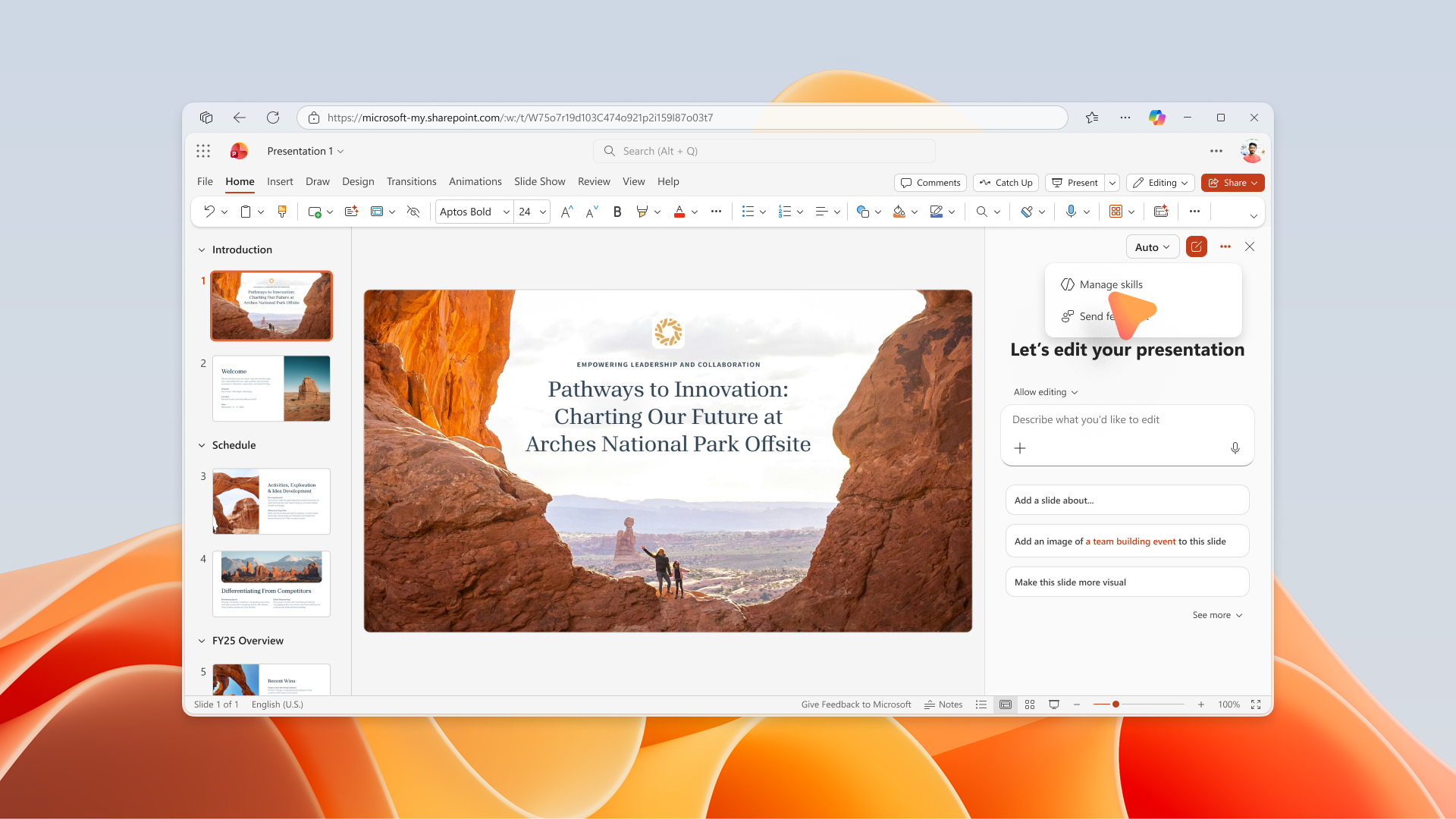
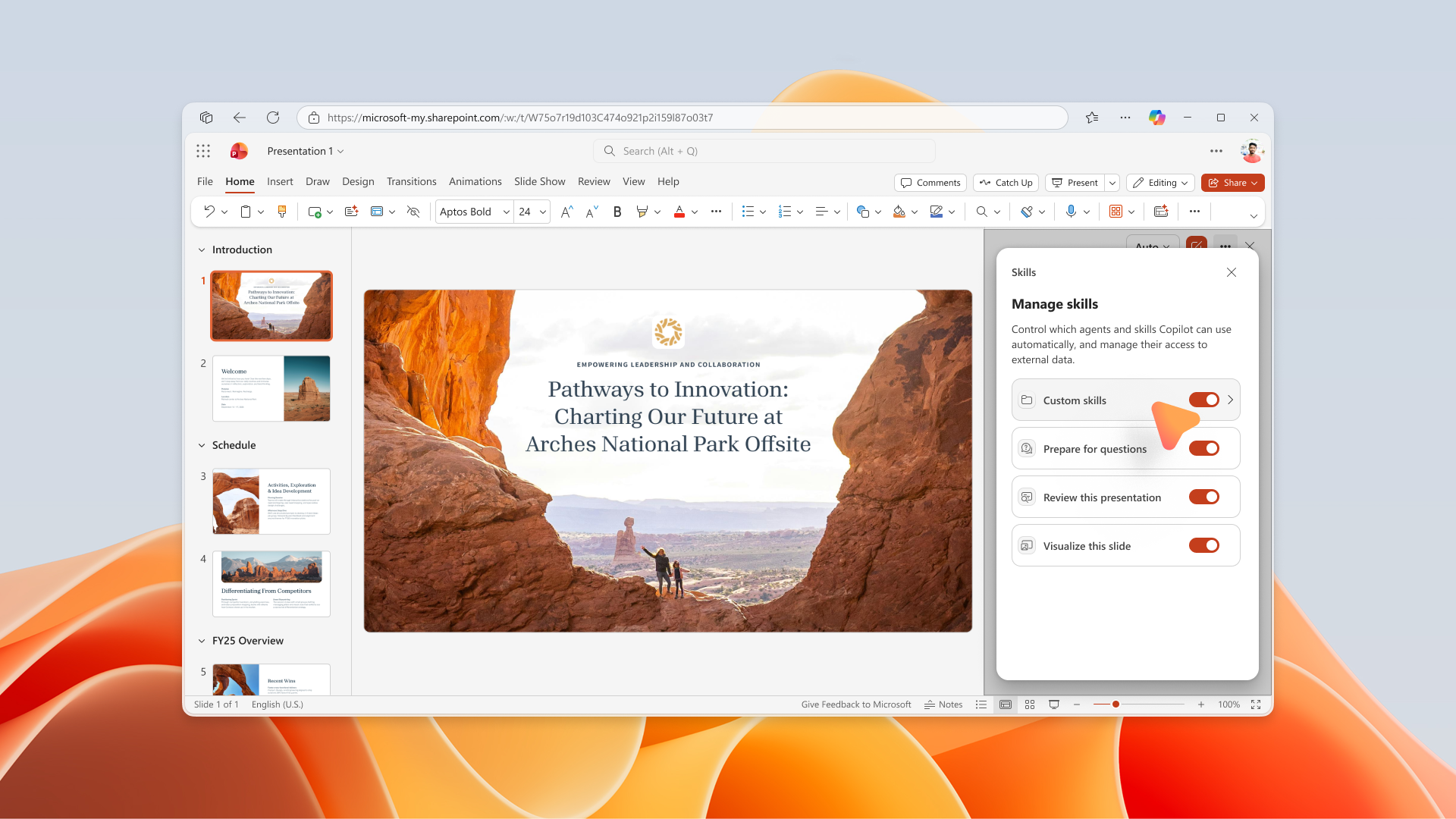
PowerPoint Copilot for Mac is introducing support for personal, user-defined custom skills stored in OneDrive. Users can upload skill folders containing a required SKILL.md file to a designated OneDrive location, and eligible skills will automatically appear within the Copilot Skills menu in PowerPoint. Users will also be able to manage individual skills through a new Manage Skills experience in the Copilot pane. This enhancement supports personal productivity by enabling users to tailor Copilot to their specific presentation workflows while maintaining control over which skills are available during Copilot interactions. [Rollout Schedule:]
[Impact on Your Organization:] Who is affected:
Platforms/Services:
What will happen:
Screenshot 1: Users can open Manage skills from the three-dot menu in the PowerPoint Copilot pane:
Screenshot 2: Users can enable or disable individual skills from the Manage skills experience in PowerPoint Copilot:
[Action Required/Recommendations:]
No immediate administrator action is required. We recommend that you:
[Compliance considerations:]
|
||||||||||||||
| Machine Translation |
2026年8月3日更新:タイムラインを更新しました。ご辛抱いただきありがとうございます。 [何となぜ:]
PowerPoint Copilot for Macは、OneDriveに保存された個人のユーザー定義カスタムスキルのサポートを導入しています。ユーザーは必要な SKILL.md ファイルを含むスキルフォルダを指定されたOneDriveの場所にアップロードでき、対象となるスキルは自動的にPowerPointのCopilotスキルメニューに表示されます。ユーザーはまた、Copilotペイン内の新しい 「スキル管理 」体験を通じて個別スキルを管理できるようになります。 この強化により、ユーザーは自分のプレゼンテーションワークフローに合わせてCopilotをカスタマイズでき、Copilotのやり取り中に利用可能なスキルをコントロールできるようになり、生産性を向上させます。 [展開スケジュール:]
[組織への影響:] 影響を受ける人物:
プラットフォーム/サービス:
今後の展開:
スクリーンショット1: ユーザーはPowerPoint Copilotペインの三点メニューからスキル管理を開けます:
スクリーンショット2: ユーザーはPowerPoint Copilotのスキル管理体験から個別のスキルを有効または無効にできます:
[必要な行動/推奨事項:]
即時の管理者の対応は必要ありません。 以下をお勧めします:
[コンプライアンス上の考慮事項:]
|