| MC1447681 | Microsoft Viva Engage: Custom branding for tenant-wide visual identity |
|---|
| Classification | planForChange | ||||||||||||
|---|---|---|---|---|---|---|---|---|---|---|---|---|---|
| Last Updated | 08/05/2026 00:26:01 | ||||||||||||
| Start Time | 08/05/2026 00:25:56 | ||||||||||||
| End Time | 10/14/2026 07:00:00 | ||||||||||||
| Message Content |
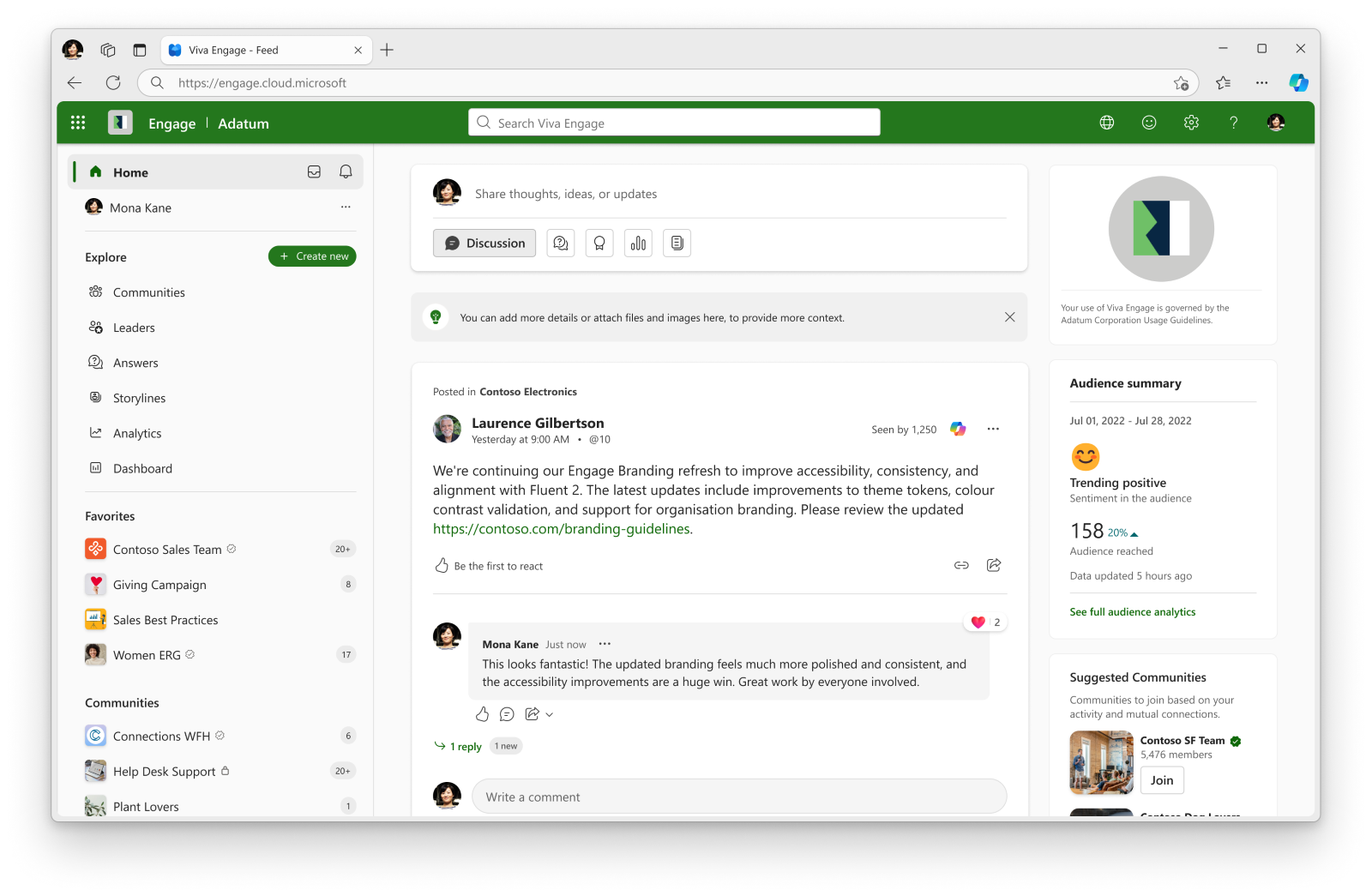
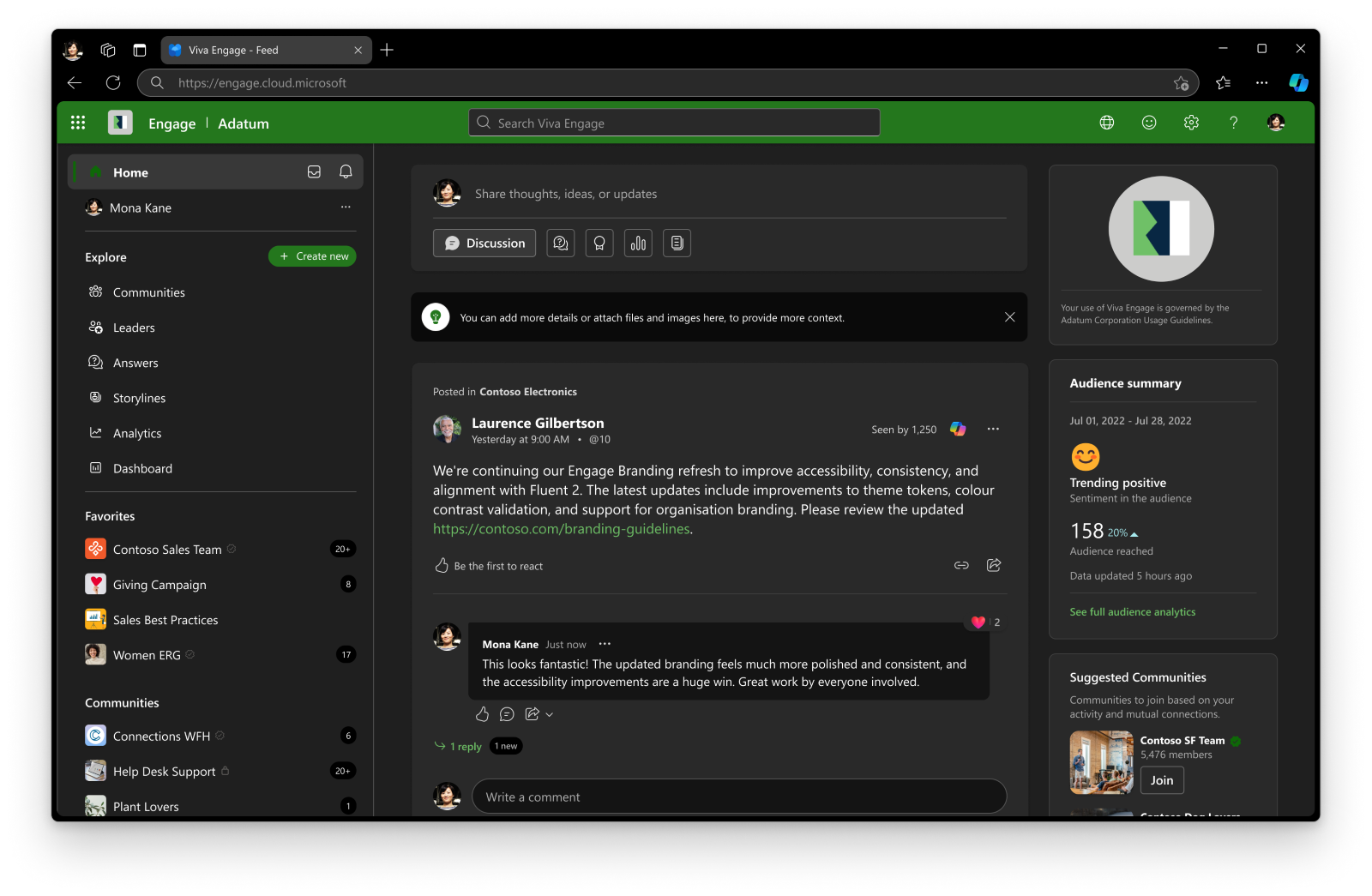
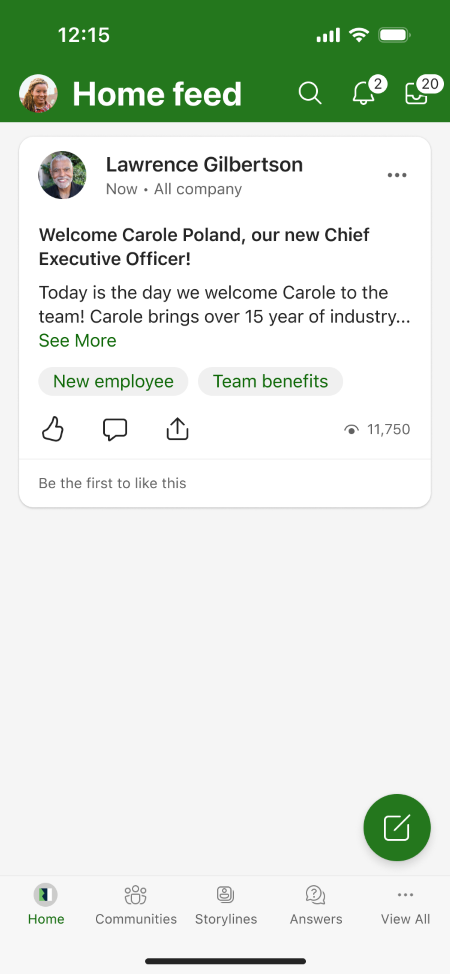
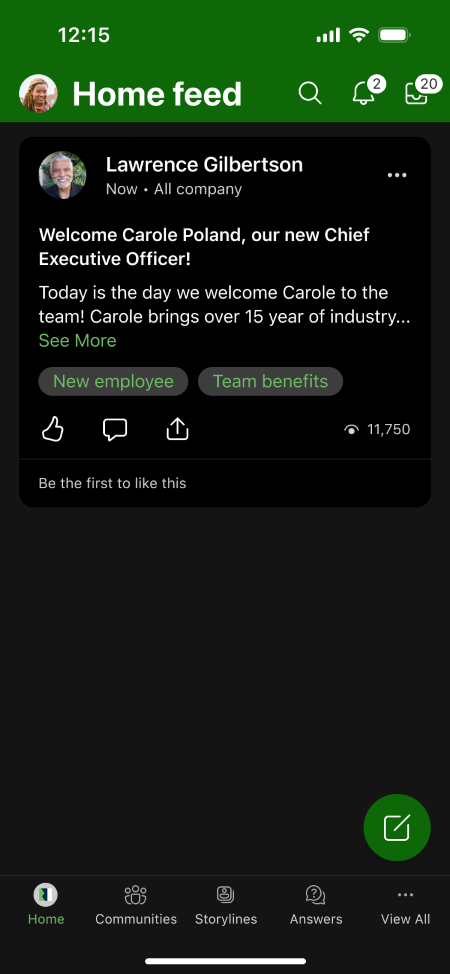
[What and why] We’re introducing Custom Branding in Microsoft Viva Engage, a new admin-managed capability that enables organizations to apply a consistent visual identity across the Viva Engage web experience and iOS and Android mobile apps. With Custom Branding, Viva Engage administrators can configure a tenant-wide brand name, logos, and theme color from a new Brand center in the Viva Engage admin center. Admins can preview branding changes before publishing them to users across the organization. This feature helps organizations reinforce their brand identity and create a more consistent employee experience in Viva Engage. This message is associated with Microsoft 365 Roadmap ID 568364. [Rollout schedule]
[Impact on your organization] Who is affected
Platforms and services
What will happen Administrators with access to the Viva Engage admin center will be able to configure tenant-wide branding through the new Brand Center. Branding options include:
Administrators can:
Important behavior changes:
Screenshot 1 – Branded user web experience (light mode) view:
Screenshot 2 – Branded user web experience (dark mode) view:
Screenshot 3 – Branded user Mobile experience (light mode) view:
Screenshot 4 – Branded user Mobile experience (dark mode) view:
[Action required and recommendations] No action is required to receive this feature. We recommend that administrators:
Custom Branding is optional and is not applied unless an administrator configures and publishes branding settings. [Compliance considerations]
|
||||||||||||
| Machine Translation |
[何となぜ] Microsoft Viva Engageにカスタムブランディングを導入します。これは、Viva Engageのウェブ体験だけでなく、iOSやAndroidのモバイルアプリ全体で一貫したビジュアルアイデンティティを適用できる新しい管理者管理機能です。 カスタムブランディングを使えば、Viva Engage管理者は新しい ブランドセンター からテナント全体のブランド名、ロゴ、テーマカラーを設定 できます。管理者は組織全体のユーザーに公開する前にブランディングの変更をプレビューできます。 この機能は、組織がブランドアイデンティティを強化し、 Viva Engageでより一貫した従業員体験を創出するのに役立ちます。 このメッセージはMicrosoft 365 Roadmap ID 568364に関連付けられています。 [展開スケジュール]
[組織への影響] 影響を受ける人物
ホームとサービス
何が起こるのか Viva Engage管理センターにアクセスできる管理者は、新しい ブランドセンターを通じてテナント全体のブランディングを設定できます。 ブランディングの選択肢には以下が含まれます:
管理者は以下のことができます:
重要な行動の変化:
スクリーンショット1 – ブランド化されたユーザーウェブ体験(ライトモード)ビュー:
スクリーンショット2 – ブランド化されたユーザーウェブ体験(ダークモード)ビュー:
スクリーンショット3 – ブランド化されたユーザーモバイル体験(ライトモード)ビュー:
スクリーンショット4 – ブランド化されたユーザーモバイル体験(ダークモード)ビュー:
[行動が必要と提言] この機能を受け取るためには、いかなるアクションも必要ありません。 私たちは管理者に以下のことを推奨します:
カスタムブランディングは任意であり、管理者が設定・公開しない限り適用されません。 [コンプライアンスの考慮事項]
|