| Message Content |
[What and why]
Microsoft Teams is introducing a new Report a meeting capability that allows meeting participants to report suspicious, malicious, or potentially fraudulent activity directly from Teams meetings.
This feature helps organizations identify and investigate threats such as phishing, impersonation, scams, and other suspicious behavior. Reported meeting information can help security teams assess potential threats and take appropriate action.
[Rollout schedule]
- Targeted Release: Beginning in early August 2026
- General Availability (Worldwide): Beginning in early October 2026
[Impact on your organization]
Who is affected
- Users who participate in Microsoft Teams meetings on Windows, Mac, and web
Platforms and services
- Microsoft Teams
- Microsoft Defender portal
- Teams admin center
What will happen
- A new Report a meeting option will be available from:
- The More actions (…) menu during an active meeting:

- The meeting chat header for scheduled and ad hoc meetings:
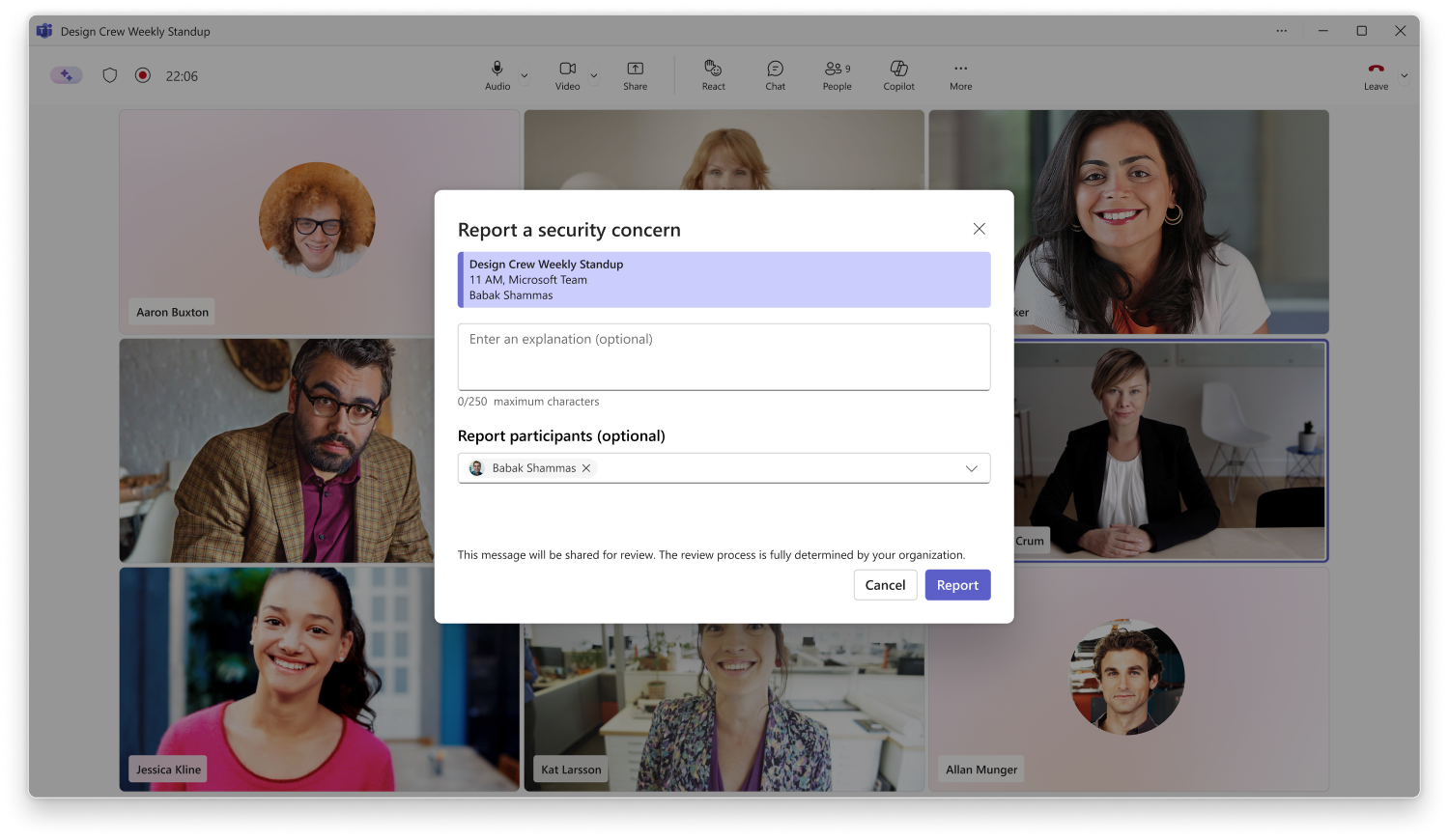
- Users can report suspected phishing attempts, impersonation, social engineering activity, scams, or other security concerns directly from Teams.
- Relevant meeting metadata and limited contextual information will be collected to support investigation and remediation activities.
- Information associated with reported meetings will be available for investigation by administrators.
- Organizations with Microsoft Defender for Office 365 Plan 1, Plan 2, or Microsoft Defender XDR can review detailed reported meeting submissions in the Microsoft Defender portal.
- Information about user-submitted reports will also be available in the Teams admin center under Protection reports > User-reported security submissions.
- Administrators can investigate reported meetings and take actions according to their organization’s security processes and policies.
- The Report a meeting capability is enabled by default.
[Action required and recommendations]
Review your organization’s security investigation and response processes before rollout.
Recommended actions:
- Review Microsoft Defender user reporting settings and ensure your reporting workflows align with organizational requirements.
- If your organization uses Microsoft Defender for Office 365 or Microsoft Defender XDR, verify that Teams meeting reporting is configured appropriately so detailed reported meeting submissions are available to security investigators in the Microsoft Defender portal.
- Inform users about the new Report a meeting capability and when it should be used.
- Update internal security awareness materials and incident response procedures, as needed.
- Verify that security administrators responsible for reviewing reports have appropriate access to the Microsoft Defender portal or Teams admin center.
[Compliance considerations]
| Question |
Answer |
| Does this change store new customer data? |
Yes. When users submit a meeting security report, relevant meeting metadata and limited contextual information are collected and stored to support investigation and remediation activities. |
| Does this change alter how existing customer data is processed, stored, or accessed? |
Yes. Reported meeting information is processed and made available through Microsoft Defender and Teams admin experiences to support security investigations. |
| Does this change provide a new way for users, tenants, or subscriptions to communicate? |
Yes. Users can submit security reports directly from Teams meetings and meeting chats, creating a new reporting channel between users and organizational security administrators. |
| Does this change alter how admins monitor, report on, or demonstrate compliance activities? |
Yes. Administrators can review and investigate user-submitted meeting security reports in the Microsoft Defender portal and Teams admin center, providing additional visibility into security-related events. |
| Does this change include an admin control? |
Yes. Administrators can configure reporting and investigation settings in the Microsoft Defender portal to enable access to detailed meeting security reports. |
| Does this change allow users to enable or disable the feature themselves? |
Yes. Users can choose whether to submit a security report for a meeting by using the new Report a meeting option in Teams. |
|