| MC1458476 | Microsoft Outlook: Classic Outlook theme experience for Outlook on the web and Outlook for Windows |
|---|
| Classification | planForChange |
|---|---|
| Last Updated | 08/21/2026 00:39:47 |
| Start Time | 08/21/2026 00:39:24 |
| End Time | 10/25/2026 07:00:00 |
| Message Content |
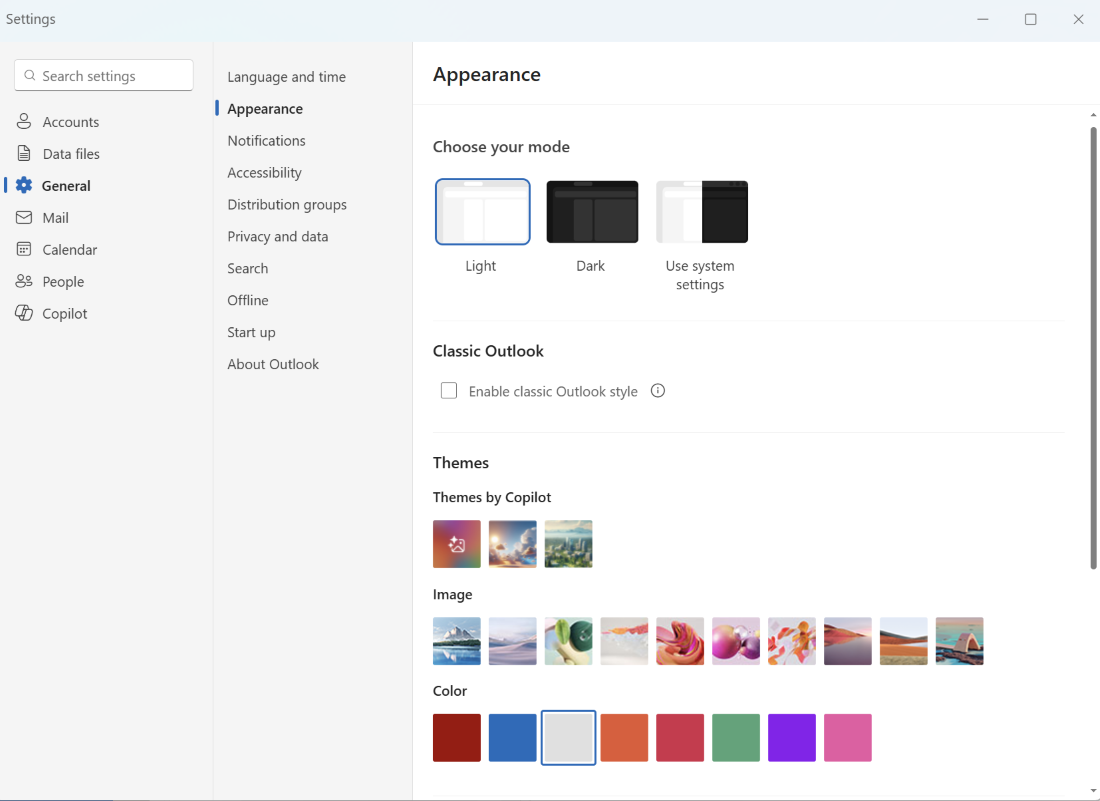
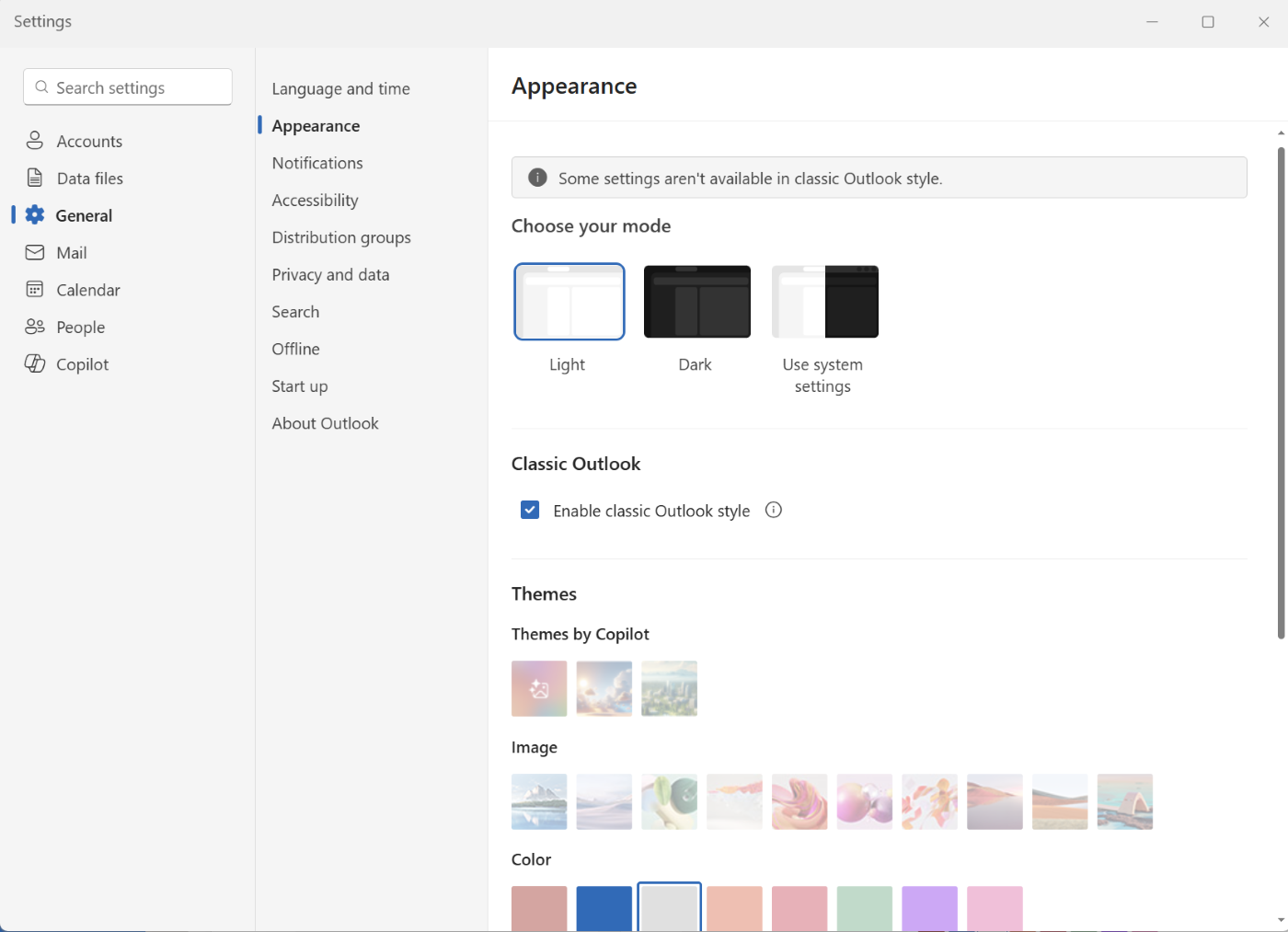
[What and why] We’re introducing a new optional setting in Outlook on the web and the new Outlook for Windows that adjusts the experience to more closely resemble classic Outlook for Windows. When enabled, the setting applies coordinated changes across the Outlook experience, including visual styling, layout, typography, icons, and selected interactions. This update is designed to help users who are transitioning from classic Outlook by providing a more familiar experience while maintaining the capabilities of the new Outlook. The setting will be available to all users and can be turned on or off at any time. It will be off by default for most users. As part of a phased rollout, Microsoft will enable the setting by default for some users moving from classic Outlook to the new Outlook. Those users can change the setting at any time. This setting affects only the experience in Outlook on the web and the new Outlook for Windows. It does not affect the user interface or behavior of classic Outlook for Windows. This feature does not automatically migrate users from classic Outlook to the new Outlook and does not affect or override any existing administrator configurations used to manage new Outlook availability or migration experiences. [Rollout schedule]
[Impact on your organization] Who is affected
Platforms and services
What will happen
Screenshot 1 – OFF setting view:
Screenshot 2 – ON setting view:
[Action required and recommendations] No admin action is required. We recommend that administrators:
[Compliance considerations] No compliance considerations identified. Review as appropriate for your organization. |
| Machine Translation |
[何となぜ] Outlook on the Web に新しいオプション設定と 、従来のOutlook版Windowsにより近い体験を調整する新しいOutlook for Windowsを導入します。有効化すると、ビジュアルスタイリング、レイアウト、タイポグラフィ、アイコン、選択された操作など、Outlook全体の調整された変更が適用されます。 このアップデートは、従来のOutlookから移行するユーザーに対し、より馴染みのある体験を提供しつつ新しいOutlookの機能を維持するためのものです。 この設定はすべてのユーザーが利用可能で、いつでもオンまたはオフが可能です。ほとんどのユーザーにとってはデフォルトでオフになります。段階的な展開の一環として、MicrosoftはクラシックOutlookから新しいOutlookに移行する一部のユーザーにデフォルトでこの設定を有効にします。そのユーザーはいつでも設定を変更することができます。 この設定はOutlook on Webおよび新しいOutlook for Windowsの体験にのみ影響します。従来のOutlook for Windowsのユーザーインターフェースや挙動には影響しません。 この機能は、ユーザーを従来のOutlookから新しいOutlookに自動的に移行するものではなく、新しいOutlookの可用性や移行体験を管理するために使われている既存の管理者設定に影響を与えたり上書きしたりするものではありません。 [展開スケジュール]
[組織への影響] 影響を受ける人物
ホームとサービス
何が起こるのか
スクリーンショット1 – オフ設定ビュー:
スクリーンショット2 – ON設定ビュー:
[行動が必要と提言] 管理者の対応は不要です。 私たちは管理者に以下のことを推奨します:
[コンプライアンスの考慮事項] コンプライアンス上の考慮事項は特定されていません。組織に応じた適切なレビューを行ってください。 |