| MC468492 | (Updated) Authenticator number matching to be enabled for all Microsoft Authenticator users |
|---|
| Classification | planForChange |
|---|---|
| Last Updated | 06/08/2023 22:02:49 |
| Start Time | 11/18/2022 23:56:30 |
| End Time | 07/21/2023 07:00:00 |
| Message Content |
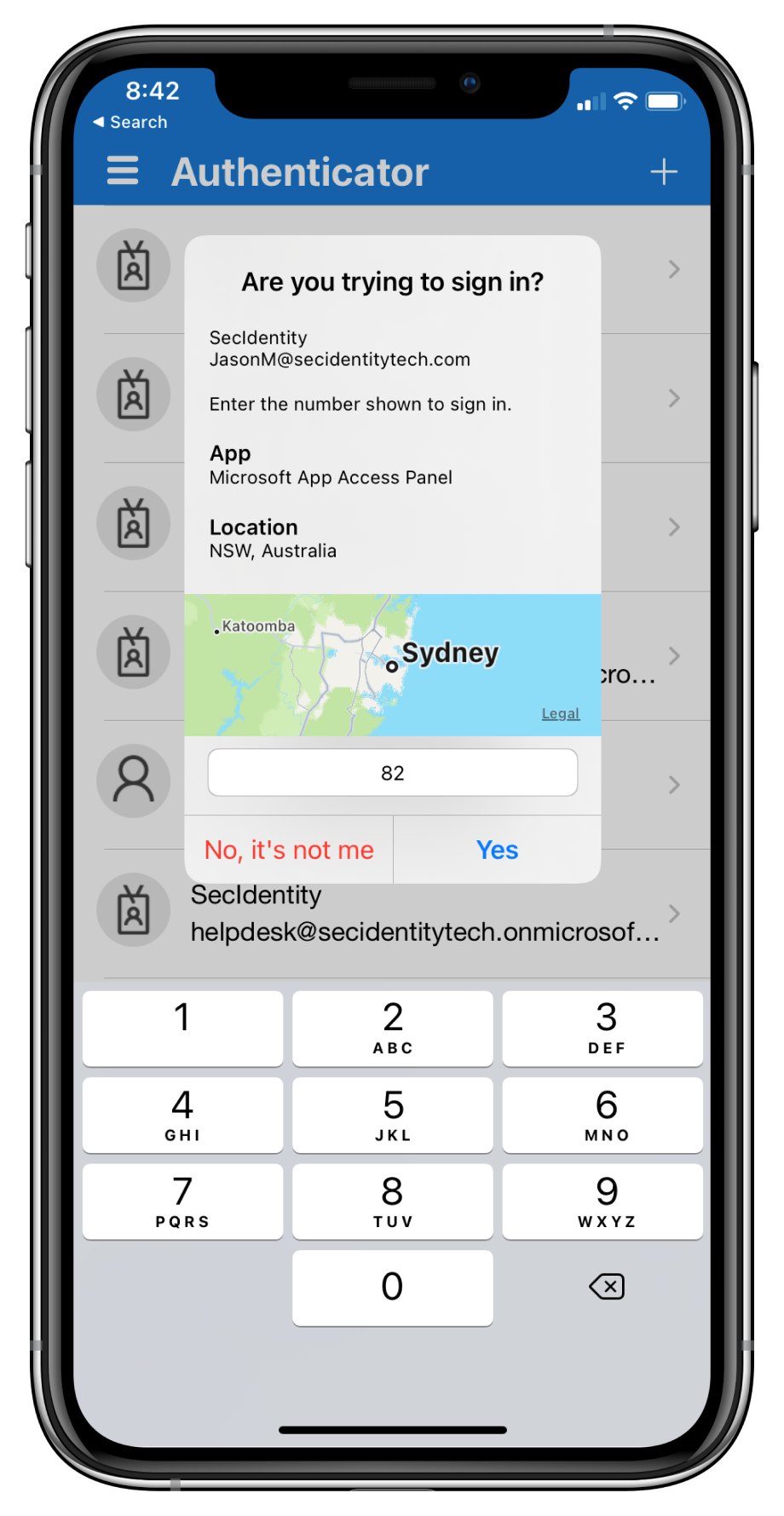
Updated June 8, 2023: Number matching is now deployed and enabled for all users of the Microsoft Authenticator app! Additionally, due a change in the Microsoft Authenticator Authentication method policy, the feature configuration of Application Context and Location Context in tenants may have been impacted. End users were not impacted by this change, but if you made an update to these settings before 5/17 to set them to “disabled”, please review your policy. If the policy has been reset to “default” and you’d like to explicitly set the state to be “disabled”, you can leverage the UX or MS Graph API to do so. Note: Tenants who have the policy set to “enabled” were not affected by the change. Microsoft Authenticator app’s number matching feature has been Generally Available since Nov 2022! If you have not already leveraged the rollout controls (via Azure Portal Admin UX and MSGraph APIs) to smoothly deploy number matching for users of Microsoft Authenticator push notifications, we highly encourage you to do so. We had previously announced that we will remove the admin controls and enforce the number match experience tenant-wide for all users of Microsoft Authenticator push notifications starting February 27, 2023. After listening to customers, we will extend the availability of the rollout controls for a few more weeks. Organizations can continue to use the existing rollout controls until May 8, 2023, to deploy number matching in their organizations. Microsoft services will start enforcing the number matching experience for all users of Microsoft Authenticator push notifications after May 8th, 2023. We will also remove the rollout controls for number matching after that date. Please note that we have changed the expected behavior for NPS extension to be even more admin friendly. NPS versions 1.2.2216.1+ will be released once Microsoft starts to enable number matching for all Authenticator users. These NPS versions will automatically prefer OTP based sign-ins over traditional push notifications with the Authenticator app. An admin can choose to disable this behavior and fallback to traditional push notifications with Approve/Deny by setting the registry key OVERRIDE_NUMBER_MATCHING_WITH_OTP Value = FALSE. Previous NPS extension versions will not automatically switch Authenticator push notification authentications to OTP based authentications. Please refer to the NPS extension section of the number match documentation for further information. [When this will happen:] Beginning in May 2023. [How this affects your organization:] To prevent accidental approvals, admins can require users to enter a number displayed on the sign-in screen when approving an MFA request in the Microsoft Authenticator app. This feature is critical to protecting against MFA fatigue attacks which are on the rise. Another way to reduce accidental approvals is to show users additional context in Authenticator notifications. Admins can now selectively choose to enable the following:
Number match behavior in different scenarios after May 2023:
[What you can do to prepare:] If customers don’t enable number match for all Microsoft Authenticator push notifications prior to May 8, 2023, users may experience inconsistent sign-ins while the services are rolling out this change. To ensure consistent behavior for all users, we highly recommend you enable number match for Microsoft Authenticator push notifications in advance. Learn more at: |