| MC586559 | Enhanced Sort and Filter Capabilities for User Management in Teams admin center |
|---|
| Classification | stayInformed |
|---|---|
| Last Updated | 06/13/2023 23:10:08 |
| Start Time | 06/13/2023 23:10:00 |
| End Time | 07/31/2023 07:00:00 |
| Message Content |
We are excited to announce that the Manage Users page in Teams admin center now includes enhanced filter and sort capabilities, making it easier than ever for Teams administrators to find and manage their Teams users.
[When this will happen:] Standard Release: We will begin rolling out in mid-June 2023 and expect to complete rollout by late June 2023.
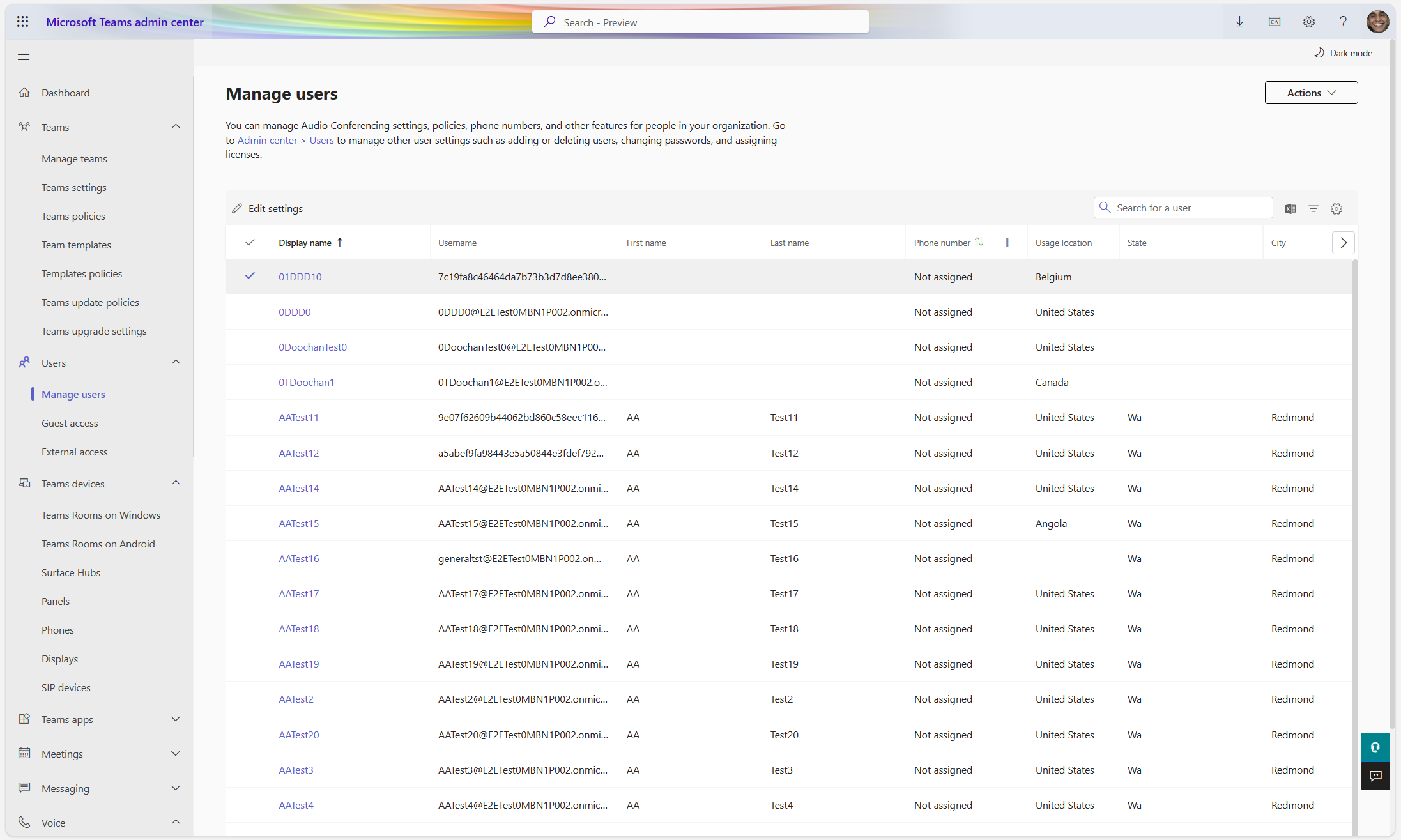
[How this will affect your organization:] We are updating Teams admin center with new capabilities to discover and manage users. Teams’ administrators can utilize the sort and filter functionalities of the Manage Users page across a number of columns for effective user management. We have also added 4 new columns (State, City, First Name and Last Name) to assist IT administrators find the right users. Sort Capabilities:
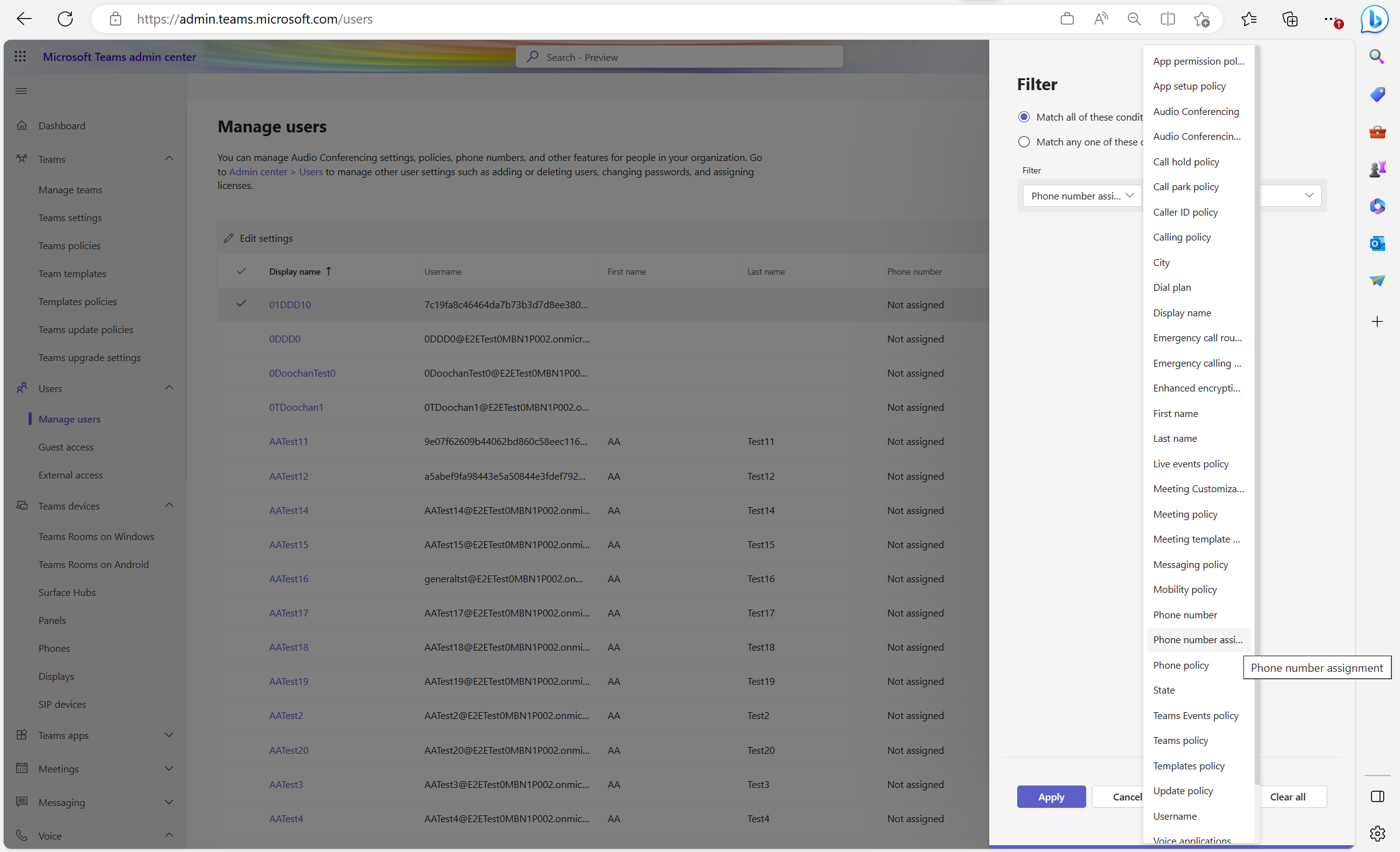
Filtering Capabilities: With our new filters, administrators would have the capabilities to achieve the following:
[What you need to do to prepare:] You may want to notify your Teams administrators of this new capability and update your training and documentation as appropriate. |
| Machine Translation |
Teams 管理センターの [ ユーザーの管理 ] ページに強化されたフィルター機能と並べ替え機能が追加され、Teams 管理者が Teams ユーザーをこれまで以上に簡単に検索および管理できるようになりました。
[これが起こるとき:] 標準リリース: 2023 年 6 月中旬にロールアウトを開始し、2023 年 6 月下旬までにロールアウトを完了する予定です。
[これが組織に与える影響:] Teams 管理センターを更新し、ユーザーを検出および管理するための新しい機能を追加しました。チームの管理者は、効果的なユーザー管理のために、多数の列にわたって [ ユーザーの管理 ] ページの並べ替え機能とフィルター処理機能を利用できます。また、IT 管理者が適切なユーザーを見つけるのに役立つ 4 つの新しい列 (都道府県、市区町村、名、姓) を追加しました。 ソート機能:
フィルタリング機能: 新しいフィルターを使用すると、管理者は次のことを実現できます。
[準備するために必要なこと:] この新しい機能を Teams 管理者に通知し、必要に応じてトレーニングとドキュメントを更新することをお勧めします。 |