| MC588324 | Microsoft Lists: Custom List Template Updates |
|---|
| Classification | stayInformed |
|---|---|
| Last Updated | 06/14/2023 23:27:00 |
| Start Time | 06/14/2023 23:26:50 |
| End Time | 09/30/2023 07:00:00 |
| Message Content |
The Custom List Templates feature will give organizations the ability to create their own custom list templates with custom formatting and schema. It will also empower organizations to create repeatable solutions within the same Microsoft Lists infrastructure (including list creation in SharePoint, Teams, and within the Lists app itself). We have made some updates to the feature we are releasing:
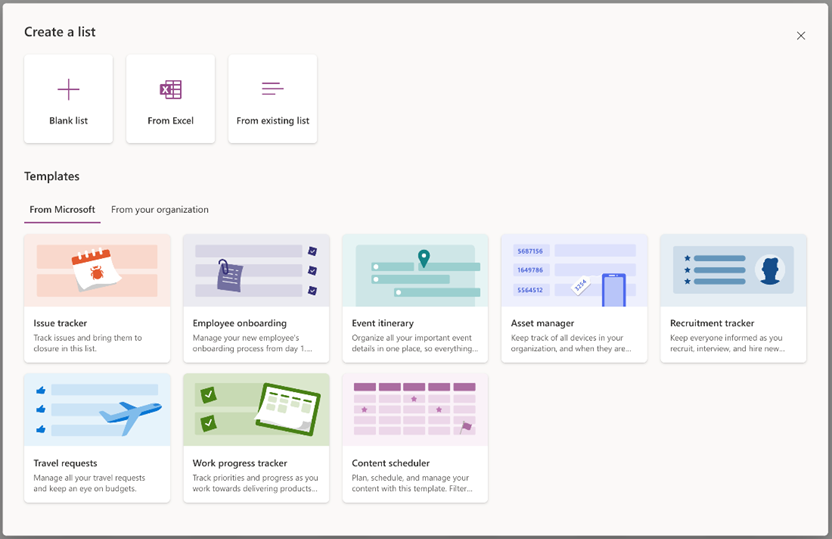
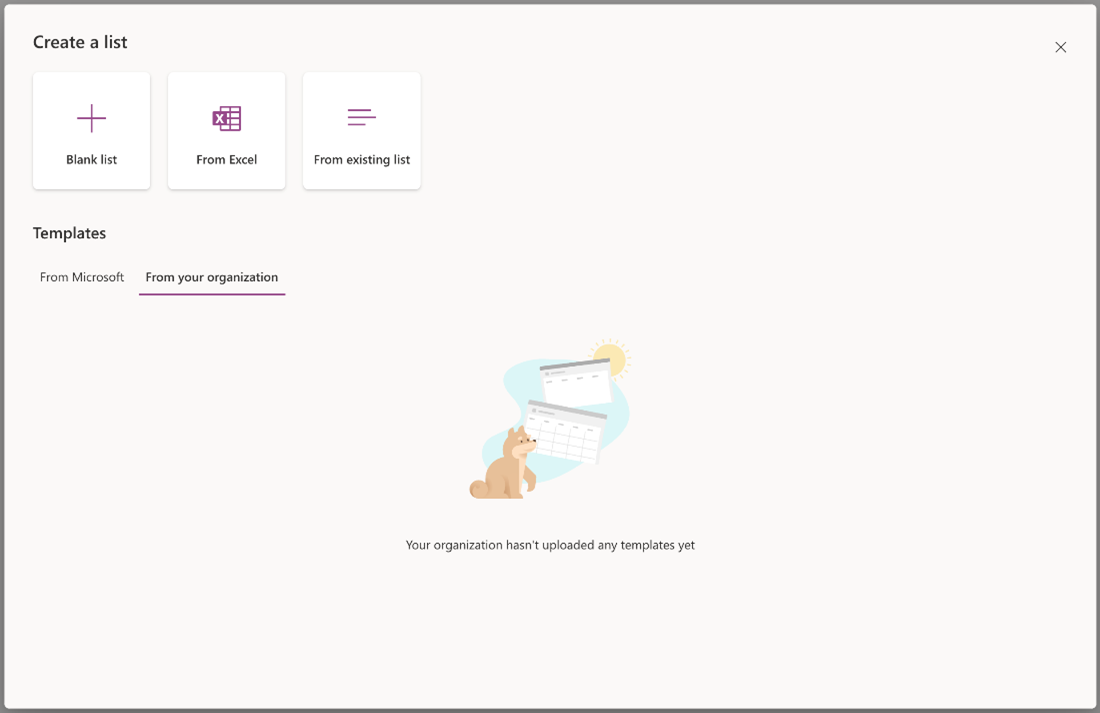
[When this will happen:] Rollout will begin in mid-June 2023 and is expected to be complete by late August 2023. [How this will affect your organization:] End-user impact: Visual updates to the list creation dialog and the addition of a From your organization tab when creating a new list. This new tab is where your custom list templates appear alongside the ready-made templates from Microsoft.
Admin impact: Custom list templates can only be uploaded by a SharePoint administrator for Microsoft 365 by using PowerShell cmdlets. For consistency, the process of defining and uploading custom list templates is like the custom site templates experience and will reuse some of the existing sites related PowerShell APIs. To define and upload custom list templates, admins will use the following site template PowerShell cmdlets:
[What you need to do to prepare:] If you are already using the feature in First Release, please re-extract the list script using For all other customers, the visual updates for this feature will be seen by end-users in the updated user interface (UI) when creating a list.
Note: The From your organization tab will be empty until your organization defines and publishes custom list templates. PowerShell Cmdlets documentation for custom list templates is available here. Public facing documentation for creating custom list templates can be found here. |
| Machine Translation |
カスタムリストテンプレート機能を使用すると、組織はカスタムフォーマットとスキーマを使用して独自のカスタムリストテンプレートを作成できます。また、組織は同じ Microsoft リスト インフラストラクチャ内で反復可能なソリューションを作成できるようになります (SharePoint、Teams、およびリスト アプリ自体でのリスト作成を含む)。 リリースする機能にいくつかの更新を行いました。
[これが起こるとき:] ロールアウトは 2023 年 6 月中旬に開始され、2023 年 8 月下旬までに完了する予定です。 [これが組織に与える影響:] エンド ユーザーへの影響: リスト作成ダイアログの視覚的な更新と、新しいリストの作成時に [ 組織から ] タブが追加されました。この新しいタブは、カスタムリストテンプレートがMicrosoftの既製のテンプレートと一緒に表示される場所です。
管理者への影響: カスタム リスト テンプレートは、PowerShell コマンドレットを使用して Microsoft 365 の SharePoint 管理者のみがアップロードできます。一貫性を保つために、カスタム リスト テンプレートを定義してアップロードするプロセスは、カスタム サイト テンプレート エクスペリエンスに似ており、PowerShell API に関連する既存のサイトの一部を再利用します。 カスタム リスト テンプレートを定義してアップロードするために、管理者は次のサイト テンプレート PowerShell コマンドレットを使用します。
[準備するために必要なこと:] ファーストリリースですでにこの機能を使用している場合は、を使用して 他のすべての顧客の場合、この機能の視覚的な更新は、リストの作成時に更新されたユーザー インターフェイス (UI) でエンド ユーザーに表示されます。
注: 組織がカスタム リスト テンプレートを定義して公開するまで、[ 組織から ] タブは空になります。 カスタム リスト テンプレートの PowerShell コマンドレットに関するドキュメント については、こちらを参照してください。 カスタム リスト テンプレートを作成するための公開ドキュメントについては、こちらを参照してください。 |