| MC564198 | Microsoft Teams: Breakout rooms support and Select Together Mode for everyone on Microsoft Teams Rooms on Windows |
|---|
| Classification | stayInformed |
|---|---|
| Last Updated | 06/15/2023 21:52:29 |
| Start Time | 05/31/2023 00:08:59 |
| End Time | 08/31/2023 07:00:00 |
| Message Content |
Updated June 15, 2023: We have updated the rollout timeline below. Thank you for your patience. The latest version of Teams Rooms on Windows app 4.17 update includes new in-meeting experiences including:
This message is associated with Microsoft 365 Roadmap ID 95680, 126105 [When this will happen:] We will begin rolling out in late June (previously mid-June) and expect to complete rollout by late July. [How this will affect your organization:] Breakout room support:
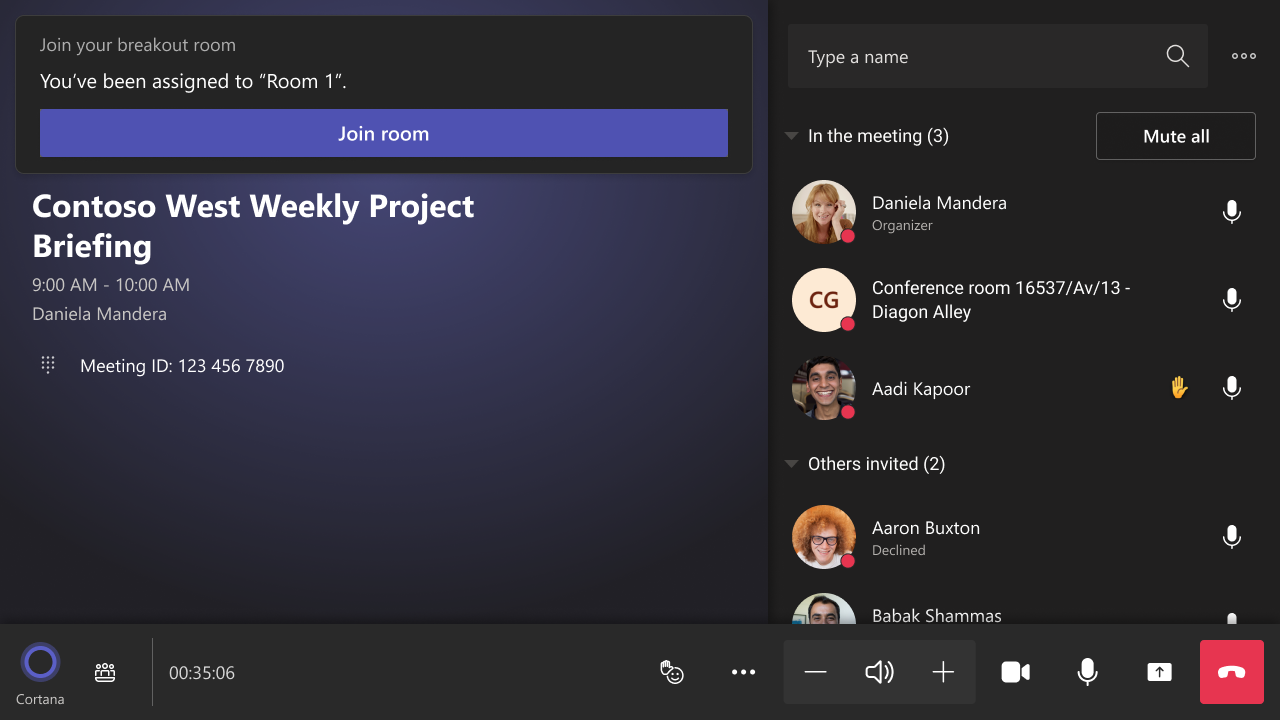
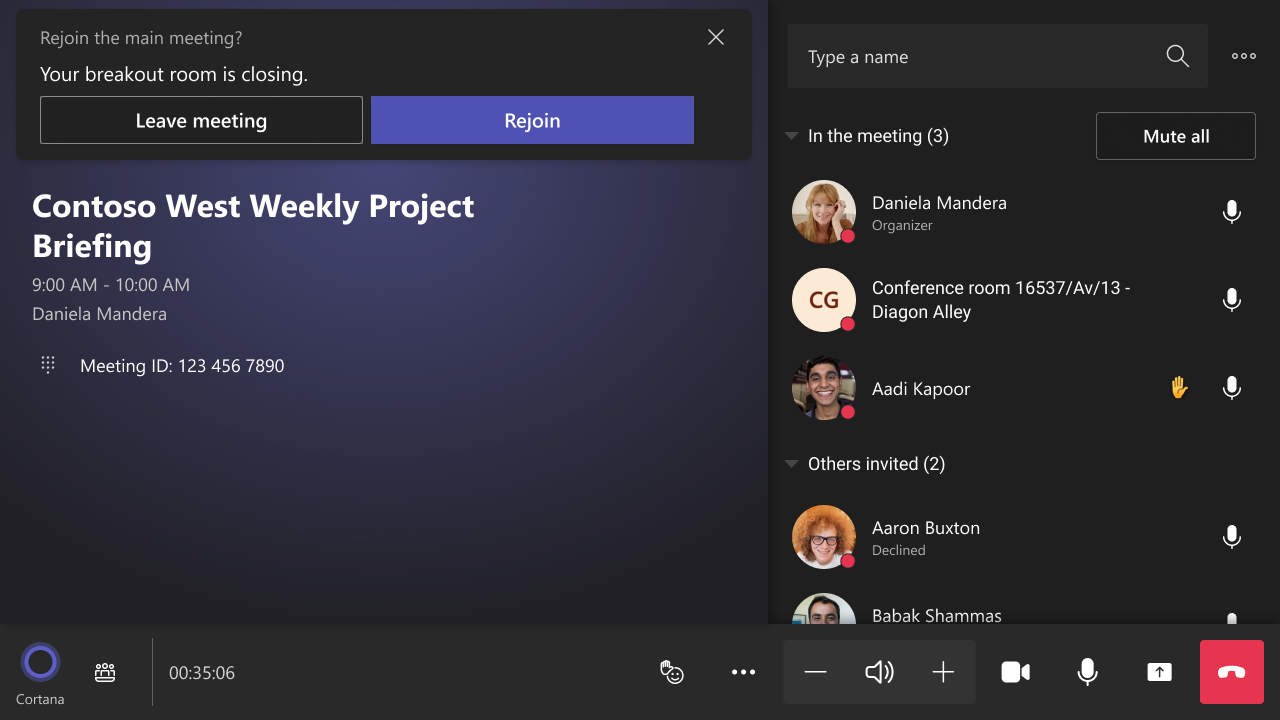
Teams Rooms on Windows can participate in a breakout room and be moved in and out of the main meeting, depending on a meeting organizer’s control. Breakout room organization is not intended experience for Teams rooms and is not offered.
1) Join a breakout room
2) Return to the main meeting
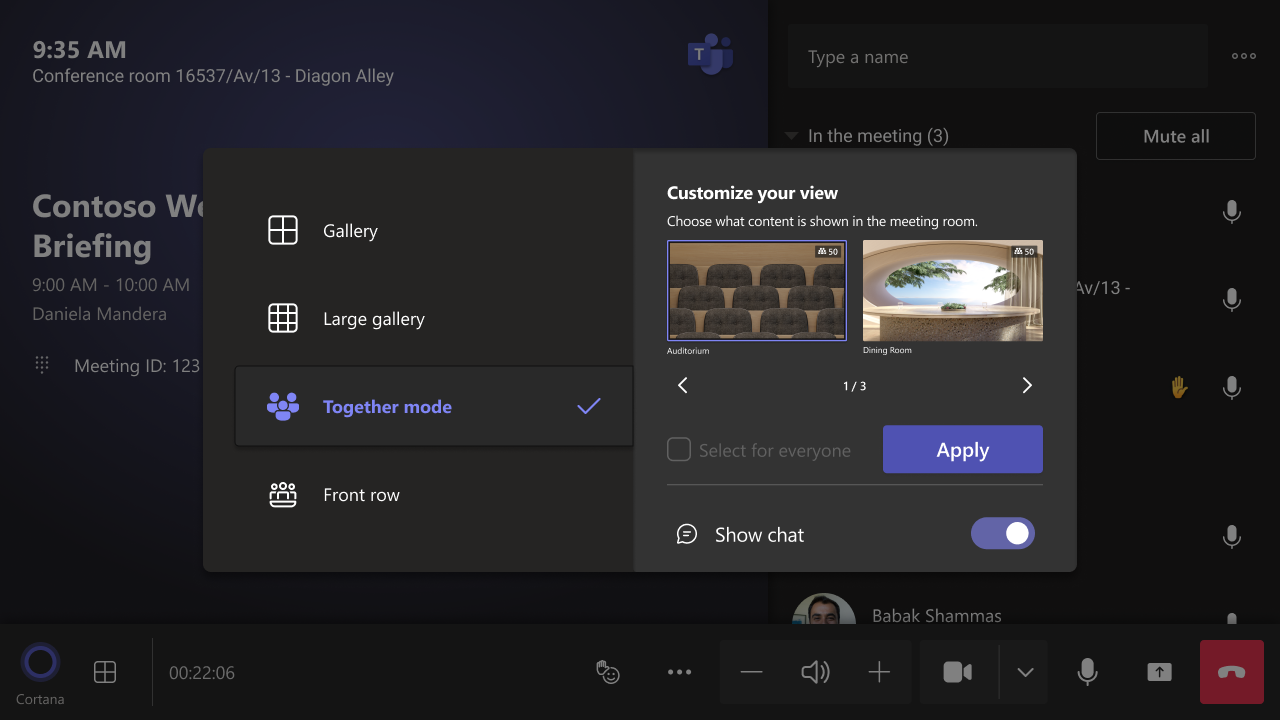
Choose your Together Mode scene and select it for everyone:
[What you need to do to prepare:]
Kindly notify your users about this new experience and update your training and documentation as appropriate. |
| Machine Translation |
2023 年 6 月 15 日更新: 以下のロールアウトのタイムラインを更新しました。お待ちいただきありがとうございます。 最新バージョンの Teams Rooms on Windows アプリ 4.17 更新プログラムには、次のような新しい会議内エクスペリエンスが含まれています。
このメッセージは、Microsoft 365 ロードマップ ID 95680 に関連付け られています126105 [これが起こるとき:] ロールアウトは 6 月下旬 (以前は 6 月中旬) に開始され、7 月下旬までにロールアウトを完了する予定です。 [これが組織に与える影響:] ブレイクアウトルームのサポート:
Windows 上の Teams Rooms は、会議の開催者の制御に応じて、ブレイクアウト ルームに参加したり、メイン会議に出入りしたりできます。ブレイクアウト ルームの編成は、Teams ルームのエクスペリエンスを目的としていないため、提供されていません。
1)ブレイクアウトルーム に参加する
2)本会議に戻る
トゥギャザーモードのシーンを選択し、全員のために選択します。
[準備するために必要なこと:]
この新しいエクスペリエンスについてユーザーに通知し、必要に応じてトレーニングとドキュメントを更新してください。 |