| MC554156 | (Updated) Microsoft Teams: Two-way lobby chat |
|---|
| Classification | stayInformed |
|---|---|
| Last Updated | 06/30/2023 16:19:38 |
| Start Time | 05/12/2023 17:44:20 |
| End Time | 02/05/2024 07:00:00 |
| Message Content |
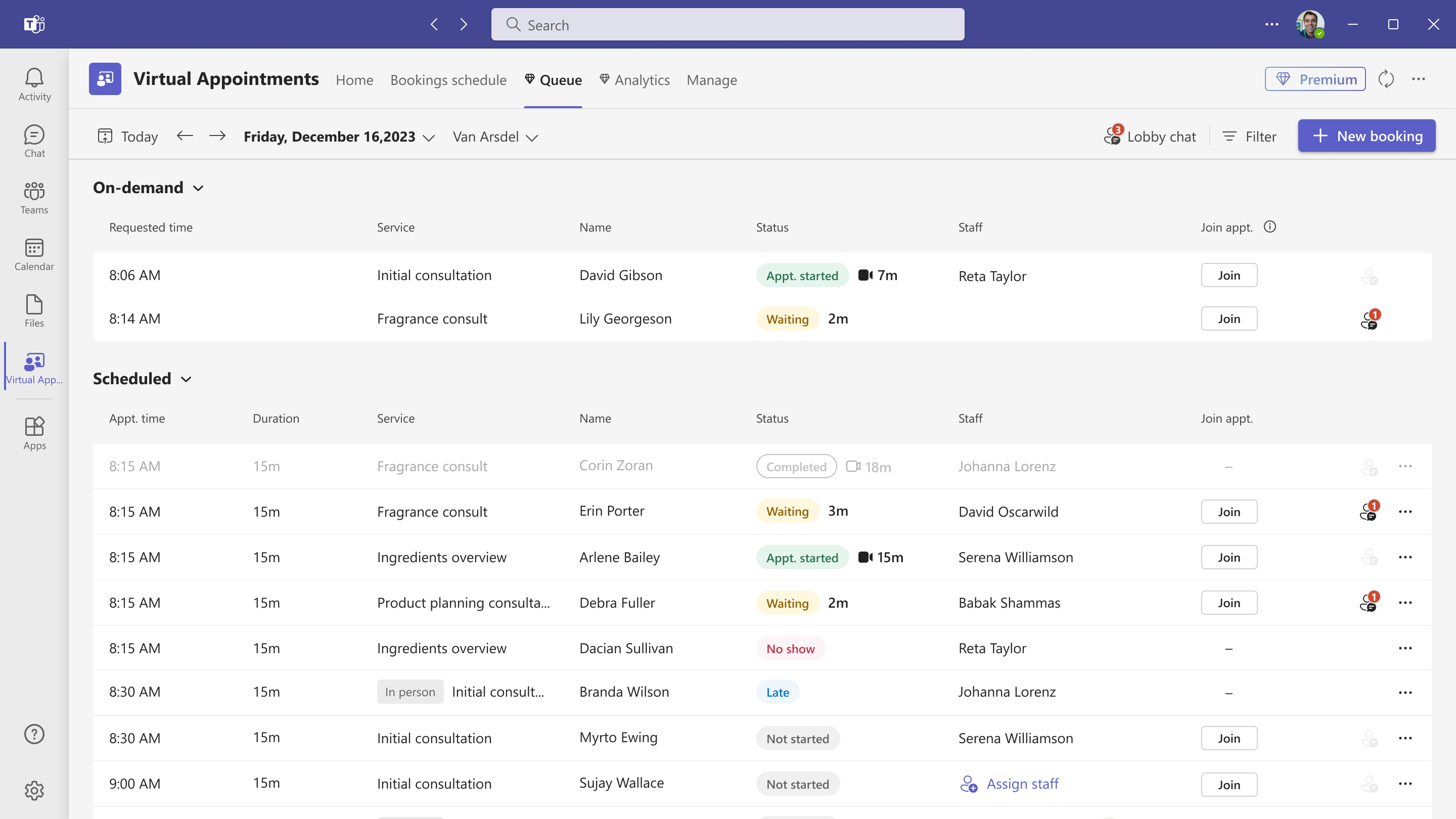
Updated June 30, 2023: We have updated the rollout timeline below. Thank you for your patience. The Virtual Appointments app provides a central hub for all your virtual appointments needs in Microsoft Teams. The app enables a seamless end-to-end experience for business-to-customer engagements. Queue view in Virtual Appointments app is a premium advanced virtual appointment feature that allows businesses to Empower employees to manage and service scheduled and on-demand virtual appointments in one location with advanced capabilities to track wait times, live status of a meeting, and more. Scheduling administrators and staff conducting virtual appointments can monitor incoming requests and process them appropriately.
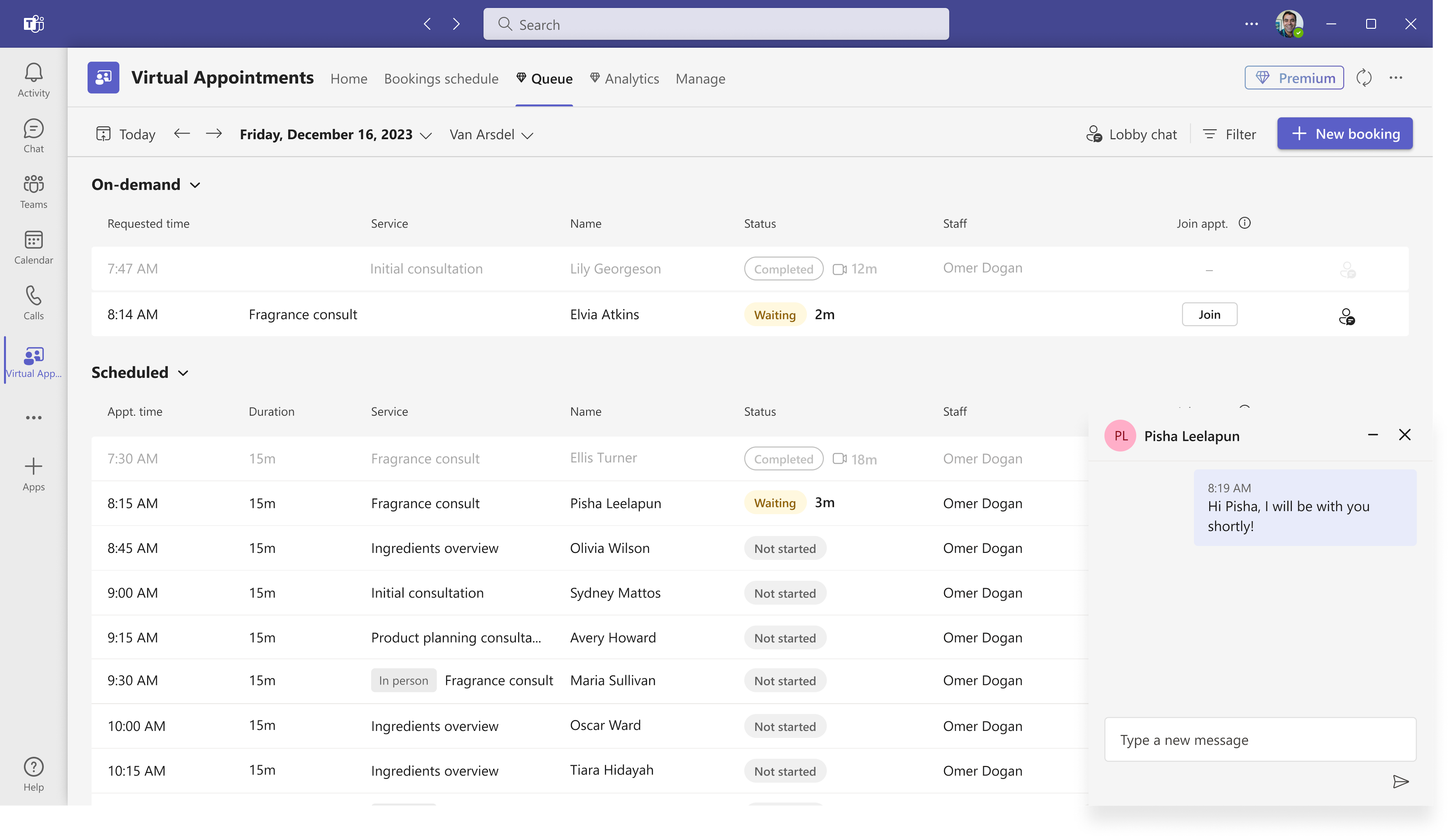
Two-way lobby chat in queue view will provide a seamless client experience with an interactive waiting room that allows facilitators to send waiting room messages to customers prior to the meeting. For example, a client in the waiting room can receive messages from the facilitator or other staff schedulers such as, “Last appointment is running long. Be with you in 5 mins.” The client can respond directly in chat so they can stay connected and ask any questions as needed. Two-way lobby chat is currently supported only for meetings joined from a mobile browser. Desktop browser is currently not supported. This message is associated with Microsoft 365 Roadmap ID 122395 [When this will happen:] Standard Release: We will begin rolling in October (previously July) and complete by December (previously September). [How this will affect your organization:] With Teams premium license, users can use queue view to manage their appointments and communicate with customers prior to the meeting. [What you need to do to prepare:] • Add virtual appointments app to Teams left rail so users can access the app with ease. • Communicate to users how to utilize queue view to efficiently manage their scheduled and On-demand appointments from a single location. Learn more about Queue view in Virtual appointments app • Learn more about Teams Premium
|