| MC660071 | Microsoft Teams: Front Row AI (artificial intelligence) enhancements for Teams Rooms on Windows |
|---|
| Classification | stayInformed |
|---|---|
| Last Updated | 07/24/2023 22:31:05 |
| Start Time | 07/24/2023 22:30:30 |
| End Time | 10/31/2023 07:00:00 |
| Message Content |
The latest version of Teams Rooms on Windows app 4.18 update includes Front Row AI enhancements including:
This message is associated with Microsoft 365 Roadmap IDs 95267 and 122554 [When this will happen:] We will begin rolling out in mid-August and expect to complete rollout by late September. [How this will affect your organization:] Front Row gallery improvement C video segmentation with a unified background:
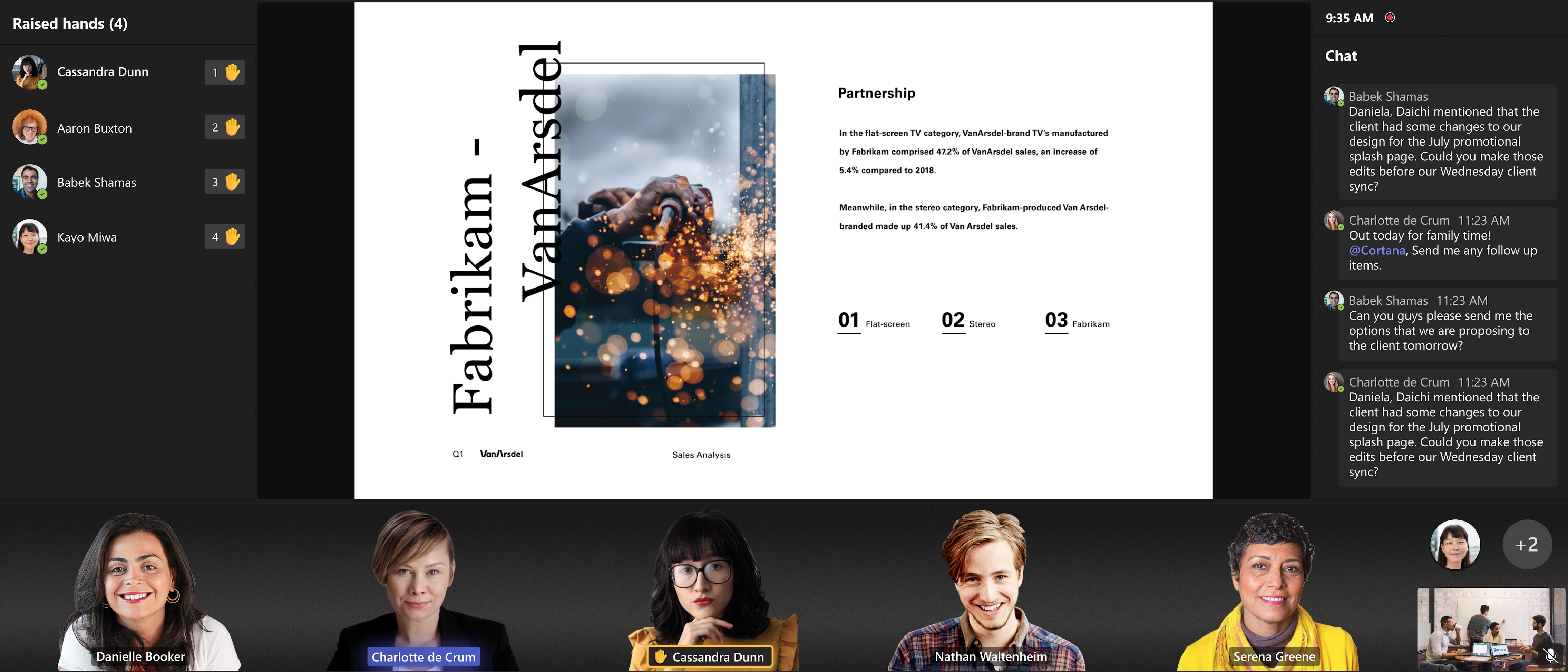
Using Microsoft AI, the front row layout removes individual backgrounds, adjusts video participant’s size, and applies a unified background for remote participants to make them appear as if they are in the same room. This removes distractions and provides in-room meeting participants with better connection to remote participants in Teams meetings.
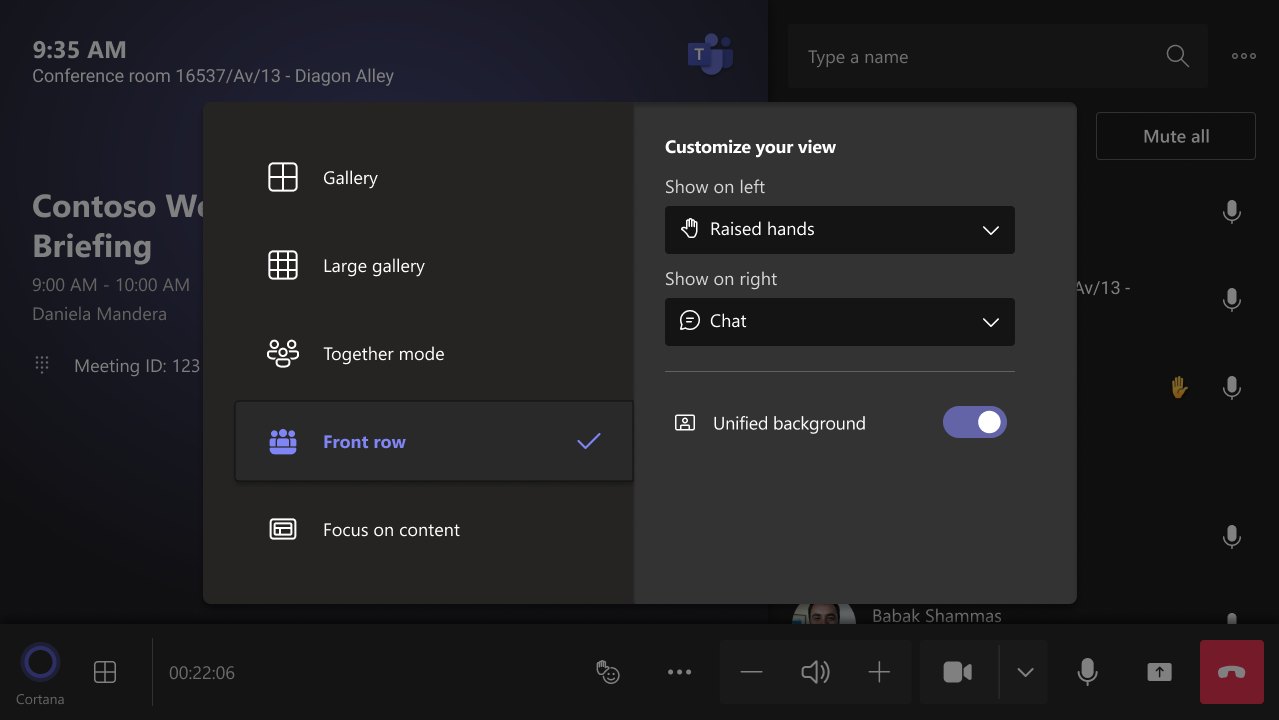
This feature is turned ON by default for the Teams Rooms on Windows devices with 4 cores or higher CPUs. Devices with lower processing capability will optimize for audio and video quality and will not enable this feature. Room admins can turn this feature ON or OFF via XML and end user control is also provided in the layout switcher during a Teams meeting. Please find more details on the Microsoft Learn documentation that will be included in the release notes for Teams Rooms on Windows 4.18.
Spatial audio in the Front Row experience: Spatial Audio in Teams Rooms on Windows brings next-generation audio to the Front Row experience when connected to stereo speakers. This intelligent audio technology delivers a more natural and inclusive experience for in-room participants by playing audio from channel closer to physical location of remote participants on Front row layout, making it feel like remote people are in the room with them and reducing meeting fatigue. You can achieve the best spatial audio experience with Teams-certified stereo speakers and by following guidance on designing a Signature Teams Room. The list of certified speakers will be documented, and the release notes will include the link to relevant documentation. The feature is turned OFF by default. To enable the feature, use the following XML:
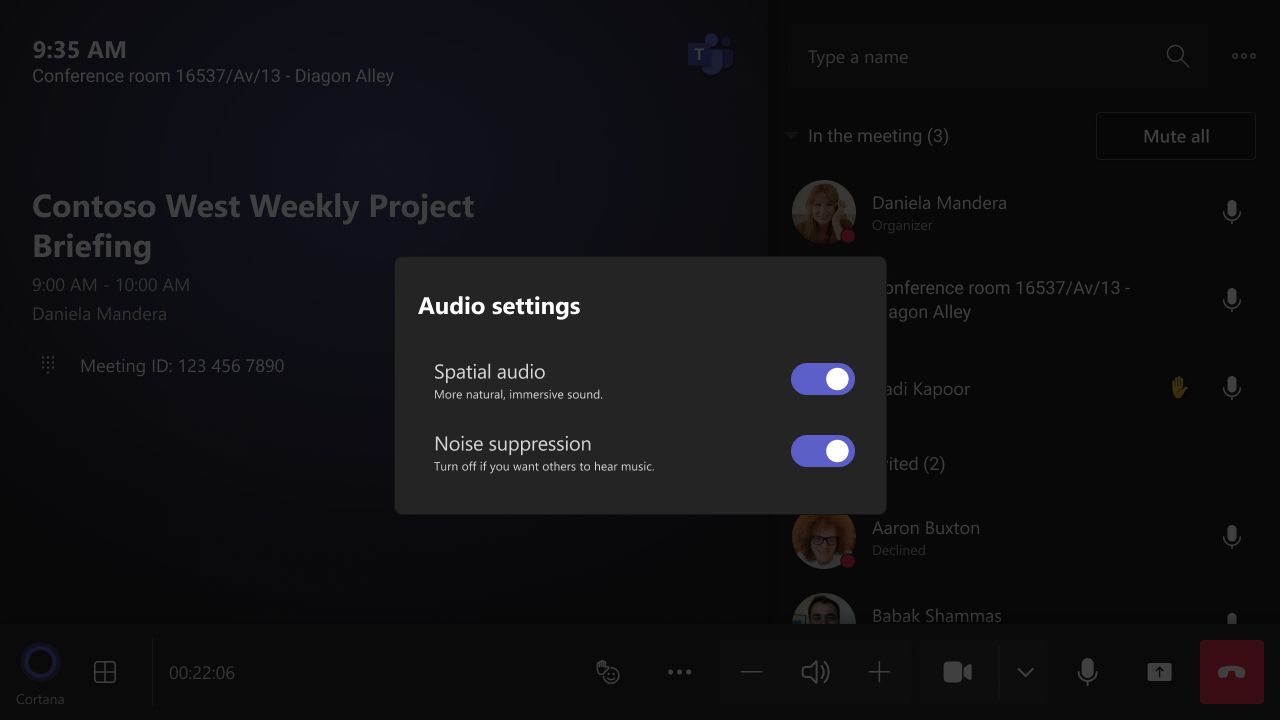
Once the feature is enabled, you can also turn it ON or OFF using the audio setting under … (More) menu during a meeting. This toggle affects every meeting joining from the device.
[What you need to do to prepare:] Please notify your users about this new experience and update your training and documentation as appropriate. |
| Machine Translation |
最新バ`ジョンの Teams ミ`ティング オン Windows アプリ 4.18 更新プログラムには、次のようなフロント ロウ AI のC能化が含まれています。
このメッセ`ジは、Microsoft 365 ロ`ドマップ ID 95267 および 122554 にvB付けられています。 [これが起こるとき:] 8 月中旬にロ`ルアウトを_始し、9 月下旬までにロ`ルアウトを完了する予定です。 [これがMに与える影:] フロントロウギャラリ`の改善-y一された背景を持つビデオセグメンテ`ション:
Microsoft AI を使用して、最前列のレイアウトは、々の背景を削除し、ビデオ参加者のサイズを{整し、リモ`ト参加者にy一された背景をm用して、同じ部屋にいるかのようにせます。これにより、荬蛏椁工猡韦蛉・瓿⑹夷冥位嶙h参加者が Teams 会hのリモ`ト参加者とのつながりを深めることができます。
このC能は、4 コア以上の CPU を搭dした Windows デバイス上の Teams ル`ムでは既定でオンになっています。I理能力が低いデバイスは、オ`ディオとビデオの品|を最m化し、このC能は有郡摔筏蓼护蟆;嶙h室管理者は XML を使用してこのC能をオンまたはオフにすることができ、エンド ユ`ザ`制御は Teams 会h中にレイアウト スイッチャ`でも提供されます。については、Windows 4.18 の Teams Rooms のリリ`ス ノ`トに含まれるマイクロソフト ラ`ニングのドキュメントを参照してください。
最前列の空gオ`ディオ エクスペリエンス: Windows 上の Teams Rooms の空gオ`ディオは、ステレオ スピ`カ`に接Aすると、フロント ロウ エクスペリエンスに次世代オ`ディオをもたらします。このインテリジェントなオ`ディオテクノロジ`は、最前列のレイアウトでリモ`ト参加者の物理的な鏊私ぅ隶悭庭毪楗`ディオを再生することにより、室内参加者により自然で包括的なエクスペリエンスを提供し、リモ`トの人々が一wに部屋にいるように感じさせ、会hの疲氦蜉Xpします。 Teams J定のステレオ スピ`カ`を使用し、シグネチャ` Teams ル`ムのOにvするガイダンスにうことで、最高の空gオ`ディオ エクスペリエンスをgFできます。J定v演者のリストは文丹臁辚戛`スノ`トにはvBドキュメントへのリンクが含まれます。 このC能はデフォルトでオフになっています。このC能を有郡摔工毪摔稀⒋韦 XML を使用します。
このC能を有郡摔工毪取蜗陇违`ディオO定を使用してオンまたはオフにすることもできます 。()会h中のメニュ`。このトグルは、デバイスから参加するすべてのミ`ティングに影します。
[浃工毪郡幛吮匾胜长:] この新しいエクスペリエンスについてユ`ザ`に通知し、必要にじてトレ`ニングとドキュメントを更新してください。 |