| MC670030 | Inking Support Coming to the New Outlook |
|---|
| Classification | stayInformed |
|---|---|
| Last Updated | 08/23/2023 23:50:57 |
| Start Time | 08/23/2023 23:48:27 |
| End Time | 10/31/2023 07:00:00 |
| Message Content |
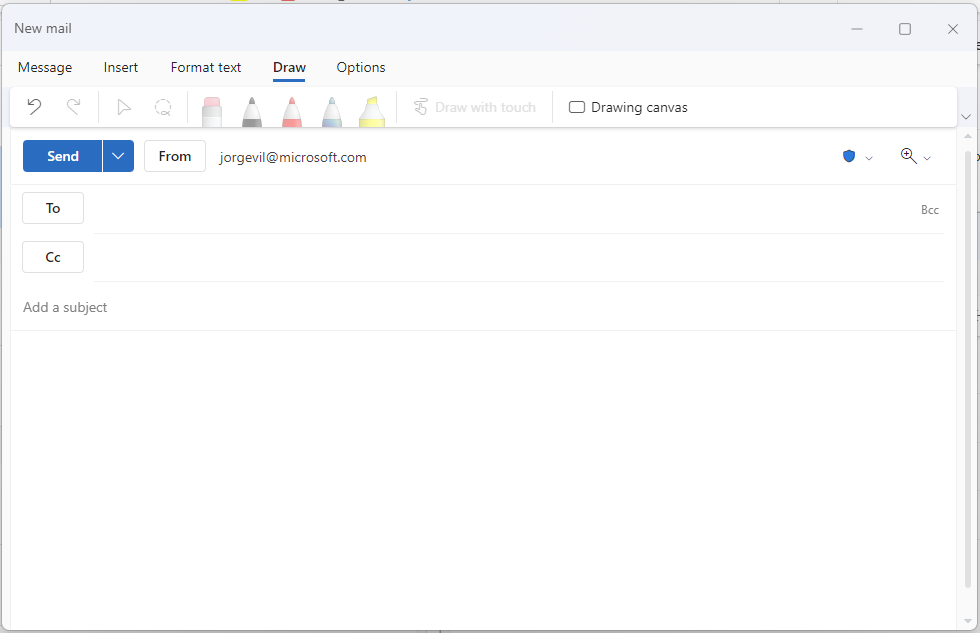
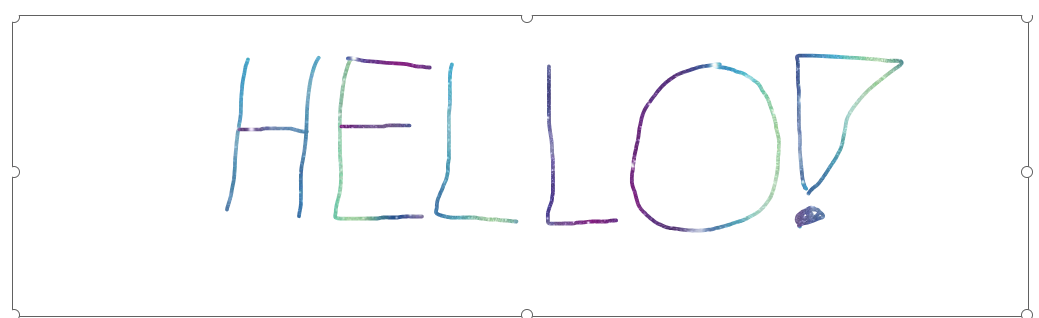
On a touch-enabled device, add a canvas to your message and draw with your finger, a digital pen, or a mouse in Outlook. Select from different pen styles and edit your drawing to freely express yourself. This message is associated with Microsoft 365 Roadmap ID 151810 [When this will happen:] Rollout will begin in early September 2023 and is expected to be complete by late September 2023. [How this will affect your organization:] Users will be able to draw or compose a message with digital ink. On a touch enabled device, users will see the Draw tab. Once selected, you can pick from multiple options of thickness of the pen, color of the ink and type of pen (highlighter, pencil, pen).
[What you need to do to prepare:]
There is nothing you need to do to prepare. You may want to notify your users of this update. |
| Machine Translation |
タッチ対応デバイスでは、メッセージにキャンバスを追加し、Outlook で指、デジタル ペン、またはマウスで描画します。さまざまなペンスタイルから選択し、描画を編集して自由に自分を表現できます。 このメッセージは、Microsoft 365 ロードマップ ID 151810 に関連付けられています [これが起こるとき:] ロールアウトは 2023 年 9 月初旬に開始され、2023 年 9 月下旬までに完了する予定です。 [これが組織に与える影響:] ユーザーは、デジタル インクを使用してメッセージを描画または作成できます。タッチ対応デバイスでは、ユーザーに は [描画] タブが表示されます。選択すると、ペンの太さ、インクの色、ペンの種類(蛍光ペン、鉛筆、ペン)の複数のオプションから選択できます。
[準備するために必要なこと:]
準備するためにあなたがする必要があるものは何もありません。この更新プログラムをユーザーに通知できます。 |