| MC550081 | (Updated) Microsoft Teams: New Channels Experience |
|---|
| Classification | planForChange |
|---|---|
| Last Updated | 10/02/2023 22:43:40 |
| Start Time | 05/03/2023 21:10:04 |
| End Time | 01/01/2024 07:00:00 |
| Message Content |
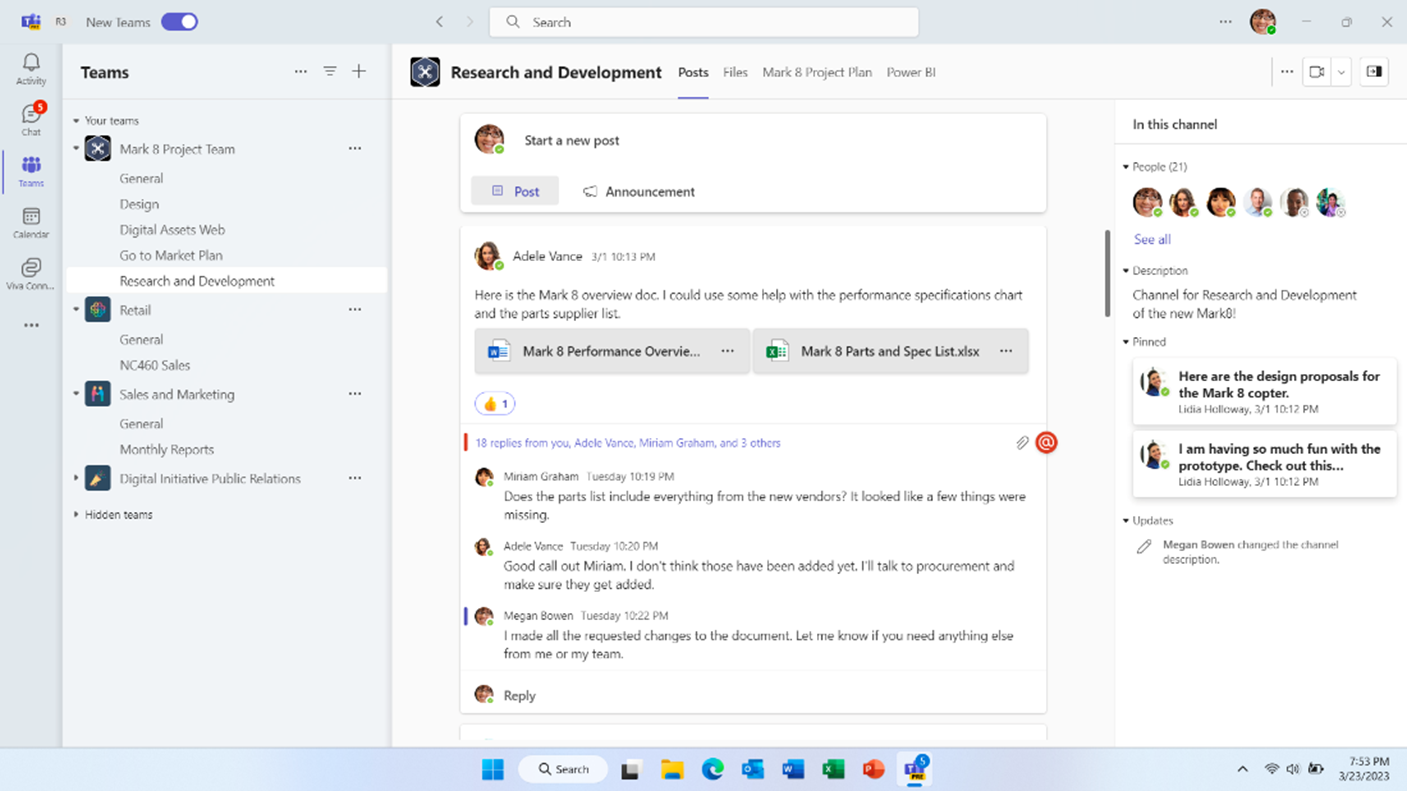
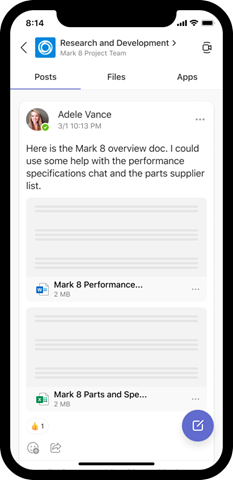
Updated October 2, 2023: We have updated the content below with additional information. Thank you for your patience. A new channels experience in Microsoft Teams has been built with an intuitive design that allows teams to focus and stay on tasks, bring everyone up to speed, and actively engage in real-time. The following features will be rolling out:
This message is associated with Microsoft 365 Roadmap ID 91683 [When this will happen:] Targeted Release: Started rolling out in May and is expected to complete in late August 2023 (previously early July). Complete Standard and GCC: We will begin rollout in early October 2023 (previously mid-September) and expect to complete rollout by late October 2023 (previously mid-August). GCC-H: We will begin rollout in late October 2023 (previously mid-August) and expect to complete rollout by mid-November 2023 (previously mid-September). DoD: We will begin rolling out in early November 2023 and expect to complete rollout by mid-November 2023. [How this will affect your organization:] Users in your organization will not need to make any changes and will get the new channels experience by default.
[What you need to do to prepare:] Admins will not need to make any changes. |
| Machine Translation |
2023 年 10 月 2 日更新: 以下の内容を追加情報で更新しました。お待ちいただきありがとうございます。 Microsoft Teams の新しいチャネル エクスペリエンスは、チームがタスクに集中して作業を続け、全員にスピードをもらい、リアルタイムで積極的に関与できる直感的なデザインで構築されています。次の機能がローリングされます。
このメッセージは、Microsoft 365 ロードマップ ID 91683 に関連付けられています [これが起こるとき:] ターゲット リリース: 5 月にロールアウトを開始し、2023 年 8 月下旬 (以前は 7 月上旬) に完了する予定です。完成 標準および GCC: ロールアウトは 2023 年 10 月初旬 (以前は 9 月中旬) に開始し、2023 年 10 月下旬 (以前は 8 月中旬) までにロールアウトを完了する予定です。 GCC-H: ロールアウトは 2023 年 10 月下旬 (以前は 8 月中旬) に開始し、2023 年 11 月中旬 (以前は 9 月中旬) までにロールアウトを完了する予定です。 DoD: 2023 年 11 月初旬にロールアウトを開始し、2023 年 11 月中旬までにロールアウトを完了する予定です。 [これが組織に与える影響:] 組織内のユーザーは変更を加える必要はなく、既定で新しいチャネル エクスペリエンスを利用できます。
[準備するために必要なこと:] 管理者は変更を加える必要はありません。 |