| MC686278 | (Updated) SharePoint: Out-of-the-box document library templates |
|---|
| Classification | stayInformed |
|---|---|
| Last Updated | 11/07/2023 20:36:53 |
| Start Time | 10/31/2023 22:22:14 |
| End Time | 12/20/2024 08:00:00 |
| Message Content |
Updated November 7, 2023: We have updated the content below with additional information. We are bringing the goodness of templates to SharePoint document libraries. Creating document libraries will now be a breeze with our ready-made templates with scenario relevant structure, metadata, and content types – all to save you time and maintain broader consistency across your content management organization. This message is associated with Microsoft 365 Roadmap ID: 124879
[When this will happen:]
[How this will affect your organization:]
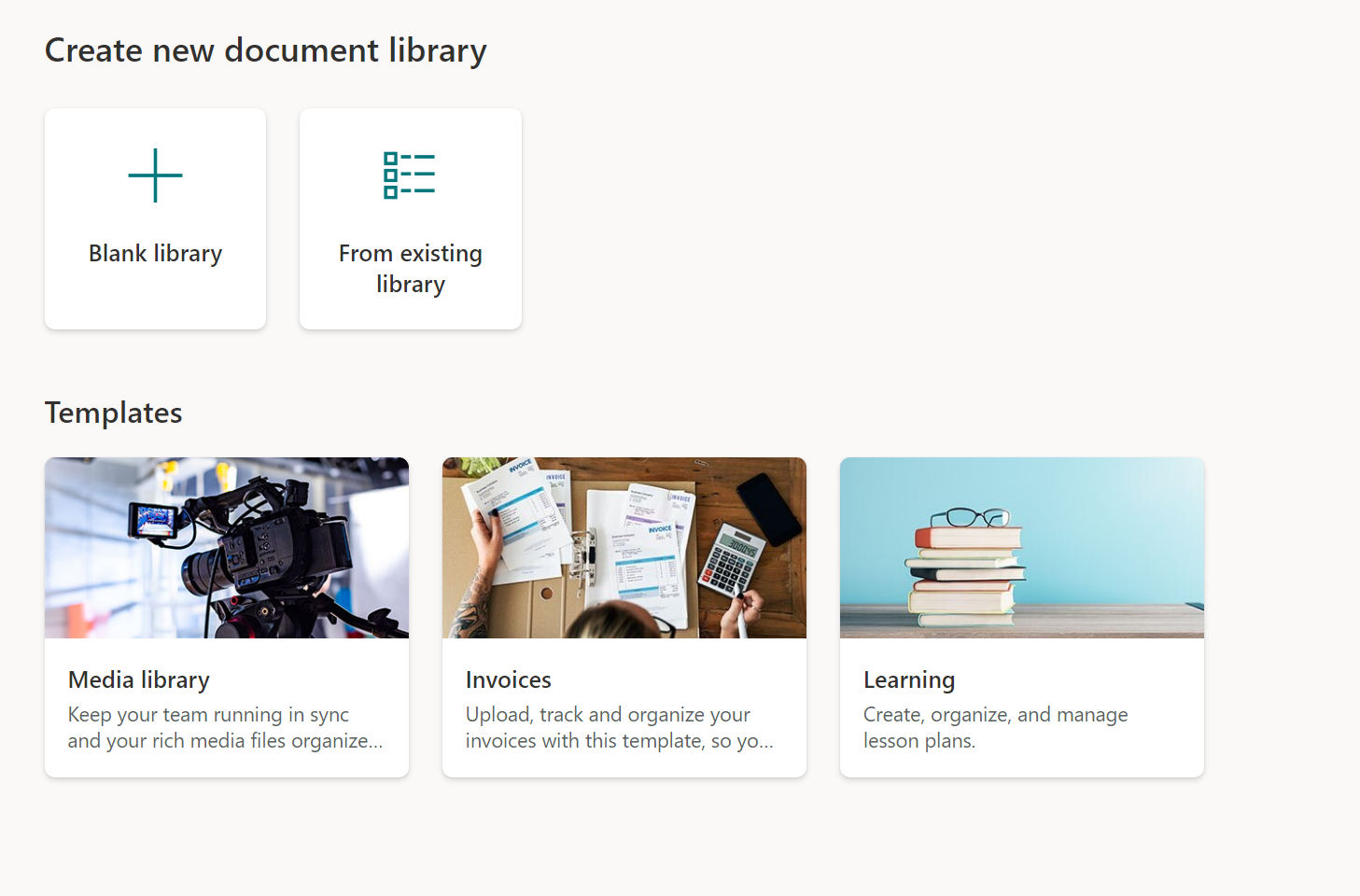
We are rolling out a brand-new Document library creation experience that will be available in two locations:
With the new experience you will be able to create Document libraries in different ways:
Disabling out-of-the-box templates You can disable the out-of-the-box templates by running the following PowerShell command, while connected as a Global Administrator or SharePoint Administrator:
Where the template ID is:
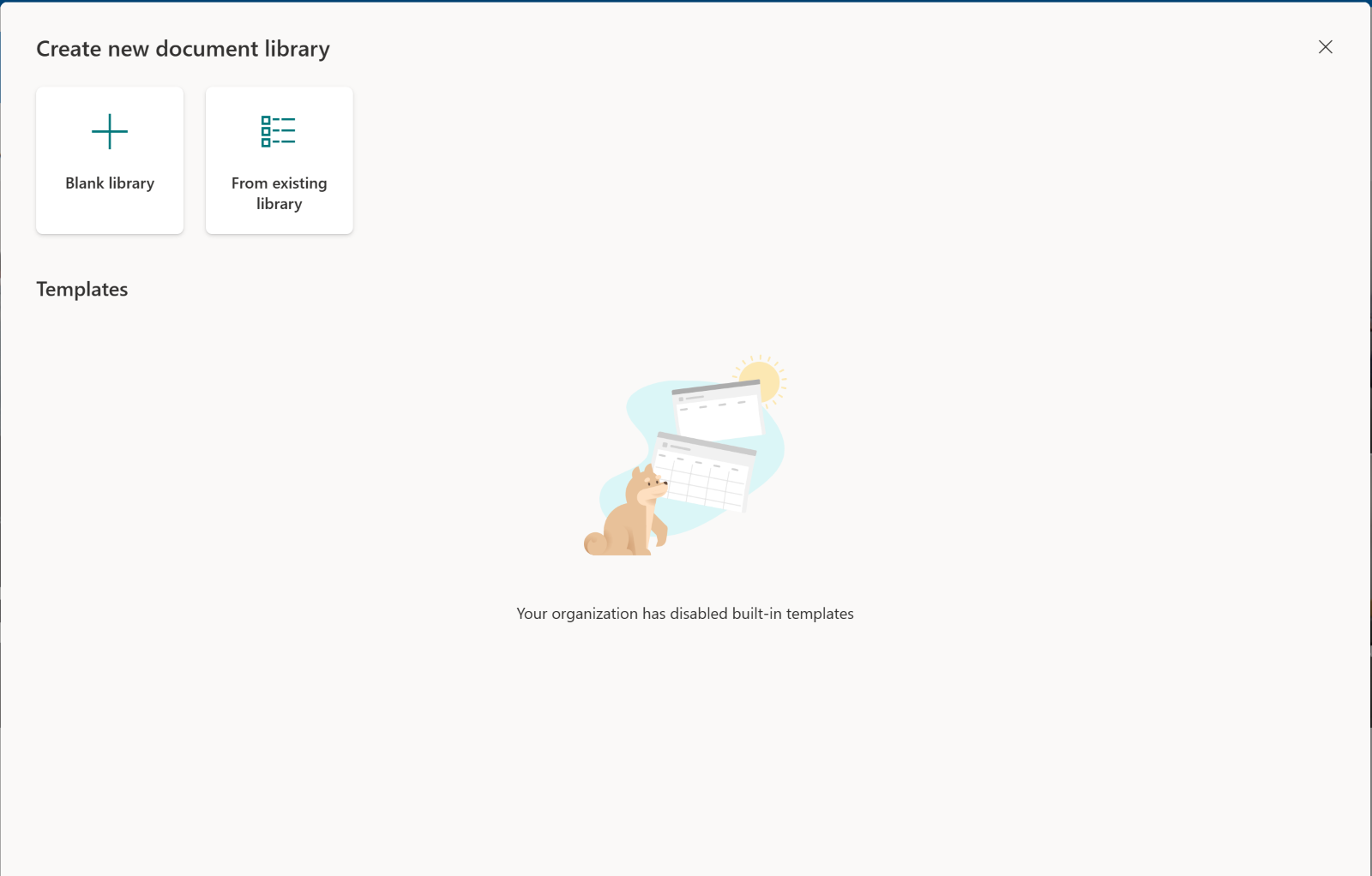
To re-enable a built-in template, use the parameter When all three templates are disabled, the creation dialog will look as follows to users:
[What you need to do to prepare:]
Consider educating users that there are now more ways to create a Document Library. |
| Machine Translation |
2023 年 11 月 7 日更新: 以下の内容を更新し、追加情報を追加しました。 テンプレートの長所を SharePoint ドキュメント ライブラリにもたらします。ドキュメントライブラリの作成は、シナリオに関連する構造、メタデータ、コンテンツタイプを備えた既製のテンプレートを使用して簡単に作成でき、時間を節約し、コンテンツ管理組織全体でより広範な一貫性を維持できます。 このメッセージは、Microsoft 365 ロードマップ ID: 124879 に関連付けられています
[これがいつ起こるか:]
[これが組織に及ぼす影響:]
新しいドキュメント ライブラリ作成エクスペリエンスをロールアウトし、次の 2 つの場所で利用できるようになります。
新しいエクスペリエンスでは、さまざまな方法でドキュメント ライブラリを作成できるようになります。
既成のテンプレートの無効化 すぐに使用できるテンプレートを無効にするには、グローバル管理者または SharePoint 管理者として接続しているときに、次の PowerShell コマンドを実行します。
ここで、テンプレート ID は次のとおりです。
組み込みテンプレートを再度有効にするには、パラメーター 3 つのテンプレートがすべて無効になっている場合、作成ダイアログはユーザーには次のように表示されます。
[準備に必要なこと:]
ドキュメント ライブラリを作成する方法が増えたことをユーザーに教育することを検討してください。 |