SHD / MC Checker

MC690596 | Data Loss Prevention- simulation mode for DLP policies


MC690596 | Data Loss Prevention- simulation mode for DLP policies

Classification stayInformed
Last Updated 11/17/2023 00:25:06
Start Time 11/17/2023 00:24:35
End Time 02/16/2024 08:00:00
Message Content

Simulation mode in DLP provides DLP admins with an isolated experience to try a DLP policy, assess its impact, and build confidence in the policy efficacy to eventually reduce the time to policy enforcement. Simulation mode is an enhancement to the existing test mode behavior to help Admins evaluate new policies confidently.

This message is associated with Microsoft 365 Roadmap ID 173626

[When this will happen:]

Rollout will begin in mid-November and is expected to be complete by late November. 

[How this will affect your organization:]

  1. There will not be any change to end user policy enforcement from the policies that are currently in test mode.
  2. Once Simulation mode is enabled (from the DLP settings page), existing test mode policies will come up in the new simulation experience –
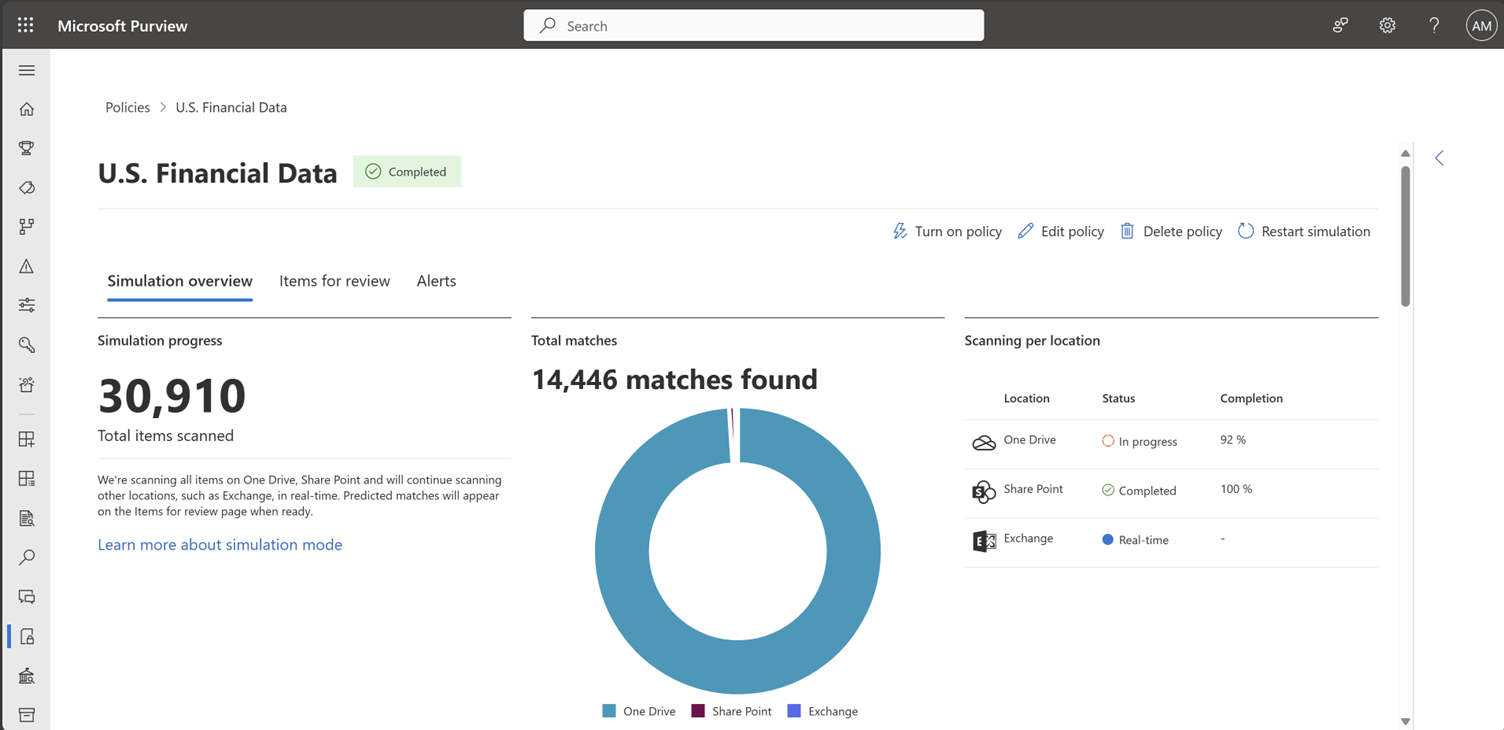
    • Summary of policy matches across locations will be available in a single console.
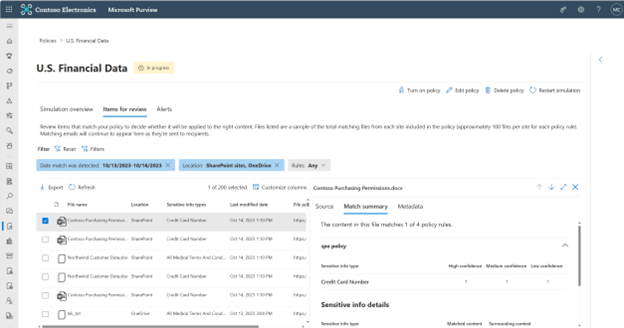
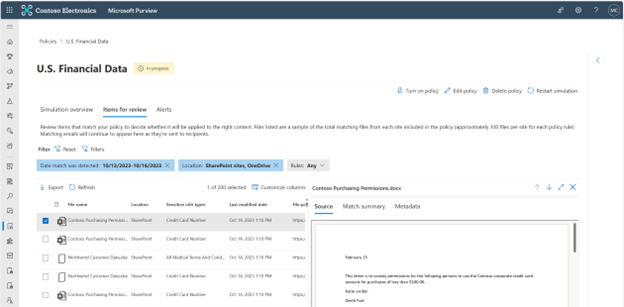
    • A flat list of all matching items with the ability to view file preview, matched conditions etc.
    • Alerts generated by simulation policies are not mixed with enforced policies in the main alerts queue.
  3. Any alerts generated from policies running in simulation will be limited to the DLP simulation experience and not included in the DLP alerts page to prevent disruption to production alerts investigation, allowing admins to assess and finetune the policy without any impact to the production policy.

[What you need to do to prepare:]

  1. During public preview, simulation mode experience can be enabled from the DLP settings page.
  2. Once generally available, all existing test mode policies will be available with simulation experience.

simulation overview

items for review

spurce

Machine Translation

DLP のシミュレーション モードにより、DLP 管理者は、DLP ポリシーを試し、その影響を評価し、ポリシーの有効性に対する信頼を構築して、最終的にポリシーの適用までの時間を短縮するための分離されたエクスペリエンスを提供します。シミュレーション モードは、既存のテスト モードの動作を拡張したもので、管理者が新しいポリシーを自信を持って評価できるようにします。

このメッセージは、Microsoft 365 ロードマップ ID 173626に関連付けられています

[これがいつ起こるか:]

ロールアウトは11月中旬に開始され、11月下旬までに完了する予定です。 

[これが組織に及ぼす影響:]

  1. 現在テストモードのポリシーからエンドユーザーポリシーの適用に変更はありません。
  2. シミュレーション モードが (DLP 設定ページから) 有効になると、既存のテスト モード ポリシーが新しいシミュレーション エクスペリエンスに表示されます。
    • 場所間でのポリシーの一致の概要は、1 つのコンソールで利用できます。
    • 一致するすべての項目のフラットリストで、ファイルのプレビュー、一致した条件などを表示する機能を備えています。
    • シミュレーション ポリシーによって生成されたアラートは、メイン アラート キュー内の適用されたポリシーと混在しません。
  3. シミュレーションで実行されているポリシーから生成されたアラートは、DLP シミュレーション エクスペリエンスに限定され、運用アラートの調査の中断を防ぐために DLP アラート ページに含まれず、管理者は運用ポリシーに影響を与えることなくポリシーを評価および微調整できます。

[準備に必要なこと:]

  1. パブリック プレビュー中は、DLP 設定ページからシミュレーション モード エクスペリエンスを有効にすることができます。
  2. 一般公開されると、既存のすべてのテスト モード ポリシーがシミュレーション エクスペリエンスで利用できるようになります。

simulation overview

items for review

spurce