| MC674980 | (Updated) Collaborative notes on Teams mobile |
|---|
| Classification | stayInformed |
|---|---|
| Last Updated | 11/27/2023 21:01:35 |
| Start Time | 09/12/2023 23:09:00 |
| End Time | 01/22/2024 08:00:00 |
| Message Content |
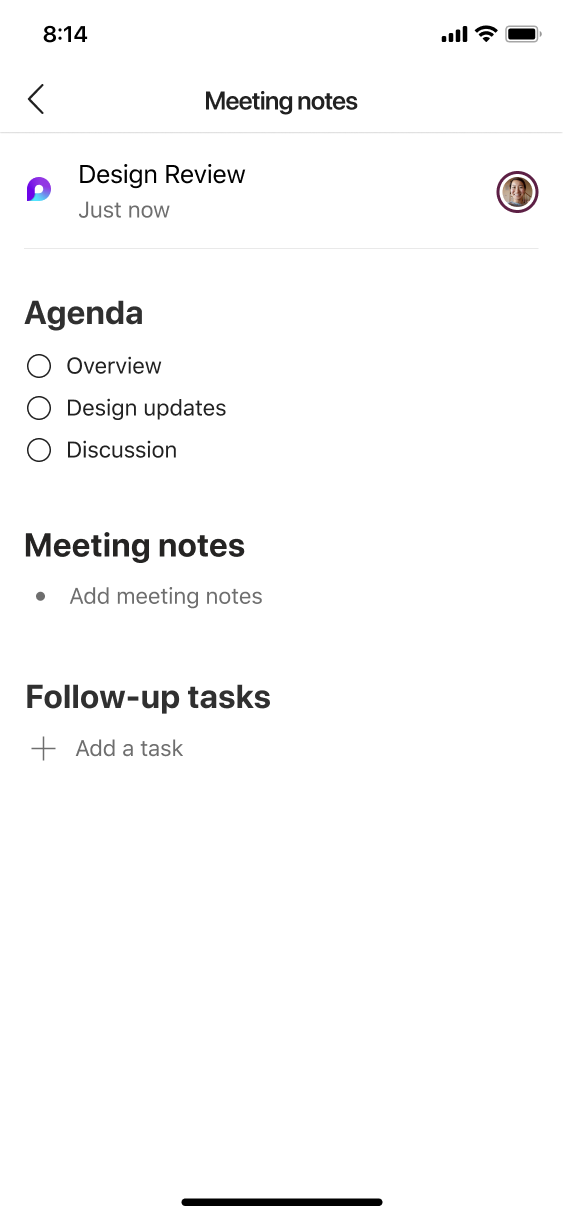
Updated November 27, 2023: We have updated the rollout timeline below. Thank you for your patience. Users can now view, edit, and create collaborative notes including agenda, notes, and follow-up tasks on Teams for iOS and Android, similarly with what users can do on Teams for desktop.
This message is associated with Microsoft 365 Roadmap ID 128652
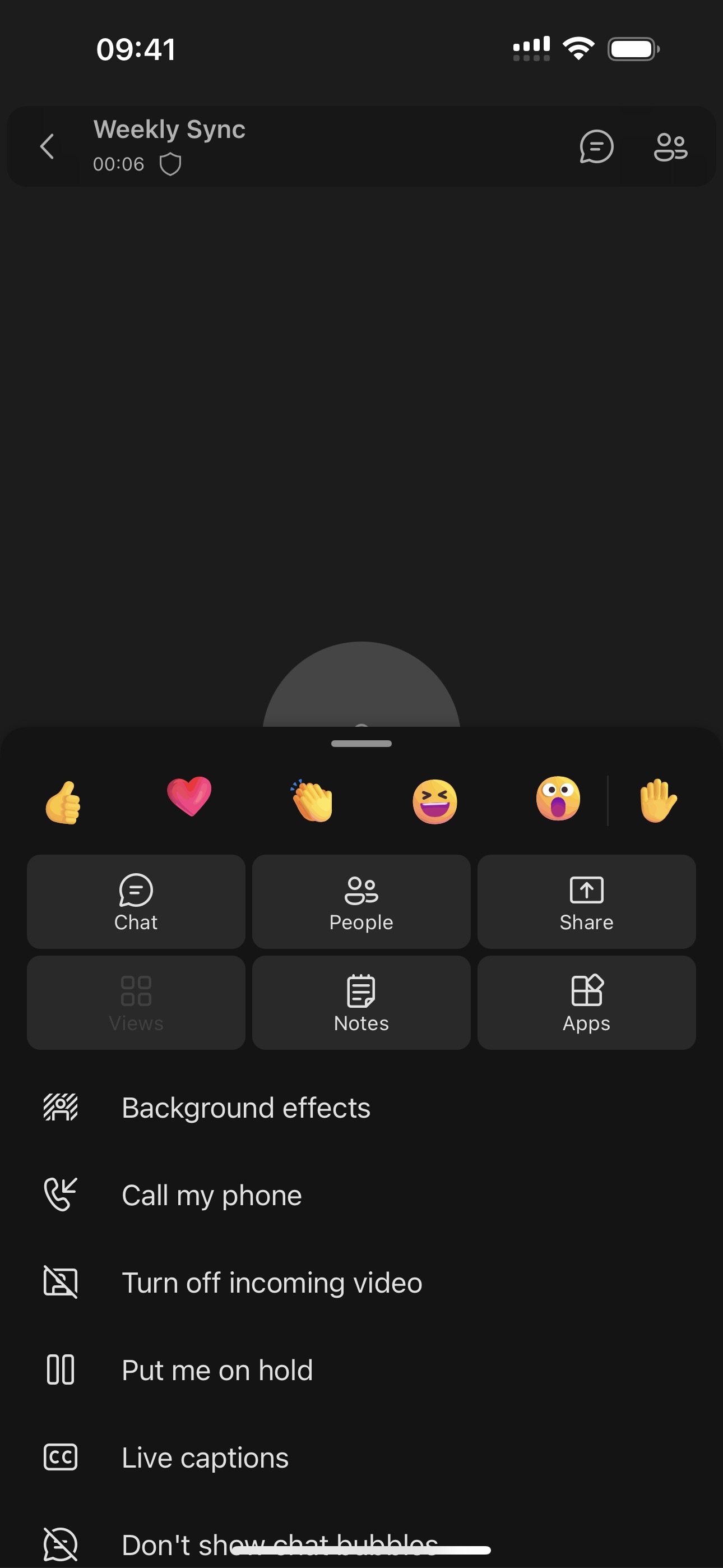
[When this will happen:] Standard Release: We will begin rolling out early October and expect to complete by mid-December 2023 (previously mid-November). [How this will affect your organization:] Users within your tenant will see a Notes button on meeting more options menu during the meetings. Participants can collaborate in real time, create an agenda, take notes and add tasks. When participants are assigned a task in the meeting, they will also receive an email notification and it will be synced with the Planner and To Do apps.
Users can also check collaborate notes after the meeting through Meeting Chat > More tab > Notes.
[What you need to do to prepare:]
Nothing is required to prepare. This capability will be enabled by default when it rolls out. Note: the new Collaborative notes file will generate a Company Shareable Link (CSL) by default. You can manage this feature via SharePoint PowerShell with: Set-SPOTenant -IsCollabMeetingNotesFluidEnabled (boolean) You can read more about admin controls here: Manage Loop experiences (Loop app and Loop components) in SharePoint. |
| Machine Translation |
2023 年 11 月 27 日更新: 以下のロールアウト タイムラインを更新しました。何卒ご理解のほどよろしくお願いいたします。 ユーザーは、デスクトップ用 Teams でユーザーが実行できる操作と同様に、iOS および Android 用の Teams で議題、メモ、フォローアップ タスクを含む共同メモを表示、編集、作成できるようになりました。
このメッセージは、Microsoft 365 ロードマップ ID 128652に関連付けられています
[これがいつ起こるか:] 標準リリース: 10 月上旬にロールアウトを開始し、2023 年 12 月中旬 (以前は 11 月中旬) までに完了する予定です。 [これが組織に及ぼす影響:] テナント内のユーザーには、会議中に会議の [その他のオプション] メニューに [メモ] ボタンが表示されます。参加者は、リアルタイムで共同作業したり、議題を作成したり、メモを取ったり、タスクを追加したりできます。参加者にミーティングでタスクが割り当てられると、メール通知も受信され、Planner アプリと To Do アプリと同期されます。
ユーザーは、ミーティング後に [ミーティング チャット] > [メモ] > [その他] タブを使用して共同作業のメモを確認することもできます。
[準備に必要なこと:]
準備には何も必要ありません。この機能は、ロールアウト時に既定で有効になります。 注:新しい共同作業用ノートファイルは、デフォルトで会社共有可能リンク(CSL)を生成します。 この機能は、SharePoint PowerShell を使用して次の方法で管理できます。 Set-SPOTenant -IsCollabMeetingNotesFluidEnabled (ブール値) 管理コントロールの詳細については、「 SharePoint でループ エクスペリエンス (ループ アプリとループ コンポーネント) を管理する」を参照してください。 |