| MC699715 | Audio and video flyout and settings in Teams meetings |
|---|
| Classification | stayInformed |
|---|---|
| Last Updated | 12/19/2023 01:18:23 |
| Start Time | 12/19/2023 01:18:17 |
| End Time | 03/04/2024 08:00:00 |
| Message Content |
Audio and Video flyouts in Teams enable users to efficiently manage their audio and video settings during meetings. These features are easily accessible, allowing users to control their devices and adjust key audio and video features quickly and effortlessly, without needing to navigate through multiple layers of settings. Users can access this feature in 3 ways:
This message is associated with Microsoft 365 Roadmap ID 187098
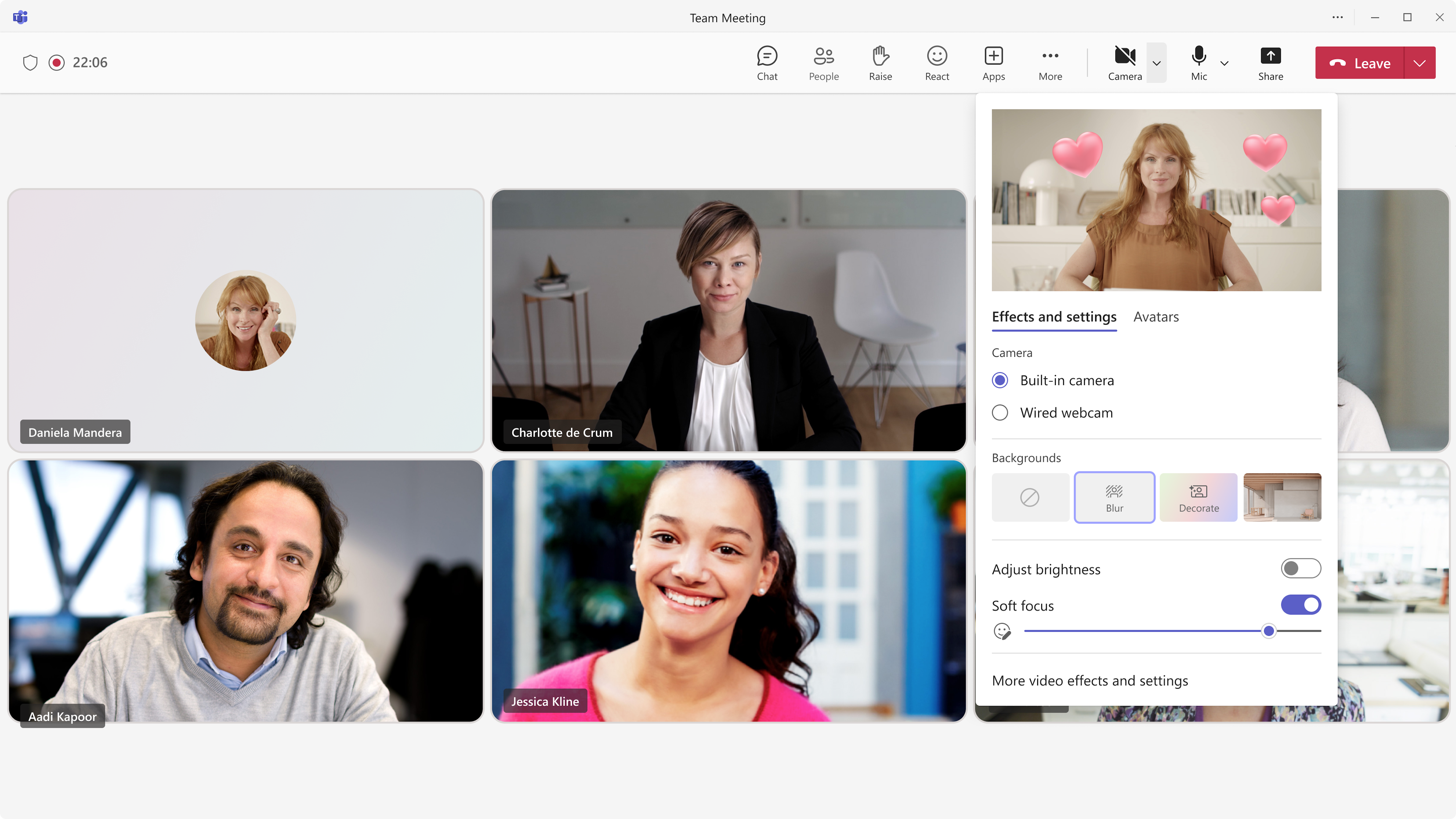
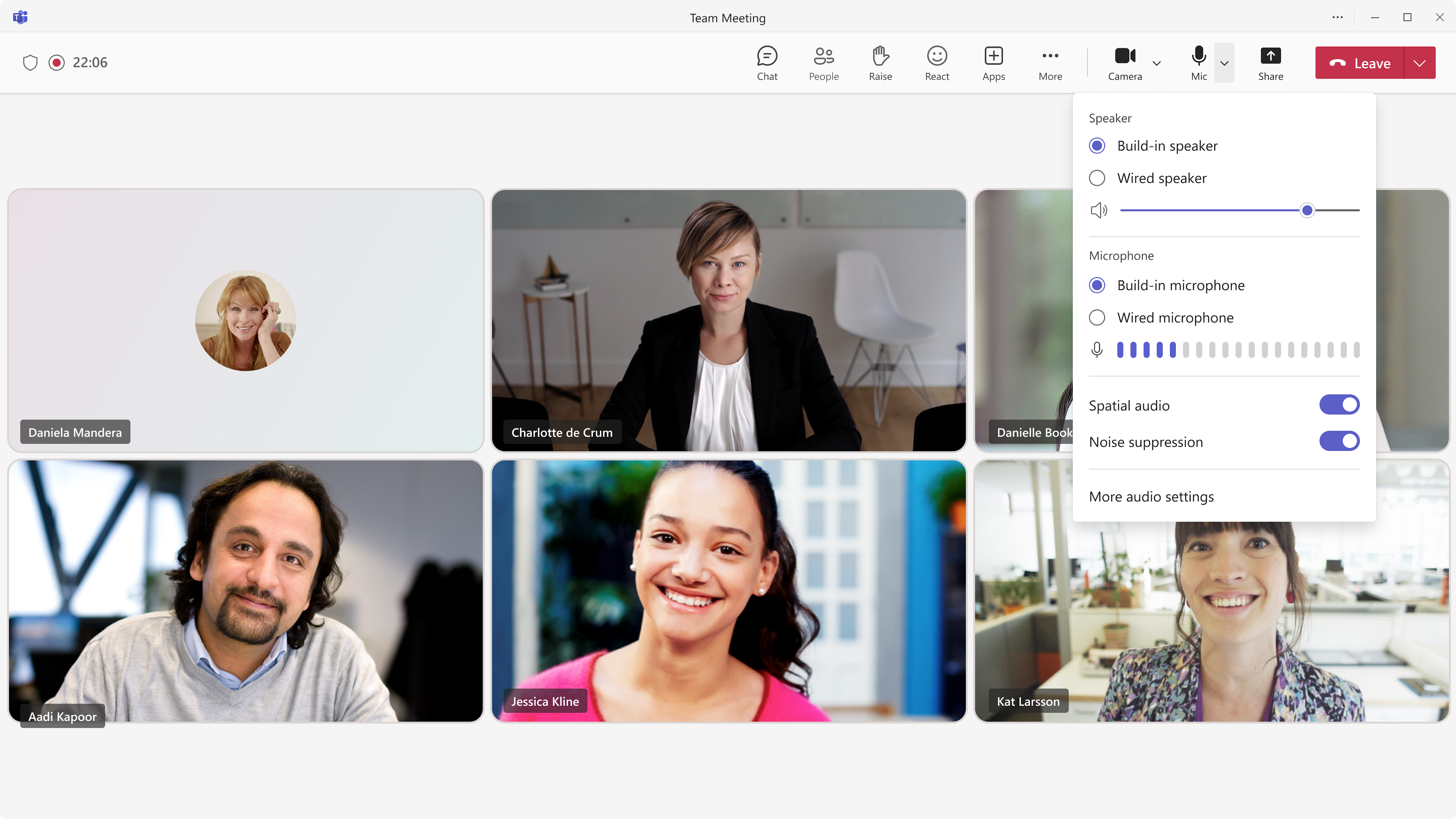
[When this will happen:] Targeted Release: We will begin rolling out early January 2024 and expect to complete by mid-January 2024. Standard Release: We will begin rolling out mid-January 2024 and expect to complete by late January 2024. [How this will affect your organization:] The AV framework is designed for quick access and discovery of Teams’ audio and video features, helping users manage their devices and meeting environment more effortlessly. In this update, we’re focusing our efforts on 2 key areas: flyouts and panels for audio and video:
Video Flyout:
Audio Flyout:
[What you need to do to prepare:] You may consider updating your internal documentation to inform users that the feature is now available for Teams users. |