| MC714183 | Suspension of Azure Application Administrator role for Management of add-ins across Outlook, Word, Excel, and PowerPoint |
|---|
| Classification | planForChange |
|---|---|
| Last Updated | 02/09/2024 00:49:24 |
| Start Time | 02/09/2024 00:48:53 |
| End Time | 04/01/2024 07:00:00 |
| Message Content |
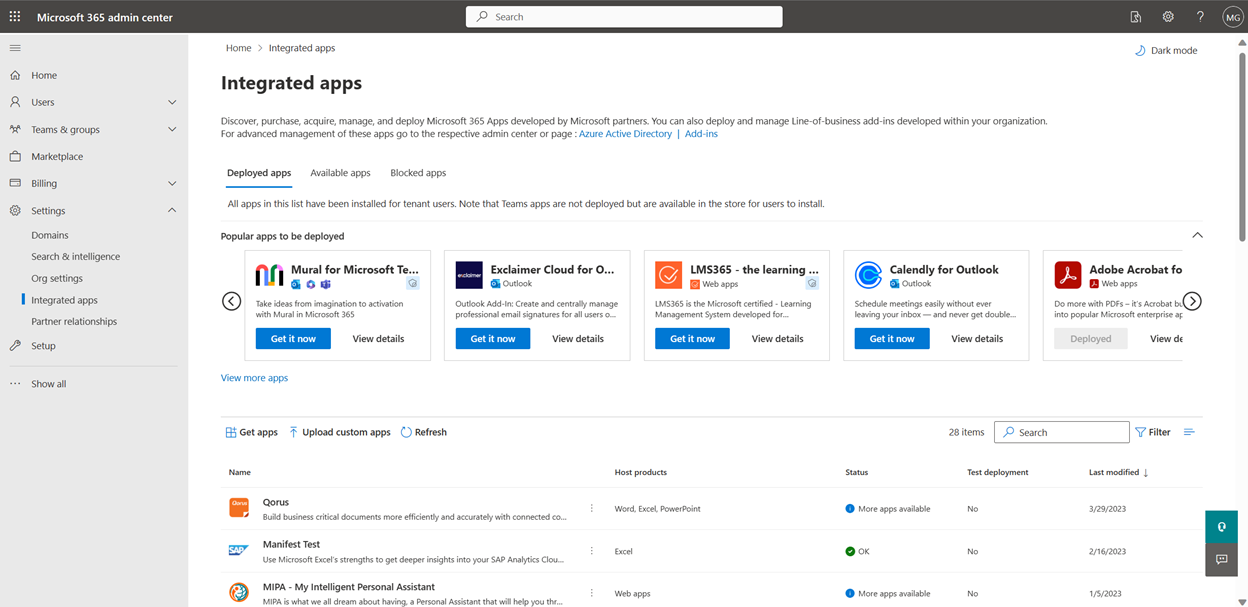
Admins can manage add-ins across Outlook, Word, Excel, and PowerPoint from the Integrated Apps blade in the Microsoft 365 Admin Center. This capability is currently available to Global Administrators, Global Readers, Exchange Administrators, and Azure Application Administrators.
Going forward, Microsoft is suspending capability for Azure Application Administrators from management of add-ins across Outlook, Word, Excel, and PowerPoint from the Integrated Apps blade in the Microsoft 365 Admin Center. All other Administrators will be able to manage the add-ins with the same capabilities as before. Any add-ins previously managed by Azure Application Administrators will still be available and Global Administrators can manage them going forward. Azure Application Administrators will still continue to have access to the Integrated Apps blade and can manage Teams Apps with extended capabilities on Outlook and the Microsoft 365 App and SaaS Apps. [When this will happen:] We will begin rolling this out mid-February 2024 and plan to be complete by the end of February 2024. [How this will affect your organization:] With this release, all Azure Application Administrators in your tenant will no longer be able to manage Excel, Outlook, PowerPoint, and Word add-ins. Also, they won’t be able to perform the following actions in the Integrated Apps page.
[What you need to do to prepare:]
|
| Machine Translation |
管理者は、 Microsoft 365 管理センターの [統合アプリ] ブレードから、Outlook、Word、Excel、PowerPoint のアドインを管理できます。この機能は現在、グローバル管理者、グローバル閲覧者、Exchange 管理者、および Azure アプリケーション管理者が利用できます。
今後、Microsoft は、Azure アプリケーション管理者が Microsoft 365 管理センターの [統合アプリ] ブレードから Outlook、Word、Excel、PowerPoint のアドインを管理する機能を一時停止します。 他のすべての管理者は、以前 と同じ機能 でアドインを管理できます。以前に Azure アプリケーション管理者によって管理されていたアドインは引き続き使用でき、グローバル管理者は今後それらを管理できます。 Azure アプリケーション管理者は引き続き [統合アプリ] ブレードにアクセスでき、Outlook と Microsoft 365 アプリと SaaS アプリの拡張機能を使用して Teams アプリを管理できます。 [これがいつ起こるか:] 2024 年 2 月中旬にロールアウトを開始し、2024 年 2 月末までに完了する予定です。 [これが組織に及ぼす影響:] このリリースでは、テナント内のすべての Azure アプリケーション管理者が Excel、Outlook、PowerPoint、Word アドインを管理できなくなります。また、[統合アプリ] ページで次のアクションを実行することもできなくなります。
[準備に必要なこと:]
|