| MC715691 | Microsoft Viva Admin center: New capabilities for added flexibility and to manage adoption |
|---|
| Classification | stayInformed |
|---|---|
| Last Updated | 02/14/2024 01:08:25 |
| Start Time | 02/14/2024 01:08:07 |
| End Time | 05/16/2024 07:00:00 |
| Message Content |
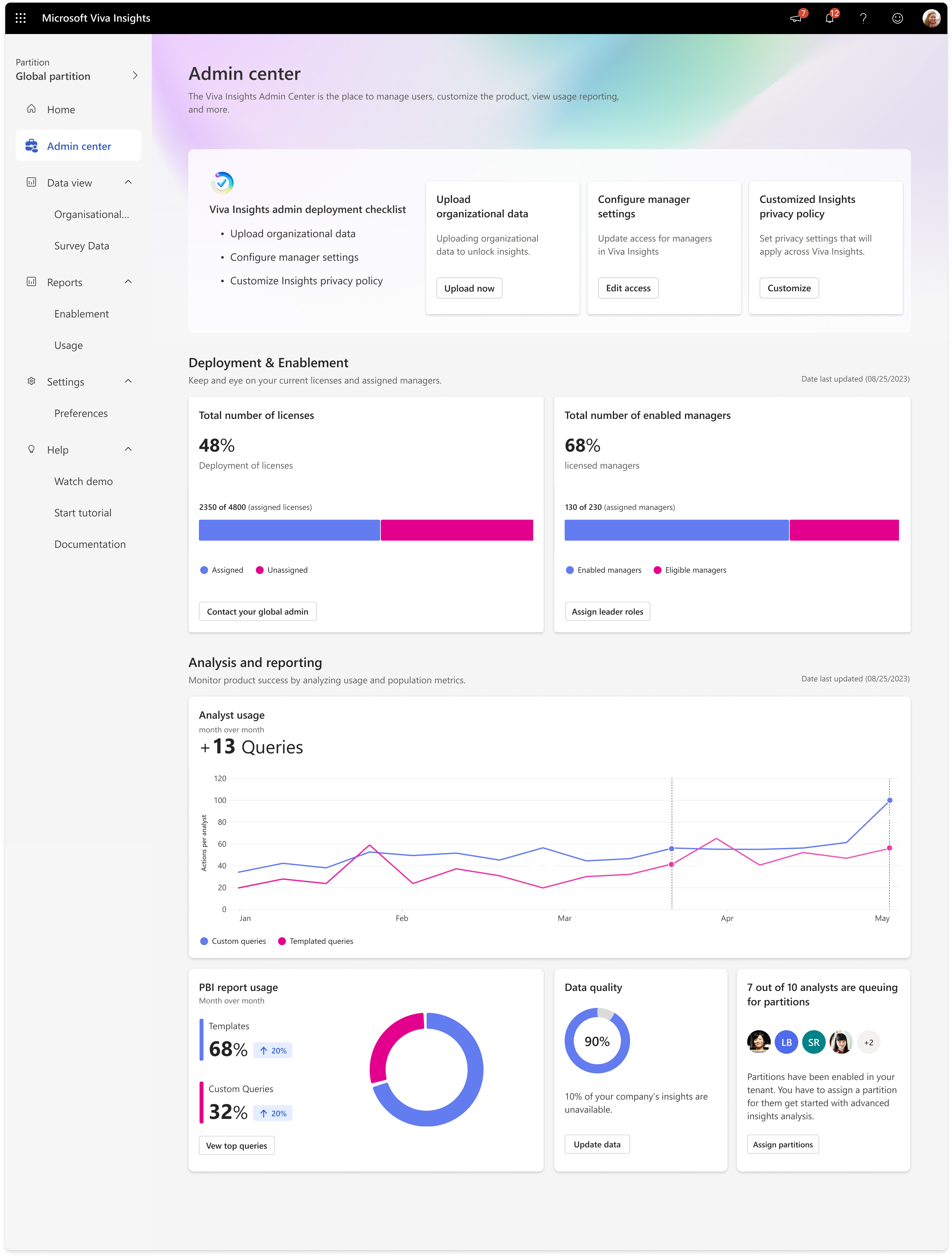
We have added new capabilities to the Microsoft Viva Insights Admin center that will make it easier to assign leaders access, measure adoption, and stay informed of key updates. [When this will happen:] Preview: We will begin rolling out mid-February and expect to complete by early March 2024. Standard Release: We will begin rolling out early March 2024 and expect to complete by early April 2024. [How this will affect your organization:] New features for administrators to increase flexibility and simplify the admin experience:
These features are designed for users who have the Viva Insights Admin role or Global Admin role assigned through Microsoft Entra. Learn more about Microsoft Entra built-in roles. View our support content to learn more about the features. [What you need to do to prepare:] No action is needed to prepare for this rollout. You may want to notify your users about this change and update any relevant documentation as appropriate. Review and assess the impact on your organization at Viva Insights setup checklist.
|
| Machine Translation |
Microsoft Viva インサイト管理センターに新機能が追加され、リーダーのアクセス権の割り当て、導入の測定、主要な更新プログラムの最新情報の入手が容易になりました。 [これがいつ起こるか:] プレビュー: 2 月中旬にロールアウトを開始し、2024 年 3 月上旬までに完了する予定です。 標準リリース: 2024 年 3 月上旬にロールアウトを開始し、2024 年 4 月上旬までに完了する予定です。 [これが組織に及ぼす影響:] 柔軟性を高め、管理エクスペリエンスを簡素化するための管理者向けの新機能:
これらの機能は、Microsoft Entra を通じて割り当てられたViva インサイト管理者ロールまたはグローバル管理者ロールを持つユーザー向けに設計されています。 Microsoft Entra の組み込みロールの詳細については、こちらを参照してください。 機能の詳細については、サポートコンテンツをご覧ください。 [準備に必要なこと:] このロールアウトを準備するためのアクションは必要ありません。この変更についてユーザーに通知し、必要に応じて関連ドキュメントを更新することをお勧めします。 Viva インサイトセットアップ チェックリストで組織への影響を確認して評価します。
|