SHD / MC Checker

MC686281 | (Updated) New Gallery in Teams Meetings


MC686281 | (Updated) New Gallery in Teams Meetings

Classification stayInformed
Last Updated 03/02/2024 00:01:18
Start Time 10/31/2023 22:24:21
End Time 09/30/2024 08:00:00
Message Content

Updated March 1, 2024: We have updated the rollout timeline below. Thank you for your patience.

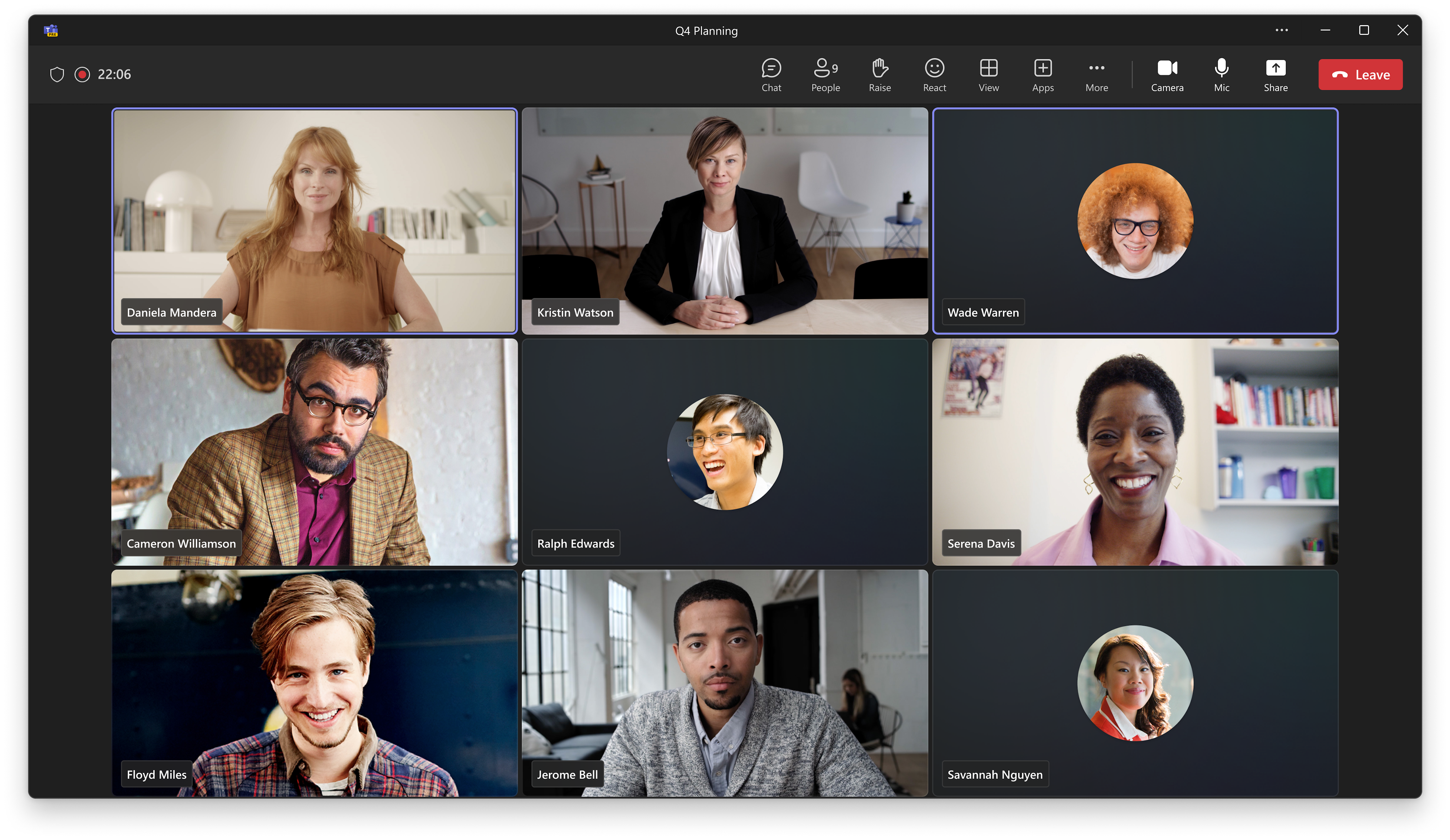
We are introducing a revamped version of the gallery in Teams meetings and calls. The new gallery will be the default view when users join their meetings, so that they can use it without the need of taking an action. 

This message is associated with Microsoft 365 Roadmap ID 118467

[When this will happen:]

Targeted Release: We will begin rolling out late January 2024 (previously early January) and expect to complete by early February 2024 (previously mid-January).

Production and GCC: We will begin rolling out mid-June 2024 (previously mid-February) and expect to complete by late July 2024 (previously late February).

GCC High: We will begin rolling late July 2024 (previously late February) and expect to complete by early August 2024 (previously early March).

DoD: We will begin rolling out early August 2024 (previously late February) and expect to complete by mid-August 2024 (previously early March).

[How this will affect your organization:]

This new version introduces a series of changes to help users in their meetings:

  • 16:9 aspect ratio participant tiles for more predictability. A consistent aspect ratio maintains a more predictable experience when users turn their videos on or off. It also provides more visibility into users’ body language and hand gestures.
  • An audio-video mixed gallery for a more inclusive representation. Audio and video users share now the same space by default.
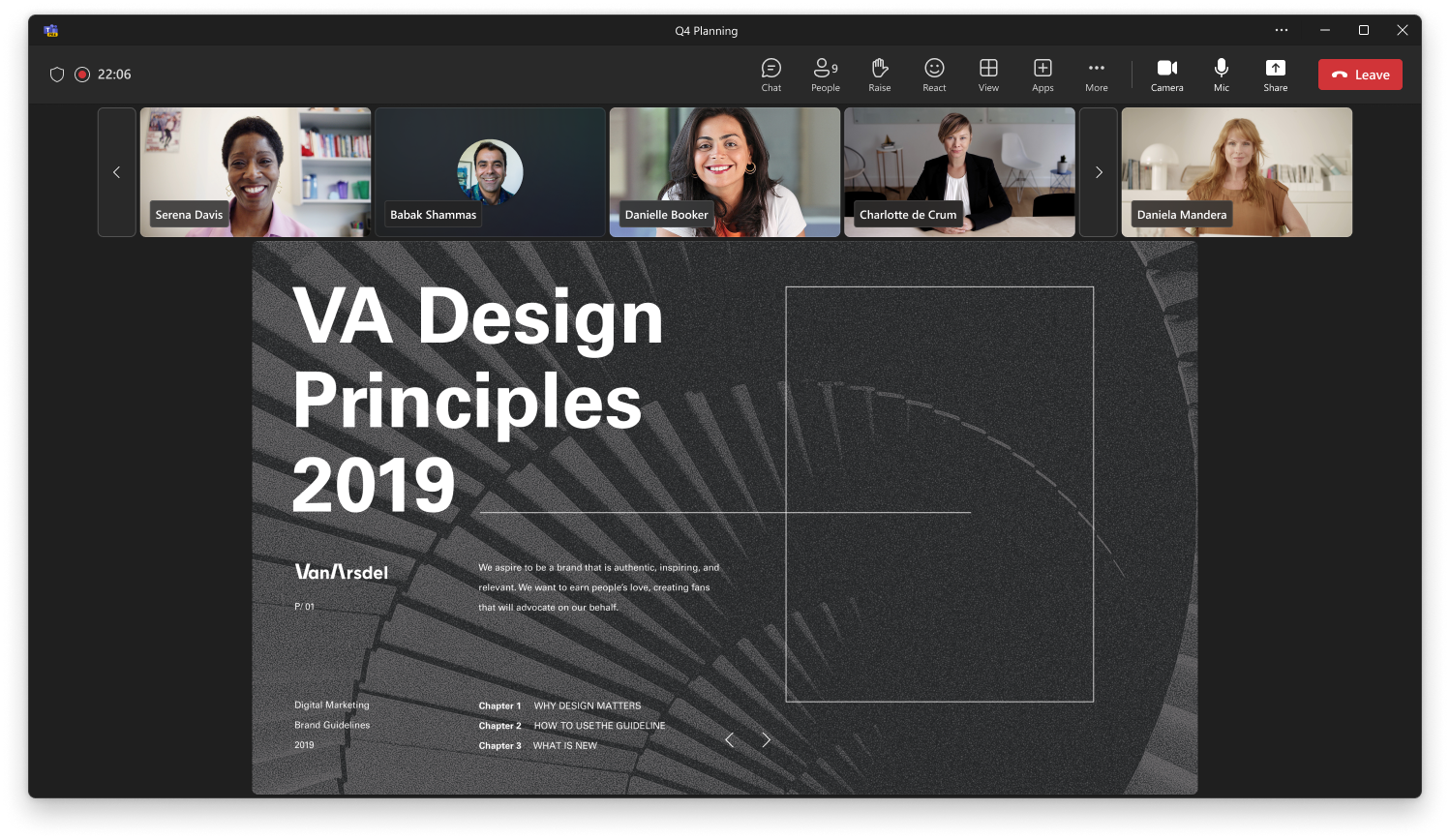
  • Meeting rooms are displayed larger than individual participants. In certain meeting sizes, we display Microsoft Teams Rooms video in a larger size than the rest of the participants to give an equivalent weight to participants joining from a meeting room. Non-Teams rooms joining Teams meeting via Direct Guest Join will remain the same tile size as today.
  • You appear next to the rest of the participants. Your own tile will now be included next to the rest of the participants.
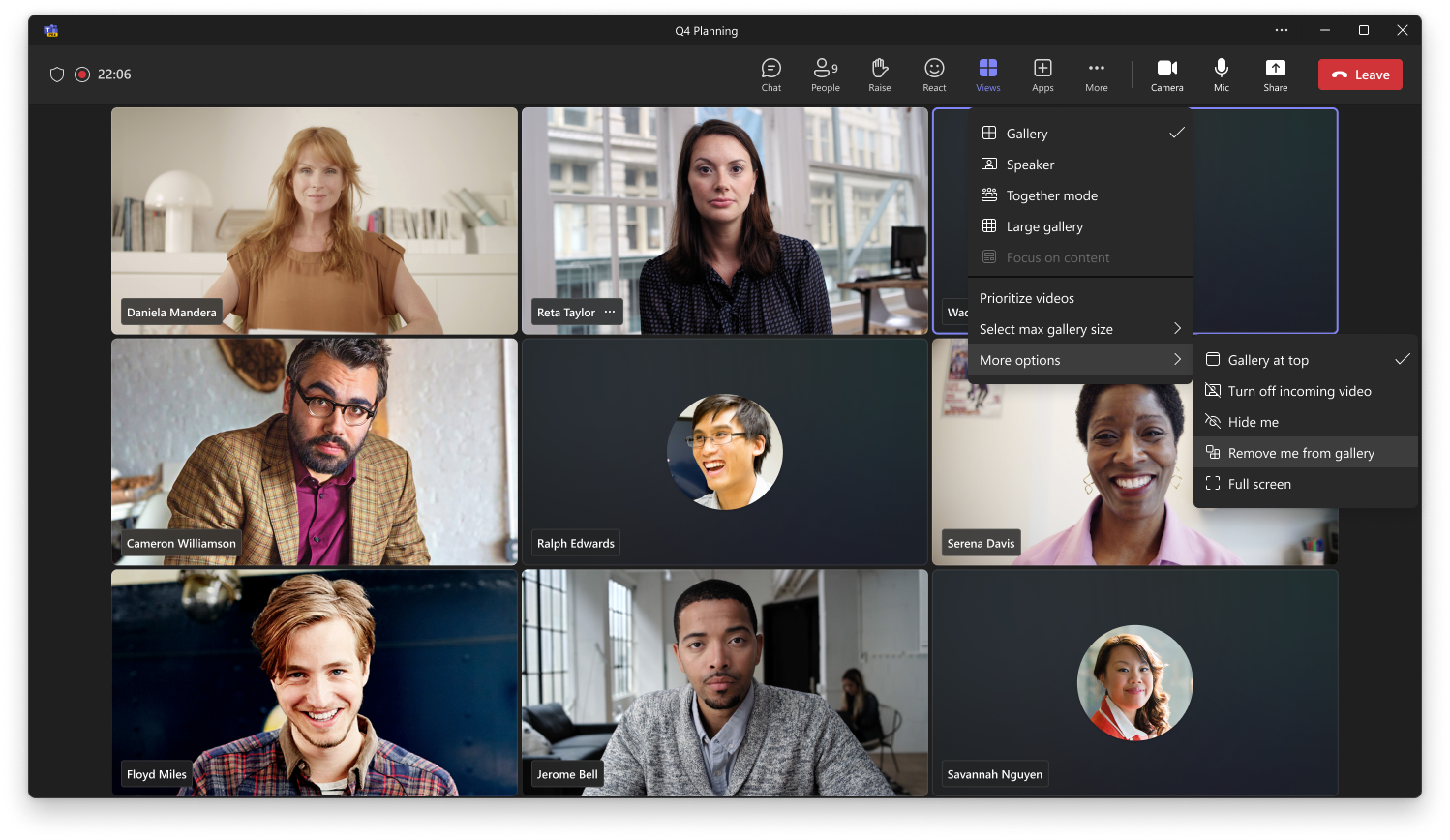
  • Customization of the gallery. Users can adapt the gallery to their needs or preferences. The customization options include:
    • Gallery size: Users can choose the maximum number of tiles that will be represented per page. The entry point for this action is available through the meeting toolbar: “View” > “Change gallery size”.
    • Placement of your own tile: For users who prefer to keep themselves separated from the rest of the participants. If chosen, the self-tile will be placed in an area separate from the rest of the participants. The entry point for this action is available through the meeting toolbar: “View” > “More options” > “Remove me from gallery”.
    • Prioritizing videos: For users who want to give a higher weight to participants with their video on. If chosen, video participants will be displayed more prominently than audio participants. The entry point for this action is available through the meeting toolbar: “View” > “Prioritize video”.
    • Meeting room tile size: Users can decide if they want to resize the meeting room tile to the same size as the rest of the participants. The entry point for this action is available in the contextual menu of the room tile.

[What you need to do to prepare:]

Please notify your users about this change and update any training documentation, as appropriate.

Machine Translation

2024 年 3 月 1 日更新: 以下のロールアウト タイムラインを更新しました。何卒ご理解のほどよろしくお願いいたします。

ギャラリーの改良版を Teams の会議と通話に導入しています。新しいギャラリーは、ユーザーがミーティングに参加したときの既定のビューになるため、アクションを実行しなくても使用できます。 

このメッセージは、Microsoft 365 ロードマップ ID 118467に関連付けられています

[これがいつ起こるか:]

対象指定リリース: 2024 年 1 月下旬 (以前は 1 月上旬) にロールアウトを開始し、2024 年 2 月上旬 (以前は 1 月中旬) までに完了する予定です。

運用と GCC: 2024 年 6 月中旬 (以前は 2 月中旬) にロールアウトを開始し、2024 年 7 月下旬 (以前は 2 月下旬) までに完了する予定です。

GCC High: 2024 年 7 月下旬 (以前は 2 月下旬) にローリングを開始し、2024 年 8 月上旬 (以前は 3 月上旬) までに完了する予定です。

国防総省: 2024 年 8 月上旬 (以前は 2 月下旬) にロールアウトを開始し、2024 年 8 月中旬 (以前は 3 月上旬) までに完了する予定です。

[これが組織に及ぼす影響:]

この新しいバージョンでは、ミーティングでユーザーを支援するために一連の変更が導入されています。

  • アスペクト比 16:9 の参加者タイルにより、予測可能性が高まります。アスペクト比を一定にすることで、ユーザーが動画をオンまたはオフにしたときに、より予測可能なエクスペリエンスが維持されます。また、ユーザーのボディランゲージや手のジェスチャーの可視性も向上します。
  • より包括的な表現のためのオーディオとビデオが混在するギャラリー。オーディオとビデオのユーザーは、デフォルトで同じスペースを共有するようになりました。
  • ミーティングルームは、個々の参加者よりも大きく表示されます。特定の会議サイズでは、Microsoft Teams Rooms ビデオを他の参加者よりも大きなサイズで表示して、会議室から参加する参加者に同等の重みを与えます。直接ゲスト参加を介して Teams 会議に参加する Teams 以外のルームは、現在と同じタイル サイズのままです。
  • あなたは他の参加者の隣に表示されます。これで、自分のタイルが残りの参加者の隣に含まれるようになります。
  • ギャラリーのカスタマイズ。ユーザーは、ギャラリーを自分のニーズや好みに合わせて調整できます。カスタマイズオプションには、次のものが含まれます。
    • ギャラリー サイズ: ユーザーは、ページごとに表示されるタイルの最大数を選択できます。このアクションのエントリ ポイントは、会議ツールバーの [表示] > [ギャラリー サイズの変更] から使用できます。
    • 独自のタイルの配置: 他の参加者から自分を離しておきたいユーザー向けです。選択した場合、セルフタイルは他の参加者とは別の領域に配置されます。このアクションのエントリ ポイントは、会議ツールバーの [表示] > [その他のオプション] > [ギャラリーから自分を削除] から利用できます。
    • 動画の優先順位付け: 動画をオンにした状態で参加者に高い重みを与えたいユーザー向けです。選択すると、ビデオ参加者が音声参加者よりも目立つように表示されます。このアクションのエントリ ポイントは、会議ツールバーの [表示] > [ビデオの優先順位付け] から利用できます。
    • ミーティング ルームのタイル サイズ: ユーザーは、ミーティング ルームのタイルのサイズを他の参加者と同じサイズに変更するかどうかを決定できます。このアクションのエントリ ポイントは、ルーム タイルのコンテキスト メニューで使用できます。

[準備に必要なこと:]

この変更についてユーザーに通知し、必要に応じてトレーニング ドキュメントを更新してください。