| MC716667 | (Updated) Microsoft Clipchamp now has automatic captions |
|---|
| Classification | stayInformed |
|---|---|
| Last Updated | 03/05/2024 22:18:38 |
| Start Time | 02/16/2024 23:52:34 |
| End Time | 05/20/2024 07:00:00 |
| Message Content |
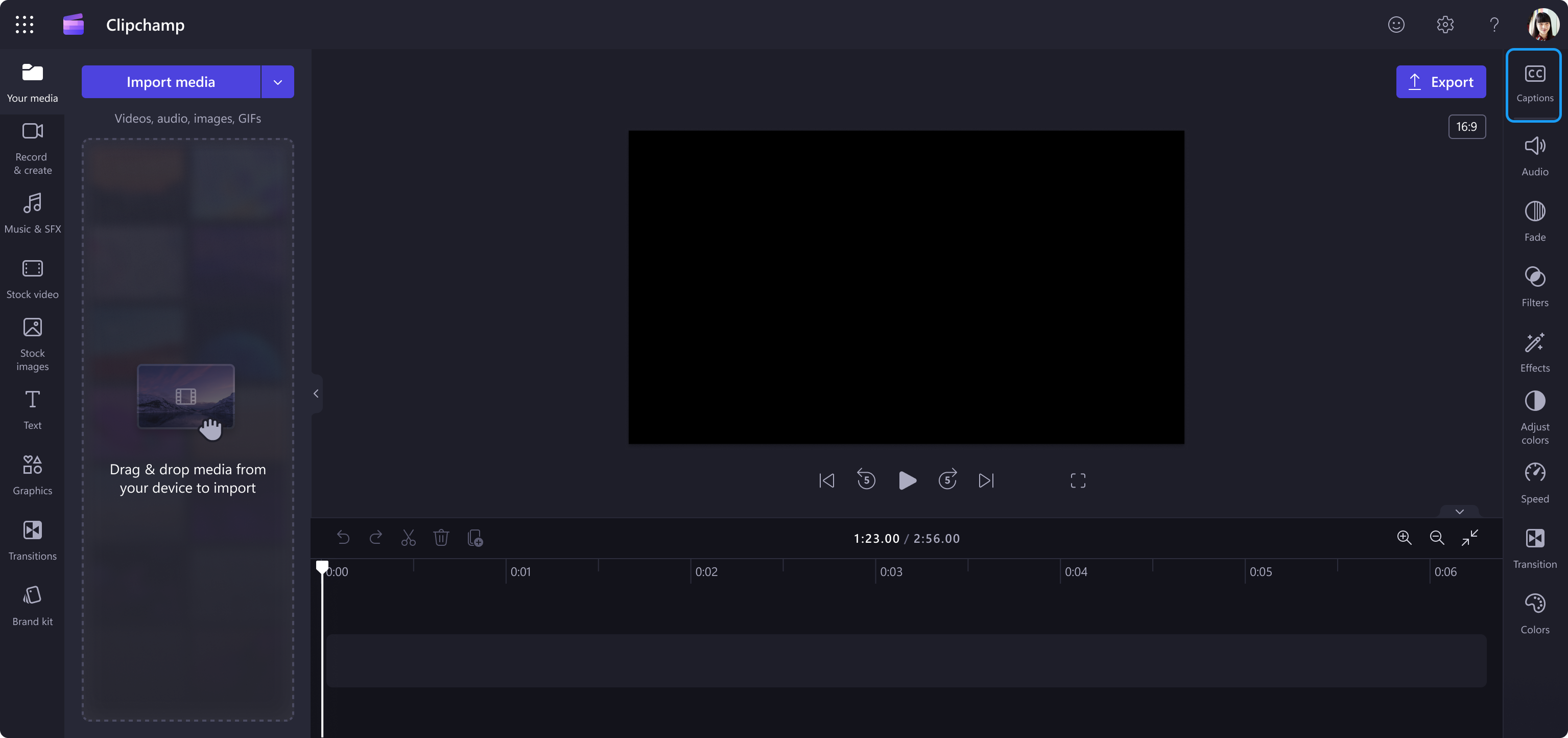
Updated March 5, 2024: We have updated the rollout timeline below. Thank you for your patience. Microsoft Clipchamp now offers automatic captioning to make your organization’s videos more accessible. This message is associated with Microsoft 365 Roadmap ID 381128. [When this will happen:] Targeted Release: We will begin rolling out late March 2024 (previously late February) and expect to complete by early April 2024 (previously early March). General Availability: We will begin rolling out early April 2024 (previously early March) and expect to complete by mid-April 2024 (previously mid-March). [How this will affect your organization:] All users can use the new autocaptions for all videos at no additional cost. The Caption menu is an icon in the top right corner of the Clipchamp editor. Captions will be automatically generated using AI and added to the video as text. More details about captions:
Video in Clipchamp with the Caption button in the top right corner:
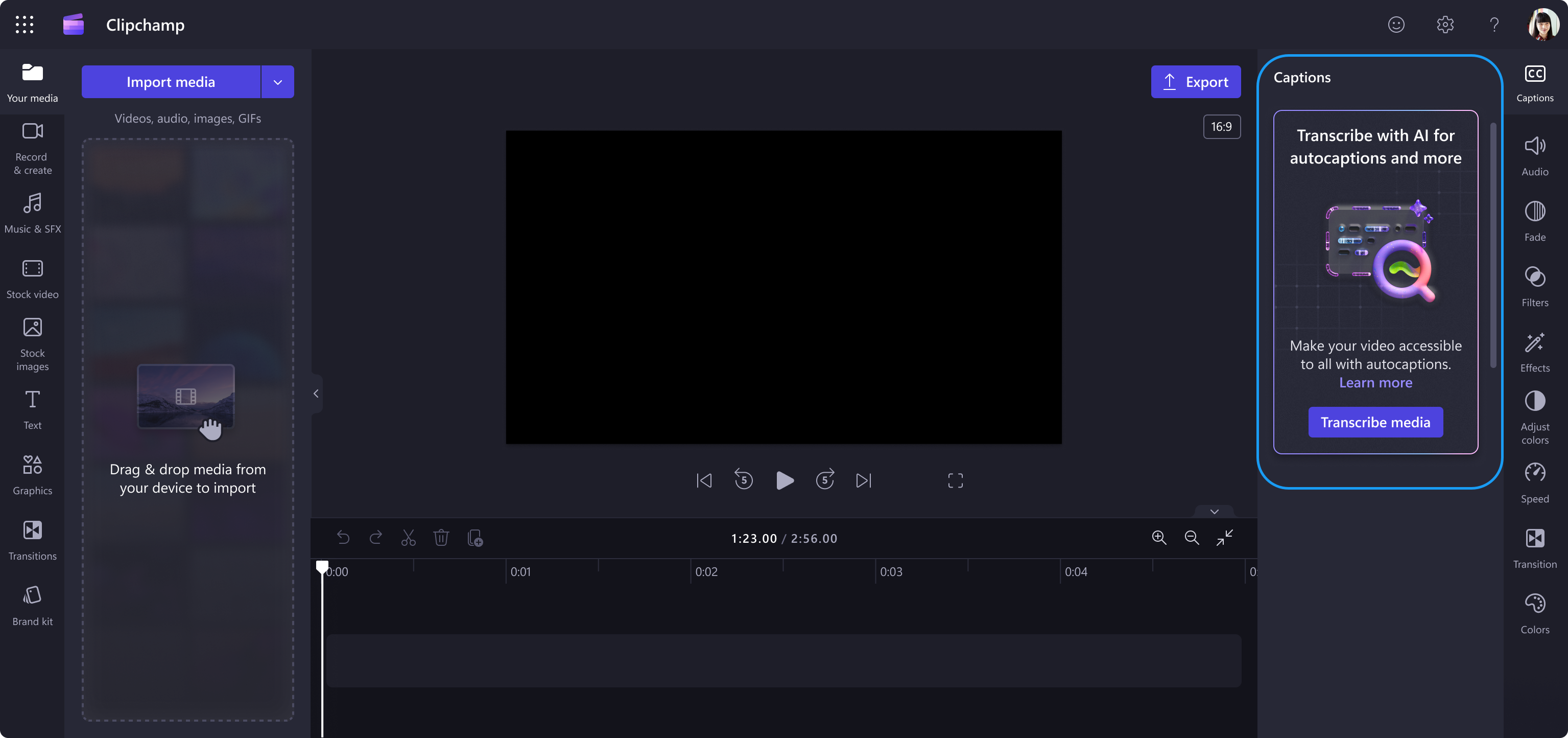
Video with the Caption panel open:
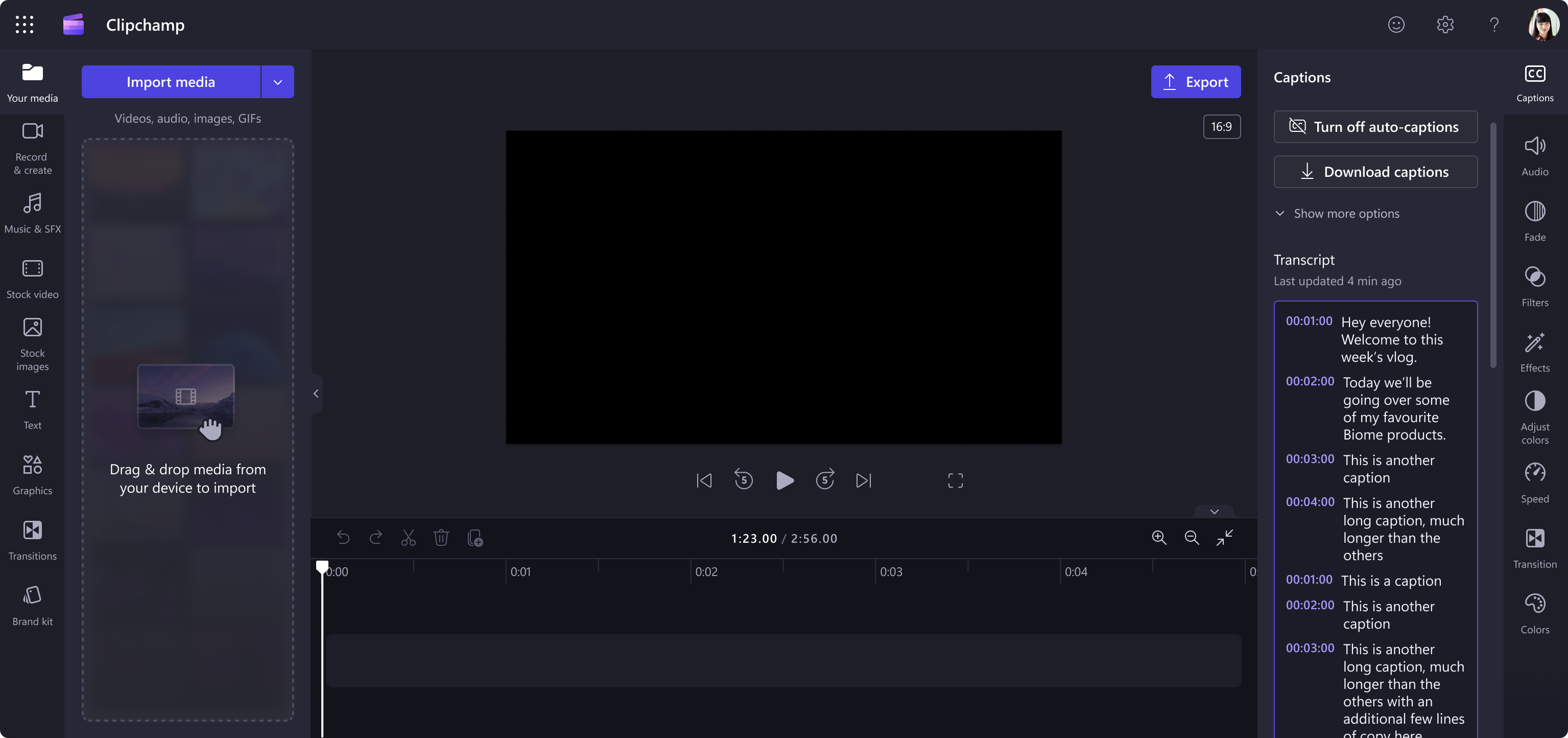
Video with autocaptions turned on:
[What you need to do to prepare:] No action is needed to prepare for this change. You may want to notify your users about this change and update any relevant documentation as appropriate. To learn more: How to use autocaptions – Microsoft Support |
| Machine Translation |
2024 年 3 月 5 日更新: 以下のロールアウト タイムラインを更新しました。何卒ご理解のほどよろしくお願いいたします。 Microsoft Clipchampは、組織の 動画にアクセスしやすくするために、自動キャプションを提供するようになりました。 このメッセージは、Microsoft 365 ロードマップ ID 381128に関連付けられ ています。 [これがいつ起こるか:] 対象指定リリース: 2024 年 3 月下旬 (以前は 2 月下旬) にロールアウトを開始し、2024 年 4 月上旬 (以前は 3 月上旬) までに完了する予定です。 一般提供: 2024 年 4 月上旬 (以前は 3 月上旬) にロールアウトを開始し、2024 年 4 月中旬 (以前は 3 月中旬) までに完了する予定です。 [これが組織に及ぼす影響:] すべてのユーザーは、追加費用なしですべての動画で新しい自動字幕起こしを使用できます。 キャプション メニューは、Clipchampエディターの右上隅にあるアイコンです。キャプションはAIを使用して自動生成され、テキストとしてビデオに追加されます。キャプションの詳細:
右上隅に キャプション ボタンがあるClipchampの動画:
キャプションパネルを開いた状態でのビデオ:
自動字幕起こしをオンにした動画:
[準備に必要なこと:] この変更に備えるためのアクションは必要ありません。この変更についてユーザーに通知し、必要に応じて関連ドキュメントを更新することをお勧めします。 |