| MC687848 | (Updated) Microsoft Teams: Improved View Switcher for Teams Rooms on Android |
|---|
| Classification | stayInformed |
|---|---|
| Last Updated | 03/27/2024 18:36:36 |
| Start Time | 11/07/2023 00:48:00 |
| End Time | 05/20/2024 07:00:00 |
| Message Content |
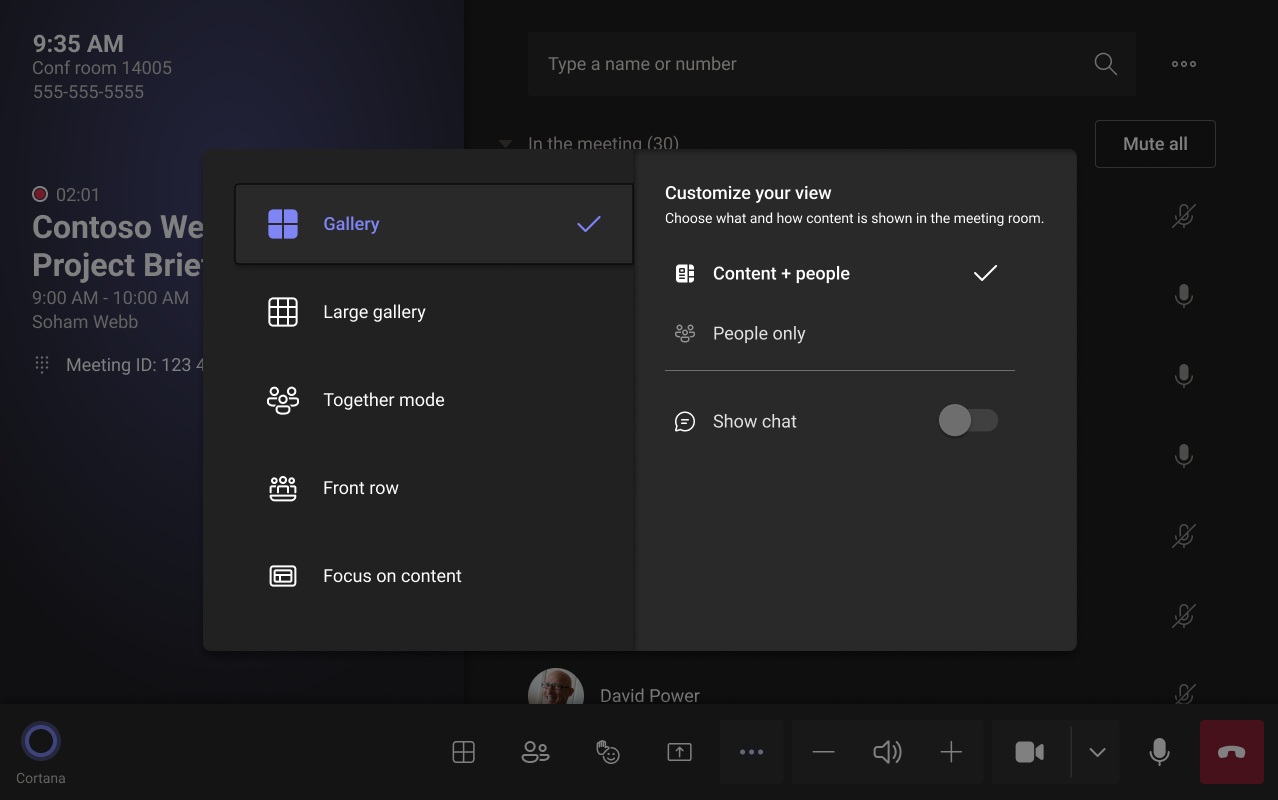
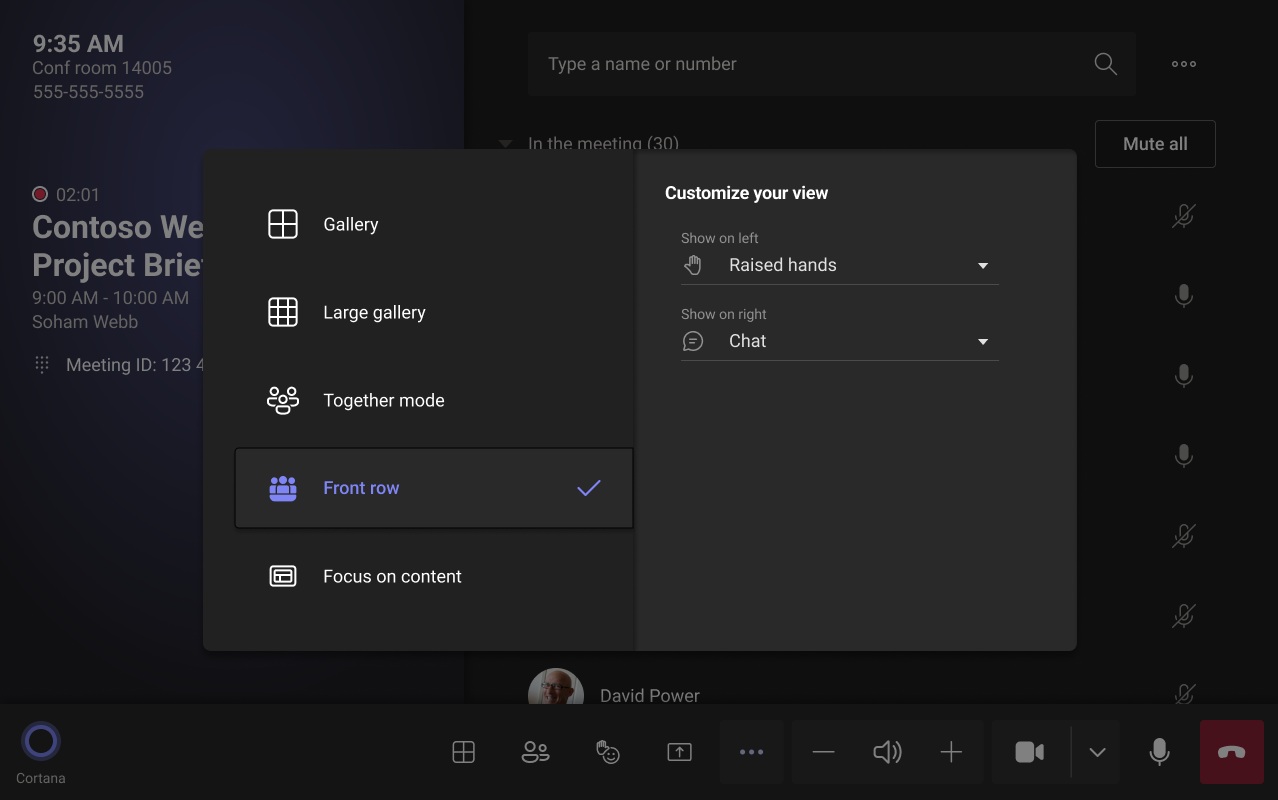
Updated March 27, 2024: We have updated the rollout timeline below. Thank you for your patience. The latest version of Teams Rooms on Android Update 3 (2023) includes improved view switcher and front of room display controls.
This message is associated with Microsoft 365 Roadmap ID 159128
[When this will happen:] Standard Release: We will begin rolling out in late February 2024 (previously early February) and expect to complete rollout by early April 2024 (previously mid-March). [How this will affect your organization:] The updated interface for the Teams Rooms on Android View Switcher menu provides end users with more control of the front of room display(s) during a meeting and enables customizations including visibility of the meeting chat and which meeting component is displayed on the left and right panel for Front Row. IT admins can configure the default number of panels and default components on panel(s) using the local device setting.
[What you need to do to prepare:]
Please notify your users about this new experience and update your training and documentation as appropriate.
|
| Machine Translation |
2024 年 3 月 27 日更新: 以下のロールアウト タイムラインを更新しました。何卒ご理解のほどよろしくお願いいたします。 Android Update 3 (2023) のTeams Roomsの最新バージョンには、改善されたビュー スイッチャーと会議室の前面ディスプレイ コントロールが含まれています。
このメッセージは、Microsoft 365 ロードマップ ID 159128 に関連付けられています
[これがいつ起こるか:] 標準リリース: 2024 年 2 月下旬 (以前は 2 月上旬) にロールアウトを開始し、2024 年 4 月上旬 (以前は 3 月中旬) までにロールアウトを完了する予定です。 [これが組織に及ぼす影響:] Android ビュー スイッチャー メニューのTeams Roomsの更新されたインターフェイスにより、エンド ユーザーは会議中に会議室の前面ディスプレイをより詳細に制御でき、会議チャットの表示や、Front Row の左右のパネルに表示される会議コンポーネントなどのカスタマイズが可能になります。IT 管理者は、ローカル デバイス設定を使用して、パネルの既定の数とパネル上の既定のコンポーネントを構成できます。
[準備に必要なこと:]
この新しいエクスペリエンスについてユーザーに通知し、必要に応じてトレーニングとドキュメントを更新してください。
|