| MC761261 | New Microsoft Outlook for Windows and web: Improvements to working hours and location |
|---|
| Classification | stayInformed |
|---|---|
| Last Updated | 03/29/2024 01:11:20 |
| Start Time | 03/29/2024 01:11:03 |
| End Time | 10/04/2024 07:00:00 |
| Message Content |
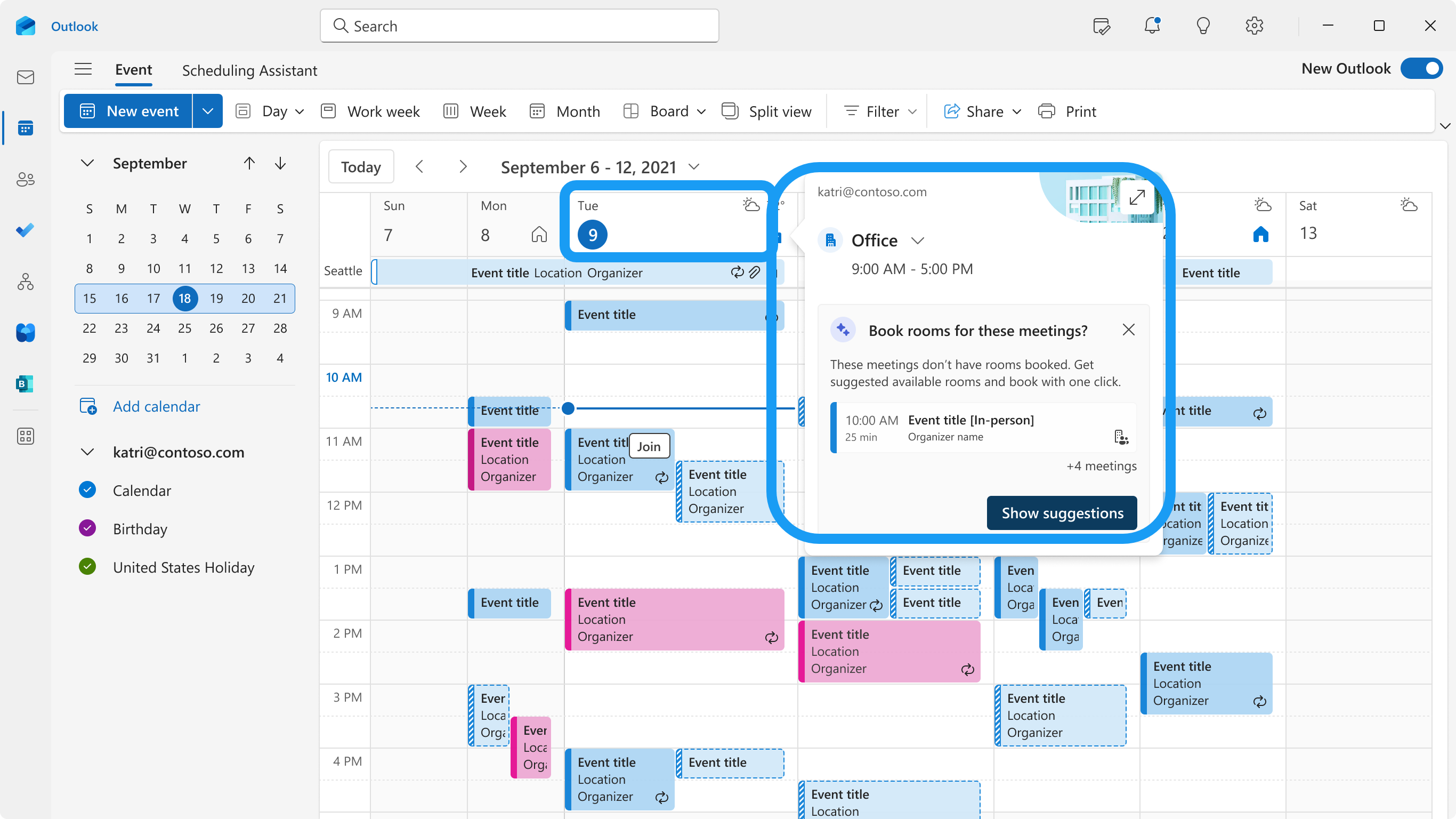
In 2023, Microsoft Outlook on the web and new Outlook for Windows released new flexible working hours that allowed users to set different working hours and location (office/remote) for individual workdays. Users could update their daily work location in the calendar and see their coworkers’ work location in the scheduling assistant. We will soon roll out these additional updates:
This message refers to MC553273 (Updated) Outlook on the web – Work Hours and Location (May 2023) and is associated with Microsoft 365 Roadmap ID 383721. [When this will happen] Outlook on the web and new Outlook for Windows
[How this will affect your organization:] Learn more with this blog coming in May 2024: https://aka.ms/NewWHLOutlook (points to support article before blog is ready) Outlook on the web: daily peek with suggestion:
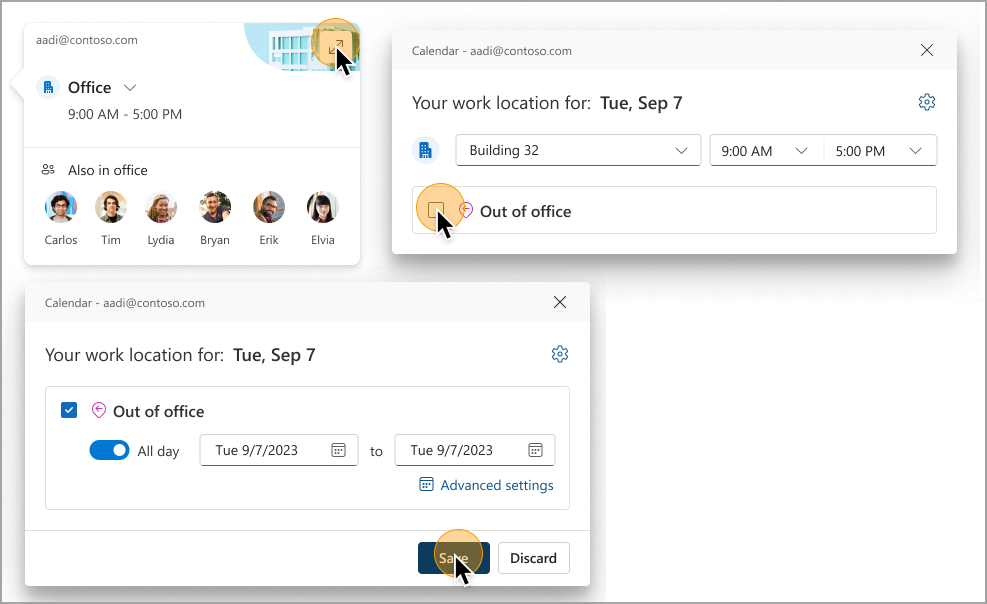
Outlook on the web: set your out of office location:
[What you need to do to prepare] This rollout will happen automatically by the specified date with no admin action required. You may want to notify your users about this change and update any relevant documentation as appropriate. User support: Learn more about work hours in Outlook – Microsoft Support |
| Machine Translation |
2023 年、Microsoft Outlook on the web と新しい Outlook for Windows は、ユーザーが個々の就業日に異なる勤務時間と場所 (オフィス/リモート) を設定できる新しい柔軟な勤務時間をリリースしました。ユーザーは、予定表で毎日の作業場所を更新し、スケジュール アシスタントで同僚の作業場所を確認できます。近日中に、以下の追加アップデートを予定しています。
このメッセージは、MC553273 (更新された) Outlook on the web – 作業時間と場所 (2023 年 5 月) を参照し、Microsoft 365 ロードマップ ID 383721に関連付けられています。 [いつになるか] Outlook on the web と新しい Outlook for Windows
[これが組織に及ぼす影響:] 詳しくは、2024 年 5 月に公開予定のこちらのブログをご覧ください。 https://aka.ms/NewWHLOutlook (ブログが出来上がる前のサポート記事のポイント) Outlook on the web: 提案付きの毎日のピーク:
Outlook on the web: 不在の場所を設定します。
【準備に必要なこと】 このロールアウトは、管理者のアクションを必要とせずに、指定された日付までに自動的に行われます。この変更についてユーザーに通知し、必要に応じて関連ドキュメントを更新することをお勧めします。 ユーザー サポート: Outlook の作業時間の詳細 – Microsoft サポート |