| MC767479 | Microsoft Edge management service: opt in to email notifications for extension requests |
|---|
| Classification | stayInformed |
|---|---|
| Last Updated | 04/03/2024 22:12:30 |
| Start Time | 04/03/2024 22:12:01 |
| End Time | 06/07/2024 07:00:00 |
| Message Content |
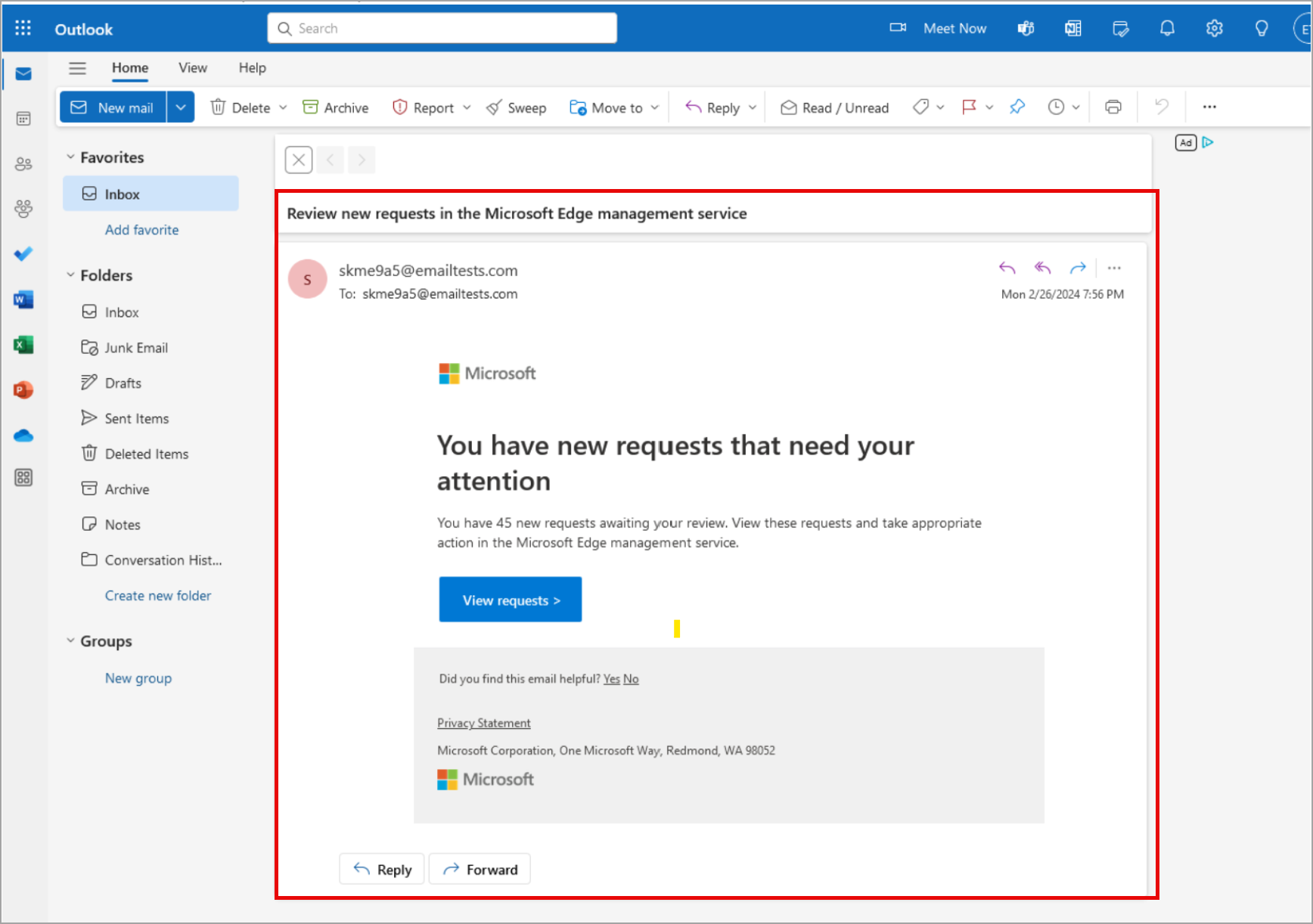
Coming soon: IT admins will be able to receive notifications from The Microsoft Edge management service (EMS) for extension installation requests. This opt-in feature will deliver notifications via email with the option for daily, weekly, or monthly delivery. This message is associated with Microsoft 365 Roadmap ID 382635. [When this will happen:] Public Preview: We began rolling out late March 2024 and expect to complete by late March 2024. General Availability (Worldwide): We will begin rolling out mid-April 2024 and expect to complete by late April 2024. This rollout is not tied to a specific Edge release version. [How this will affect your organization:] End users will not be affected by this update. IT admins must opt in to receive the notification. If opted in, admins will receive email notifications when they have requests for extension installations. Example notification email:
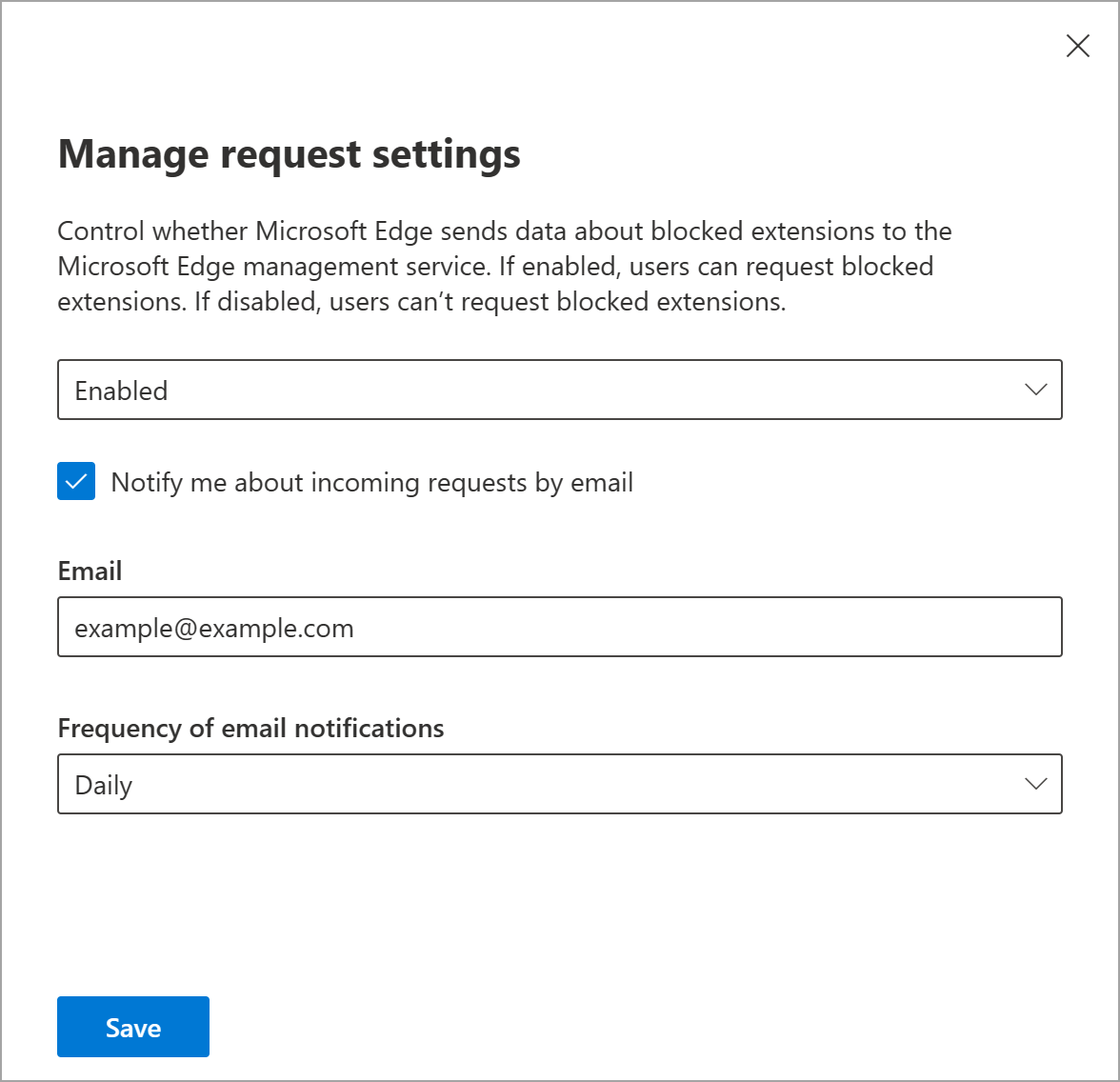
[What you need to do to prepare:] For IT admins who do not want to opt in to receive these notifications, nothing is needed. You may want to notify your admins about this change and update any relevant documentation as appropriate. For IT admins wishing to opt-in to receive these notifications, the following steps need to be taken:
Learn more: Microsoft Edge management service | Microsoft Learn |
| Machine Translation |
近日公開予定: IT 管理者は、拡張機能のインストール要求について、Microsoft Edge 管理サービス (EMS) から通知を受け取ることができます。このオプトイン機能は、毎日、毎週、または毎月の配信オプションを使用して、電子メールで通知を配信します。 このメッセージは、Microsoft 365 ロードマップ ID 382635に関連付けられ ています。 [これがいつ起こるか:] パブリック プレビュー: 2024 年 3 月下旬にロールアウトを開始し、2024 年 3 月下旬までに完了する予定です。 一般提供 (全世界): 2024 年 4 月中旬にロールアウトを開始し、2024 年 4 月下旬までに完了する予定です。 このロールアウトは、特定の Edge リリース バージョンに関連付けられていません。 [これが組織に及ぼす影響:] エンド ユーザーはこの更新プログラムによる影響を受けません。 IT 管理者は、通知の受信をオプトインする必要があります。オプトインすると、管理者は拡張機能のインストールをリクエストしたときにメール通知を受け取ります。 通知メールの例:
[準備に必要なこと:] これらの通知の受信をオプトインしたくない IT 管理者の場合、何も必要ありません。 この変更について管理者に通知し、必要に応じて関連ドキュメントを更新することをお勧めします。 これらの通知の受信をオプトインする IT 管理者は、次の手順を実行する必要があります。
詳細情報: Microsoft Edge 管理サービス |Microsoft Learn (英語) |