| MC711337 | (Updated) Microsoft Defender XDR for Office 365: Streamlined false positive submissions for quarantined files |
|---|
| Classification | stayInformed |
|---|---|
| Last Updated | 04/04/2024 23:46:22 |
| Start Time | 01/30/2024 23:52:02 |
| End Time | 04/11/2024 07:00:00 |
| Message Content |
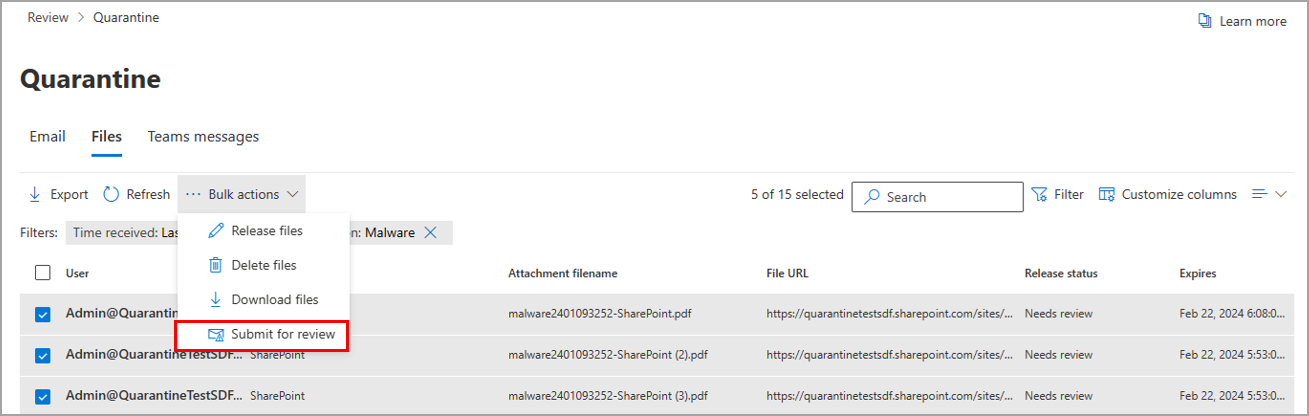
Updated April 4, 2024: We have made the decision not to proceed with this rollout at this time. You can safely disregard this message. In Microsoft Defender XDR for Office 365, we are providing an easy and robust way for admins and security operators to submit and temporarily mitigate false positive files that have been quarantined from OneDrive, Teams, and SharePoint. This message is associated with Microsoft 365 Roadmap ID 380186. [When this will happen:] We have made the decision not to proceed with this rollout at this time. [How this will affect your organization:] These screenshots from Quarantine Defender XDR 365 for Office show how to submit false positive files to Microsoft and how to see your submissions in the queue. Figure 1: Action button to submit false positives files:
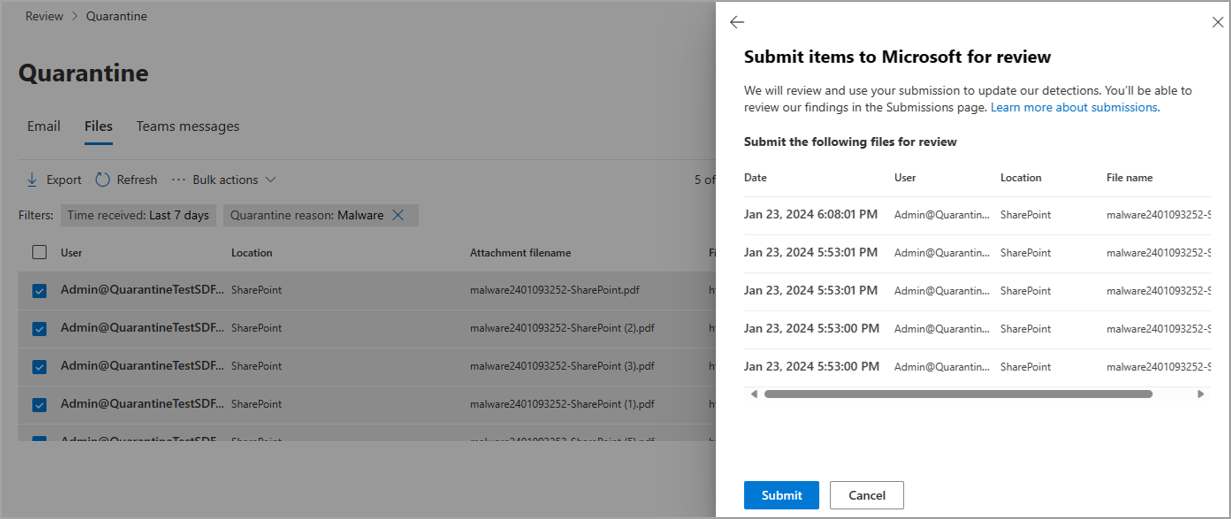
Figure 2: Review submission detail:
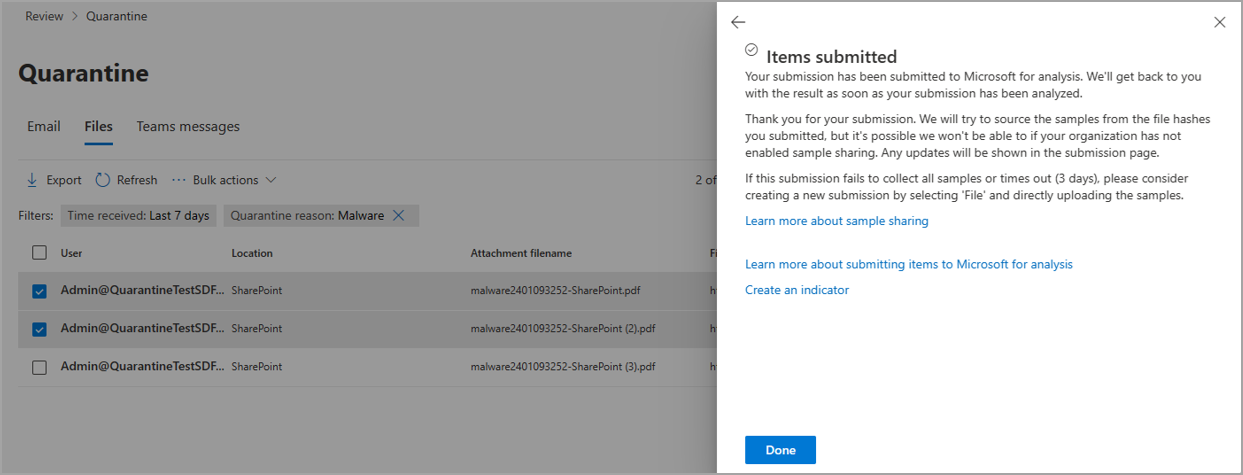
Figure 3: Review submission confirmation:
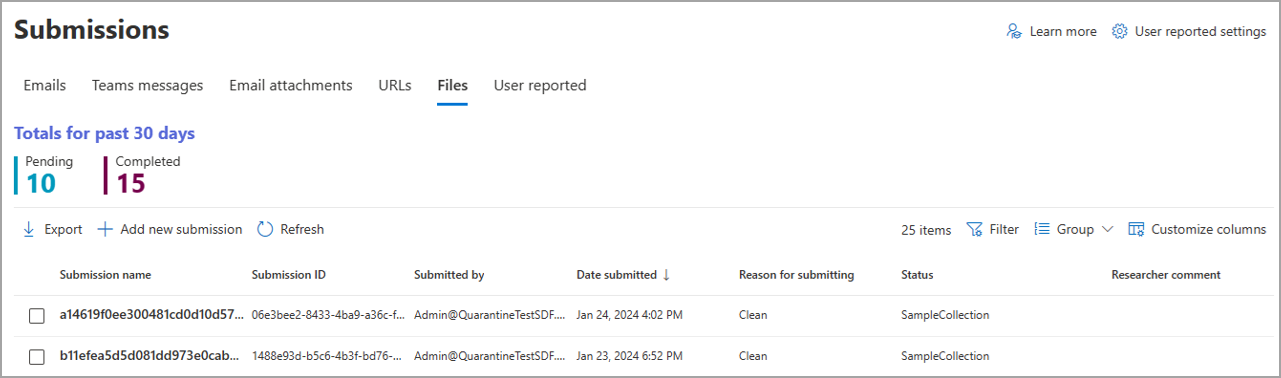
Figure 4: Submitted files can be found in the submission queue:
[What you need to do to prepare:] No action is needed to prepare for this change. You may want to notify your users about this change and update any relevant documentation as appropriate. |
| Machine Translation |
2024 年 4 月 4 日更新: 現時点では、このロールアウトを続行しないことを決定しました。このメッセージは無視しても問題ありません。 Microsoft Defender XDR for Office 365では、管理者とセキュリティ オペレーターが OneDrive、Teams、SharePoint から検疫された誤検知ファイルを送信し、一時的に軽減するための簡単で堅牢な方法を提供しています。 このメッセージは、Microsoft 365 ロードマップ ID 380186に関連付けられ ています。 [これがいつ起こるか:] 現時点では、このロールアウトを続行しないことを決定しました。 [これが組織に及ぼす影響:] Quarantine Defender XDR 365 for Office のこれらのスクリーンショットは、誤検知ファイルを Microsoft に送信する方法と、キュー内の送信を確認する方法を示しています。 図1:誤検知ファイルを送信するための アクション ボタン:
図2:レビュー提出の詳細:
図3:レビュー送信確認:
図4:送信されたファイルは送信キューにあります。
[準備に必要なこと:] この変更に備えるためのアクションは必要ありません。この変更についてユーザーに通知し、必要に応じて関連ドキュメントを更新することをお勧めします。 |