| MC789317 | Microsoft 365: Archive feature for inactive sites on SharePoint |
|---|
| Classification | stayInformed |
|---|---|
| Last Updated | 04/30/2024 23:49:39 |
| Start Time | 04/30/2024 23:48:40 |
| End Time | 06/24/2024 07:00:00 |
| Message Content |
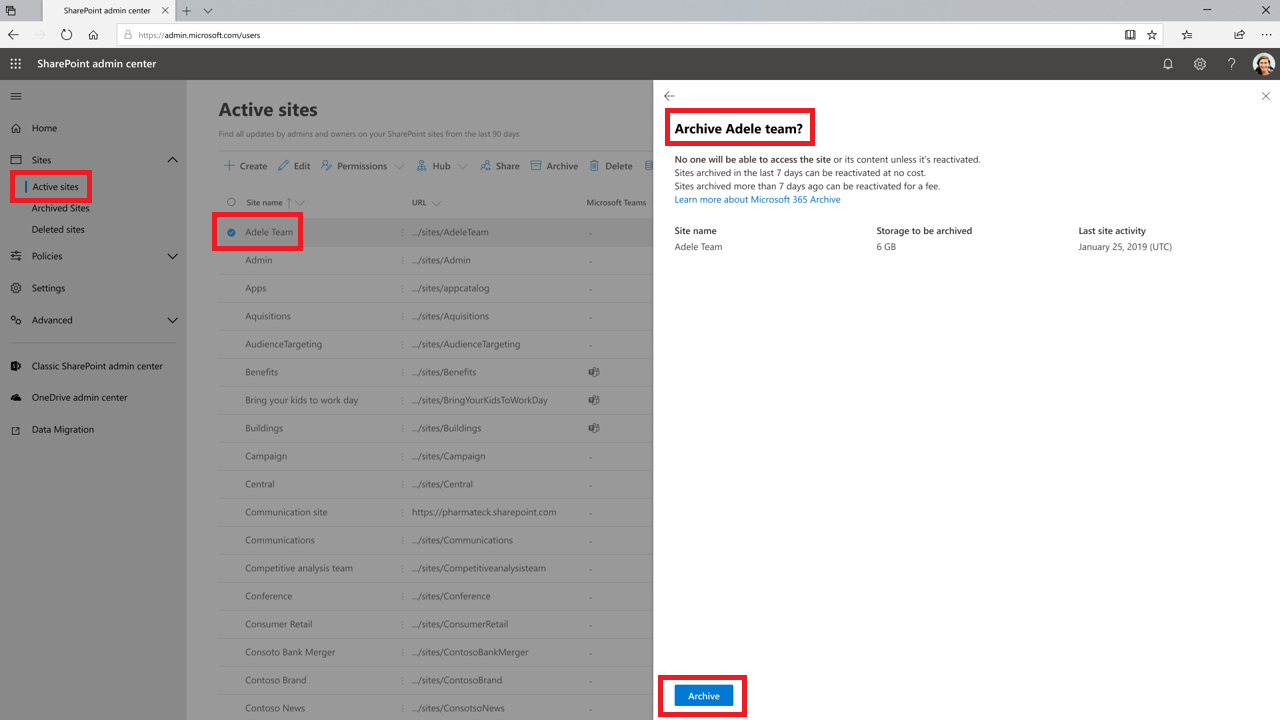
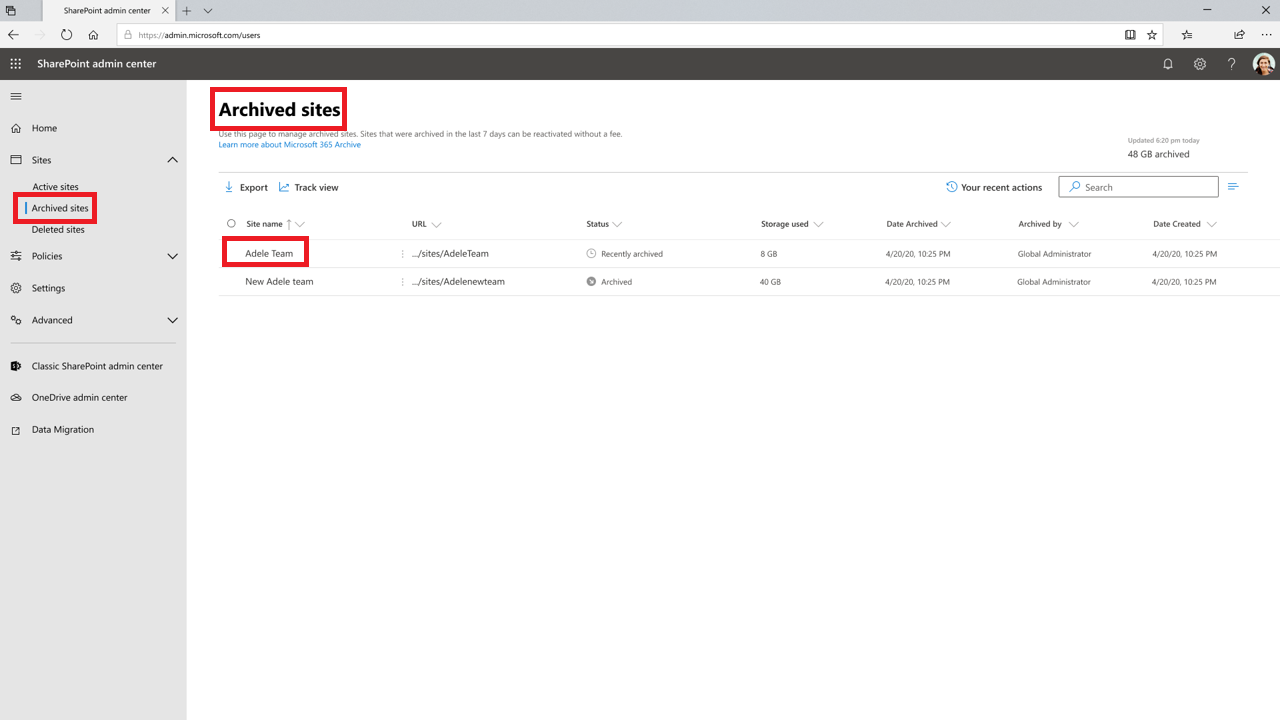
Coming Soon: Microsoft 365 will have a new feature to archive inactive sites on SharePoint. This archive feature will save on storage costs exceeding the quota limit. This message is associated with Microsoft 365 Roadmap ID 171100 [When this will happen:] General Availability (Worldwide): We will begin rolling out late April 2024 and expect to complete by mid-May 2024. [How this will affect your organization:] SharePoint and Global admins can archive inactive sites via the SharePoint admin center or PowerShell. Admins can select one or more sites in Active sites page and archive them using the command bar. Archive sites from Active sites page: Manage archived sites from Archived sites page: [What you need to do to prepare:] If you wish to use Archive, you can start by identifying inactive sites in your tenant that are suitable for archiving. Once the Archive feature is released, you will need to enable it through the Microsoft 365 admin center. Additional Resources: |
| Machine Translation |
近日公開予定: Microsoft 365 には、SharePoint 上の非アクティブなサイトをアーカイブする新機能があります。このアーカイブ機能により、クォータ制限を超えるストレージコストを節約できます。 このメッセージは、Microsoft 365 ロードマップ ID 171100 に関連付けられています [これがいつ起こるか:] 一般提供 (全世界): 2024 年 4 月下旬にロールアウトを開始し、2024 年 5 月中旬までに完了する予定です。 [これが組織に及ぼす影響:] SharePoint 管理者とグローバル管理者は、SharePoint 管理センターまたは PowerShell を使用して非アクティブなサイトをアーカイブできます。管理者は、[アクティブなサイト] ページで 1 つ以上のサイトを選択し、コマンド バーを使用してアーカイブできます。 [アクティブなサイト] ページからサイトをアーカイブします。 [アーカイブ済みサイト] ページからアーカイブ済みサイトを管理します。 [準備に必要なこと:] アーカイブを使用する場合は、アーカイブに適したテナント内の非アクティブなサイトを特定することから始めることができます。アーカイブ機能がリリースされたら、Microsoft 365 管理センターから有効にする必要があります。 参考資料: |