| MC711335 | (Updated) Microsoft Defender for Office 365: Quarantine End User Allow and Block list management |
|---|
| Classification | stayInformed |
|---|---|
| Last Updated | 05/24/2024 20:55:18 |
| Start Time | 01/30/2024 23:50:23 |
| End Time | 07/29/2024 07:00:00 |
| Message Content |
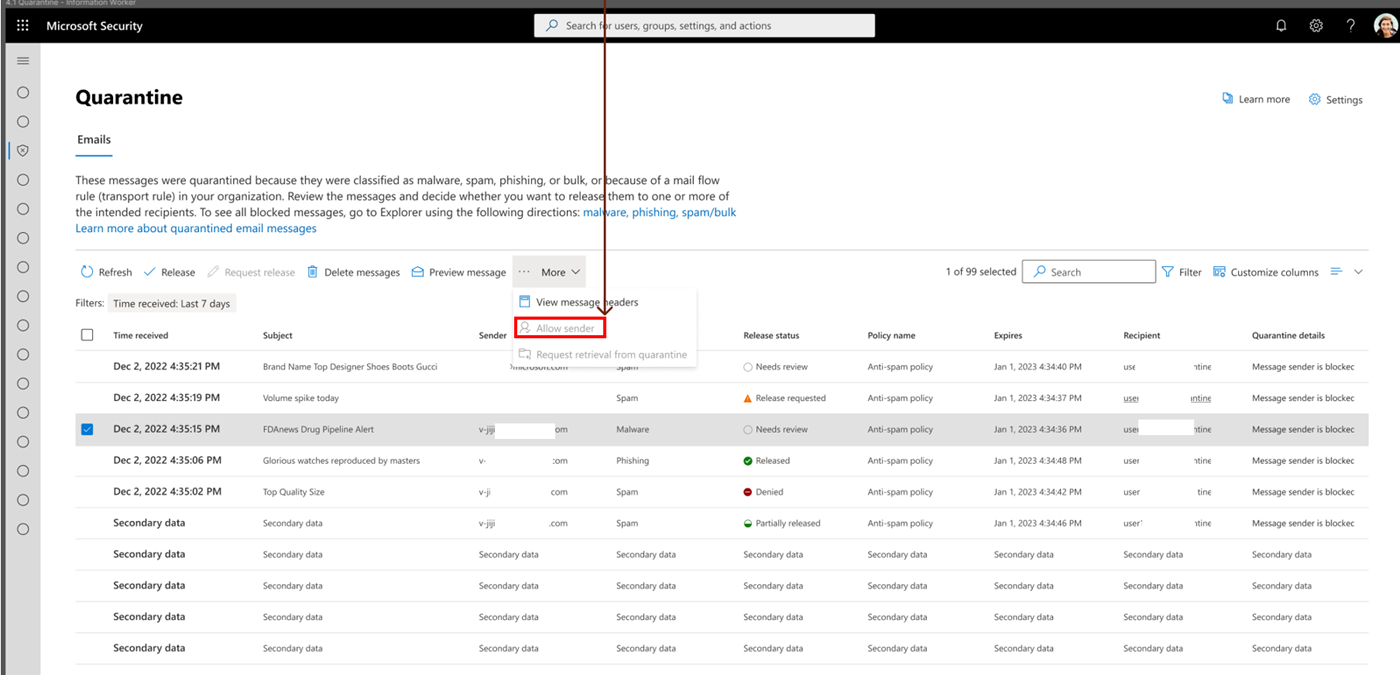
Updated May 24, 2024: We have updated the rollout timeline below. Thank you for your patience. In Microsoft Defender for Office 365, we are updating the way end users allow and block emails in Exchange Online. This message is associated with Microsoft 365 Roadmap ID 380185. [When this will happen:] Worldwide: We will begin rolling out late April 2024 (previously late March) and expect to complete by mid-June 2024 (previously mid-May). GCC, GCC High and DoD: We will begin rolling out mid-Mary 2024 (previously late April) and expect to complete by mid-June 2024 (previously late May). [How this will affect your organization:] With one click, end users will block emails from unwanted senders and prevent those emails from showing up in their default quarantine view and in their quarantine notifications. If no admin overrides exist, end users will also be able to allow emails from trusted senders and prevent future emails from those senders from going into quarantine. End users can now review admin any override reasons that lead to quarantined emails. Figure 1: Allow sender action:
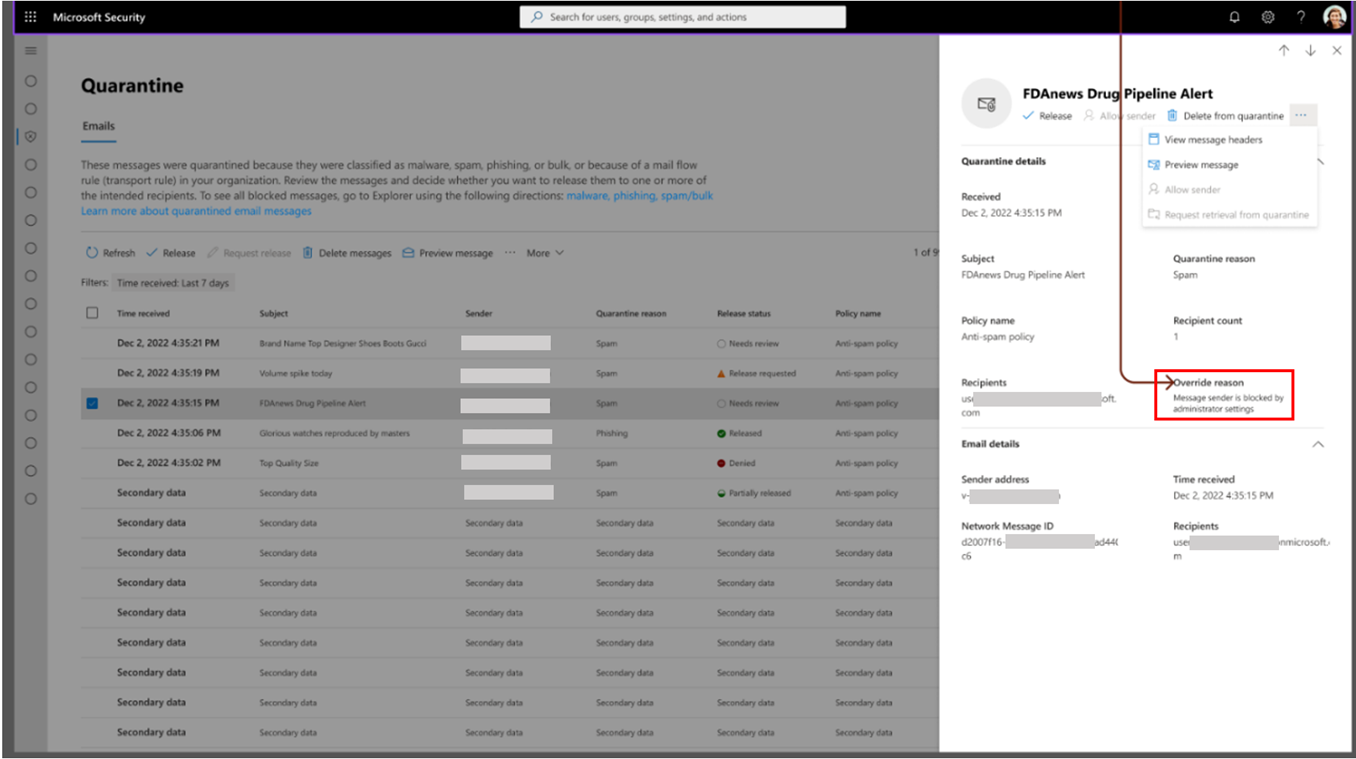
Figure 2: Review admin Override reason:
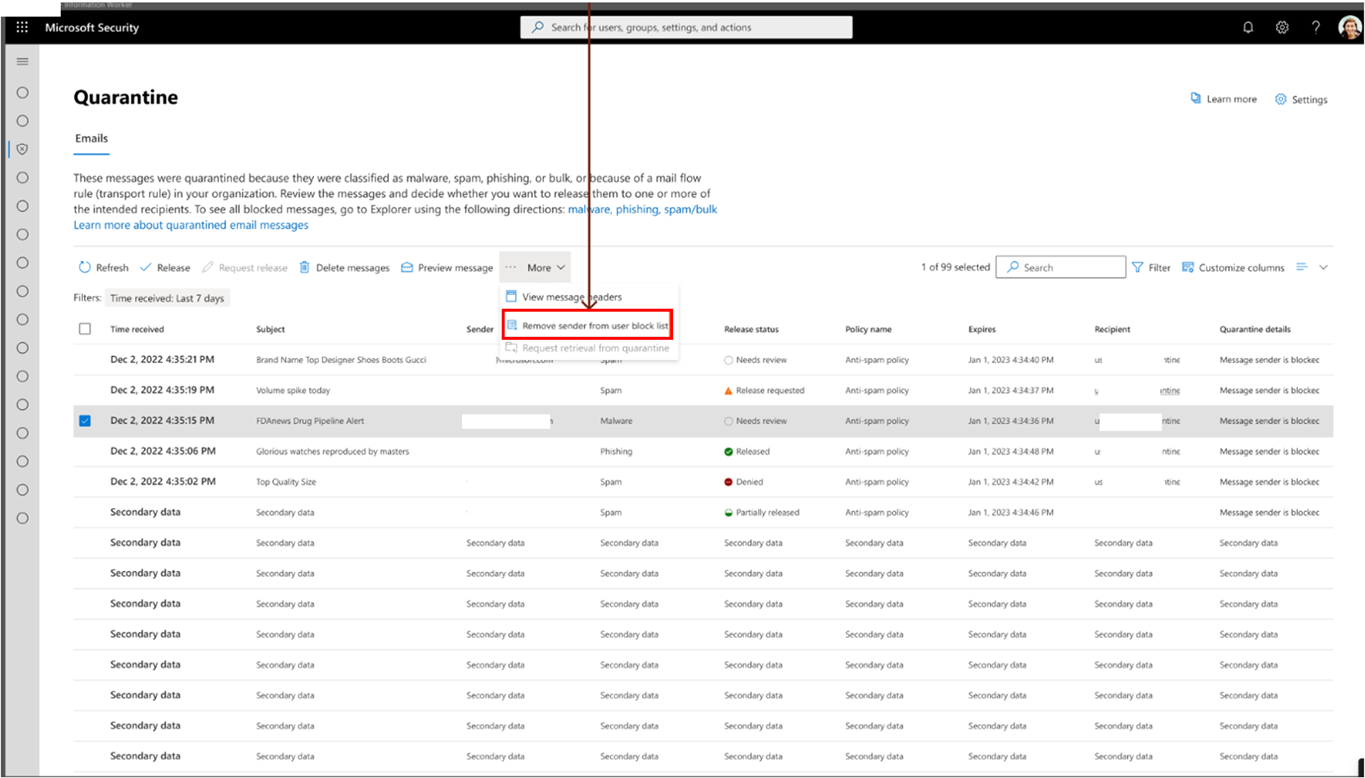
Figure 3: Undo Block sender:
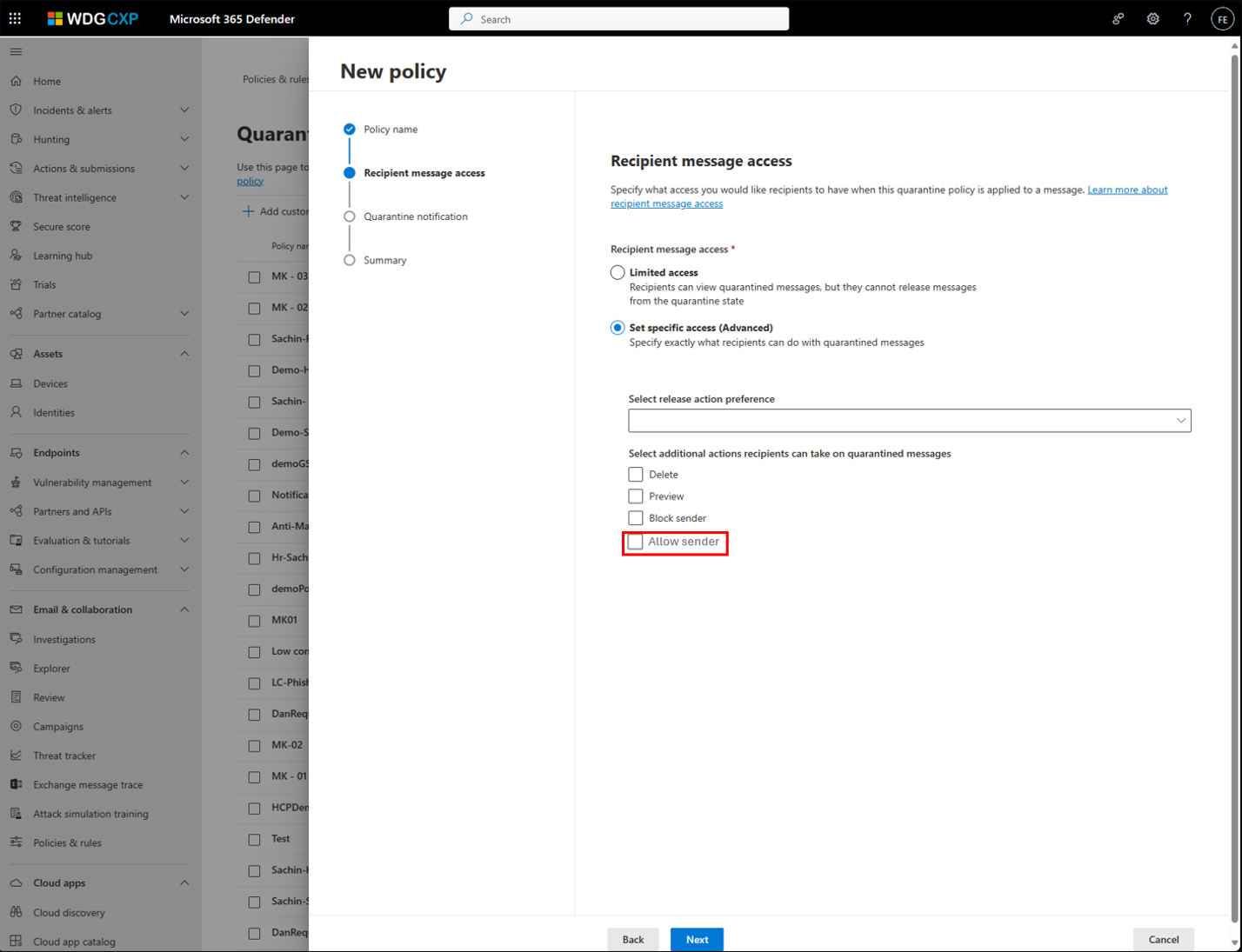
Figure 4: Allow sender in Quarantine policy:
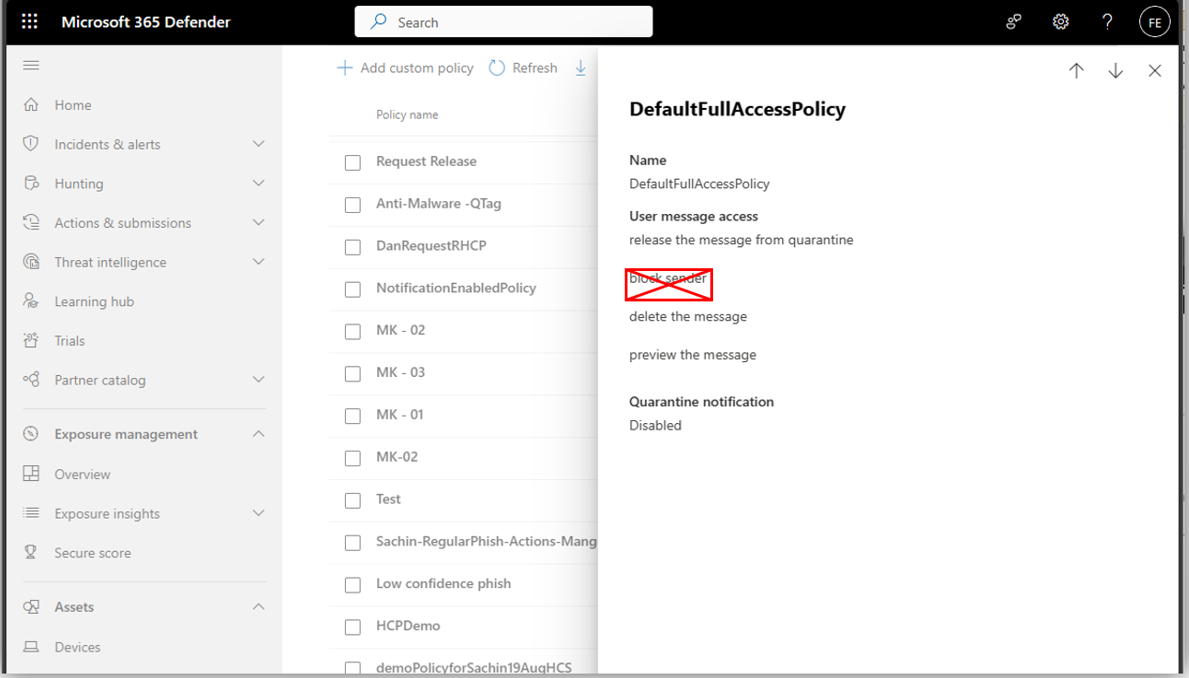
Figure 5: Block sender action eliminated from default Quarantine policies:
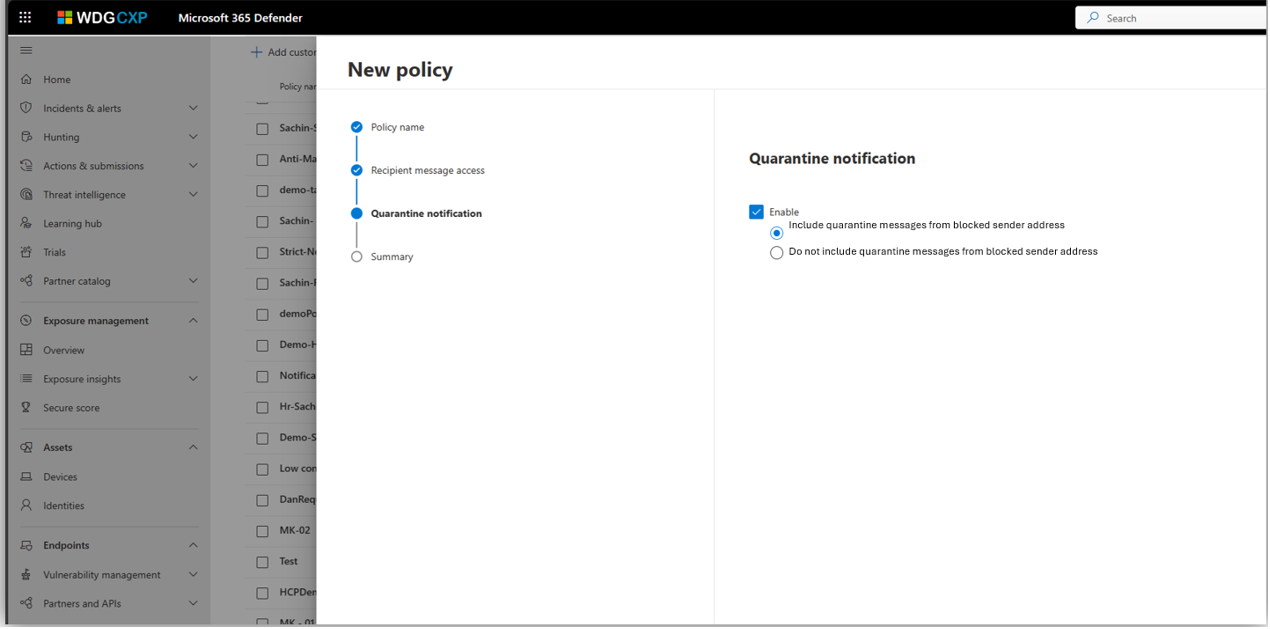
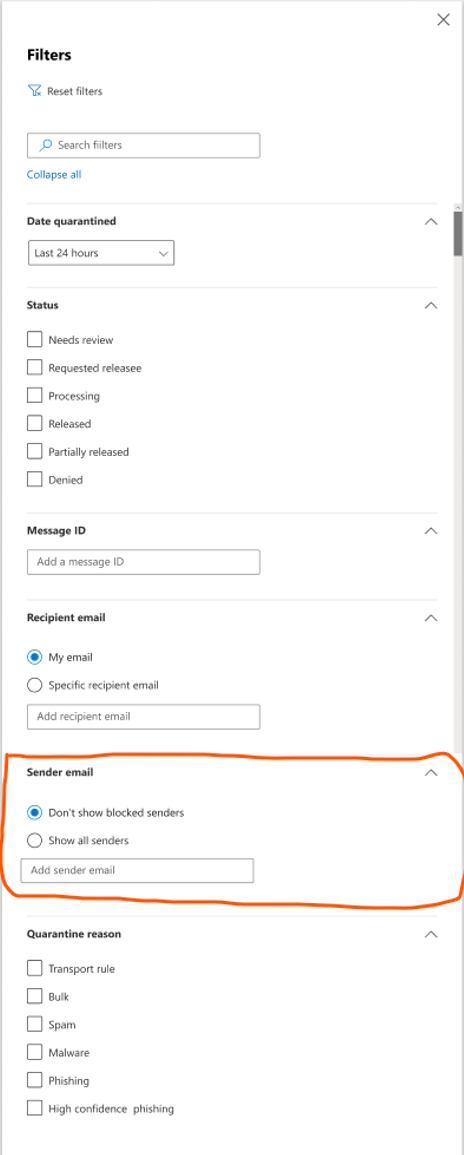
Figure 6: How to include or exclude messages from blocked sender in Quarantine notification: Figure 7: Quarantined messages from blocked senders are excluded from Quarantine view by default:
[What you need to do to prepare:] No action is needed to prepare for this change. You may want to notify your users about this change and update any relevant documentation as appropriate. |
| Machine Translation |
2024 年 5 月 24 日更新: 以下のロールアウト タイムラインを更新しました。何卒ご理解のほどよろしくお願いいたします。 Microsoft Defender for Office 365では、エンド ユーザーがExchange Onlineでメールを許可およびブロックする方法を更新しています。 このメッセージは、Microsoft 365 ロードマップ ID 380185に関連付けられ ています。 [これがいつ起こるか:] 全世界: 2024 年 4 月下旬 (以前は 3 月下旬) にロールアウトを開始し、2024 年 6 月中旬 (以前は 5 月中旬) までに完了する予定です。 GCC、GCC High、DoD: 2024 年半ば (以前は 4 月下旬) にロールアウトを開始し、2024 年 6 月中旬 (以前は 5 月下旬) までに完了する予定です。 [これが組織に及ぼす影響:] エンドユーザーはワンクリックで、望ましくない送信者からのメールをブロックし、それらのメールがデフォルトの隔離ビューと隔離通知に表示されないようにします。管理者の上書きが存在しない場合、エンド ユーザーは、信頼できる送信者からのメールを許可し、それらの送信者からの今後のメールが検疫されないようにすることもできます。エンドユーザーは、検疫された電子メールにつながるオーバーライドの理由を管理者に確認できるようになりました。 図 1: 送信者のアクションを許可する :
図 2: 管理者 のオーバーライドの理由を確認します。
図3:送信者のブロックを元に戻す:
図 4: 検疫ポリシーで 送信者を許可する :
図 5: 既定の検疫ポリシーから削除された送信者のブロック アクション:
図 6: 検疫通知で受信拒否リストからのメッセージを含める、または除外する方法: 図 7: ブロックされた送信者からの検疫済みメッセージは、既定で検疫ビューから除外されます。
[準備に必要なこと:] この変更に備えるためのアクションは必要ありません。この変更についてユーザーに通知し、必要に応じて関連ドキュメントを更新することをお勧めします。 |