| MC688930 | (Updated) Teams admin center: App centric management and changes to app permission policies |
|---|
| Classification | planForChange |
|---|---|
| Last Updated | 06/07/2024 23:28:21 |
| Start Time | 11/11/2023 00:00:14 |
| End Time | 08/05/2024 07:00:00 |
| Message Content |
Updated June 7, 2024: We have updated the rollout timeline below. Thank you for your patience. We are excited to announce that Phase 2 of app centric management roll out is scheduled to complete in late June 2024 (previously May). This phase will be available to all tenants and can be initiated at the admin’s discretion. What is in phase 2?
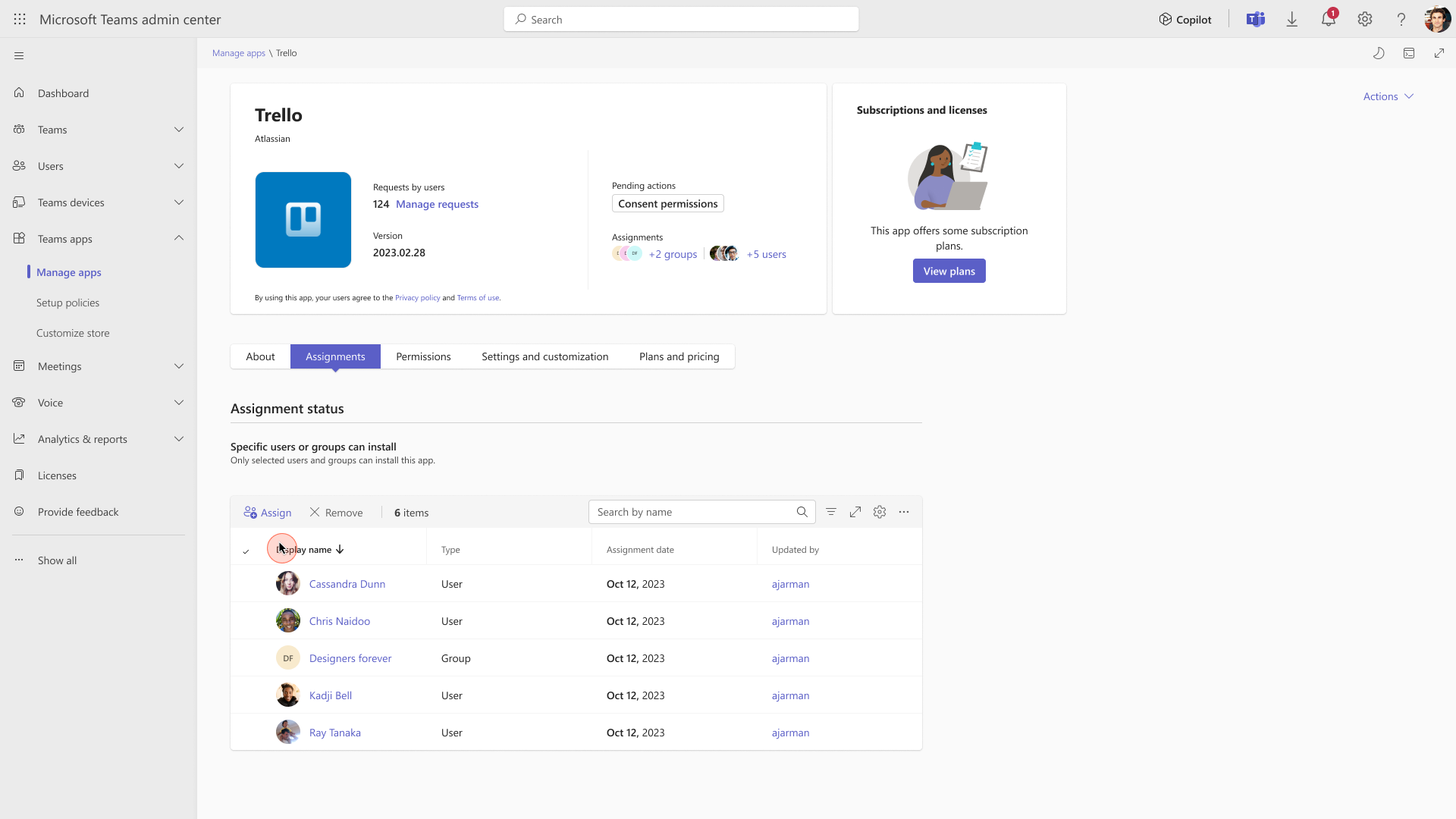
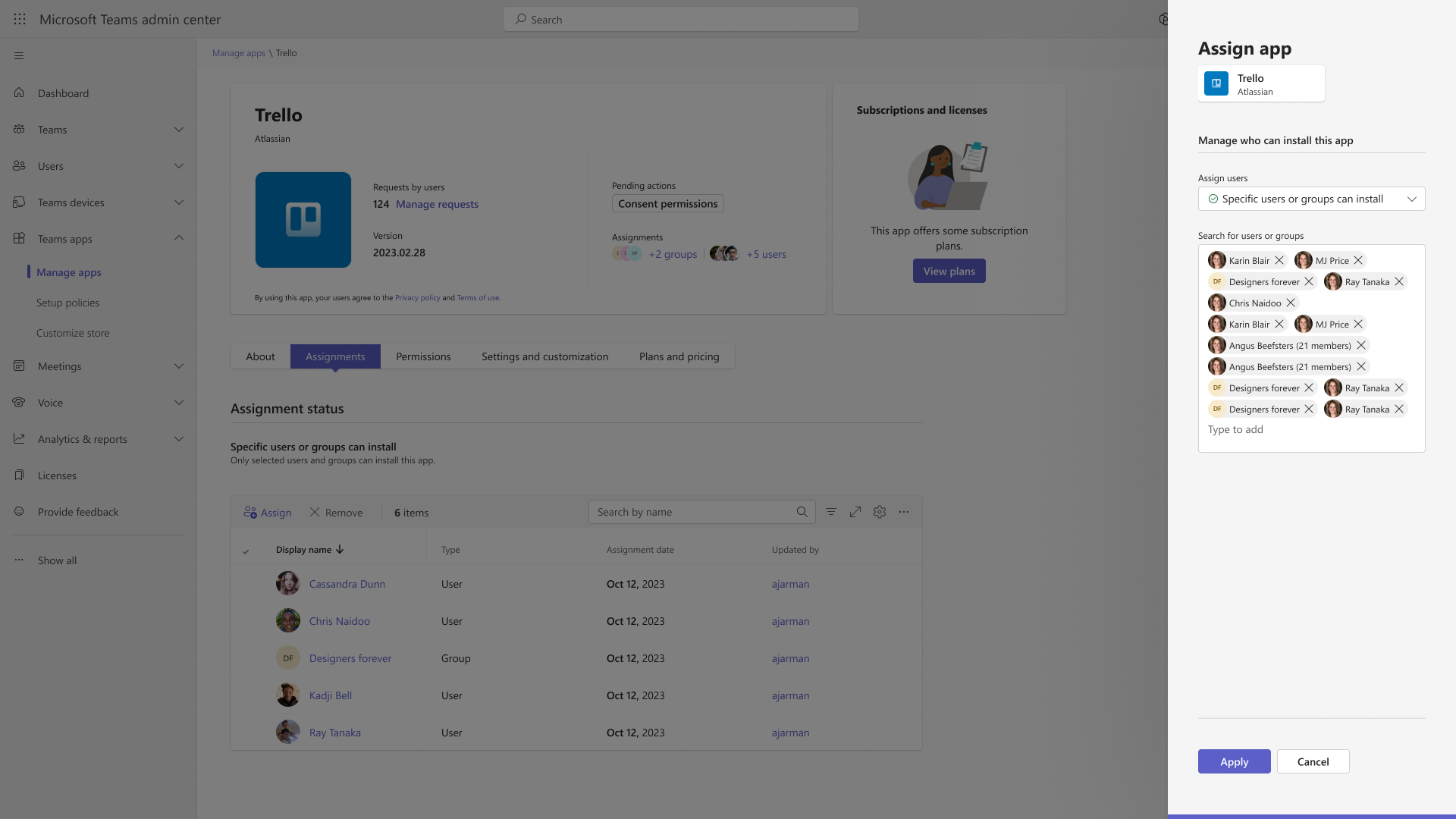
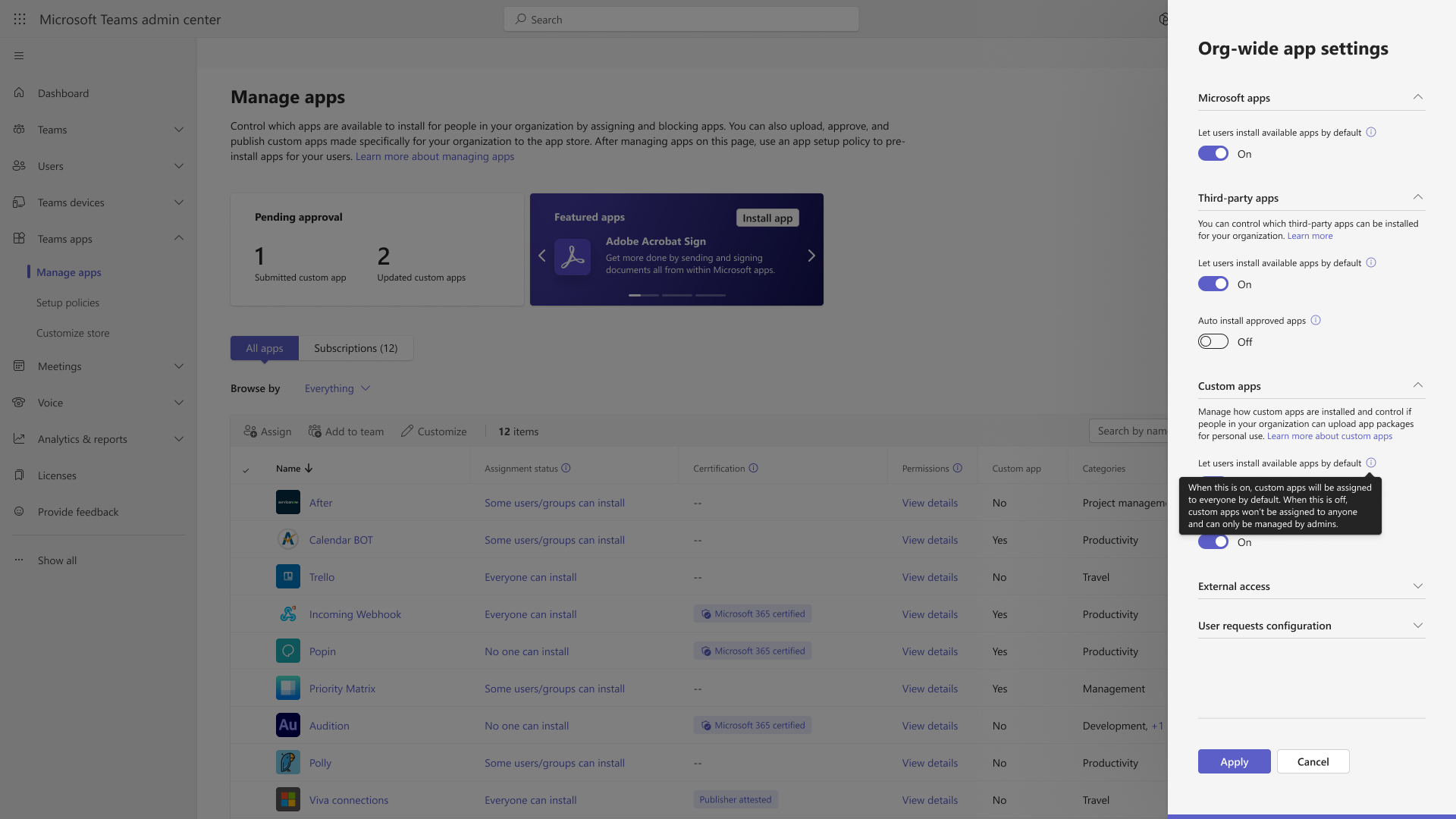
Detailed documentation for the migration process will be available in our online documentation, which currently includes information on managing apps after ACM migration. App centric management introduces new admin settings to control who in the tenant can install Teams apps. First, admins can set a default value for new apps that are published to the Teams app store. Second, admins can manage apps for users, groups, or everyone in the organization. This feature replaces the existing app permission policies and provides admins with the ability to manage access to the app individually. The app permission policies for existing customers are migrated to maintain existing app availability in the tenant.
This message is associated with Microsoft 365 Roadmap ID 151829
[When this will happen:] This feature will gradually roll out across three major phases. Phase 1 (from late November 2023 to mid-March 2024 (previously late February) affects the tenants that use only the Global app permission policy and have no custom app permission policies. The app status from the permission policy and tenant settings will be migrated to preserve the admin intent. The migration will not affect the end users and their ability to use the apps. Admins may see the Manage apps page in a read-only mode for a short time. Phase 2 (late June 2024 (previously May)) affects the tenants that use both global and custom app permission policies. This phase will let the admin choose to migrate to app centric management by following a migration process that will change the existing app permission policies to app assignments in the new app centric model. The admins will have the choice to modify the apps that are assigned using the custom permission policies to be accessible to groups, if they want. Phase 3 (more details coming soon as a follow up MC post) applies to the tenants that skipped the migration in phase 1 or 2. These tenants will be migrated automatically in this phase. [How this will affect your organization:] Starting with this release, you can: 1. Manage Teams apps for selected set of users, groups or all users in the organization. 2. Set the default value for new apps published to Teams app store for each of the app types: Microsoft, third-party and custom apps.
[What you need to do to prepare:]
No action needed for phase 1 tenants with Global permission policy only. More information will be provided for phase 2 and 3 tenants in a follow-up communication before launch. |
| Machine Translation |
2024 年 6 月 7 日更新: 以下のロールアウト タイムラインを更新しました。何卒ご理解のほどよろしくお願いいたします。 アプリ中心の管理ロールアウトのフェーズ 2 は、2024 年 6 月下旬 (以前は 5 月) に完了する予定であることをお知らせします。このフェーズはすべてのテナントが使用でき、管理者の裁量で開始できます。 フェーズ 2 には何がありますか?
移行プロセスの詳細なドキュメントは、現在、ACM 移行後のアプリの管理に関する情報を含むオンラインドキュメントで入手できます。 アプリ中心の管理では、テナント内の誰が Teams アプリをインストールできるかを制御するための新しい管理者設定が導入されています。まず、管理者は、Teams アプリ ストアに公開される新しいアプリの既定値を設定できます。第 2 に、管理者は組織内のユーザー、グループ、またはすべてのユーザーのアプリを管理できます。この機能は、既存のアプリのアクセス許可ポリシーを置き換え、管理者がアプリへのアクセスを個別に管理できるようにします。既存の顧客のアプリのアクセス許可ポリシーは、テナント内の既存のアプリの可用性を維持するために移行されます。
このメッセージは、Microsoft 365 ロードマップ ID 151829に関連付けられています
[これがいつ起こるか:] この機能は、3 つの主要なフェーズで段階的に展開されます。 フェーズ 1 (2023 年 11 月下旬から 2024 年 3 月中旬 (以前は 2 月下旬) まで) は、グローバル アプリのアクセス許可ポリシーのみ を使用し 、カスタム アプリのアクセス許可ポリシーがないテナントに影響します。アクセス許可ポリシーとテナント設定のアプリの状態は、管理者の意図を保持するために移行されます。移行は、エンド ユーザーとそのアプリの使用機能には影響しません。管理者には、短時間、読み取り専用モードで [アプリの管理] ページが表示される場合があります。 フェーズ 2 (2024 年 6 月下旬 (以前は 5 月)) は、グローバル アプリとカスタム アプリの両方のアクセス許可ポリシーを使用するテナントに影響します。このフェーズでは、管理者は、既存のアプリのアクセス許可ポリシーを新しいアプリ中心モデルのアプリの割り当てに変更する移行プロセスに従って、アプリ中心の管理に移行することを選択できます。管理者は、必要に応じて、カスタム アクセス許可ポリシーを使用して割り当てられたアプリを変更して、グループがアクセスできるようにすることができます。 フェーズ 3 (詳細はフォローアップの MC 投稿として近日公開) は、フェーズ 1 または 2 で移行をスキップしたテナントに適用されます。これらのテナントは、このフェーズで自動的に移行されます。 [これが組織に及ぼす影響:] このリリース以降、次のことができます。 1. 組織内の選択したユーザー、グループ、またはすべてのユーザーの Teams アプリを管理します。 2. Teams アプリ ストアに公開される新しいアプリの既定値を、アプリの種類 (Microsoft、サードパーティ、カスタム アプリ) ごとに設定します。
[準備に必要なこと:]
フェーズ 1 のテナントでは、グローバル アクセス許可ポリシーのみのアクションは必要ありません。フェーズ 2 と 3 のテナントについては、開始前のフォローアップ コミュニケーションで詳細情報が提供されます。 |