| MC785024 | (Updated) Microsoft Teams: Introducing slash commands in the compose box |
|---|
| Classification | stayInformed |
|---|---|
| Last Updated | 07/22/2024 22:33:21 |
| Start Time | 04/24/2024 21:51:49 |
| End Time | 08/30/2024 07:00:00 |
| Message Content |
Updated July 22, 2024: We have updated the rollout timeline below. Thank you for your patience. Coming soon to Microsoft Teams: New slash commands in the compose message box. These shortcuts help in composing messages, navigating in Teams, and tackling frequent tasks. This rollout applies to Teams on Desktop, Teams for the Web, and Teams for Mac. This message is associated with Microsoft 365 Roadmap ID 120469.
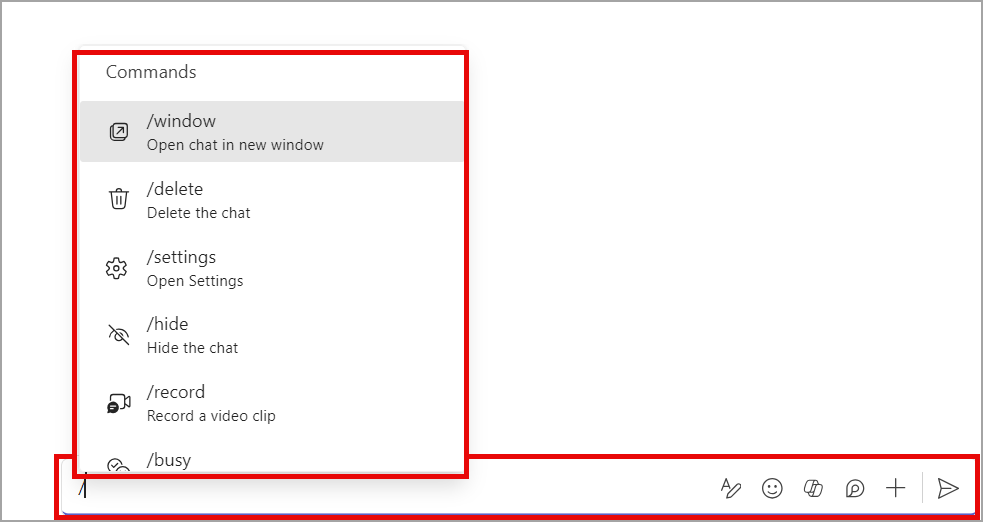
[When this will happen:] Targeted Release: We will begin rolling out mid-May 2024 and expect to complete by late May 2024. General Availability (Worldwide, GCC, GCCH, DoD): We will begin rolling out mid-June 2024 and expect to complete by late July 2024 (previously early July). [How this will affect your organization:] Slash commands in Teams expedite your work without memorization. To access the menu of slash commands, enter a forward slash in the compose box.
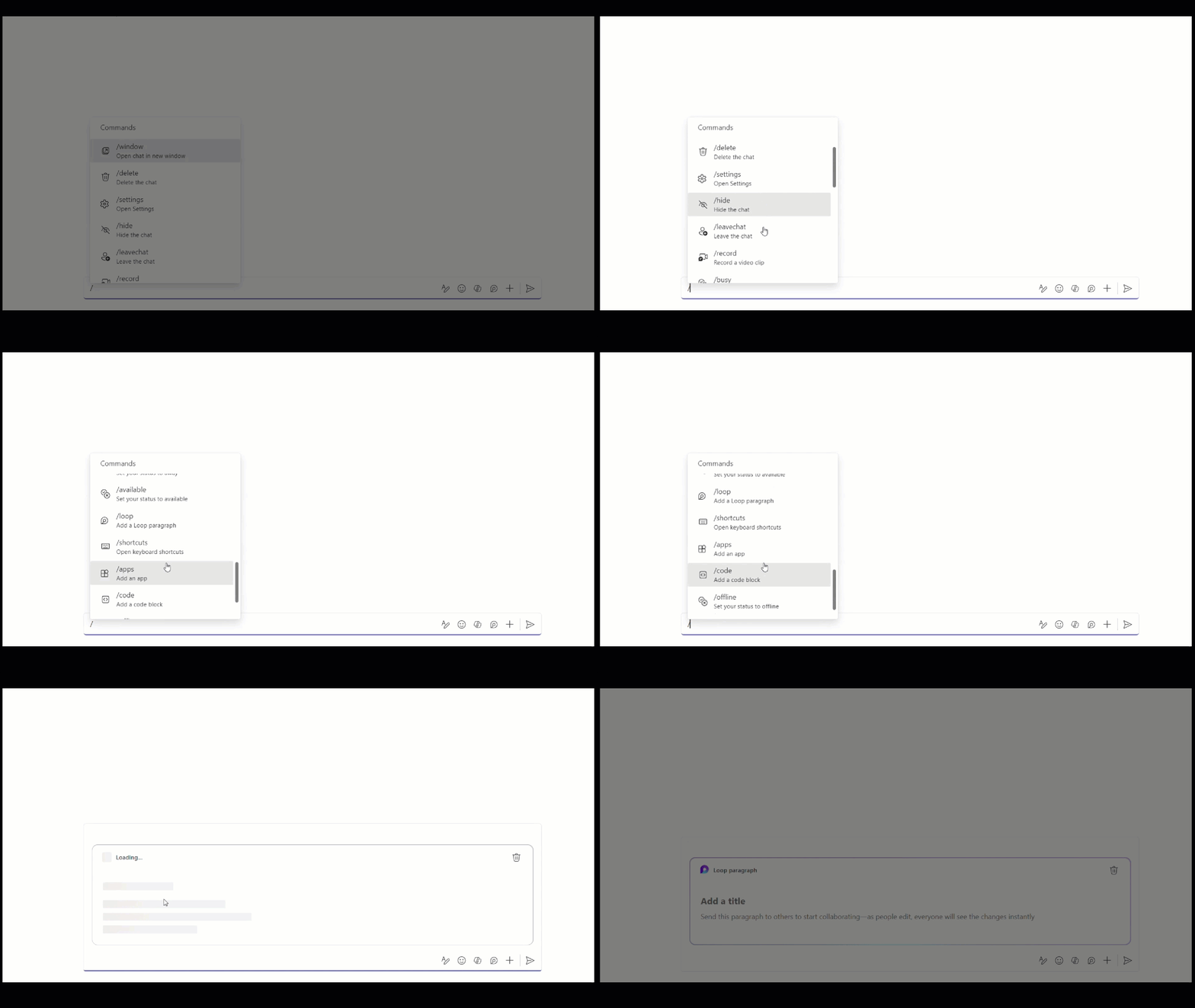
Here are just a few examples of what you can do:
Slash commands in the Teams compose message box:
[What you need to do to prepare:] This rollout will happen automatically by the specified date with no admin action required before the rollout. You may want to notify your users about this change and update any relevant documentation as appropriate.
|
| Machine Translation |
2024 年 7 月 22 日更新: 以下のロールアウト タイムラインを更新しました。ご理解いただきありがとうございます。 Microsoft Teams に近日公開予定: メッセージ作成ボックスに新しいスラッシュ コマンドが追加されました。これらのショートカットは、メッセージの作成、Teams での移動、頻繁なタスクへの取り組みに役立ちます。このロールアウトは、デスクトップ上の Teams、Web 用の Teams、Mac 用の Teams に適用されます。 このメッセージは、Microsoft 365 ロードマップ ID 120469に関連付けられています。
[これがいつ起こるか:] 対象を絞ったリリース: 2024 年 5 月中旬にロールアウトを開始し、2024 年 5 月下旬までに完了する予定です。 一般提供 (全世界、GCC、GCCH、DoD): 2024 年 6 月中旬にロールアウトを開始し、2024 年 7 月下旬 (以前は 7 月上旬) までに完了する予定です。 [これがあなたの組織にどのように影響しますか:] Teams のスラッシュ コマンドを使用すると、暗記せずに作業を迅速化できます。スラッシュ コマンドのメニューにアクセスするには、作成ボックスにスラッシュを入力します。
ここでは、その例をいくつかご紹介します。
Teams メッセージ作成ボックスのスラッシュ コマンド:
【準備に必要なこと】 このロールアウトは、ロールアウト前に管理者の操作を必要とせずに、指定された日付までに自動的に行われます。この変更についてユーザーに通知し、必要に応じて関連ドキュメントを更新することをおすすめします。
|