| MC532600 | Easier to filter and sort messages reported by users |
|---|
| Classification | stayInformed |
|---|---|
| Last Updated | 03/24/2023 22:17:50 |
| Start Time | 03/24/2023 22:17:44 |
| End Time | 06/01/2023 07:00:00 |
| Message Content |
Applicable to Tenants with Exchange Online Protection, Microsoft Defender for Plan 1 or Plan 2 or Microsoft 365 Defender plan.
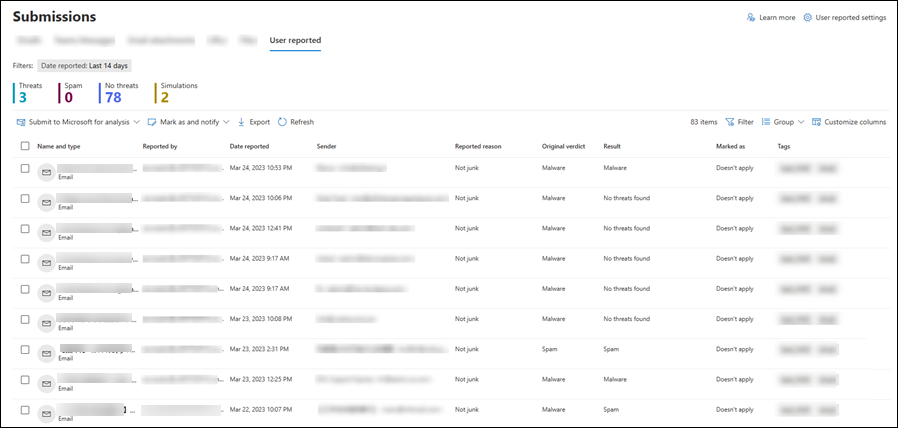
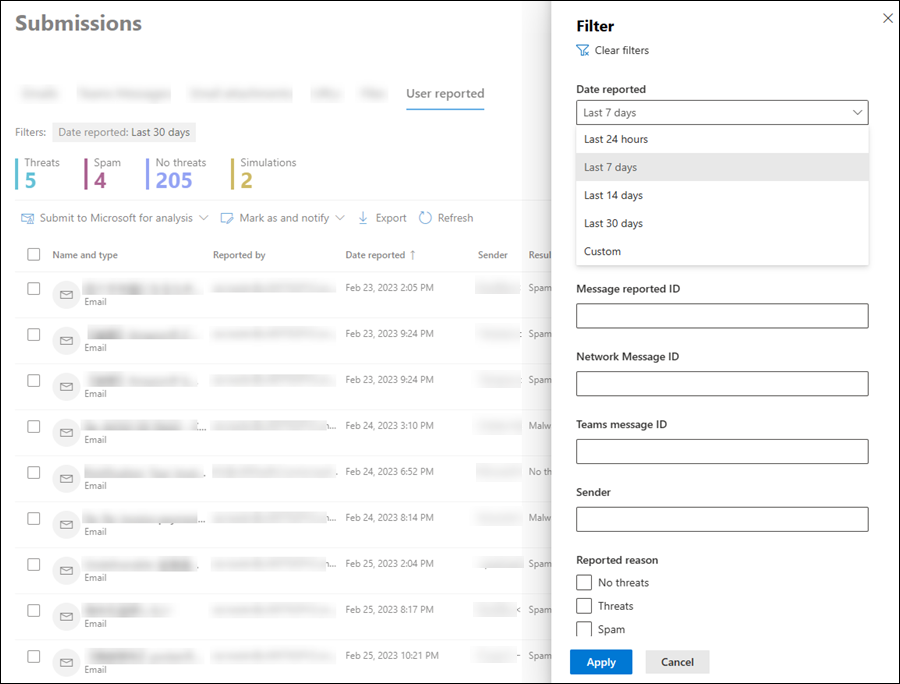
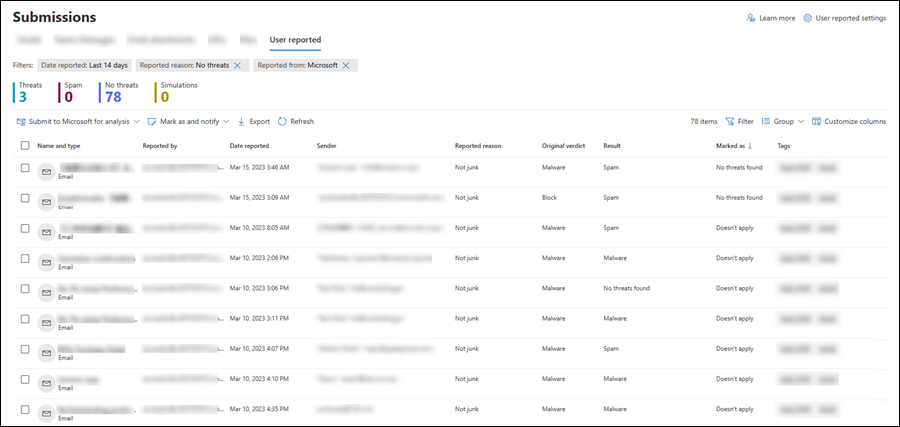
It is easier to filter and sort messages now reported by end users either through Microsoft report message add-in or Microsoft report phish add-in or Outlook Web Access build-in report button on User Reported under Submissions. This message is associated with Microsoft 365 Roadmap ID 100159 [When this will happen:] We will begin rolling out mid-April 2023 and expect to complete by late April 2023. [How this will affect your organization:] It will make it easier for you to triage and look through the emails reported by end users. You can filter messages by the report types and phish simulation.
You can sort the reports by columns either in ascending or descending order.
You can filter either using a custom range or using pre-defined time periods.
You can apply multiple filters at once while triaging end user reports.
[What you need to do to prepare:] You don’t need to take any action to enable these changes. If you have any feedback, please provide it from this Message center post using the text box after you do thumbs up or thumbs down as it will directly reach the responsible team. |
| Machine Translation |
Exchange Online Protection を持つテナント、プラン 1 またはプラン 2 の Microsoft Defender、または Microsoft 365 Defender プランに適用されます。
[提出] の [ユーザー報告] の [Microsoft レポート メッセージ アドイン ] または [Microsoft レポート フィッシング アドイン] または Outlook Web Access 組み込みレポート ボタンを使用して、エンド ユーザーによって報告されたメッセージのフィルター処理と並べ替えが簡単になりました。 このメッセージは、Microsoft 365 ロードマップ ID に関連付けられています100159 [これが起こるとき:] 2023 年 4 月中旬にロールアウトを開始し、2023 年 4 月下旬までに完了する予定です。 [これが組織に与える影響:] これにより、エンドユーザーから報告された電子メールのトリアージと確認が容易になります。 レポートの種類とフィッシング シミュレーションでメッセージをフィルター処理できます。
レポートは、昇順または降順の列で並べ替えることができます。
カスタム範囲または事前定義された期間を使用してフィルター処理できます。
エンド ユーザー レポートのトリアージ中に、一度に複数のフィルターを適用できます。
[準備するために必要なこと:] これらの変更を有効にするためにアクションを実行する必要はありません。 フィードバックがある場合は、担当チームに直接届くため、親指を立てたり下げたりした後、テキストボックスを使用してこのメッセージセンターの投稿から提供してください。 |