| MC534743 | Microsoft Teams: Speaker View in Teams Meetings |
|---|
| Classification | stayInformed |
|---|---|
| Last Updated | 03/29/2023 23:10:21 |
| Start Time | 03/29/2023 23:09:50 |
| End Time | 07/21/2023 07:00:00 |
| Message Content |
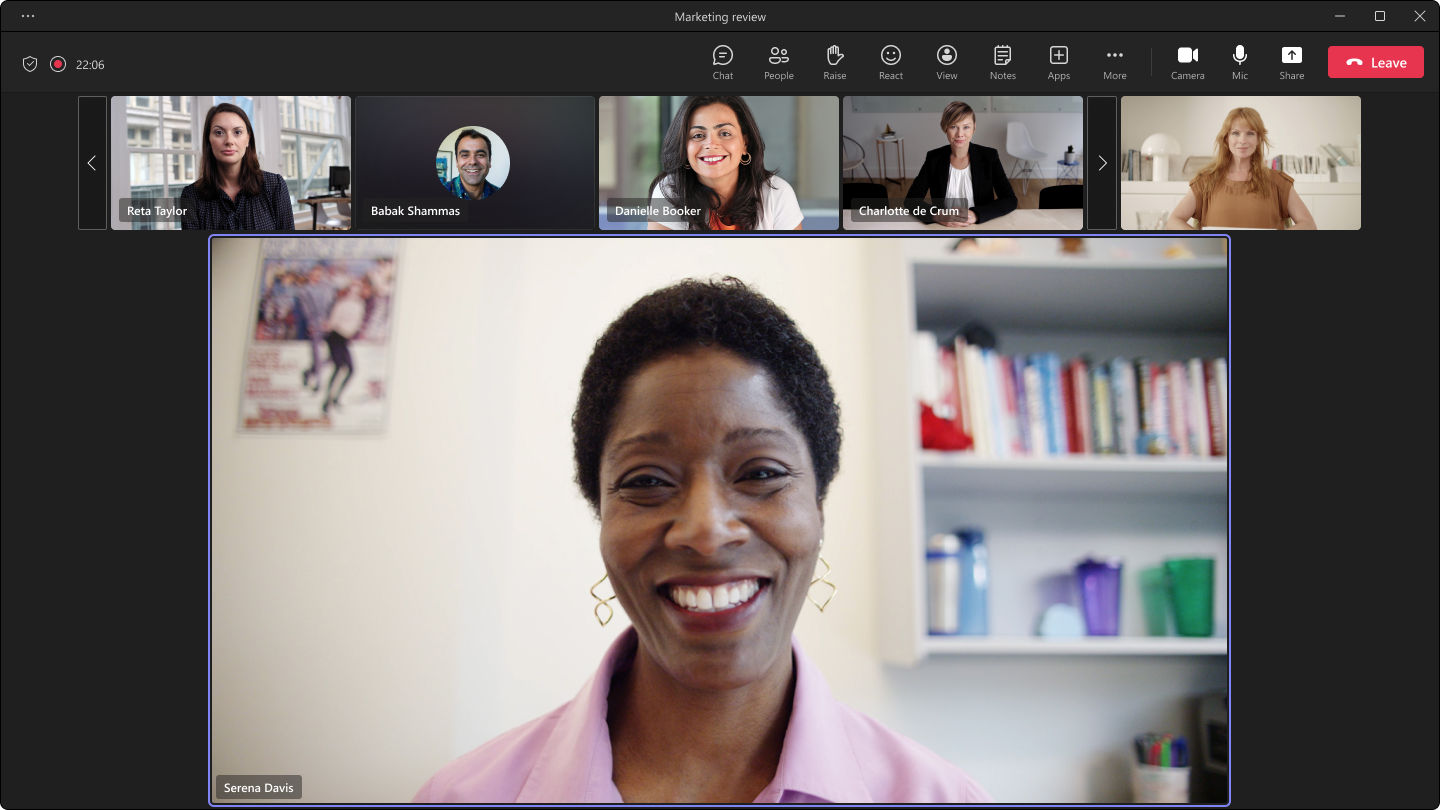
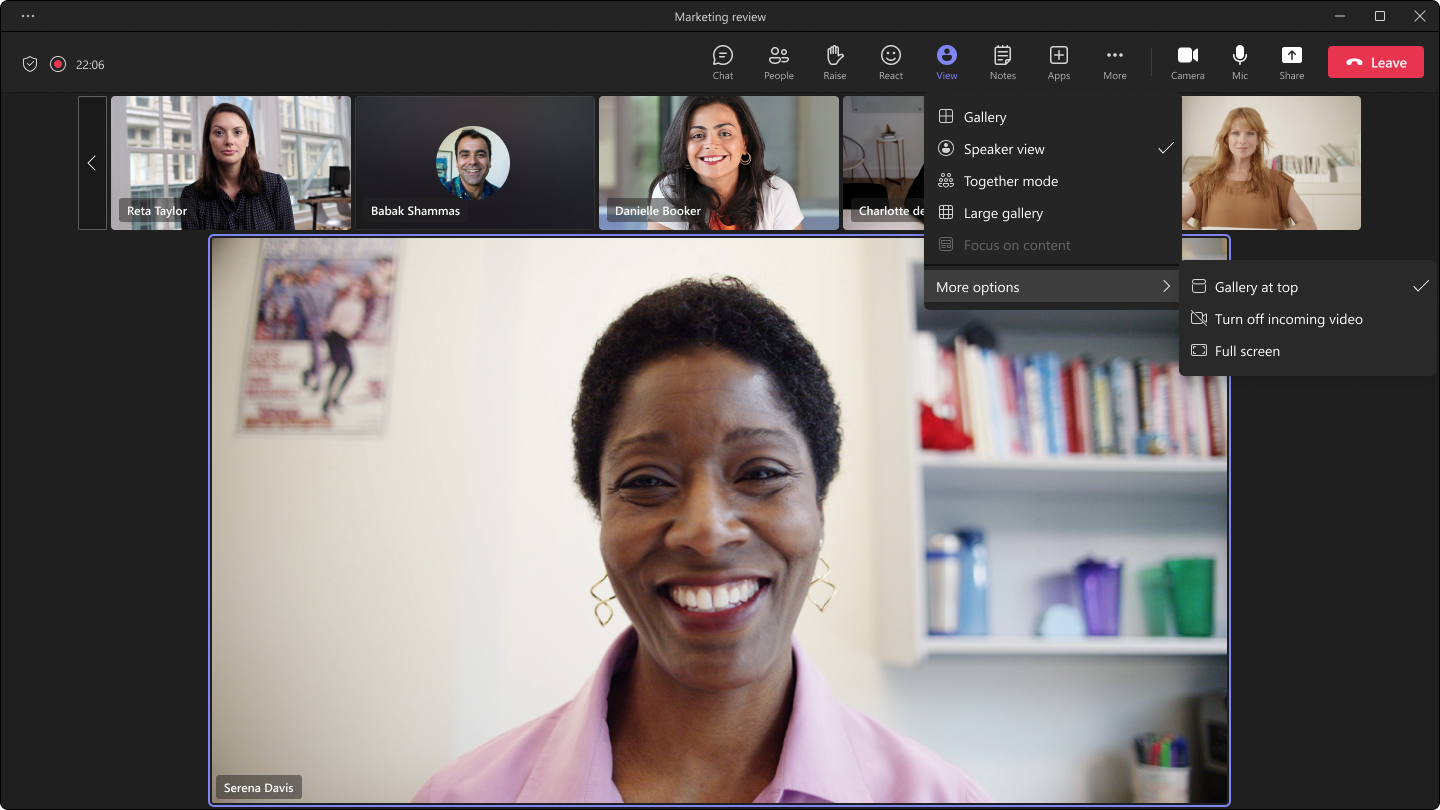
Microsoft Teams is introducing a new feature: Speaker View. This option can be selected from the view switcher within meetings, allowing users to effortlessly track the current active speaker. Speaker View is particularly effective in scenarios with a limited number of key speakers and a large audience, such as town halls, trainings, or lectures – especially from the student’s perspective. This message is associated with Microsoft 365 Roadmap ID 116009
[When this will happen:] Targeted Release (Public Preview): We will begin rolling out in early April and expect to complete rollout by mid-April. Standard Release: We will begin rolling out in early May and expect to complete rollout by mid-May. GCC-High & DoD: We will begin rolling out in late May and expect to complete rollout by mid-June. [How this will affect your organization:] The Speaker View offers several enhancements, including:
In addition to the new view option, the button to disable incoming videos will be relocated from its current position in the “More” overflow menu to the same view switcher where Speaker View is located. Users will be able to select a new view from the view switcher. This view will not be set as a default view. [What you need to do to prepare:]
No explicit user action is needed to enable or use this feature. You may want to update your user documentation to inform users of this update. |
| Machine Translation |
Microsoft Teamsは、スピーカービューという新機能を導入しています。このオプションは、会議内のビュースイッチャーから選択できるため、ユーザーは現在アクティブなスピーカーを簡単に追跡できます。スピーカー ビューは、タウンホール、トレーニング、講義など、主要な講演者の数が限られており、聴衆が多いシナリオで、特に学生の観点から特に効果的です。 このメッセージは、Microsoft 365 ロードマップ ID に関連付けられています116009
[これが起こるとき:] 対象指定リリース (パブリック プレビュー): 4 月上旬にロールアウトを開始し、4 月中旬までにロールアウトを完了する予定です。 標準リリース: 5 月上旬にロールアウトを開始し、5 月中旬までにロールアウトを完了する予定です。 GCC-High & DoD:5月下旬に展開を開始し、6月中旬までに展開を完了する予定です。 [これが組織に与える影響:] スピーカービューには、次のようないくつかの機能強化があります。
新しいビューオプションに加えて、着信ビデオを無効にするボタンは、[その他]オーバーフローメニューの現在の位置から、スピーカービューが配置されているのと同じビュースイッチャーに再配置されます。ユーザーは、ビュー スイッチャーから新しいビューを選択できます。このビューは既定のビューとして設定されません。 [準備するために必要なこと:]
この機能を有効にしたり使用したりするために、明示的なユーザー操作は必要ありません。ユーザー ドキュメントを更新して、この更新をユーザーに通知することをお勧めします。 |