| MC535266 | SharePoint: Create Pages and News from the SharePoint app bar |
|---|
| Classification | stayInformed |
|---|---|
| Last Updated | 03/30/2023 23:29:20 |
| Start Time | 03/30/2023 23:29:14 |
| End Time | 06/14/2023 07:00:00 |
| Message Content |
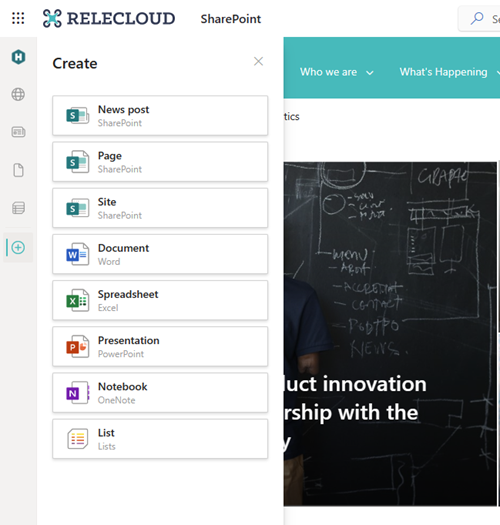
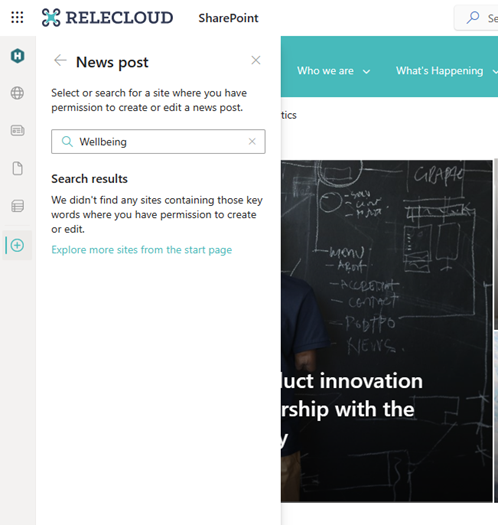
With this update, users will soon be able to start creating pages and news as an action from the SharePoint app bar. This means that no matter where users are in SharePoint, they can jump right into the creation process and stay in the flow of work. This message is associated with Microsoft 365 Roadmap ID 98143 [When this will happen:] Targeted Release: We will begin rolling out in early April and expect rollout to be complete by mid-April. Standard Release: We will begin rolling out in late-April and expect rollout to be complete by mid-May. [How this will affect your organization:] This new feature allows users to create pages and news from the SharePoint app bar. Users will be able to select the Create command on the app and then select an option from SharePoint News post or SharePoint page, in addition to the SharePoint sites, Microsoft Lists or the Office files (Word, PowerPoint, Excel, OneNote) that are currently available.
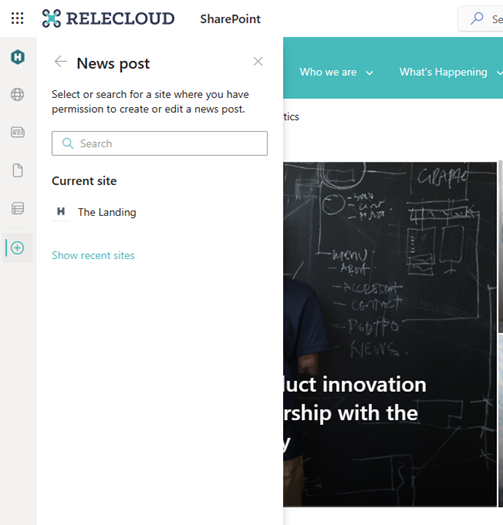
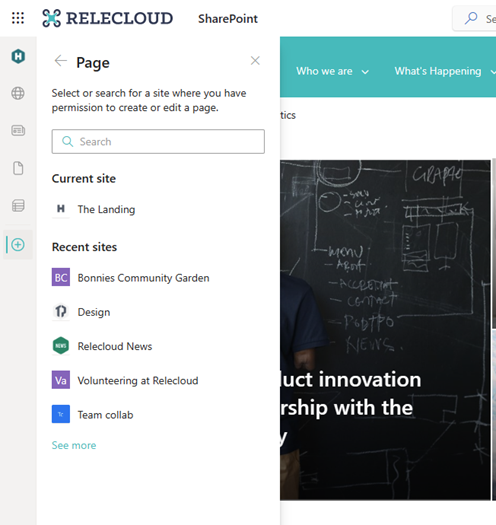
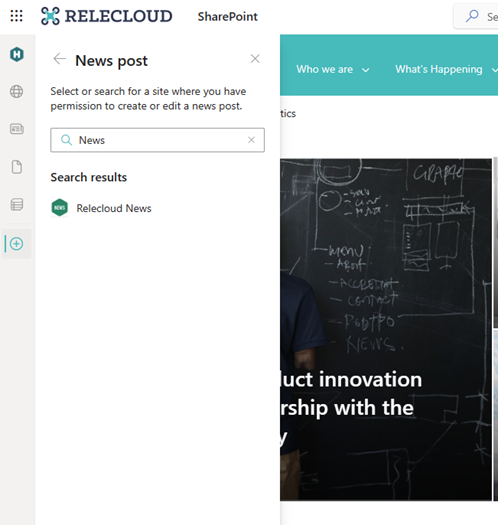
As a user creates pages and news posts from the panel, they will be prompted to select a destination where they want to create the page or news post.
[What you need to do to prepare:] You do not need to do anything to prepare. The SharePoint app bar cannot be customized. If you haven’t already enabled and customized global navigation in the SharePoint app bar, it’s highly recommended that you do so to take advantage of the best navigational experience for end users. |
| Machine Translation |
この更新プログラムにより、ユーザーはまもなく SharePoint アプリ バーからアクションとしてページとニュースの作成を開始できるようになります。つまり、ユーザーが SharePoint のどこにいても、作成プロセスにすぐに取り掛かり、作業の流れにとどまることができます。 このメッセージは、Microsoft 365 ロードマップ ID 98143 に関連付けられています。 [これが起こるとき:] ターゲット リリース: ロールアウトは 4 月初旬に開始され、ロールアウトは 4 月中旬までに完了する予定です。 標準リリース: 4 月下旬にロールアウトを開始し、5 月中旬までにロールアウトを完了する予定です。 [これが組織に与える影響:] この新機能を使用すると、ユーザーは SharePoint アプリ バーからページとニュースを作成できます。ユーザーは、アプリで [ 作成 ] コマンドを選択し、現在利用可能な SharePoint サイト、Microsoft リスト、または Office ファイル (Word、PowerPoint、Excel、OneNote) に加えて、SharePoint ニュースの投稿 または SharePoint ページからオプションを選択できます。
ユーザーがパネルからページとニュース投稿を作成すると、ページまたはニュース投稿を作成する宛先を選択するように求められます。
[準備するために必要なこと:] 準備するために何もする必要はありません。SharePoint アプリ バーはカスタマイズできません。 SharePoint アプリ バーでグローバル ナビゲーションをまだ有効にしてカスタマイズしていない場合は、エンド ユーザーにとって最適なナビゲーション エクスペリエンスを活用するために、有効にしておくことを強くお勧めします。 |