| MC543386 | Microsoft Teams: Mark All As Read for Activity Feed |
|---|
| Classification | stayInformed |
|---|---|
| Last Updated | 04/19/2023 04:39:05 |
| Start Time | 04/19/2023 04:37:33 |
| End Time | 07/31/2023 07:00:00 |
| Message Content |
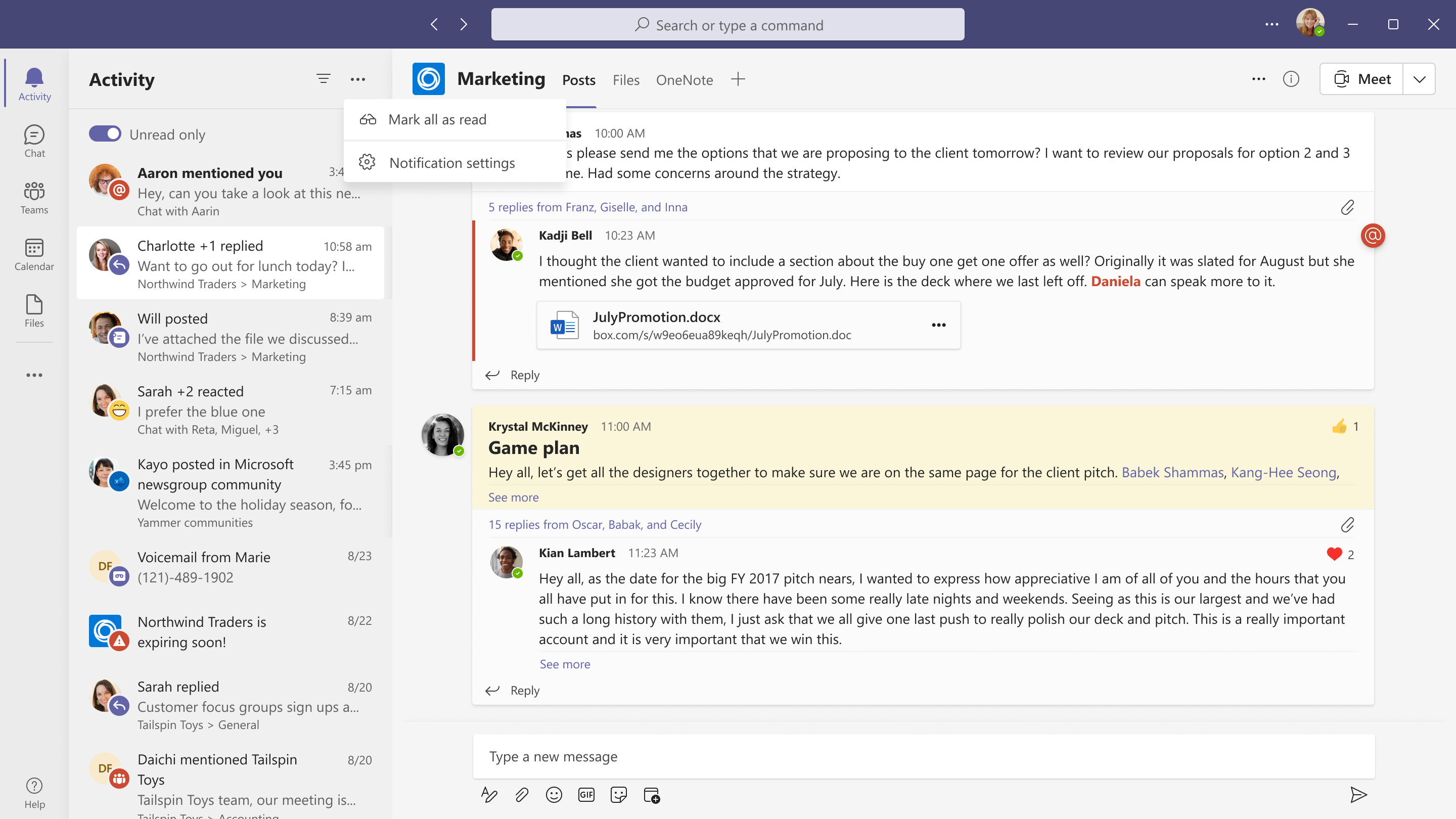
Users can triage their activity feed more efficiently using the new ‘Mark all as read’ feature. With just one click, users can mark all unread activities as read.
This message is associated with Microsoft 365 Roadmap ID 102238 [When this will happen:] Preview: We will begin rolling out in mid-May and expect to complete rollout by late May. Standard Release: We will begin rolling out in early June and expect to complete rollout by late June. [How this will affect your organization:] Users can use this feature by following these steps:
[What you need to do to prepare:]
There is nothing required from you at this time. You may want to notify users of this update. |
| Machine Translation |
ユーザーは、新しい [すべてを既読にする] 機能を使用して、アクティビティ フィードをより効率的にトリアージできます。ワンクリックで、ユーザーはすべての未読アクティビティを既読としてマークできます。
このメッセージは、Microsoft 365 ロードマップ ID に関連付けられています102238 [これが起こるとき:] プレビュー: 5 月中旬にロールアウトを開始し、5 月下旬までにロールアウトを完了する予定です。 標準リリース: 6 月上旬にロールアウトを開始し、6 月下旬までにロールアウトを完了する予定です。 [これが組織に与える影響:] ユーザーは、次の手順に従ってこの機能を使用できます。
[準備するために必要なこと:]
現時点では何も必要ありません。この更新プログラムをユーザーに通知することをお勧めします。 |