| MC383875 | (Updated) Microsoft Defender for Office 365: updates to quarantine folder storage |
|---|
| Classification | stayInformed |
|---|---|
| Last Updated | 04/20/2023 16:25:59 |
| Start Time | 05/23/2022 23:20:23 |
| End Time | 06/30/2023 07:00:00 |
| Message Content |
Updated April 20, 2023: We have updated the rollout timeline below. Thank you for your patience. Microsoft Defender for Office 365 is making some changes to quarantine folder storage. The experience for users will remain the same and users can leverage the delete action to maintain the storage folder for their quarantined messages. This message is associated with Microsoft 365 Roadmap ID 93302. [When this will happen:] Standard: will begin rolling out in mid-June and be completed by mid-November (previously mid-September). – Complete Government: will begin rolling out in mid-January 2023 (previously mid-November 2022) and be completed by late May 2023 (previously early April).
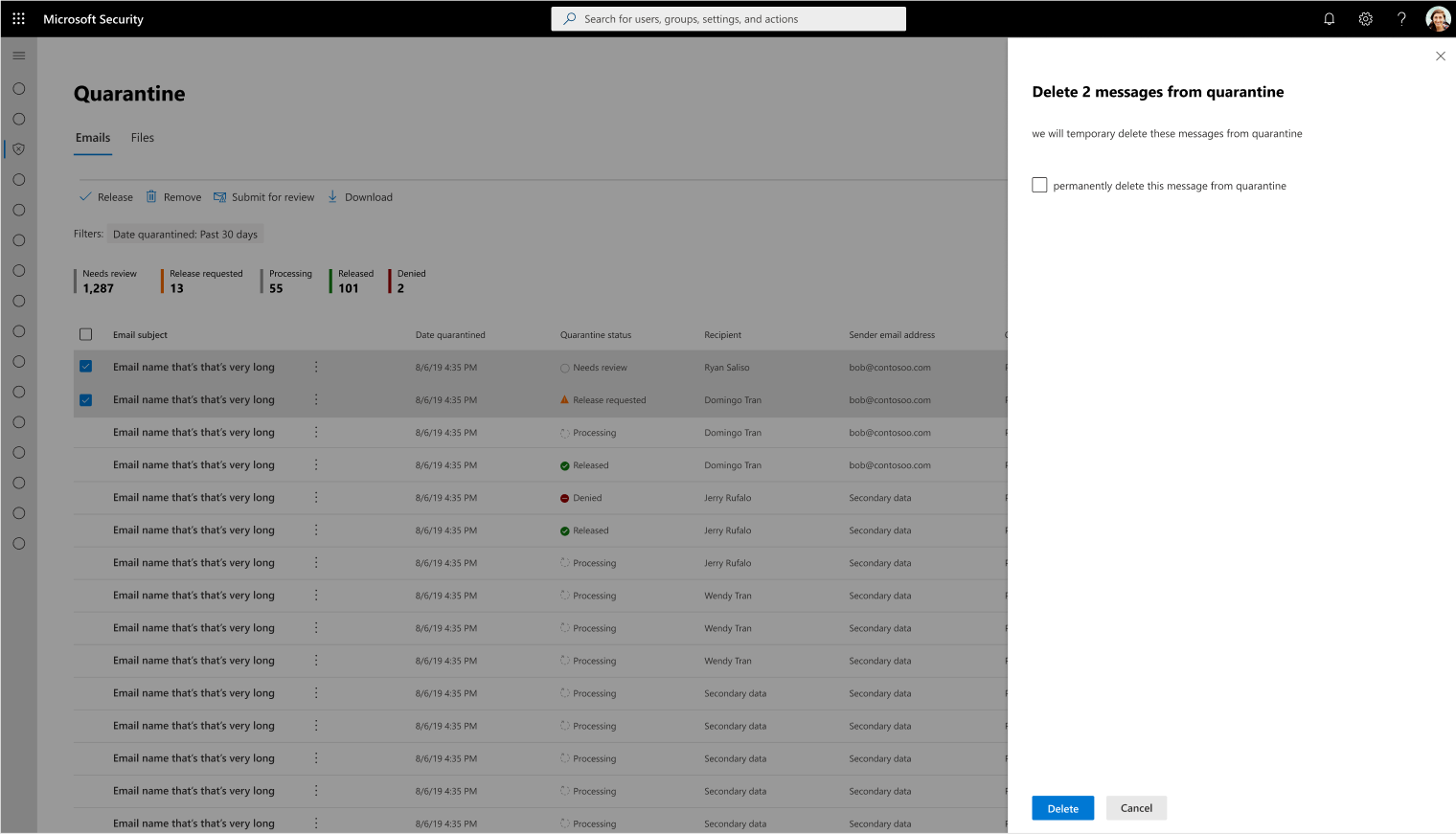
[How this will affect your organization:] Non delivery report (NDR): In the case that a user’s quarantine storage is full, new incoming messages routed to quarantine will be rejected and an NDR will be generated for those messages. In the case of Zero hour Auto Purge, where malicious items need to be zapped from inbox to quarantine but there is no space, these messages will be instead, added to the junk mail folder. Note: When there is a False positive Zero hour Auto Purge, messages wrongly moved to the Junk mail folder can be added back to their original location. New hard delete experience: Previously, when messages were deleted by users from quarantine, those deleted messages could still be retrievable within a 30-day period after deletion was made. To help users better manage their storage, we will be introducing a hard delete experience whereby once the messages are hard deleted, they can’t be recovered.
[What you need to do to prepare:] The goal for this communication is mostly for informational awareness. You may consider updating your training and documentation as appropriate. |
| Machine Translation |
2023 年 4 月 20 日更新: 以下のロールアウトのタイムラインを更新しました。お待ちいただきありがとうございます。 Microsoft Defender for Office 365 は、検疫フォルダーのストレージにいくつかの変更を加えています。ユーザーのエクスペリエンスは同じままであり、ユーザーは削除アクションを利用して、検疫済みメッセージのストレージ フォルダーを維持できます。 このメッセージは、Microsoft 365 ロードマップ ID 93302 に関連付けられています。 [これが起こるとき:] 標準: 6 月中旬に展開を開始し、11 月中旬 (以前は 9 月中旬) までに完了します。-完成 政府機関: 2023 年 1 月中旬 (以前は 2022 年 11 月中旬) に展開を開始し、2023 年 5 月下旬 (以前は 4 月上旬) までに完了します。
[これが組織に与える影響:] 配信不能レポート (NDR): ユーザーの検疫ストレージがいっぱいになると、検疫にルーティングされた新しい受信メッセージは拒否され、それらのメッセージに対して NDR が生成されます。 ゼロアワー自動パージの場合、悪意のあるアイテムを受信トレイから検疫にザッピングする必要があるが、スペースがない場合、これらのメッセージは代わりに迷惑メールフォルダーに追加されます。 注: 誤検知のゼロ時間自動パージがある場合、誤って迷惑メールフォルダに移動されたメッセージは元の場所に戻すことができます。 新しいハード削除エクスペリエンス: 以前は、ユーザーが検疫からメッセージを削除した場合、削除されてから 30 日以内にそれらの削除されたメッセージを取得できました。ユーザーがストレージをより適切に管理できるように、メッセージが物理的に削除されると回復できないハード削除エクスペリエンスが導入されます。
[準備するために必要なこと:] このコミュニケーションの目標は、主に情報認識です。必要に応じて、トレーニングとドキュメントを更新することを検討してください。 |