| MC553274 | Microsoft Defender for Office 365 empowers end users to report suspicious messages from shared/delegate mailboxes |
|---|
| Classification | stayInformed |
|---|---|
| Last Updated | 05/10/2023 22:32:19 |
| Start Time | 05/10/2023 22:32:00 |
| End Time | 12/31/2023 08:00:00 |
| Message Content |
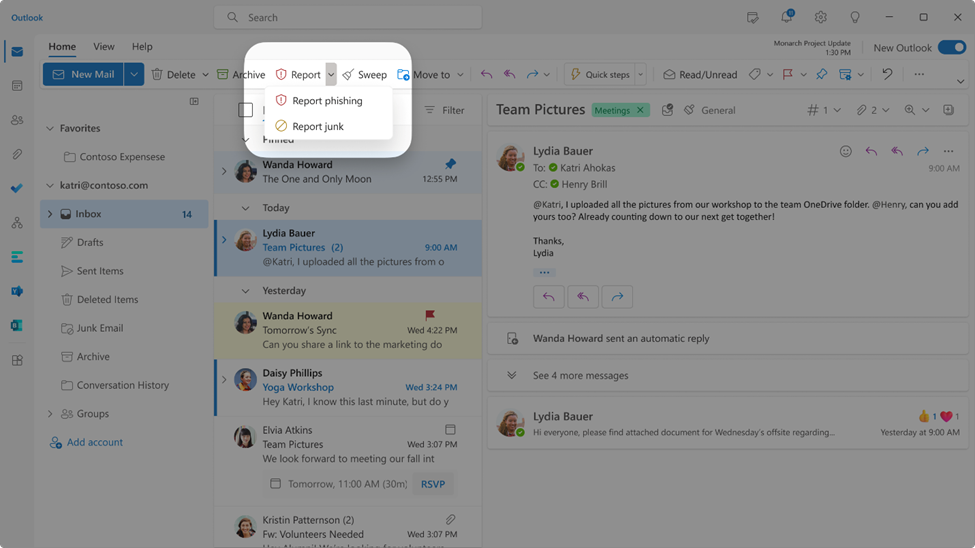
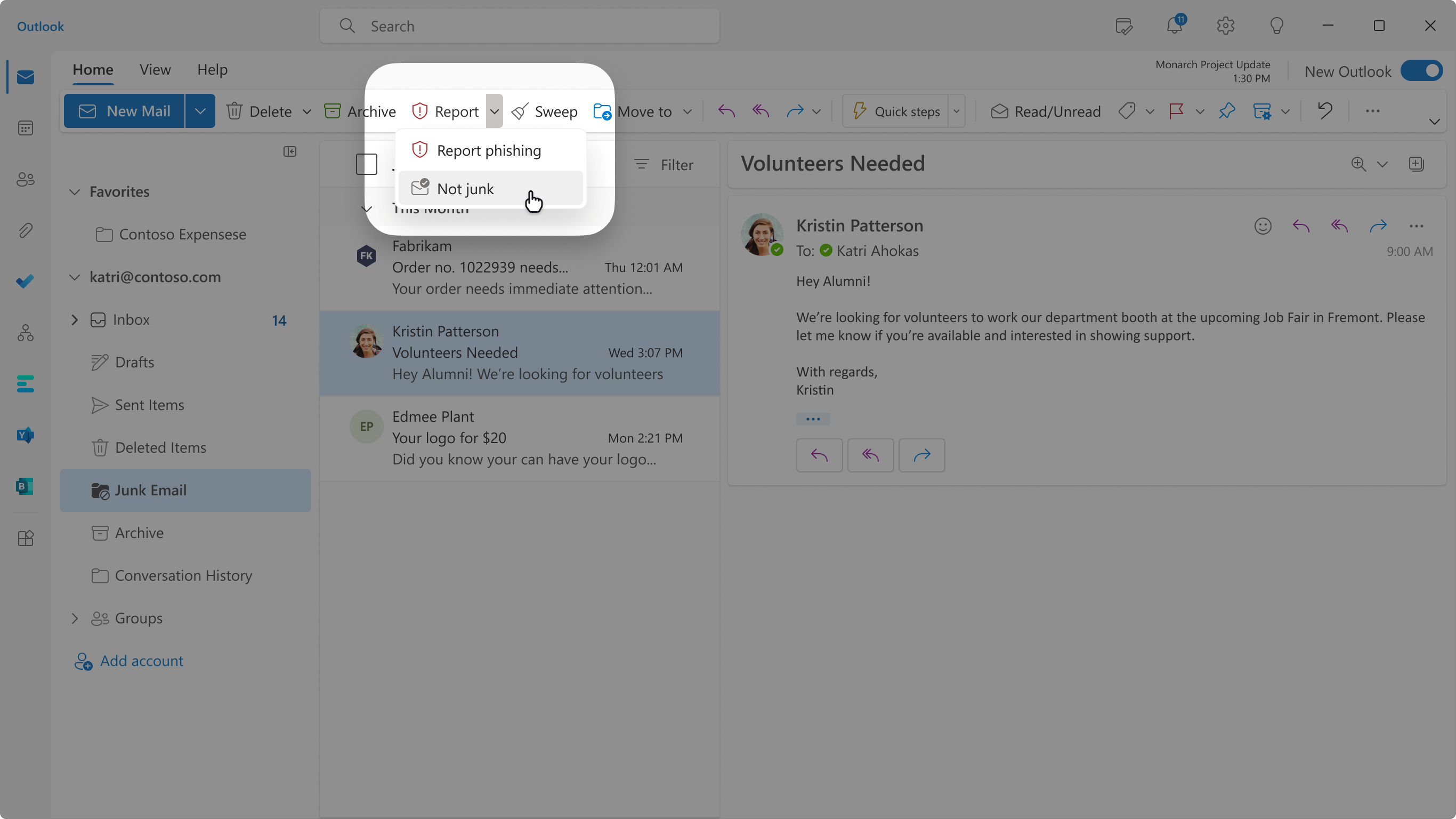
Soon, end-users will be able to report messages from shared mailboxes and delegate mailboxes using the built-in Report button in Outlook on the web. To refresh your memory, these screenshots show the Report buttons in Outlook on the web if you have the simplified ribbon turned on:
Information to keep in mind:
This message is associated with Microsoft 365 Roadmap ID 115507
[When this will happen:] This change will start rolling out in mid-May and should be completed by the early June. [How this will affect your organization:] If message reporting using the built-in button in Outlook is turned on at the user reported settings page, end-users will be able to report messages as Phish, Junk or Not junk from shared mailboxes, delegate mailboxes.
[What you need to do to prepare:]
No changes are required as your current settings in the user reported settings page will not be changed. If you have any feedback, please provide it from this Message center post using the text box after you do thumbs up or thumbs down as it will directly reach the responsible team. |
| Machine Translation |
間もなく、エンド ユーザーは、Outlook on the web の組み込みの [レポート] ボタンを使用して、共有メールボックスからのメッセージを報告し、メールボックスを委任できるようになります。 メモリを更新するために、これらのスクリーンショットは、簡略化されたリボンがオンになっている場合、Outlook on the web の [レポート] ボタンを示しています。
留意すべき情報:
このメッセージは、Microsoft 365 ロードマップ ID に関連付けられています115507
[これが起こるとき:] この変更は 5 月中旬にロールアウトを開始し、6 月上旬までに完了する予定です。 [これが組織に与える影響:] Outlook の組み込みボタンを使用したメッセージ レポートが ユーザー報告設定 ページで有効になっている場合、エンド ユーザーは、共有メールボックス、委任メールボックスからのフィッシング、迷惑メール、または迷惑メールではないメッセージとして報告できます。
[準備するために必要なこと:]
ユーザー報告の設定ページの現在の設定は変更されないため、変更は必要ありません。 フィードバックがある場合は、担当チームに直接届くため、親指を立てたり下げたりした後、テキストボックスを使用してこのメッセージセンターの投稿から提供してください。 |