| MC554155 | (Updated) OneDrive: Sharing Experiences – Refreshed Manage Access |
|---|
| Classification | stayInformed |
|---|---|
| Last Updated | 05/19/2023 20:27:07 |
| Start Time | 05/12/2023 17:43:46 |
| End Time | 08/31/2023 07:00:00 |
| Message Content |
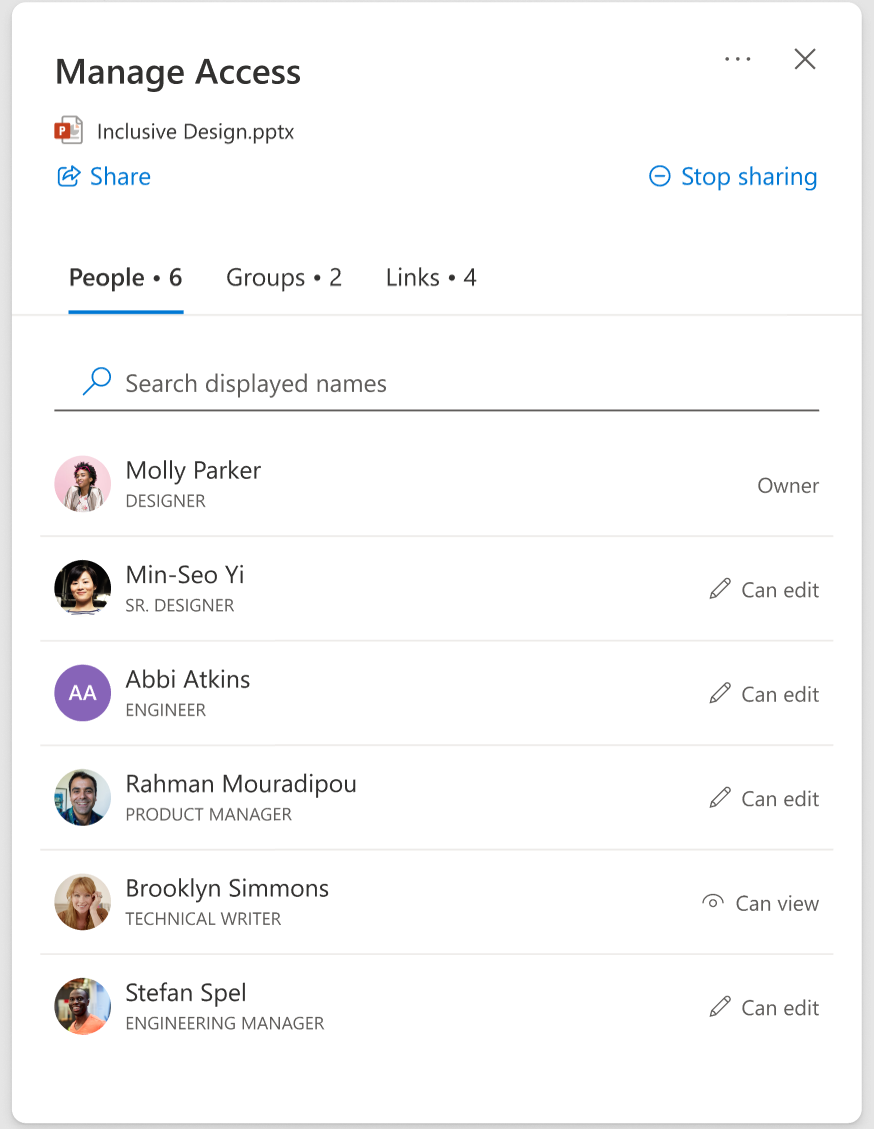
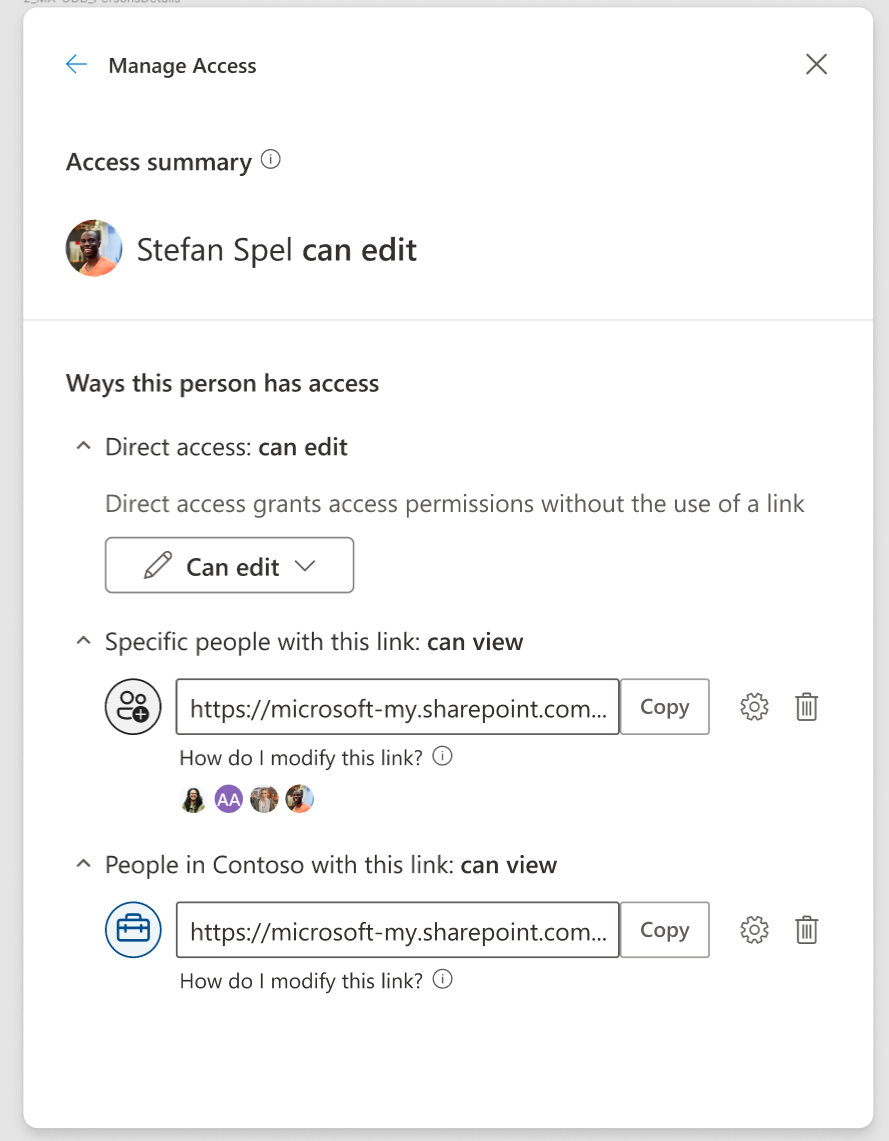
Updated May 19, 2023: We have updated the timeline below. Thank you for your patience. We are completely revamping the Manage Access experience to be more people-centric and more usable. You can now view the extensive list of all the people who have gained access to your files, search for an individual or a group and manage their access with even more control. You can also drill down into the group or link information for more details. This message is associated with Microsoft 365 Roadmap ID 83726 [When this will happen:] Targeted Release: We will begin rolling out in late May (previously mid-May) and expect to complete rollout by mid-June (previously early June). Standard Release: We will begin rolling out in mid-June (previously early June) and expect to complete rollout by mid-July (previously late June). [How this will affect your organization:] Users who interact with the OneDrive/SharePoint will be able to see this new Manage Access experience.
Note: Some users may see this feature before others in your organization. [What you need to do to prepare:] There is no action required from you at this time. We recommend making your users aware of this upcoming update. Please find additional information in this documentation. |
| Machine Translation |
2023年5月19日更新:以下のタイムラインを更新しました。お待ちいただきありがとうございます。 アクセスの管理エクスペリエンスを完全に刷新し、よりユーザー中心で使いやすくします。これで、ファイルにアクセスしたすべての人の広範なリストを表示したり、個人またはグループを検索したり、さらに細かく制御してアクセスを管理したりできます。グループをドリルダウンしたり、情報をリンクして詳細を確認することもできます。 このメッセージは、Microsoft 365 ロードマップ ID 83726 に関連付けられています。 [これが起こるとき:] 対象を絞ったリリース: ロールアウトは 5 月下旬 (以前は 5 月中旬) に開始され、6 月中旬 (以前は 6 月上旬) までにロールアウトを完了する予定です。 標準リリース: ロールアウトは 6 月中旬 (以前は 6 月上旬) に開始され、7 月中旬 (以前は 6 月下旬) までにロールアウトを完了する予定です。 [これが組織に与える影響:] OneDrive/SharePoint を操作するユーザーは、この新しいアクセスの管理エクスペリエンスを確認できます。
注: 一部のユーザーには、組織内の他のユーザーよりも先にこの機能が表示される場合があります。 [準備するために必要なこと:] 現時点では、必要な操作はありません。この今後の更新をユーザーに知らせることをお勧めします。追加情報については 、このドキュメントを参照してください。 |