| MC574387 | Microsoft Viva: Quick Access to Homesite on Viva Connections Mobile |
|---|
| Classification | stayInformed |
|---|---|
| Last Updated | 06/06/2023 23:20:04 |
| Start Time | 06/06/2023 23:19:51 |
| End Time | 08/20/2023 07:00:00 |
| Message Content |
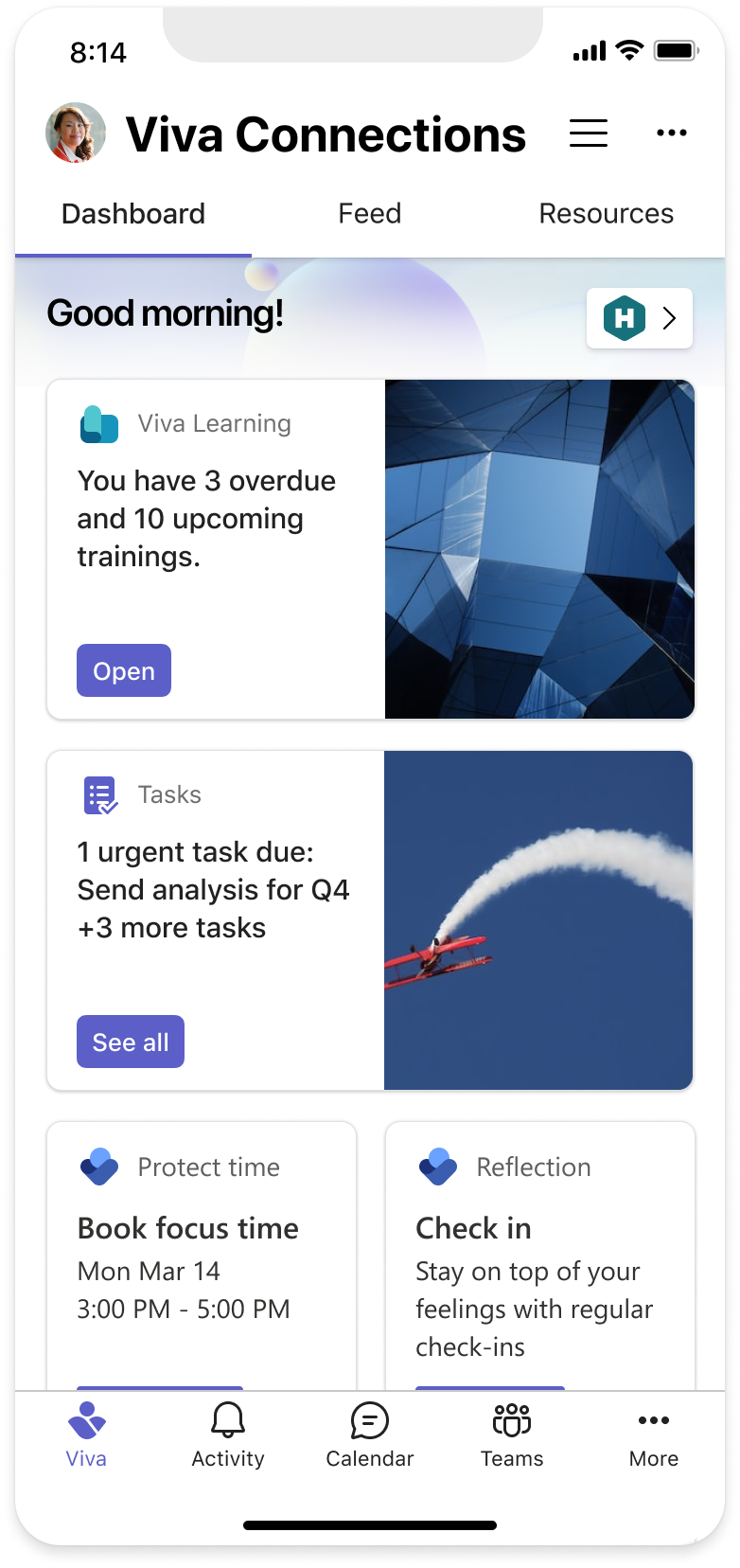
To allow users access to their Homesite and intranet easily, we are redesigning the Viva connections dashboard layout by adding a shortcut button to the homesite. The same updates will be available for the Tablet experience as well. This message is associated with Microsoft 365 Roadmap ID 117528 [When this will happen:] We will begin rolling out in late June and expect to complete rollout by mid-July. [How this will affect your organization:] End users will see an updated layout in the top half of the screen where they will find a button with the icon of your SharePoint homesite that will take them to the homesite within the Viva connections app.
[What you need to do to prepare:]
For this release admins can act on the following:
We use the icon of the homesite to populate the button on the dashboard. To ensure that your icon renders properly, please pick one that fits into the size range of – 92 x 92px to 92 x 288px (height x width) and avoid icons with 92px height and width < 92px |
| Machine Translation |
ユーザーがホームサイトとイントラネットに簡単にアクセスできるように、ホームサイトにショートカット ボタンを追加して、Viva コネクション ダッシュボードのレイアウトを再設計しています。同じアップデートがタブレットエクスペリエンスでも利用可能になります。 このメッセージは、Microsoft 365 ロードマップ ID に関連付けられています117528 [これが起こるとき:] 6 月下旬にロールアウトを開始し、7 月中旬までにロールアウトを完了する予定です。 [これが組織に与える影響:] エンド ユーザーには、画面の上半分に更新されたレイアウトが表示され、Viva コネクション アプリ内のホーム サイトに移動する SharePoint ホーム サイトのアイコンが付いたボタンが表示されます。
[準備するために必要なこと:]
このリリースでは、管理者は次の操作を実行できます。
ホームサイトのアイコンを使用して、ダッシュボードのボタンに入力します。アイコンが正しくレンダリングされるようにするには、92 x 92pxから92 x 288px(高さx幅)のサイズ範囲に収まるものを選択し、高さ92px、幅が92pxのアイコン< 避けてください。 |