| MC542834 | (Updated) Enhancements in Threat Explorer by Microsoft Defender for Office 365 |
|---|
| Classification | stayInformed |
|---|---|
| Last Updated | 06/07/2023 18:45:49 |
| Start Time | 04/17/2023 22:40:34 |
| End Time | 07/17/2023 07:00:00 |
| Message Content |
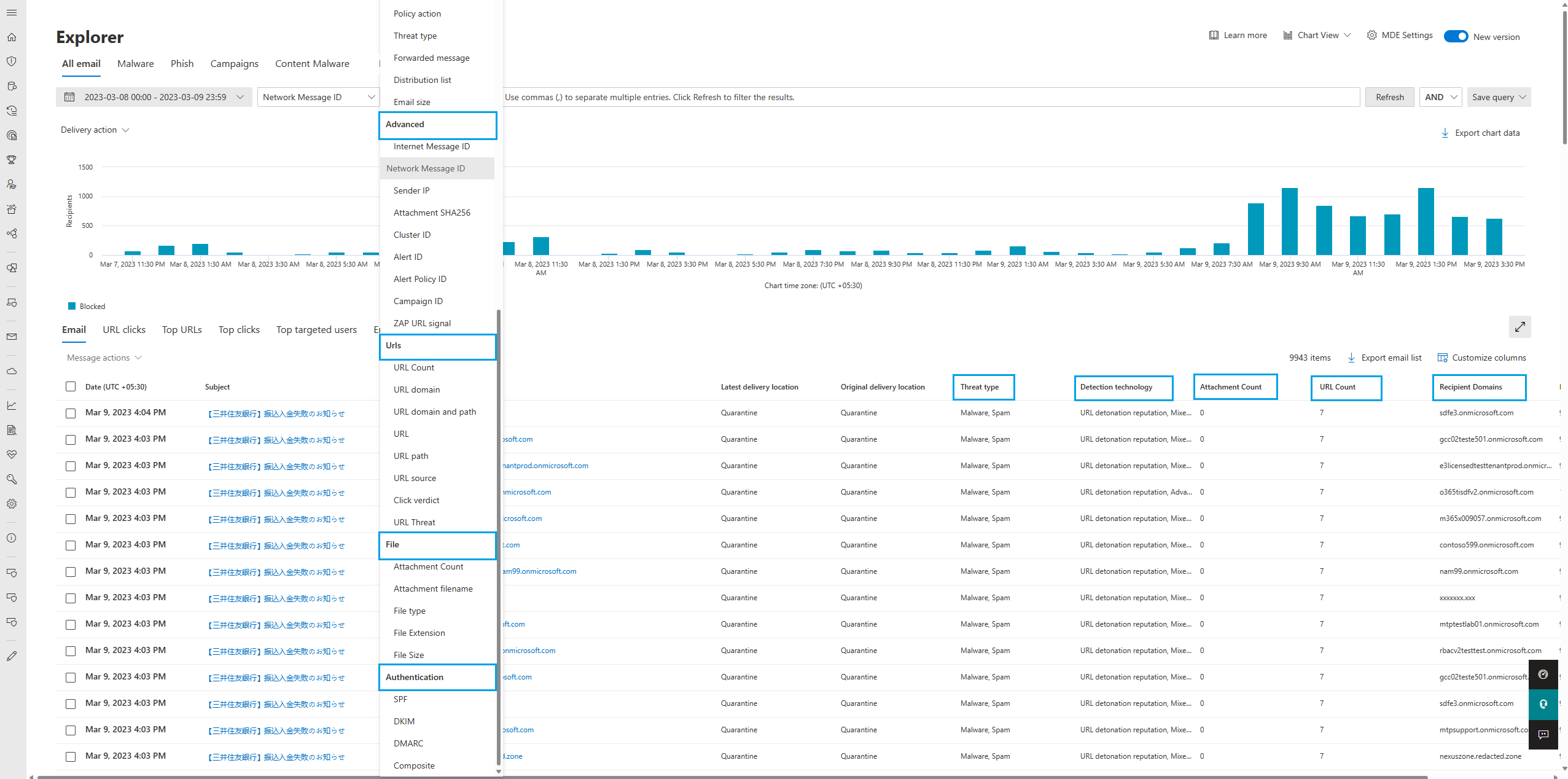
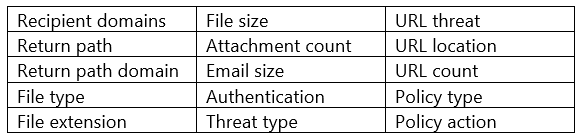
Updated June 7, 2023: We have updated the rollout timeline below. Thank you for your patience. With the recent Threat Explorer V3 rolled out changes in user experience, we have also added 15 new filters in threat explorer filters section. The filters have been grouped into different categories: Basic, Advanced, URLs, Files, and Authentication.
[When this will happen:]
Public Preview: We will begin rolling out in mid-April and expect to complete rollout by mid-June (previously late May). [How this will affect your organization:] Apart from filters, the new enhancements also include customizable exports and end-user clicks data in Threat Explorer.
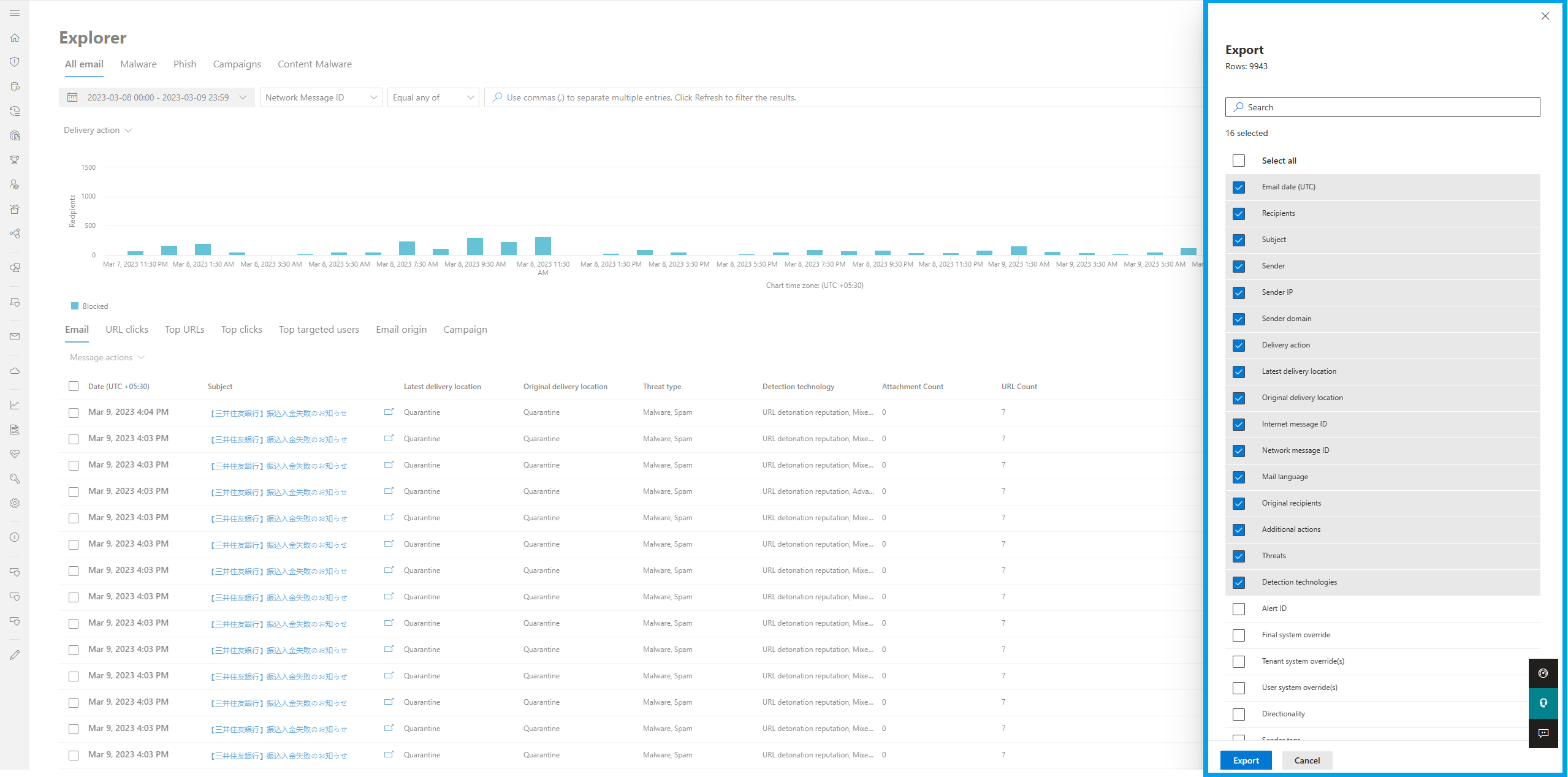
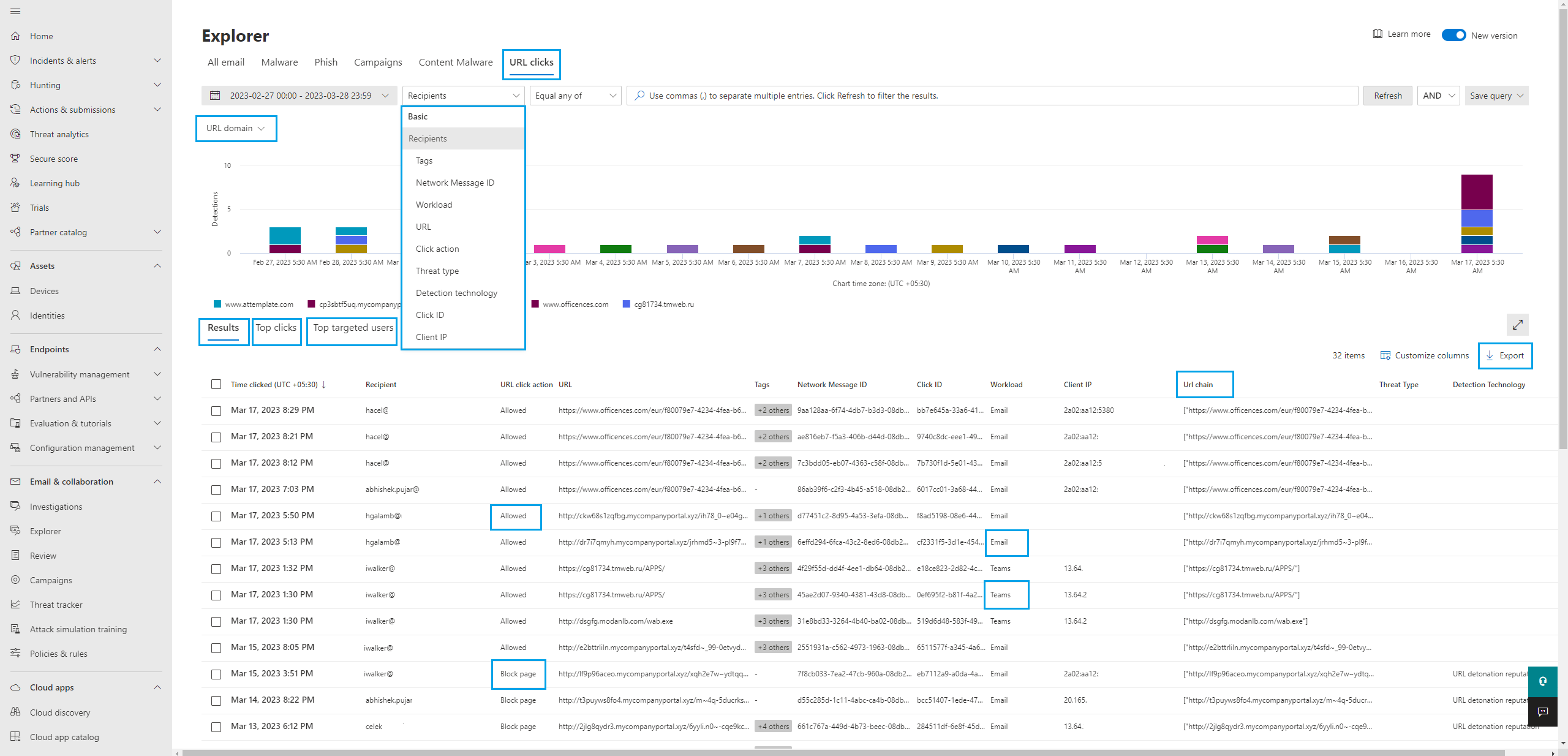
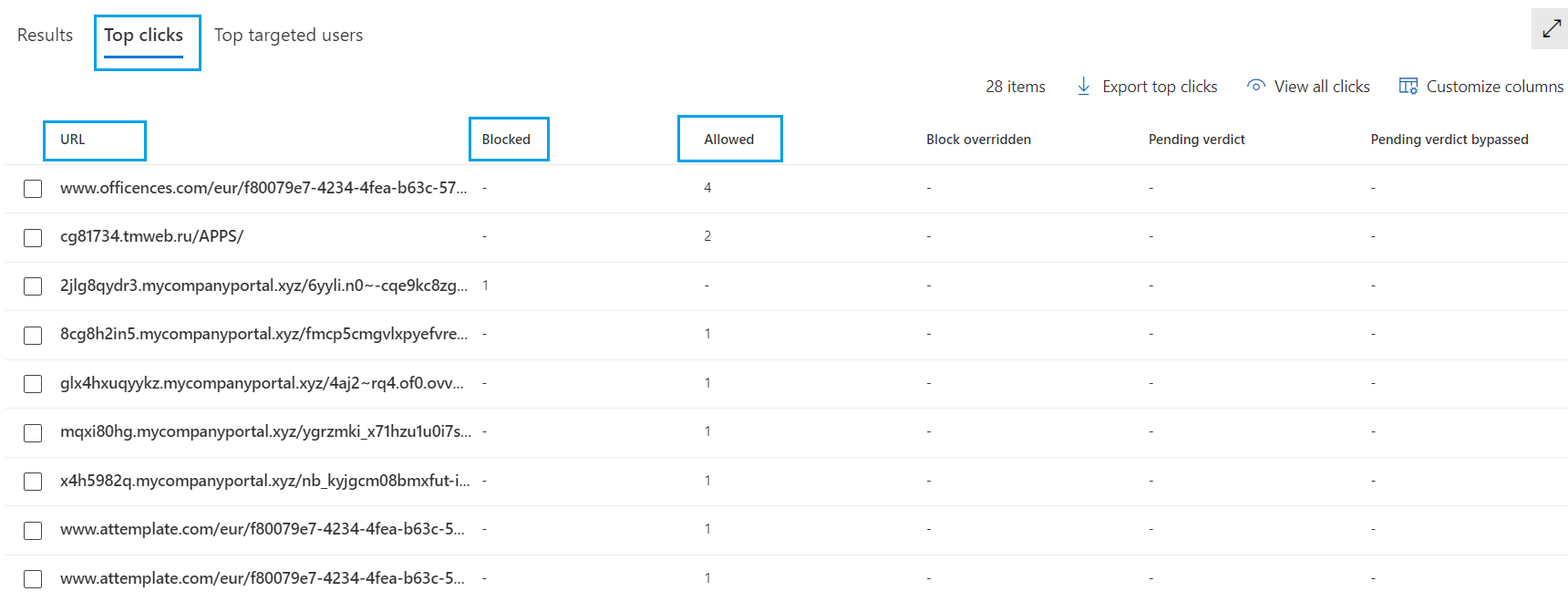
Newly added filters are: Customizable exports: The Threat Explorer export feature permits users to export supplementary data beyond what is visible on the data grid. With the latest export feature, users can now choose to export only the relevant data that meets their needs or is pertinent to their analysis or investigation, thus avoiding the hassle of sorting through irrelevant data. The new feature includes a set of basic fields that offer essential email metadata as pre-selected options, and users can add more fields or modify the existing selection based on their specific requirements. It will be available across all tabs in Threat Explorer, including All Email, Malware, Phish, Campaign, Content Malware and URL Clicks. End user clicks data in Threat Explorer: The new URL clicks tab in Threat Explorer allows analysts to see end-user clicks across Email, Teams, and Office apps in a single location. The new tab also features the export functionality allowing security analysts to download the result set into a csv file for further analysis if required.
This new tab provides security analysts with a guided tool for investigating and analyzing potentially malicious URLs that have been clicked by users within an organization with the Top clicks and Top targeted users tabs. The Top clicks tab displays the URLs that have been clicked the most by users within the organization, how many have been blocked and how many have been allowed if they are clean or as per the user settings. The “Top targeted users” tab displays the users who have clicked on the most URLs within the organization. This information will help the security analysts identify potential high-risk users who may be more susceptible to phishing or other types of attacks. URL clicks tab will help in identify potential threats and vulnerabilities, enabling security teams to take proactive measures to protect the systems data and the end users from malicious attacks. By analyzing this information, security analysts can identify potential phishing attempts or other malicious activity that may be targeting users within the organization. This can help security teams take proactive measures to protect their systems and users from these threats. [What you need to do to prepare:] There is no action required from you at this time. |