| MC567479 | (Updated) Microsoft Viva: Campaign Hub, Search for Campaigns and Executive Sponsorship for Campaigns |
|---|
| Classification | stayInformed |
|---|---|
| Last Updated | 06/07/2023 18:58:14 |
| Start Time | 06/02/2023 21:42:08 |
| End Time | 07/31/2023 07:00:00 |
| Message Content |
Updated June 7, 2023: We have updated the content with additional resources. Campaigns in Viva Engage is launching three new features: campaign hub, search category for campaigns, and executive sponsorship for campaigns. Users will be able to discover and find campaigns. Leaders will be able to sponsor the campaigns they support. Campaigns that have executive sponsors will also show up in Leadership Corner.
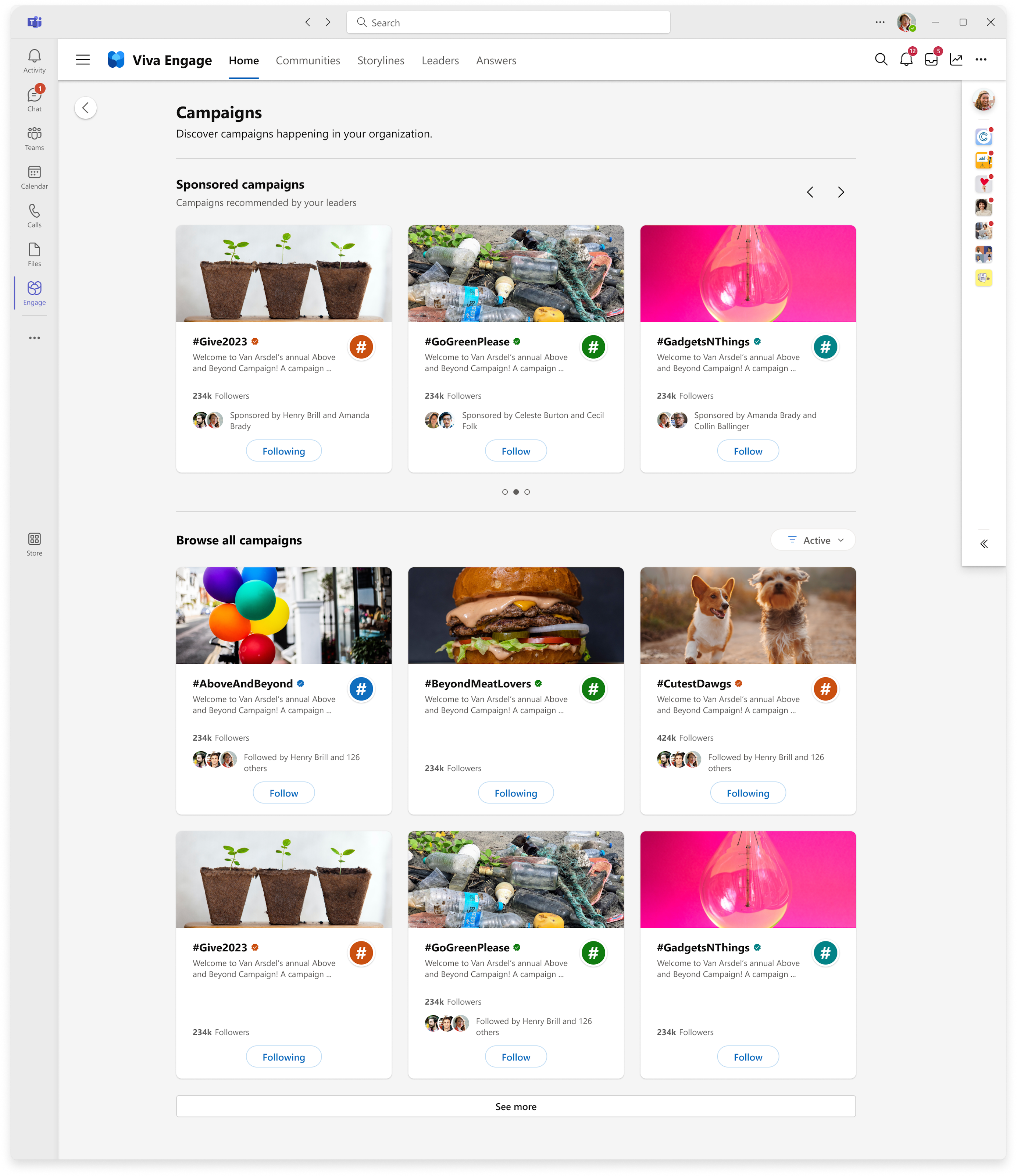
This message is associated with Microsoft 365 Roadmap IDs: 124952 and 124953 [When this will happen:] Rollout will begin in mid-June and expect to be complete by late June. [How this will affect your organization:] The campaign discovery hub in Viva Engage will help users explore and discover campaigns.
In the hub, they’ll find:
The user can “Follow” active campaigns or learn more about a campaign on its landing page. Users can access the hub by clicking on “Discover more” from two entry points:
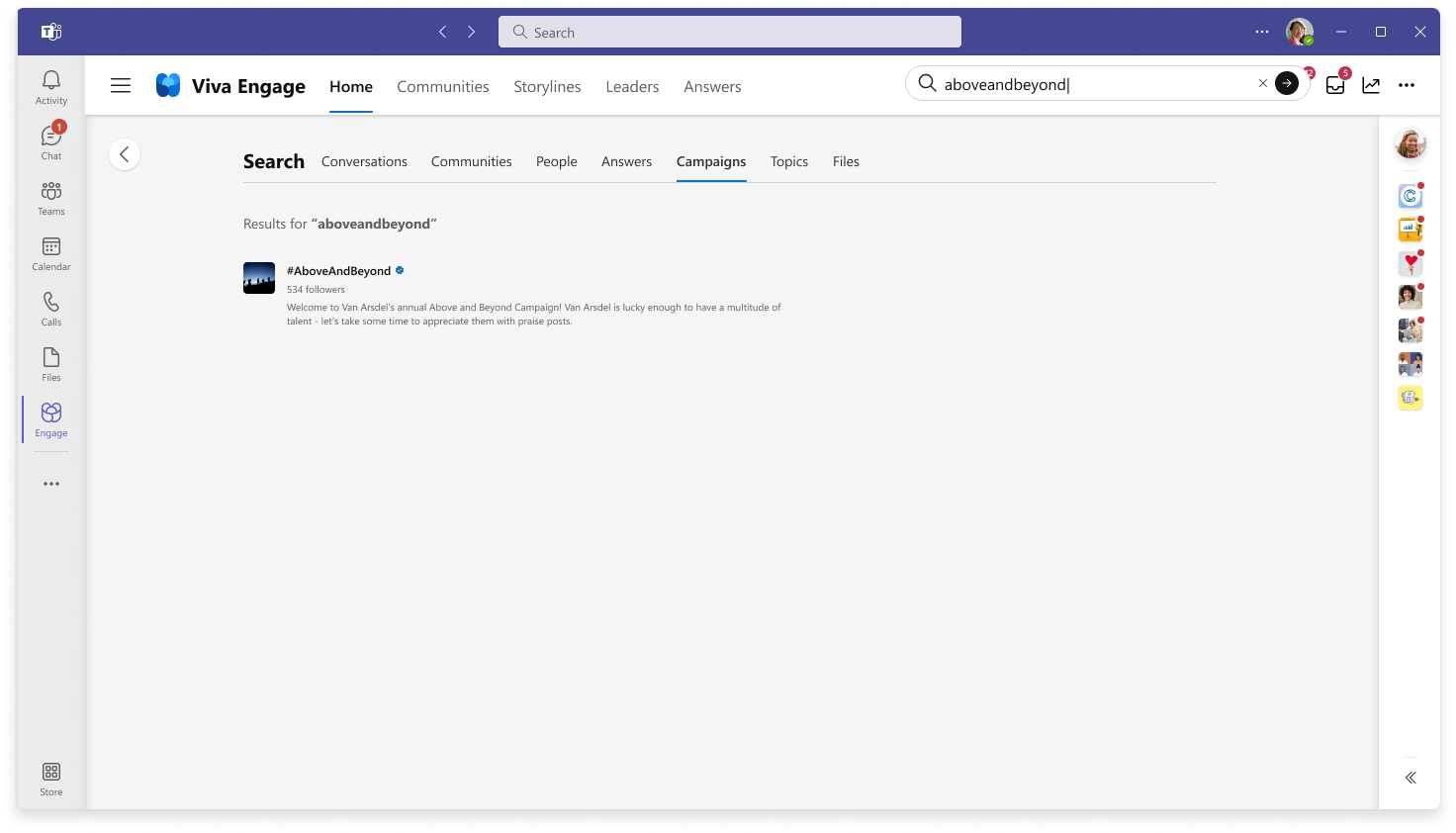
Users can search for a campaign by using the Viva Engage search bar.
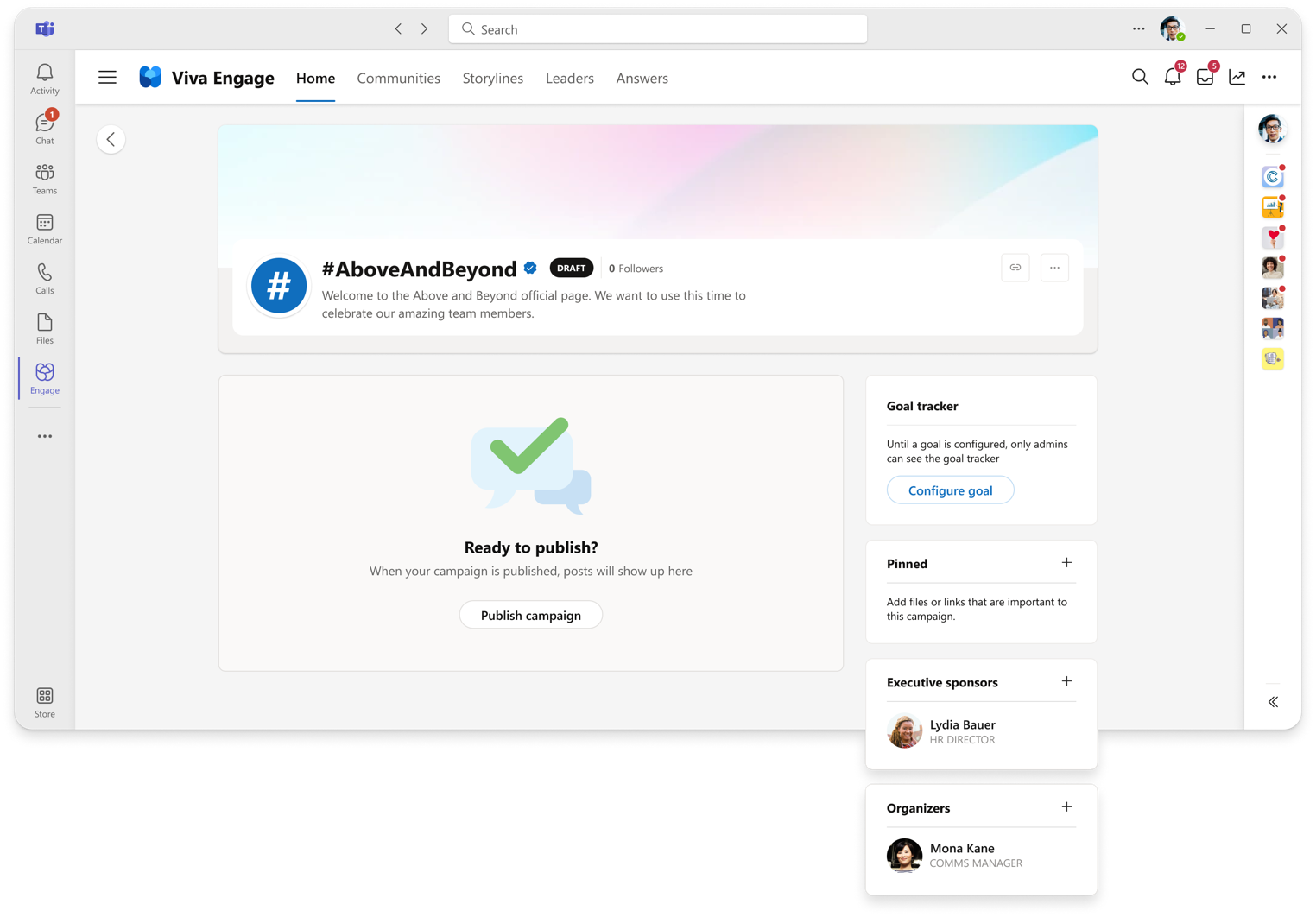
Note: This search is based on a prefix search to provide more relevant information. Search campaigns results show campaign hashtag, description, followers count, official symbol, color theme and cover image. The newly added Executive sponsors enables leaders in an organization to sponsor and support campaigns. Corporate communicators (campaign managers) of an organization can manually add leaders as executive sponsors. Once added, executive sponsors will be notified in Viva Engage and Outlook. [What you need to do to prepare:] Inform premium users of these features. Nothing specific to prepare. Review the following resources:
|