| MC556150 | (Updated) Microsoft Teams: Collaborative Stageview |
|---|
| Classification | stayInformed |
|---|---|
| Last Updated | 06/08/2023 21:41:21 |
| Start Time | 05/16/2023 22:54:02 |
| End Time | 07/31/2023 07:00:00 |
| Message Content |
Updated June 8, 2023: We have updated the rollout timeline below. Thank you for your patience. Users can now open app content in a separate Teams window that’s been built for collaboration. This message is associated with Microsoft 365 Roadmap ID 93769 [When this will happen:] Standard Release: We will begin rolling out mid-June (previously early June) and expect to complete by late June 2023. [How this will affect your organization:]
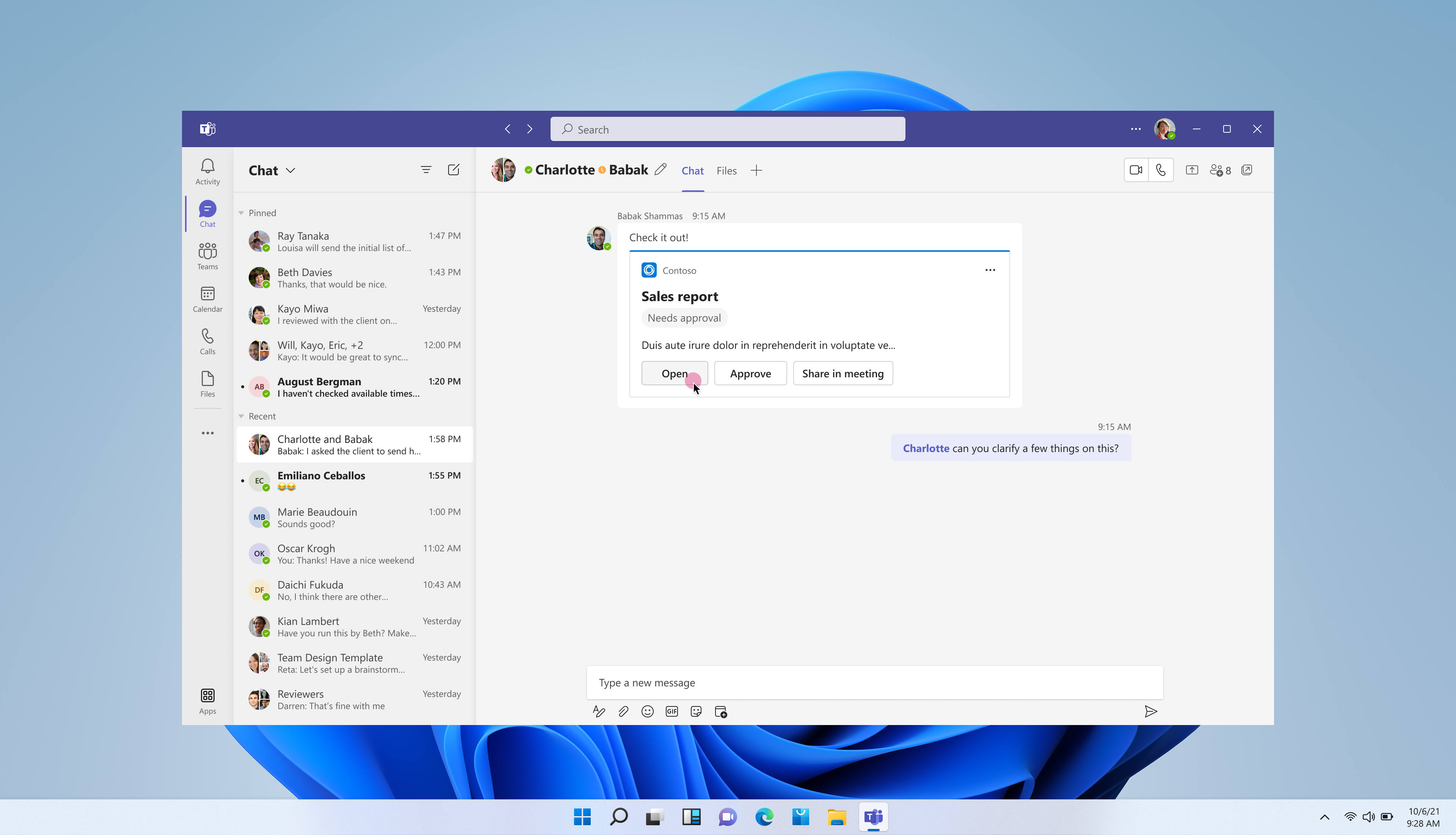
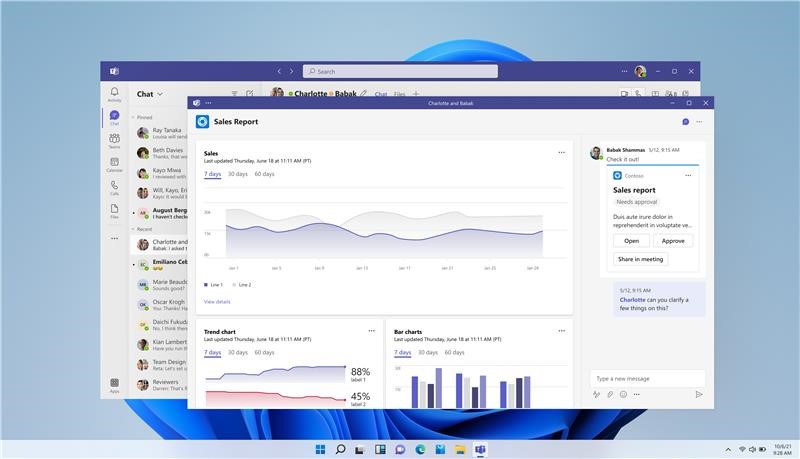
Collaborative Stageview is a new type of Teams window that allows users to engage with content and conversation, side-by-side. For apps that have built their experience for Collab Stage, it allows users to: – Open their content from eligible adaptive cards directly into a new Teams window – Engage with their app content in a large Teams canvas – Continue the conversation from which they came, within the Collaborative Stageview side panel
[What you need to do to prepare:] Users opening apps in the Teams web client will be unaffected by this change. In the web client, Collaborative Stageview will fall back to the current Stageview modal.No action is required from admins. Apps that have built for Collaborative Stageview will pop out into new Teams windows. |
| Machine Translation |
2023 年 6 月 8 日更新: 以下のロールアウトのタイムラインを更新しました。お待ちいただきありがとうございます。 ユーザーは、コラボレーション用に構築された別の Teams ウィンドウでアプリ コンテンツを開くことができるようになりました。 このメッセージは、Microsoft 365 ロードマップ ID 93769 に関連付けられています。 [これが起こるとき:] 標準リリース: 6月中旬(以前は6月上旬)にロールアウトを開始し、2023年6月下旬までに完了する予定です。 [これが組織に与える影響:]
コラボレーション ステージビューは、ユーザーがコンテンツと会話を並べて操作できる新しいタイプの Teams ウィンドウです。Collab Stage のエクスペリエンスを構築したアプリの場合、ユーザーは次のことができます。 – 対象となるアダプティブ カードから新しい Teams ウィンドウでコンテンツを直接開く – 大きな Teams キャンバスでアプリのコンテンツを操作する -コラボレーションステージビューサイドパネル内で、彼らが来た会話を続けます
[準備するために必要なこと:] Teams Web クライアントでアプリを開くユーザーは、この変更の影響を受けません。ウェブクライアントでは、コラボレーションステージビューは現在のステージビューモーダルにフォールバックします。管理者による操作は必要ありません。コラボレーションステージビュー用に構築されたアプリは、新しいTeamsウィンドウに表示されます。 |