|
Updated August 7, 2023: We have updated the rollout timeline below. Thank you for your patience.
We are excited to introduce a new and improved experience to search within chats and channels.
This message is associated with Microsoft 365 Roadmap ID 122550
[When this will happen:]
- Standard: We will begin rolling this out in mid-September 2023 (previously late July) and expect to complete rollout by late September 2023 (previously early August)
- GCC: We will begin rolling this out in late September 2023 (previously early August) and complete rollout by late October 2023 (previously late August).
- GCC-H: We will begin rolling this out in late October 2023 (previously late August) and complete rollout by early November 2023 (previously early September).
- DoD: We will begin rolling this out in mid-November 2023 (previously mid-September) and complete rollout by early December 2023 (previously early October).
[How this will affect your organization:]
A few key enhancements include:
-
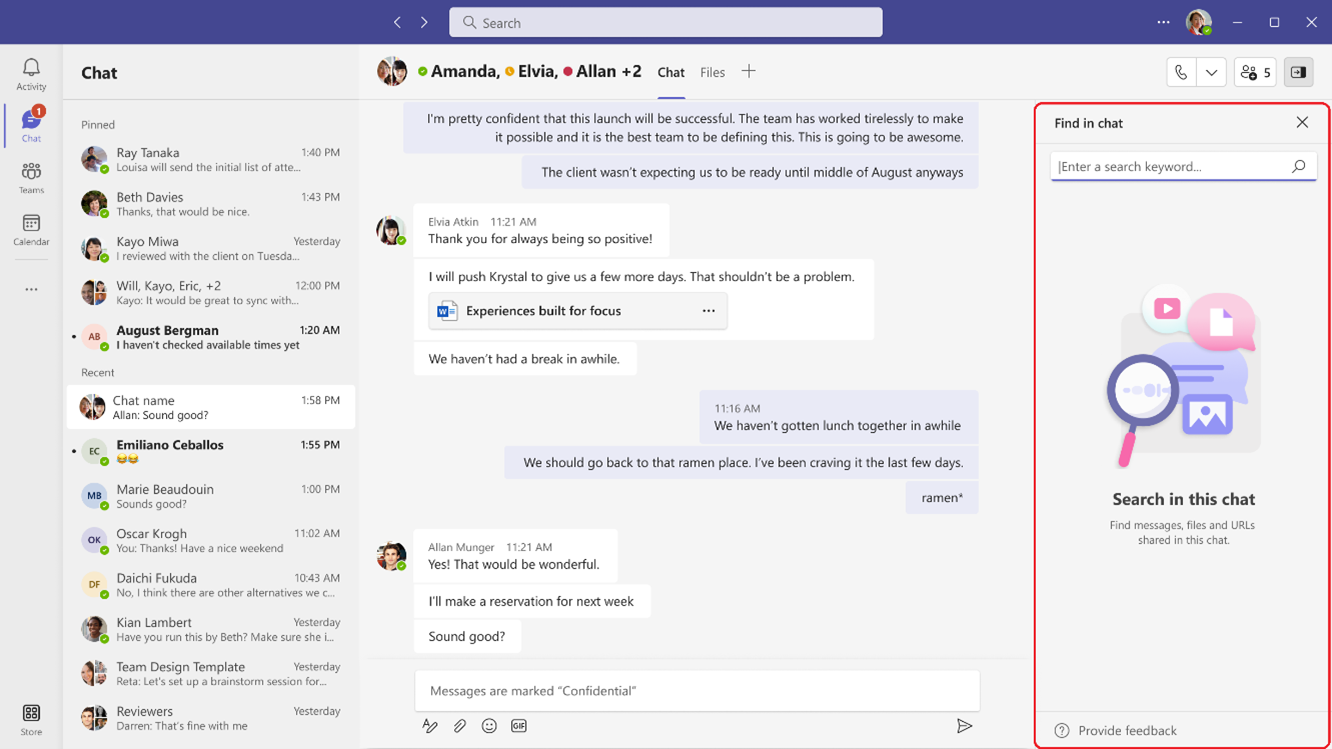
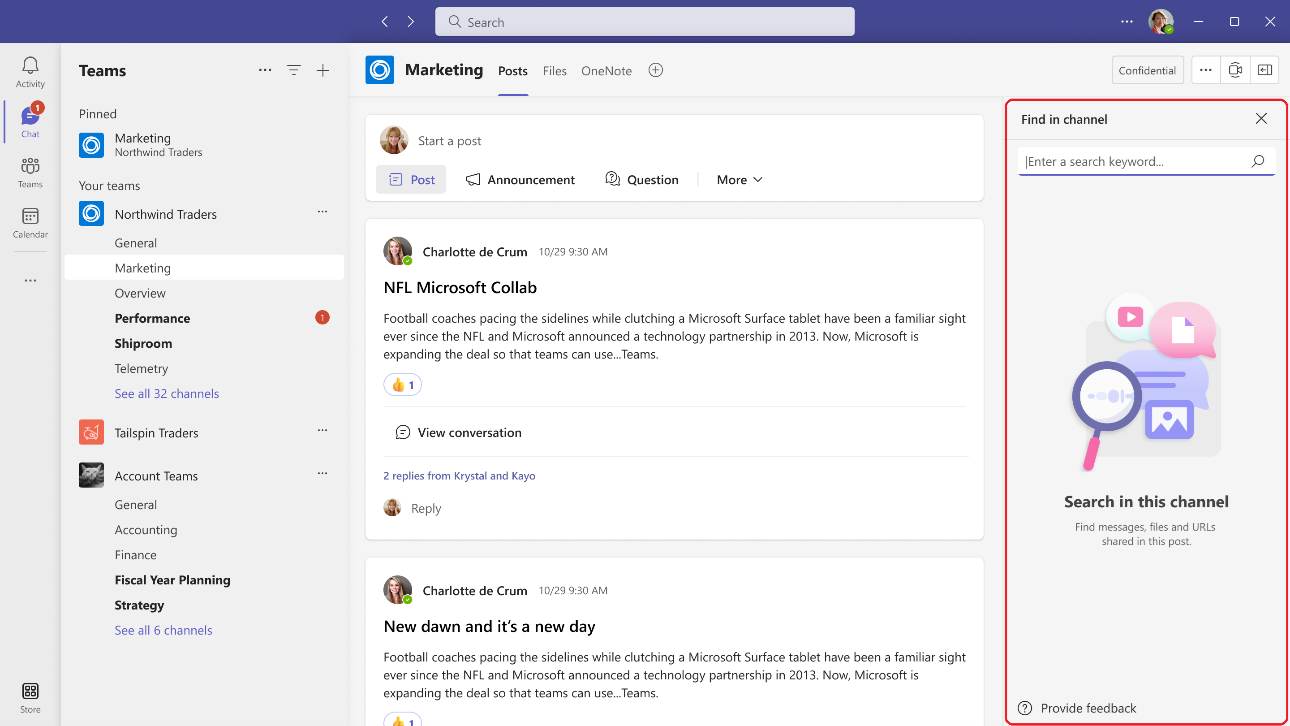
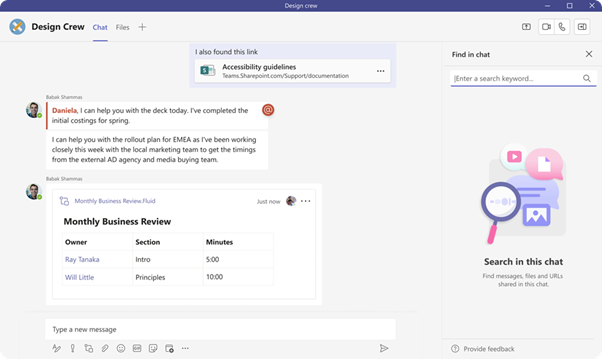
The new in-chat and in-channel Search experience will now be available in the right handrail, making it possible to see your chat/channel list and your new search results in one single view. The initiation can be done using the keyboard shortcut Ctrl+F(win) or Cmd +F (Mac):
Chat:
Channel:
Note: Search capability on the new Channels experience is currently available on the main view, and we will extend it to the conversation view very soon.
- In addition to the keyboard shortcut, a dedicated button ‘Find in Channel’, placed on the channel info pane can be used to initiate contextual search:
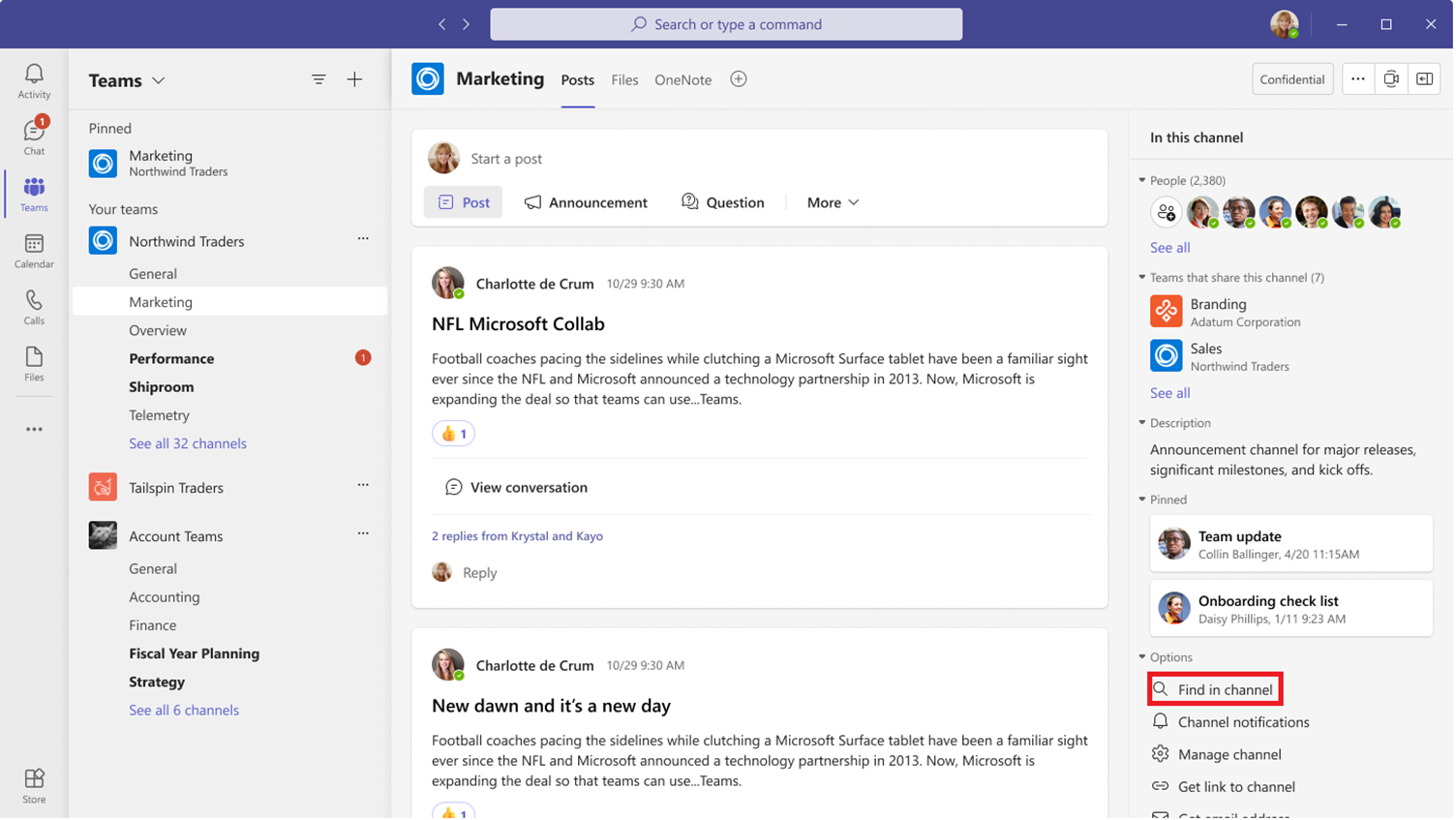
Note: we are working on bring the search entry point to the chat surface soon.
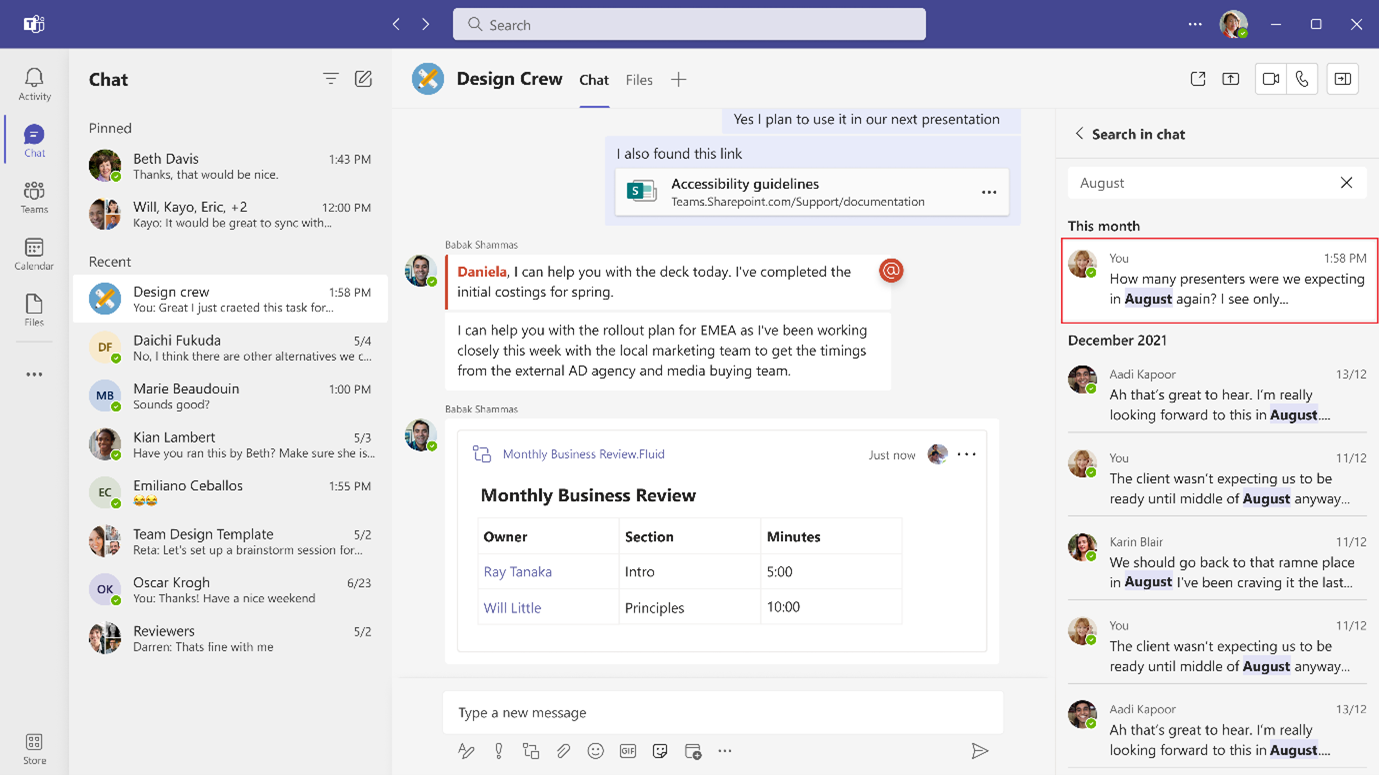
- We now have introduced enhanced captioning and keyword highlighting to aid the discernment of results in chat and channel:
4. In-chat search will now also be available in pop-out chats.
チャンネル:
注: 新しいチャネル エクスペリエンスの検索機能は現在メイン ビューで利用可能であり、まもなく会話ビューにも拡張される予定です。
- キーボードショートカットに加えて、チャンネル情報ペインに配置された専用のボタン「チャンネル内を検索」を使用して、コンテキスト検索を開始できます。
注:検索エントリポイントをチャットサーフェスに近日中に移動できるよう取り組んでいます。
- チャットとチャネルでの結果の識別を支援するために、強化されたキャプションとキーワードの強調表示が導入されました。
4.チャット内検索は、ポップアウトチャットでも利用できるようになります。
</alt=”keyword>
[準備するために必要なこと:]
準備は必要ありません。新しい検索エクスペリエンスは既定で設定されていますが、Teams のこれらの新機能に注目することをお勧めします。
|