| MC668798 | (Updated) Outlook on the web: Pre-Reporting and Post-Reporting Popups Integrated with Microsoft Defender for Office 365 |
|---|
| Classification | stayInformed |
|---|---|
| Last Updated | 09/12/2023 20:48:23 |
| Start Time | 08/18/2023 21:39:01 |
| End Time | 11/20/2023 07:00:00 |
| Message Content |
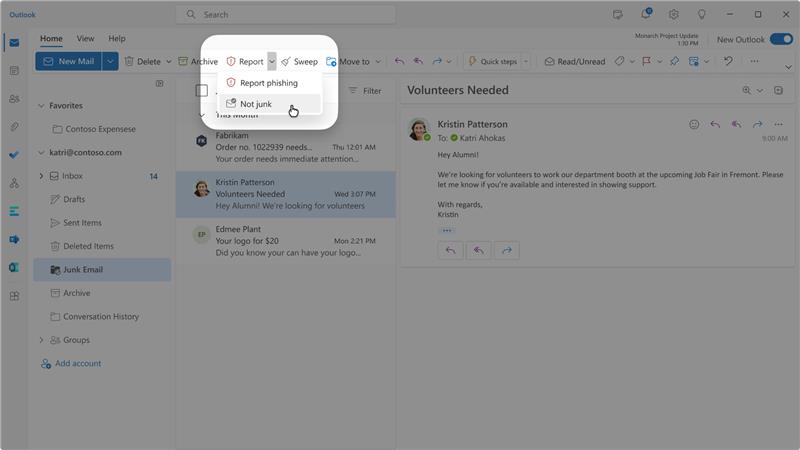
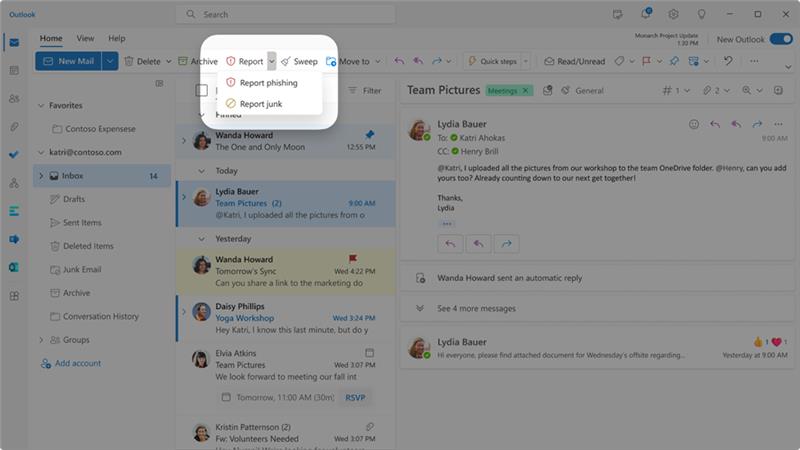
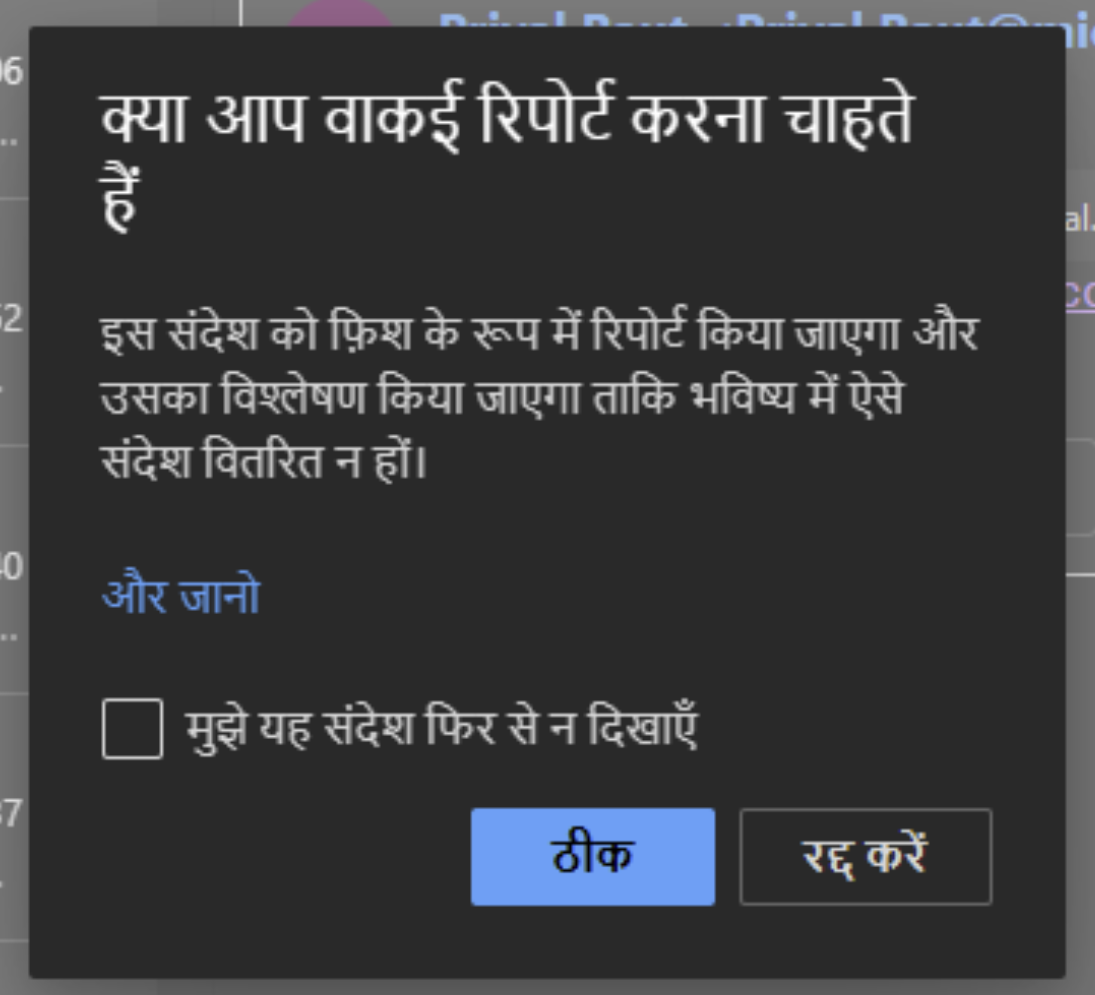
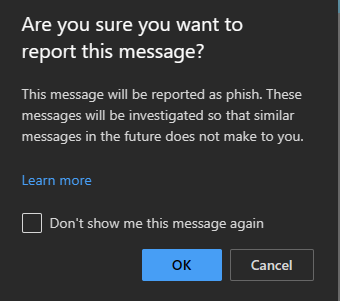
Updated September 12, 2023: We have updated the rollout timeline below. Thank you for your patience. The popups end-users see before and after reporting a message as phishing, junk, and not junk in Outlook on the web can soon be customized and localized in up to seven selected languages out of the full list of languages that Microsoft 365 supports. Admins can customize the title and description of the popups. They can even add a custom URL along with custom URL link text which will be shown on the popups. This message is associated with Microsoft 365 Roadmap ID 115508 [When this will happen:] Rollout will begin in late September 2023 (previously mid-September) and is expected to be complete by mid-October 2023 (previously late September). [How this will affect your organization:] To report a message in Outlook on the web, select Report in the simplified ribbon view.
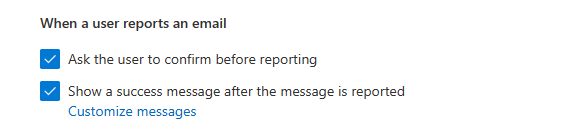
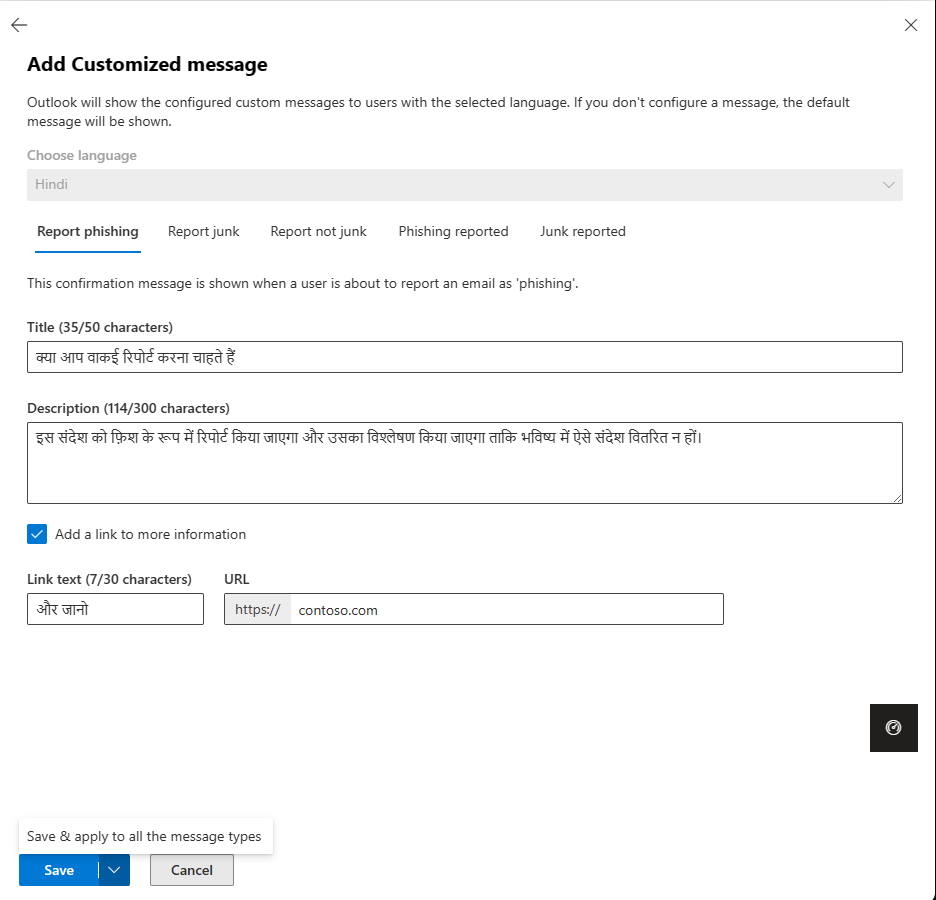
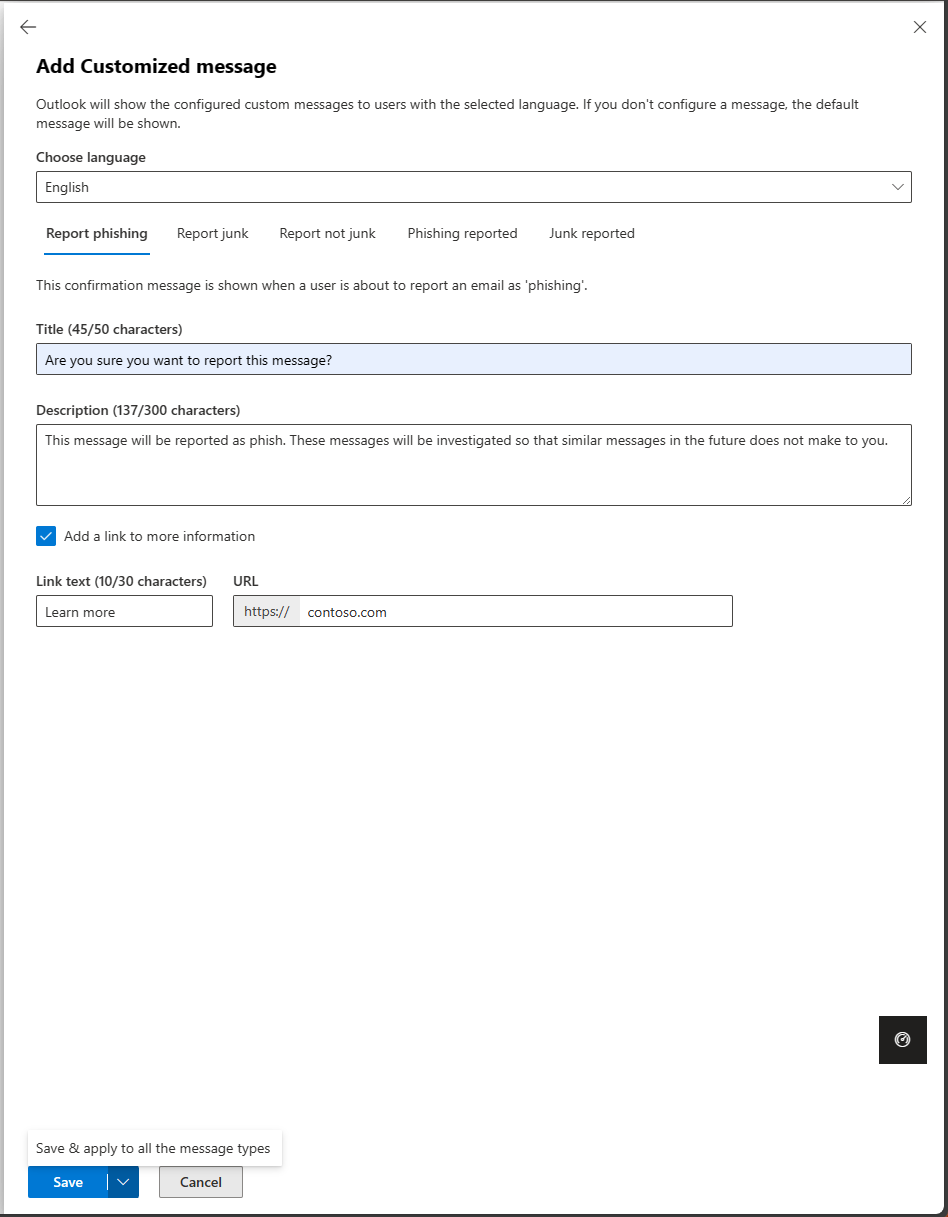
Admins can customize and localize the popup messages on user reported settings using the “Customized messages” option.
Admins can add customized localized pre-reporting and post-reporting popup messages in up to seven different languages selected from the full list of languages supported.
If the reporting feature is turned OFF in the user reported settings page of the Microsoft 365 Defender portal, or if you’re using a third-party add-in, you will not be affected by this change. Other Outlook clients for Mac, Windows, and iOS and Android are unaffected by this change. The Microsoft Report Message add-in will support the seven languages only for the pre-reporting popup (title and description). The link and URL aren’t supported for the pre-reporting popups. The Microsoft Report Phish add-in will only support the report phish pre-reporting popup. If you enable the popups and don’t provide a custom message or set up a custom message for some of the notifications, the default notification which Outlook on the web shows today will be shown in the user’s locale. Unfortunately, the existing customized messages you have for pre-reporting and post-reporting popups inside user reported settings won’t be carried over as part of this change.
[What you need to do to prepare:]
Once this change is rolled out, you can configure the new customized messages for pre-reporting and post-reporting popups in different languages using user reported settings. |
| Machine Translation |
2023 年 9 月 12 日更新: 以下のロールアウト タイムラインを更新しました。お待ちいただきありがとうございます。 Outlook on the web でメッセージをフィッシング、迷惑メール、迷惑メールではないと報告する前後にエンド ユーザーに表示されるポップアップは、 Microsoft 365 がサポートする言語の完全な一覧から最大 7 つの選択した言語ですぐにカスタマイズおよびローカライズできます。 管理者は、ポップアップのタイトルと説明をカスタマイズできます。ポップアップに表示されるカスタムURLリンクテキストとともにカスタムURLを追加することもできます。 このメッセージは、Microsoft 365 ロードマップ ID に関連付けられています 115508 [これが起こるとき:] ロールアウトは 2023 年 9 月下旬 (以前は 9 月中旬) に開始され、2023 年 10 月中旬 (以前は 9 月下旬) までに完了する予定です。 [これが組織に与える影響:] Outlook on the web でメッセージを報告するには、簡略化されたリボン ビューで [ レポート ] を選択します。
管理者は、[カスタマイズされたメッセージ] オプションを使用して、ユーザーが報告した設定のポップアップ メッセージをカスタマイズおよびローカライズできます。
管理者は、 サポートされている言語の完全なリストから選択した最大 7 つの異なる言語で、カスタマイズされたローカライズされたレポート前およびレポート後のポップアップ メッセージを追加できます。
Microsoft 365 Defender ポータルの ユーザー報告設定 ページでレポート機能がオフになっている場合、またはサードパーティのアドインを使用している場合は、この変更の影響を受けません。 Mac、Windows、iOS、および Android 用のその他の Outlook クライアントは、この変更の影響を受けません。 Microsoft レポート メッセージ アドインは、レポート前ポップアップ (タイトルと説明) に対してのみ 7 つの言語をサポートします。リンクと URL は、事前報告ポップアップではサポートされていません。Microsoft レポート フィッシング アドインは、レポート フィッシングの事前報告ポップアップのみをサポートします。 ポップアップを有効にし、カスタム メッセージを提供しない場合、または一部の通知にカスタム メッセージを設定しない場合、Outlook on the web が現在表示する既定の通知はユーザーのロケールで表示されます。 残念ながら、 ユーザーが報告した設定 内の事前報告および事後報告ポップアップ用に既存のカスタマイズされたメッセージは、この変更の一部として引き継がれません。
[準備するために必要なこと:]
この変更がロールアウトされると、ユーザー報告設定を使用して、異なる言語で事前報告および事後 報告ポップアップ用にカスタマイズされた新しいメッセージを構成できます。 |