| MC675281 | Generate unique join links for external presenters so they can easily join events |
|---|
| Classification | stayInformed |
|---|---|
| Last Updated | 09/14/2023 23:24:26 |
| Start Time | 09/14/2023 23:24:01 |
| End Time | 12/06/2023 08:00:00 |
| Message Content |
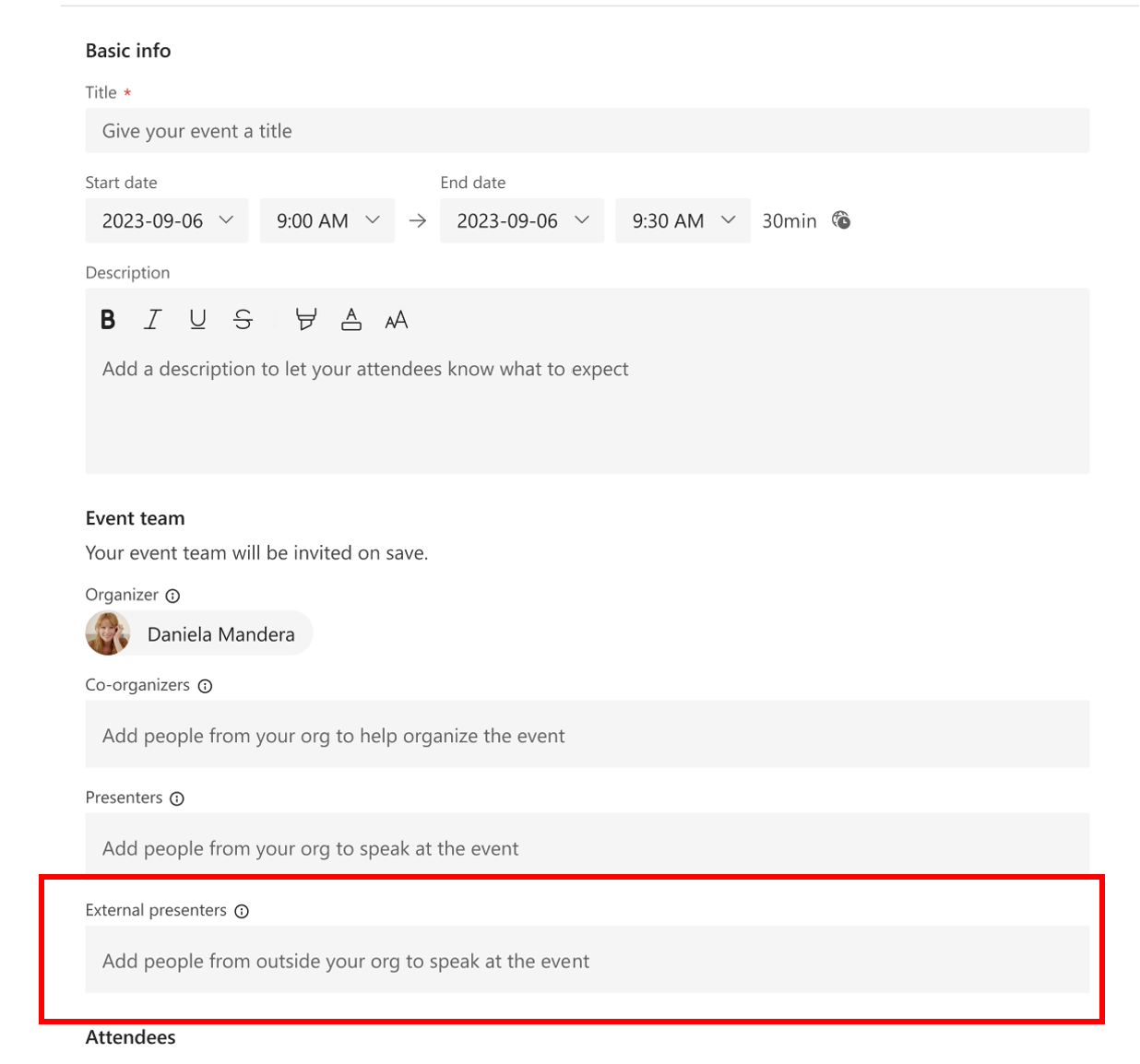
Organizers can set up events and effortlessly add external presenters, who will receive exclusive Teams join links. These links enable external presenters to directly enter the event, eliminating the need for organizers to manually admit them from the event lobby or modify their event role during the session. This creates a hassle-free event experience for organizers and presenters! External Presenters are considered people outside of your organization, including guests (AAD/B2B/non-AAD), federated, unfederated, and anonymous users (non-AAD). This feature is available for webinars only. This is not a Teams Premium feature. This message is associated with Microsoft 365 Roadmap ID 123149
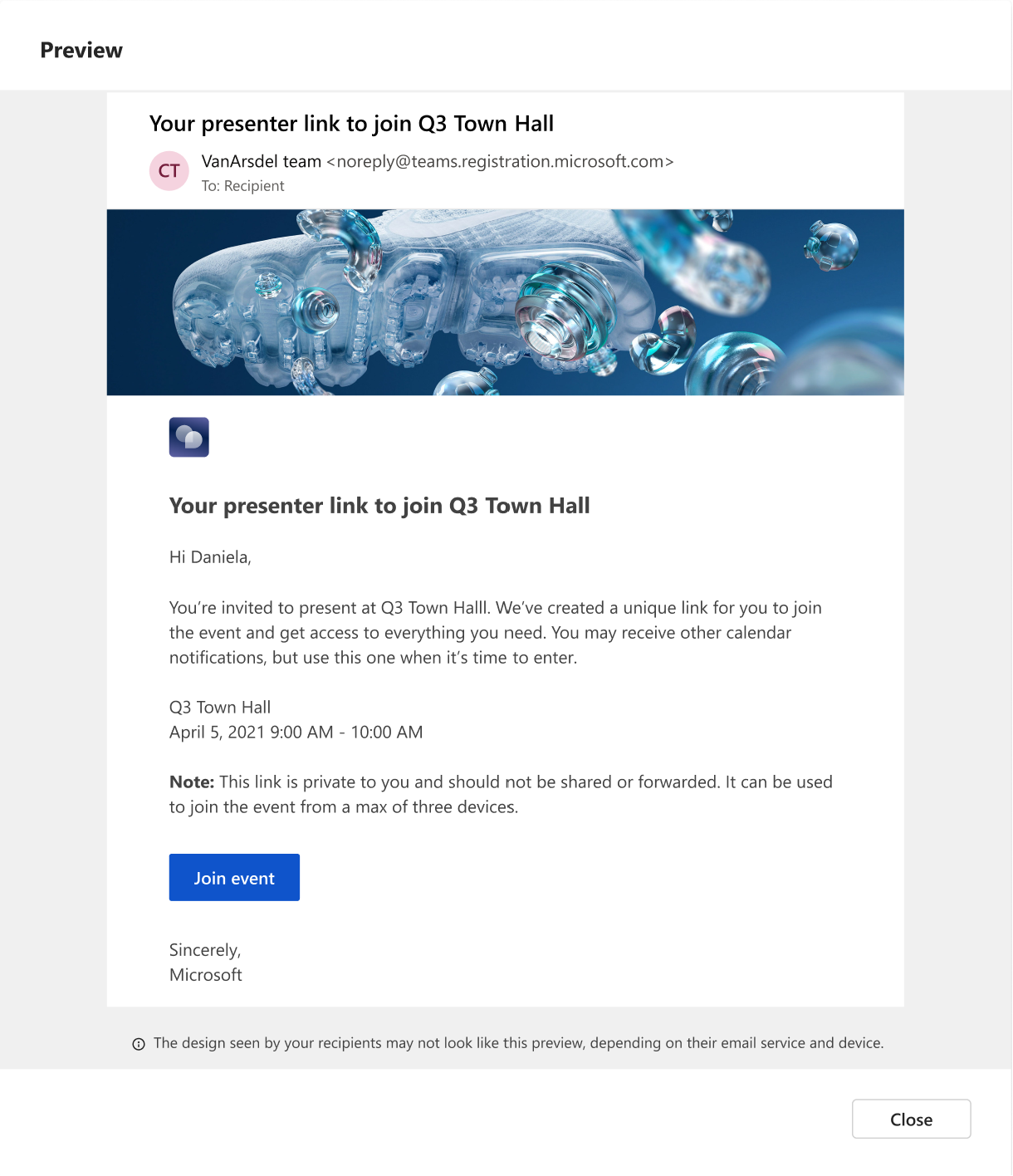
[When this will happen:] Standard Release: We will begin rolling out late October and expect to complete by early November. GCC: We will begin rolling out late October and expect to complete by early November. [How this will affect your organization:] We suggest updating your internal documentation to include this new feature. The email template that external presenters will receive will look like the template below. [What you need to do to prepare:]
This feature will appear on the webinar scheduling forms when it’s fully rolled out. |
| Machine Translation |
主催者は、イベントを設定し、排他的なチーム参加リンクを受け取る外部プレゼンターを簡単に追加できます。これらのリンクを使用すると、外部のプレゼンターがイベントに直接参加できるため、主催者がイベント ロビーから手動で許可したり、セッション中にイベントの役割を変更したりする必要がなくなります。これにより、主催者とプレゼンターにとって手間のかからないイベント体験が生まれます。 外部発表者は、ゲスト (AAD/B2B/非 AAD)、フェデレーション、フェデレーションなし、匿名ユーザー (AAD 以外) など、組織外のユーザーと見なされます。 この機能はウェビナーでのみ使用できます。これはチームプレミアム機能 ではありません 。 このメッセージは、Microsoft 365 ロードマップ ID に関連付けられています123149
[これが起こるとき:] 標準リリース: 10 月下旬にロールアウトを開始し、11 月上旬までに完了する予定です。 GCC:10月下旬に展開を開始し、11月上旬までに完了する予定です。 [これが組織に与える影響:] この新機能を含めるように内部ドキュメントを更新することをお勧めします。 外部のプレゼンターが受信する電子メール テンプレートは、次のテンプレートのようになります。 [準備するために必要なこと:]
この機能は、ウェビナーのスケジュール フォームが完全にロールアウトされると表示されます。 |