| MC680661 | Expand and Collapse Folders in Outlook Mobile |
|---|
| Classification | stayInformed |
|---|---|
| Last Updated | 10/10/2023 23:06:46 |
| Start Time | 10/10/2023 23:06:33 |
| End Time | 11/30/2023 08:00:00 |
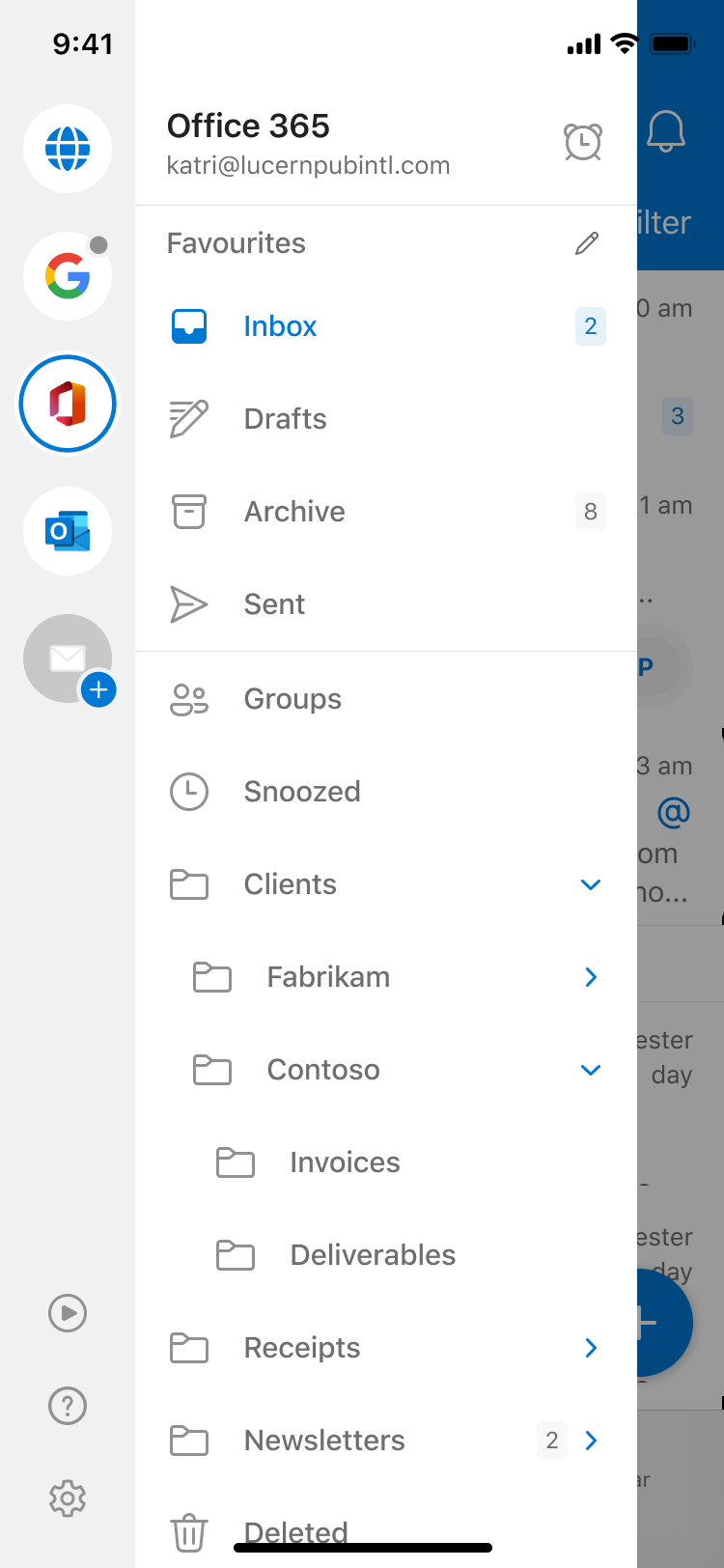
| Message Content | We’re adding the ability to expand and collapse mail folders to Outlook Mobile.
This message is associated with Microsoft 365 Roadmap IDs 171602 and 171603 [When this will happen:] We will begin rolling out in early October 2023 and expect to complete rollout by late October 2023.
[How this will affect your organization:] When viewing folders in the Outlook Mobile sidebar users will now see a “>” button that expands or collapses the current row, revealing any subfolders it may contain.
[What you need to do to prepare:]
The feature will automatically be enabled and will only appear for users who have a nested folder structure in Mail. For those who don’t use subfolders there is no change in functionality. |
| Machine Translation | メール フォルダーを展開および折りたたむ機能を Outlook Mobile に追加しています。
このメッセージは、Microsoft 365 ロードマップ ID 171602 および 171603に関連付けられています [これが起こるとき:] 2023 年 10 月初旬にロールアウトを開始し、2023 年 10 月下旬までにロールアウトを完了する予定です。
[これが組織に与える影響:] Outlook Mobileサイドバーでフォルダを表示すると、現在の行を展開または折りたたむ「>」ボタンが表示され、含まれている可能性のあるサブフォルダが表示されます。
[準備するために必要なこと:]
この機能は自動的に有効になり、メールにネストされたフォルダ構造を持つユーザーにのみ表示されます。サブフォルダを使用しない場合、機能に変更はありません。 |