| MC681887 | Microsoft Teams | Front Row Enhancement: Active video speaker promotion for Teams Rooms on Windows |
|---|
| Classification | stayInformed |
|---|---|
| Last Updated | 10/16/2023 22:04:19 |
| Start Time | 10/16/2023 22:04:00 |
| End Time | 02/29/2024 08:00:00 |
| Message Content |
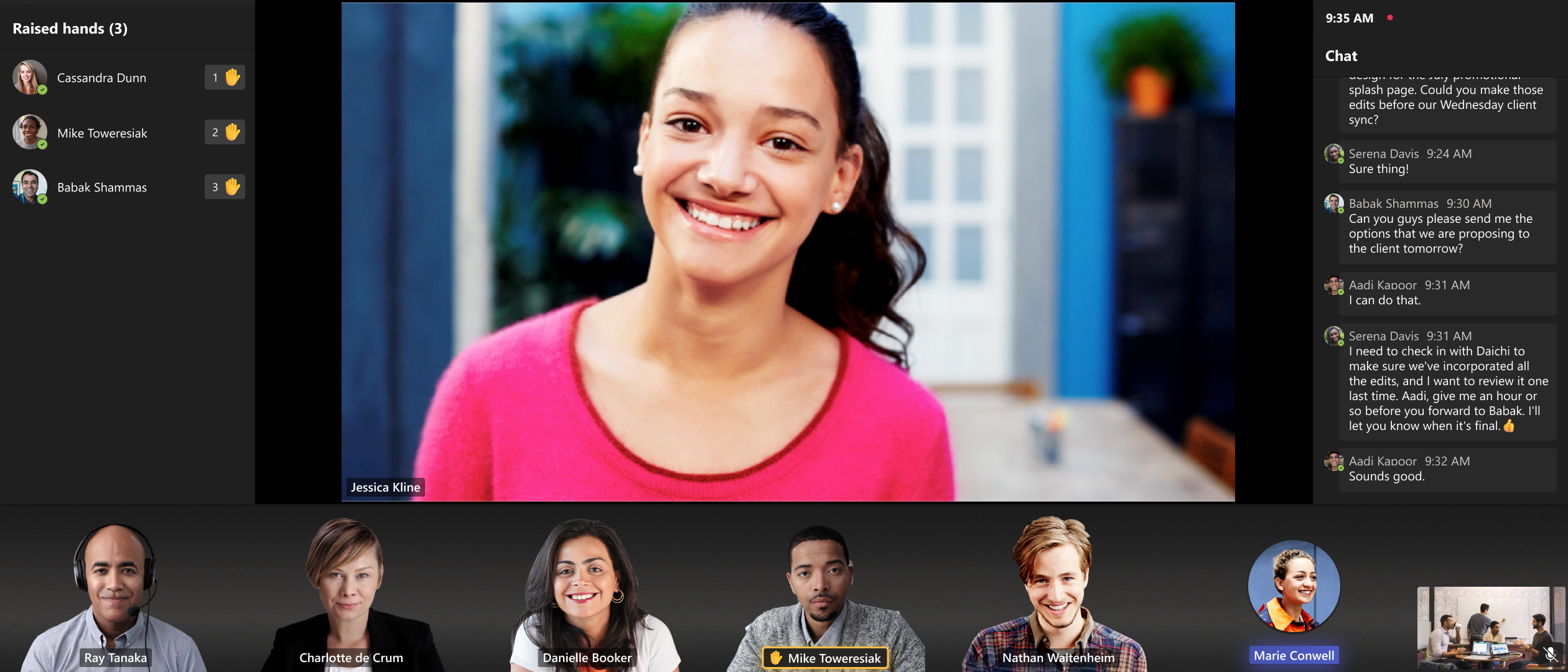
The latest version of Teams Rooms on Windows app 4.19 includes updates to Front Row experience to promote active video speakers to the spotlight area to improve space utilization and provide in-room users with immersive experience across single and dual display configurations. This message is associated with Microsoft 365 Roadmap ID 161825.
[When this will happen:] Standard Release: We will begin rolling out mid-November and expect to complete it by late-December. [How this will affect your organization:] The Front Row layout is improved to promote pinned or spotlighted participants to the center stage when there is no shared content in the meeting. This addresses customer feedback on empty space utilization and aligns pinned or spotlighted participants treatment across single and dual front of room displays. Additionally, active speaker video is promoted to the center stage to utilize display to create immersive experience for in room users. For single display configurations, when no one is pinned, spotlighted or sharing content, the most recent active speaker video will be promoted to the center. In dual display mode, when no one is pinned, spotlighted or sharing content, two most recent active speaker videos are promoted to the center on each screen. When someone is sharing content in the meeting, it’s displayed on one display while the other display shows the most recent active video speaker.
[What you need to do to prepare:]
Please notify your users about this new experience and update your training and documentation as appropriate. |
| Machine Translation |
Windows アプリ 4.19 の Teams Rooms の最新バージョンには、アクティブなビデオ スピーカーをスポットライト領域に昇格させてスペース使用率を向上させ、室内ユーザーにシングルおよびデュアル ディスプレイ構成全体でイマーシブ エクスペリエンスを提供するフロント ロウ エクスペリエンスの更新が含まれています。 このメッセージは、Microsoft 365 ロードマップ ID 161825に関連付けられています。
[これが起こるとき:] 標準リリース: 11 月中旬にロールアウトを開始し、12 月下旬までに完了する予定です。 [これが組織に与える影響:] 最前列のレイアウトが改善され、会議に共有コンテンツがない場合に、ピン留めまたはスポットライトが当てられた参加者が中央ステージに昇格しました。これにより、空きスペースの使用率に関する顧客からのフィードバックに対応し、部屋の前面のシングルおよびデュアル全体で固定またはスポットライトを当てた参加者の扱いを調整します。さらに、アクティブスピーカービデオがセンターステージに昇格し、ディスプレイを利用して室内のユーザーに没入型エクスペリエンスを作成します。シングルディスプレイ構成の場合、誰もピン留め、スポットライト、またはコンテンツの共有されていない場合、最新のアクティブなスピーカー ビデオ が中央にプロモートされます。デュアルディスプレイモードでは、誰もピン留め、スポットライト、またはコンテンツの共有されていない場合、最新の2つのアクティブなスピーカー ビデオ が各画面の中央にプロモートされます。誰かが会議でコンテンツを共有しているときは、一方のディスプレイに表示され、もう一方のディスプレイには最新のアクティブな ビデオ スピーカーが表示されます。
[準備するために必要なこと:]
この新しいエクスペリエンスについてユーザーに通知し、必要に応じてトレーニングとドキュメントを更新してください。 |