| MC696167 | Outlook: Choose how many days of emails sync to your iOS or Android device for offline usage |
|---|
| Classification | stayInformed |
|---|---|
| Last Updated | 12/07/2023 00:53:34 |
| Start Time | 12/07/2023 00:53:19 |
| End Time | 03/18/2024 07:00:00 |
| Message Content |
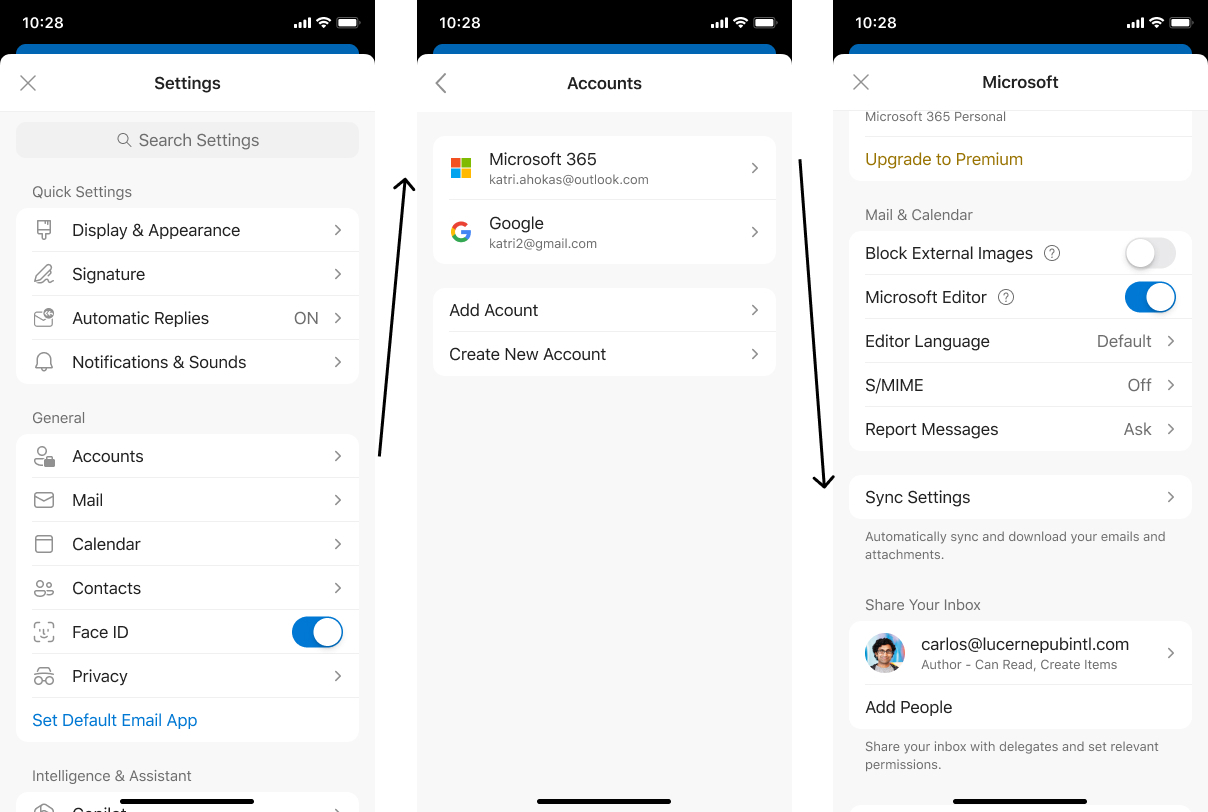
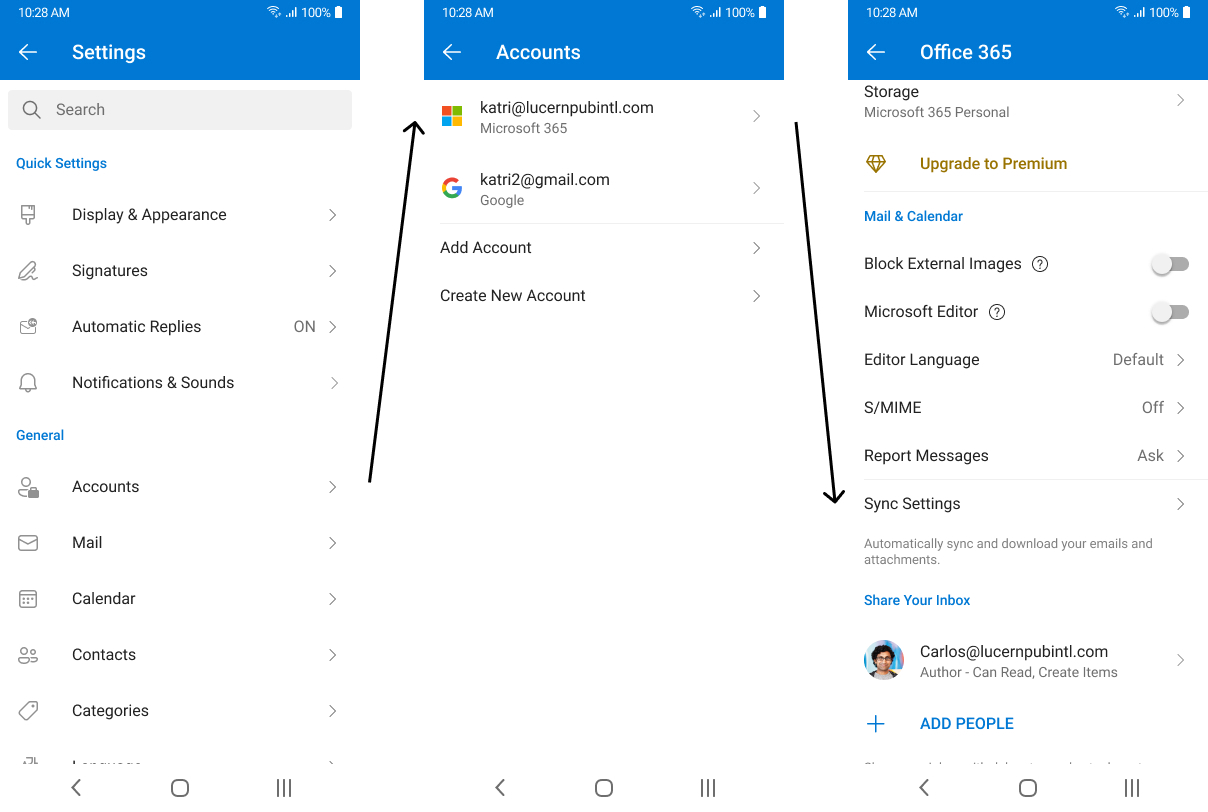
With the new sync window, you can choose how many days’ worth of emails and attachments you want to download to your iOS or Android device so you can always access them even while offline.
This message is associated with Microsoft 365 Roadmap ID: 189809 Preview: We will begin rolling out in late December 2023 and expect to complete by mid-January 2024. Standard Release: We will begin rolling out mid-January 2024 and expect to complete by mid-February 2024. [How this will affect your organization:] This change will give you more control over what messages and attachments are being saved to your device. By choosing sync settings that better accommodate your necessities, you can use Outlook Mobile even while you’re not connected to your cellular data or Wi-Fi. iOS: Android:
[What you need to do to prepare:]
Be aware of how many days you’d prefer to sync to your device; we currently provide a 90-day limit. |
| Machine Translation |
新しい同期ウィンドウでは、iOSまたはAndroidデバイスにダウンロードするメールと添付ファイルの日数を選択できるため、オフラインでもいつでもアクセスできます。
このメッセージは、Microsoft 365 ロードマップ ID: 189809 に関連付けられています プレビュー: 2023 年 12 月下旬にロールアウトを開始し、2024 年 1 月中旬までに完了する予定です。 標準リリース: 2024 年 1 月中旬にロールアウトを開始し、2024 年 2 月中旬までに完了する予定です。 [これが組織に及ぼす影響:] この変更により、デバイスに保存されるメッセージと添付ファイルをより詳細に制御できるようになります。必要に応じて同期設定を選択することで、携帯データ ネットワークや Wi-Fi に接続していないときでも Outlook Mobile を使用できます。 iOSの場合: アンドロイド:
[準備に必要なこと:]
デバイスに同期する日数に注意してください。現在、90 日間の制限を設けています。 |