| MC712143 | Microsoft Entra ID: New Microsoft teams-specific consent settings |
|---|
| Classification | stayInformed |
|---|---|
| Last Updated | 02/03/2024 01:15:38 |
| Start Time | 02/03/2024 01:15:29 |
| End Time | 05/01/2024 07:00:00 |
| Message Content |
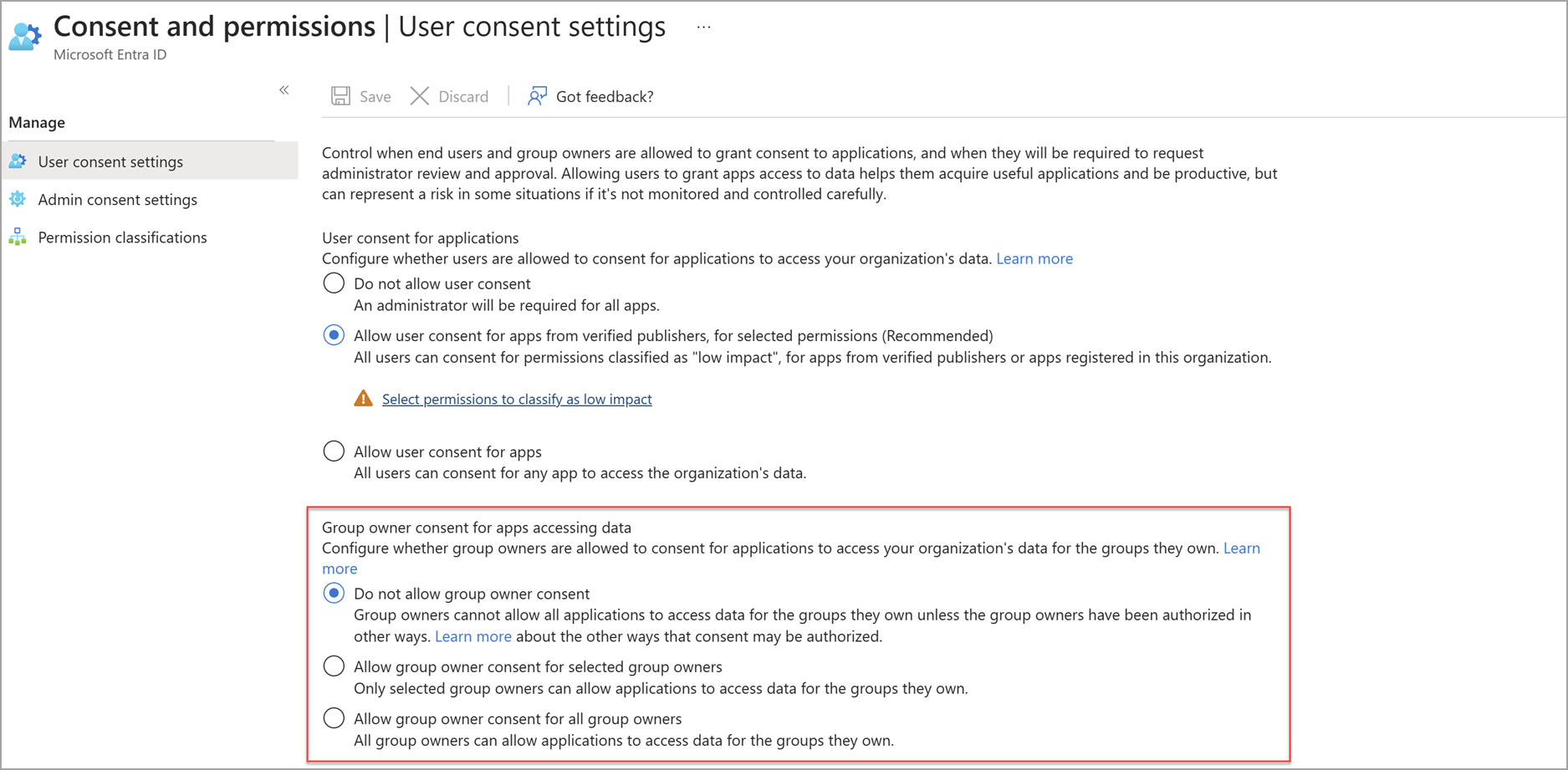
For Microsoft Entra and Microsoft Teams, we are introducing two new resource-specific consent settings (RSC) for teams and chats to enhance secure app adoption. These settings will affect Chat RSC and Team RSC for apps in Microsoft Teams. This update also empowers Teams-level admins to independently manage these settings. Existing Group owner consent settings and API and the existing Chat RSC API will be retired with this update. [When this will happen:] Standard Release: We will begin rolling out early March 2024 and expect to complete by mid-March 2024. See the What you need to do to prepare section of this message for specific dates. [How this will affect your organization:] For now, the new teams-specific settings will be managed using Microsoft Graph PowerShell commandlets. All current settings for Group Owner UX and Chat RSC API will be migrated to the new Team RSC and Chat RSC PowerShell settings by March 14, 2024. No action is needed, but admins may optionally choose to change their Chat RSC or Team RSC settings with Microsoft Graph PowerShell commandlets prior to March 4, 2024, to manually preserve current settings. Previously, Team Resource-Specific Consent (RSC) was governed by the Group owner consent setting in the Microsoft Entra admin center and was managed only by Entra admins. The Group owner consent setting will be retired with the rollout of the new PowerShell RSC settings.
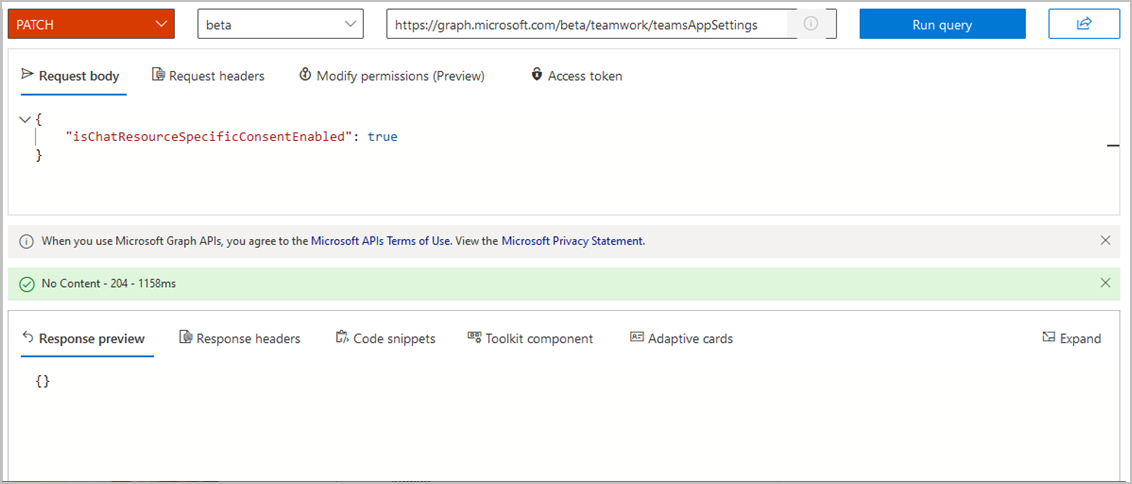
Previously, Chat Resource-Specific Consent (RSC) was controlled by Graph API in teamsAppSettings. The isChatResourceSpecificConsent value in this API will be deprecated and controlled via the new Chat RSC setting in PowerShell. On March 14, 2024, the deprecation of isChatResourceSpecificConsent will begin, and you must use the new Microsoft Graph PowerShell commandlets to make changes to Chat RSC in your tenant.
[What you need to do to prepare:] We’re providing a four-week preselection period before introducing the new settings, allowing time for Teams admins to make adjustments. The preselection period begins on February 5, 2024, and will gradually roll out to all tenants by February 14, 2024. During the preselection period, Entra admins may use the PowerShell commandlets to preselect their desired Team RSC and Chat RSC settings. After the pre-selection period ends March 4, 2024, Teams admins also can adjust these settings. Your current Team and Chat RSC settings will not be affected during this preselection period. The new policies will gradually start taking effect on March 7, 2024 and will completely roll out to all tenants by March 14, 2024. When rolled out, the new settings will take on a new ManagedByMicrosoft state. Instructions for modifying the new teams-specific consent settings can be found in the Configure consent settings section of Grant RSC permissions to an app – Teams | Microsoft Learn. |
| Machine Translation |
Microsoft Entra と Microsoft Teams では、安全なアプリの導入を強化するために、チームとチャットに 2 つの新しいリソース固有の同意設定 (RSC) を導入しています。これらの設定は、Microsoft Teams のアプリのチャット RSC とチーム RSC に影響します。また、この更新プログラムにより、Teams レベルの管理者はこれらの設定を個別に管理できるようになります。既存の グループ所有者の同意 設定と API、および既存のチャット RSC API は、この更新プログラムで廃止されます。 [これがいつ起こるか:] 標準リリース: 2024 年 3 月上旬にロールアウトを開始し、2024 年 3 月中旬までに完了する予定です。特定の日付については、このメッセージの「 準備に必要な作業 」セクションを参照してください。 [これが組織に及ぼす影響:] 現時点では、新しいチーム固有の設定は、 Microsoft Graph PowerShell コマンドレットを使用して管理されます。2024 年 3 月 14 日までに、グループ所有者 UX とチャット RSC API の現在のすべての設定が、新しいチーム RSC とチャット RSC PowerShell 設定に移行されます。アクションは必要ありませんが、管理者は必要に応じて、2024 年 3 月 4 日より前に Microsoft Graph PowerShell コマンドレット を使用して チャット RSC またはチーム RSC の設定を変更し、現在の設定を手動で保持することを選択できます。 以前は、チーム リソース固有の同意 (RSC) は、Microsoft Entra 管理センターの グループ所有者の同意 設定によって管理され、Entra 管理者によってのみ管理されていました。 グループ所有者の同意 設定は、新しい PowerShell RSC 設定のロールアウトと共に廃止されます。
以前は、チャット リソース固有の同意 (RSC) は、teamsAppSettings の Graph API によって制御されていました。この API の isChatResourceSpecificConsent 値は非推奨となり、PowerShell の新しいチャット RSC 設定によって制御されます。2024 年 3 月 14 日に、isChatResourceSpecificConsent の非推奨が開始され、新しい Microsoft Graph PowerShell コマンドレットを使用してテナント内のチャット RSC に変更を加える必要があります。
[準備に必要なこと:] 新しい設定を導入する前に 4 週間の事前選択期間を設け、Teams 管理者が調整を行う時間を確保しています。事前選定期間は2024年2月5日に開始され、2024年2月14日までにすべてのテナントに段階的に展開されます。事前選択期間中、Entra 管理者は PowerShell コマンドレットを使用して、目的のチーム RSC とチャット RSC の設定を事前に選択できます。事前選択期間が 2024 年 3 月 4 日に終了した後、Teams 管理者はこれらの設定を調整することもできます。現在のチームとチャットのRSC設定は、この事前選択期間中は影響を受けません。新しいポリシーは、2024 年 3 月 7 日から段階的に発効し、2024 年 3 月 14 日までにすべてのテナントに完全に展開されます。ロールアウトすると、新しい設定は新しい ManagedByMicrosoft 状態になります。新しい Teams 固有の同意設定を変更する手順については、「 アプリに RSC アクセス許可を付与する – Teams |Microsoft Learn を参照してください。 |