| MC715694 | Microsoft SharePoint: Manage SharePoint Embedded containers through the SharePoint admin center |
|---|
| Classification | stayInformed |
|---|---|
| Last Updated | 02/14/2024 01:12:14 |
| Start Time | 02/14/2024 01:09:17 |
| End Time | 06/14/2024 07:00:00 |
| Message Content |
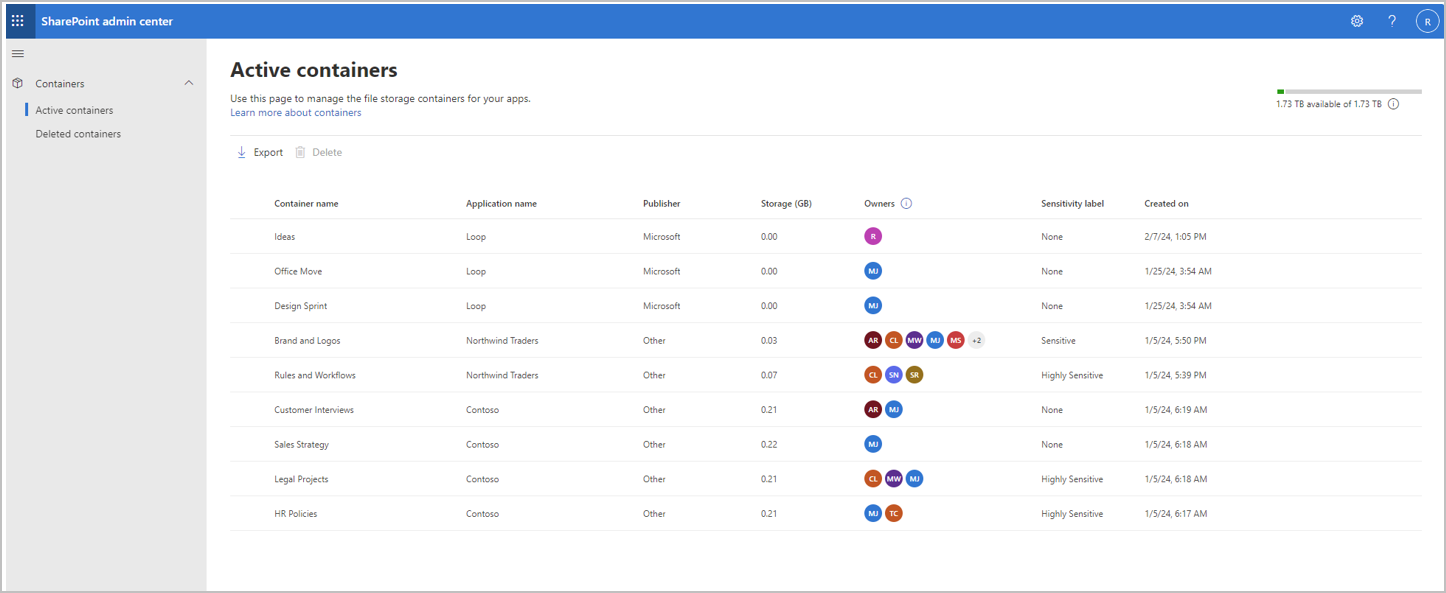
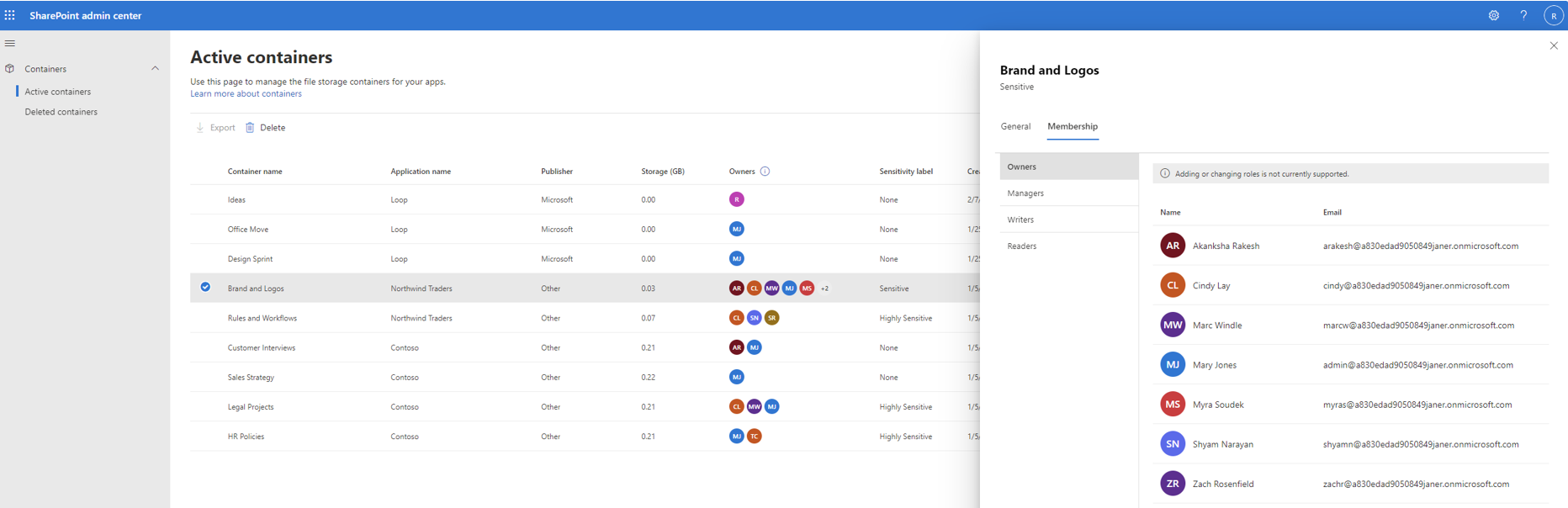
Microsoft SharePoint Embedded, currently in Public Preview, is an API-only solution empowering app developers to leverage the file and document storage in Microsoft 365 to create line-of-business or multitenant applications. Microsoft Loop is an example of a SharePoint Embedded application. Organizations who are using SharePoint Embedded applications on their Microsoft 365 tenants are the consuming tenants. With this rollout, alongside PowerShell, consuming tenant admins have the added ability to manage SharePoint Embedded applications registered in their tenant directly through the SharePoint admin center. To access this functionality, administrators must assign the new SharePoint Embedded Administrator role when it becomes available in early March 2024 in the Microsoft 365 admin center. New Embedded Administrators must log in to the SharePoint admin center. [When this will happen] Public Preview: We will begin rolling out early March 2024 and expect to complete by late March 2024. Standard Release: We will begin rolling out mid-April 2024 and expect to complete by early May 2024. [How this will affect your organization] After a user is assigned to a SharePoint Embedded Admin role in the Microsoft 365 admin center, the SharePoint Embedded Admin will be able to:
[What you need to do to prepare] Assign the SharePoint Embedded Admin role to the admin persona when it becomes available in the Microsoft 365 admin center in early March 2024. You may want to notify your users about this change and update any relevant documentation as appropriate. |
| Machine Translation |
現在パブリック プレビュー段階の Microsoft SharePoint Embedded は、アプリ開発者が Microsoft 365 のファイルとドキュメントのストレージを活用して基幹業務アプリケーションまたはマルチテナント アプリケーションを作成できるようにする API のみのソリューションです。Microsoft Loop は、SharePoint Embedded アプリケーションの一例です。 Microsoft 365 テナントで SharePoint 埋め込みアプリケーションを使用している組織は、使用テナントです。このロールアウトにより、PowerShell と共に、使用するテナント管理者は、テナントに登録されている SharePoint Embedded アプリケーションを SharePoint 管理センターから直接管理できるようになりました。この機能にアクセスするには、管理者は、Microsoft 365 管理センターで 2024 年 3 月上旬に利用可能になったときに、新しい SharePoint 埋め込み管理者ロールを割り当てる必要があります。新しい埋め込み管理者は、SharePoint 管理センターにログインする必要があります。 [いつになるか] パブリック プレビュー: 2024 年 3 月上旬にロールアウトを開始し、2024 年 3 月下旬までに完了する予定です。 標準リリース: 2024 年 4 月中旬にロールアウトを開始し、2024 年 5 月上旬までに完了する予定です。 [これが組織に及ぼす影響] ユーザーが Microsoft 365 管理センターで SharePoint 埋め込み管理者ロールに割り当てられると、SharePoint 埋め込み管理者は次のことができるようになります。
【準備に必要なこと】 2024 年 3 月上旬に Microsoft 365 管理センターで使用可能になったときに、SharePoint 埋め込み管理者ロールを管理者ペルソナに割り当てます。この変更についてユーザーに通知し、必要に応じて関連ドキュメントを更新することをお勧めします。 |